
WOLFANG GB1350
WOLFANG GB1350 Action Camera Battery Charging Kit User Manual
Model: GB1350
1. Product Overview
The WOLFANG GB1350 Action Camera Battery Charging Kit provides extended power for your compatible WOLFANG action cameras. This kit includes two 1350 mAh rechargeable batteries and a dual-slot USB charger, designed for efficient and convenient charging.

Image: The WOLFANG GB1350 Charging Kit, featuring two 1350 mAh batteries and a dual-slot USB charger.
Key Features:
- Higher Capacity: Each 1350mAh battery offers approximately 30% more recording time compared to standard 1050mAh batteries.
- Durable Construction: Batteries are encased in aluminum alloy for improved heat dissipation and longevity.
- Fast Dual Charging: The USB charger allows simultaneous charging of two batteries, reducing downtime.
- LED Indicators: Clear red/blue LED lights indicate charging status.
- Wide Compatibility: Compatible with WOLFANG GA100, GA200, and GA300 action cameras. Note: Not compatible with GA420.
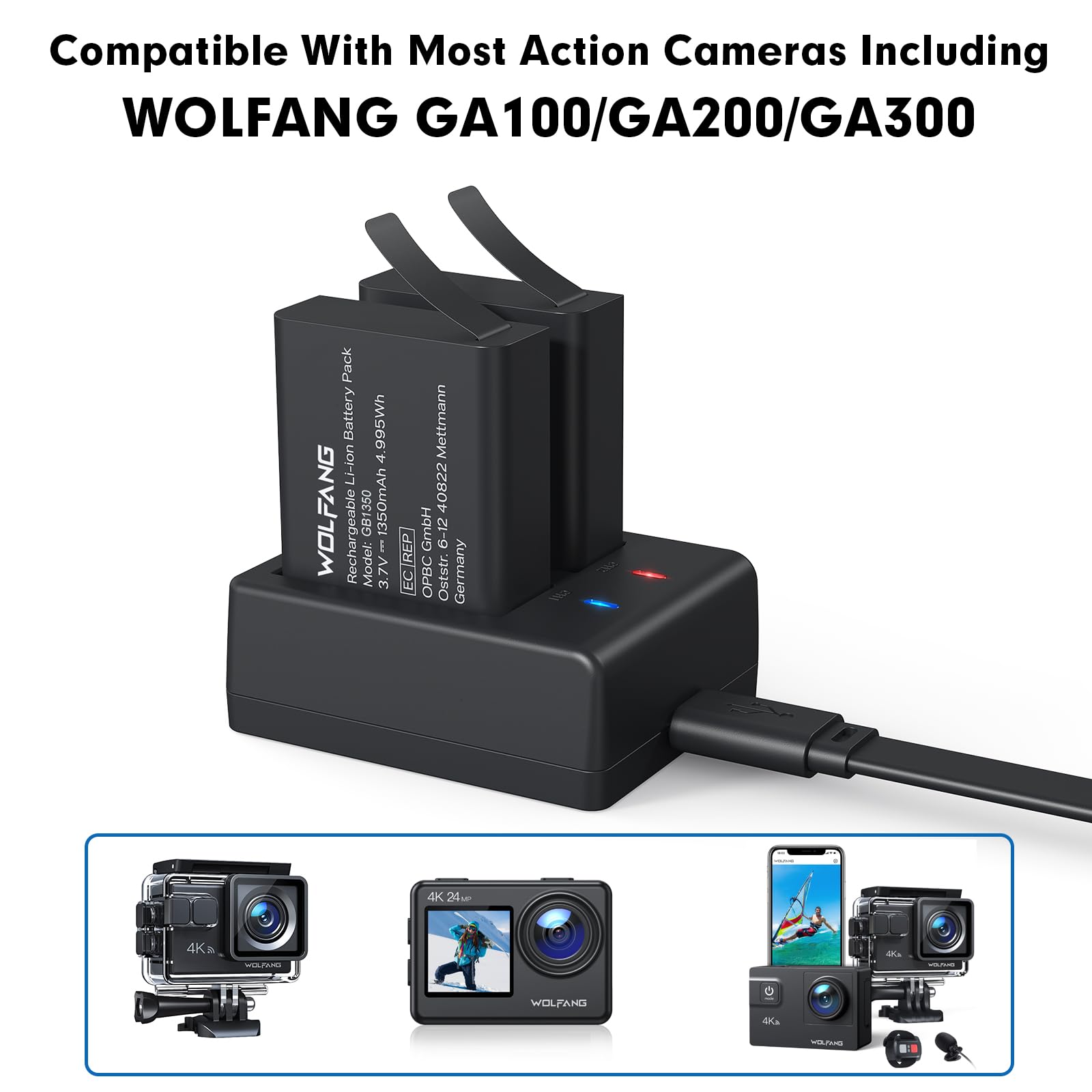
Image: Comparison illustrating the extended photo and video recording capabilities of the 1350mAh WOLFANG batteries.
2. Setup and Charging Instructions
2.1 Package Contents:
Verify that your package contains the following items:
- 2 x WOLFANG 1350 mAh Rechargeable Li-ion Batteries
- 1 x Dual-Slot USB Battery Charger
- 1 x USB Type-C Charging Cable
- 1 x User Manual (this document)
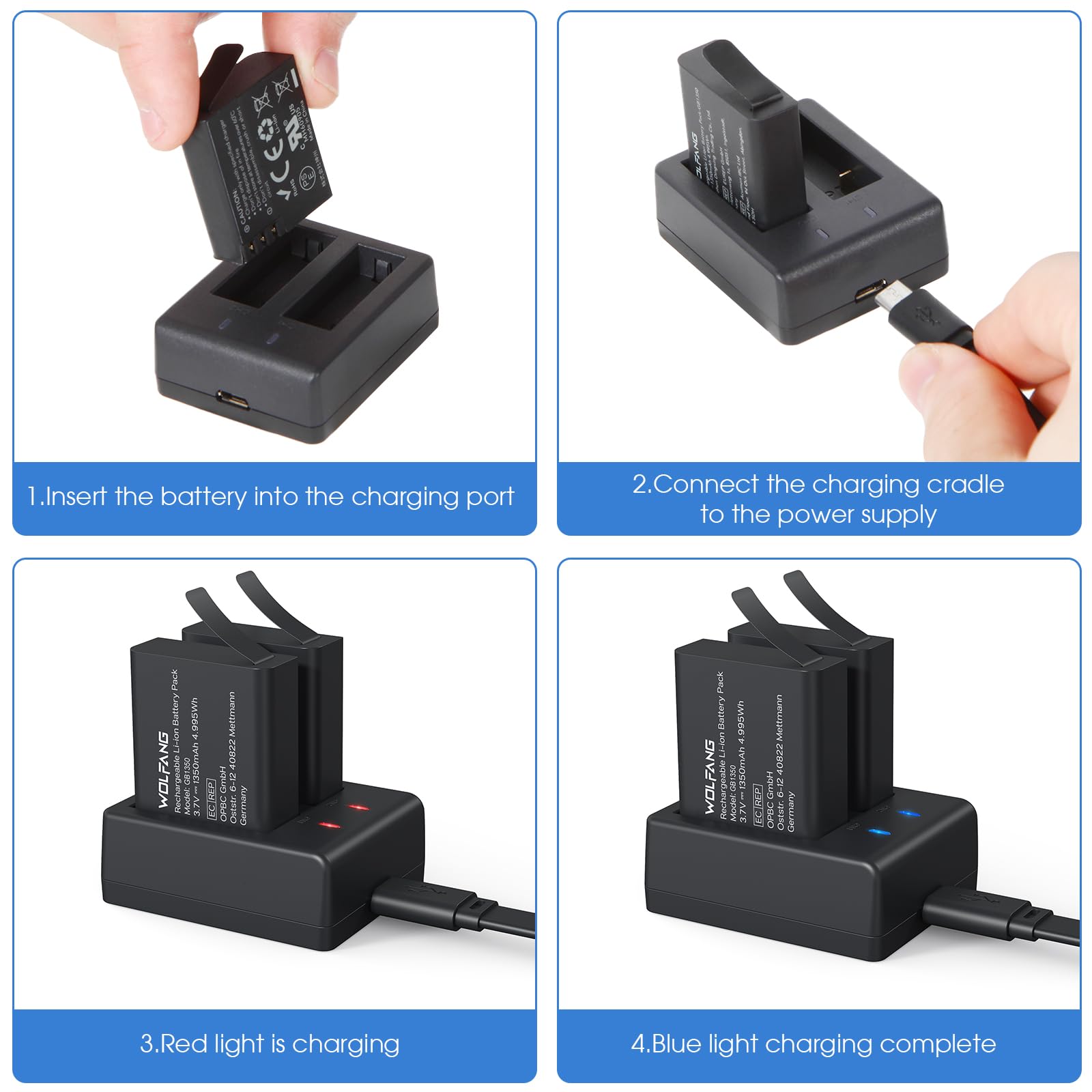
Image: The complete WOLFANG GB1350 Battery Pack contents.
2.2 Charging Procedure:
-
Insert Batteries: Gently slide one or two WOLFANG 1350 mAh batteries into the charging slots of the dual-slot charger. Ensure the battery contacts align correctly with the charger pins.
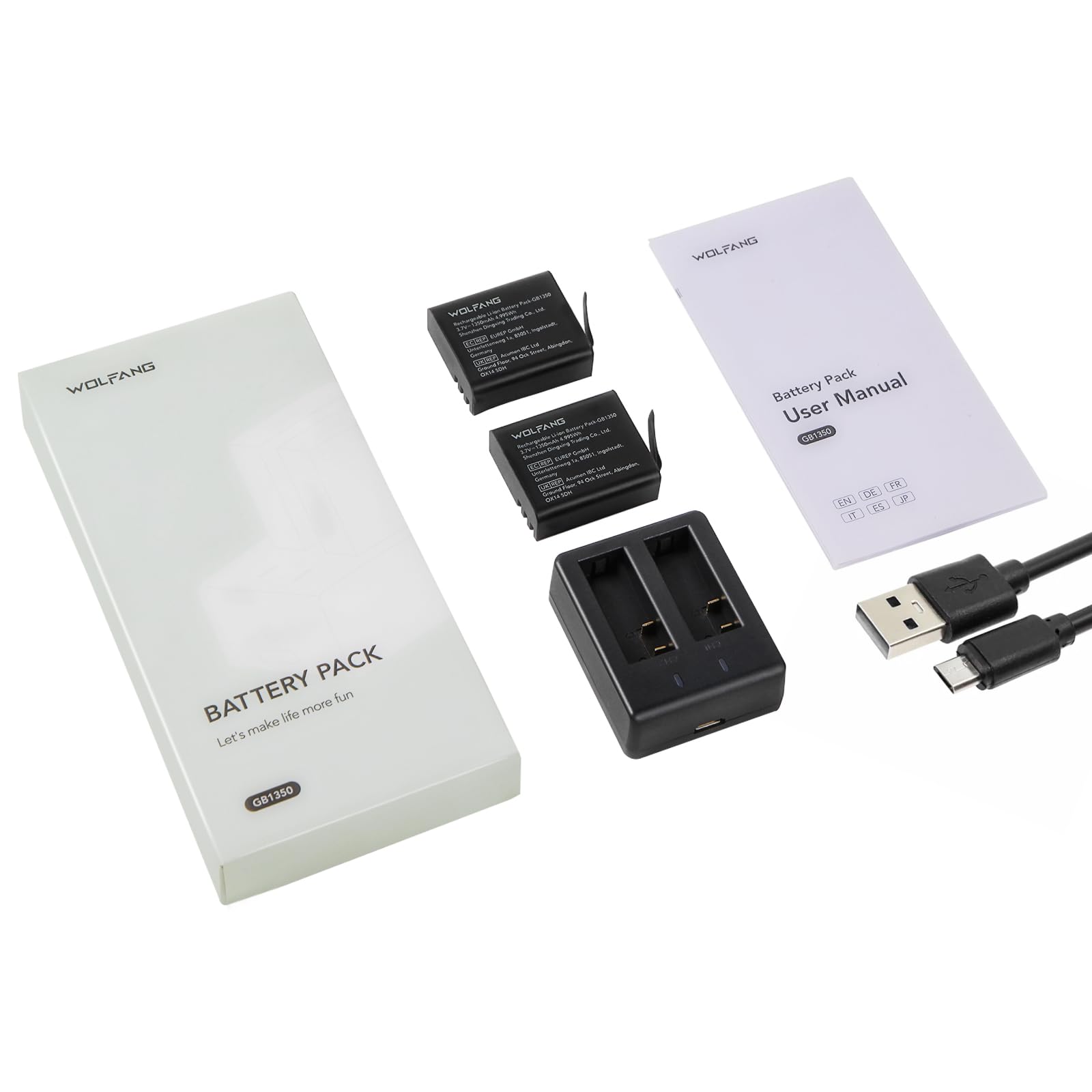
Image: Correctly inserting a battery into the charger slot.
-
Connect to Power: Connect the USB Type-C charging cable to the charger's port and then to a compatible USB power source. This can be a USB wall adapter, a power bank, a laptop, or a car charger.
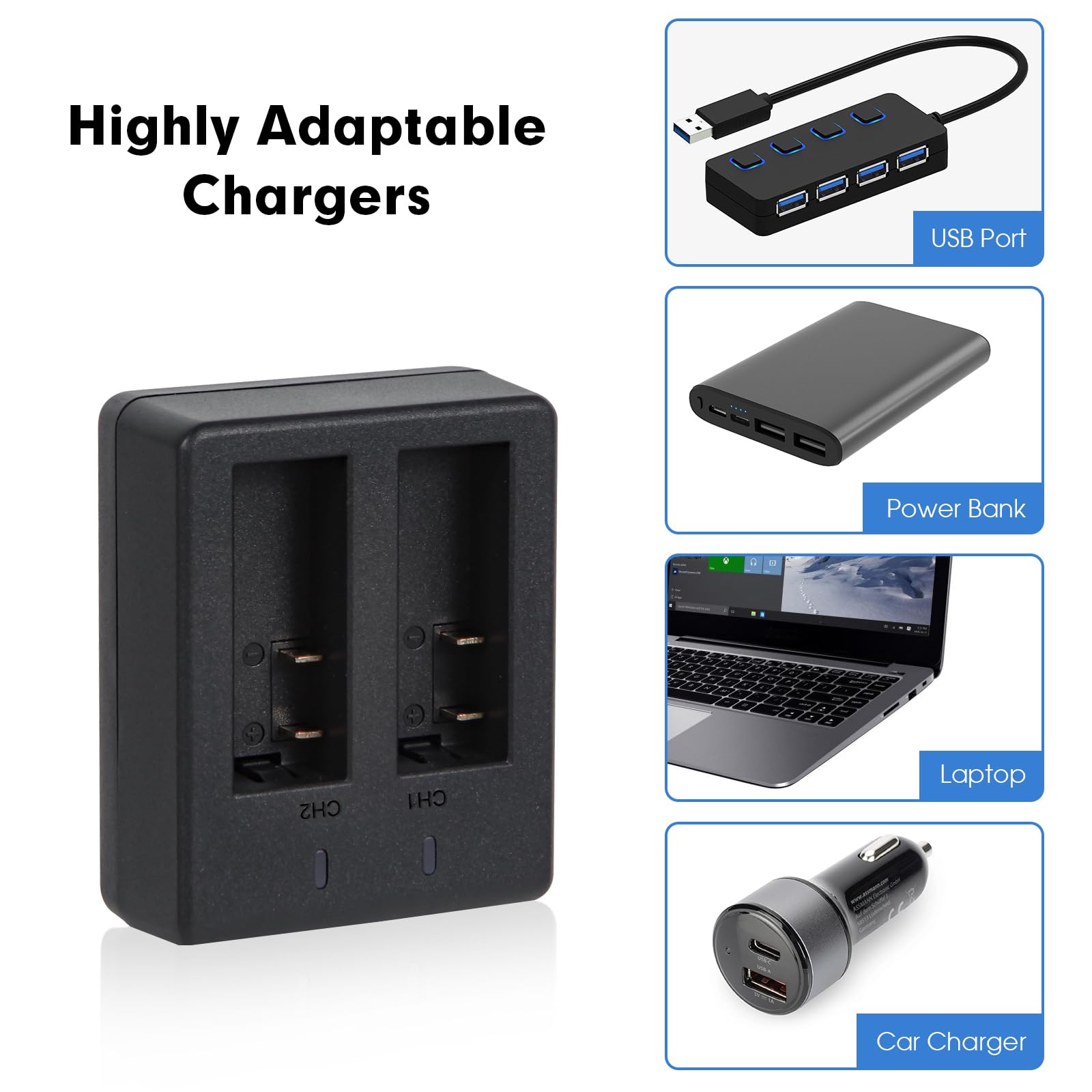
Image: Connecting the charger to a power source.
Image: Examples of compatible power sources for the charger.
-
Monitor Charging Status: The LED indicator lights on the charger will show the charging status:
- Red Light: Indicates that the battery is currently charging.
- Blue Light: Indicates that the battery is fully charged or no battery is present in the slot.
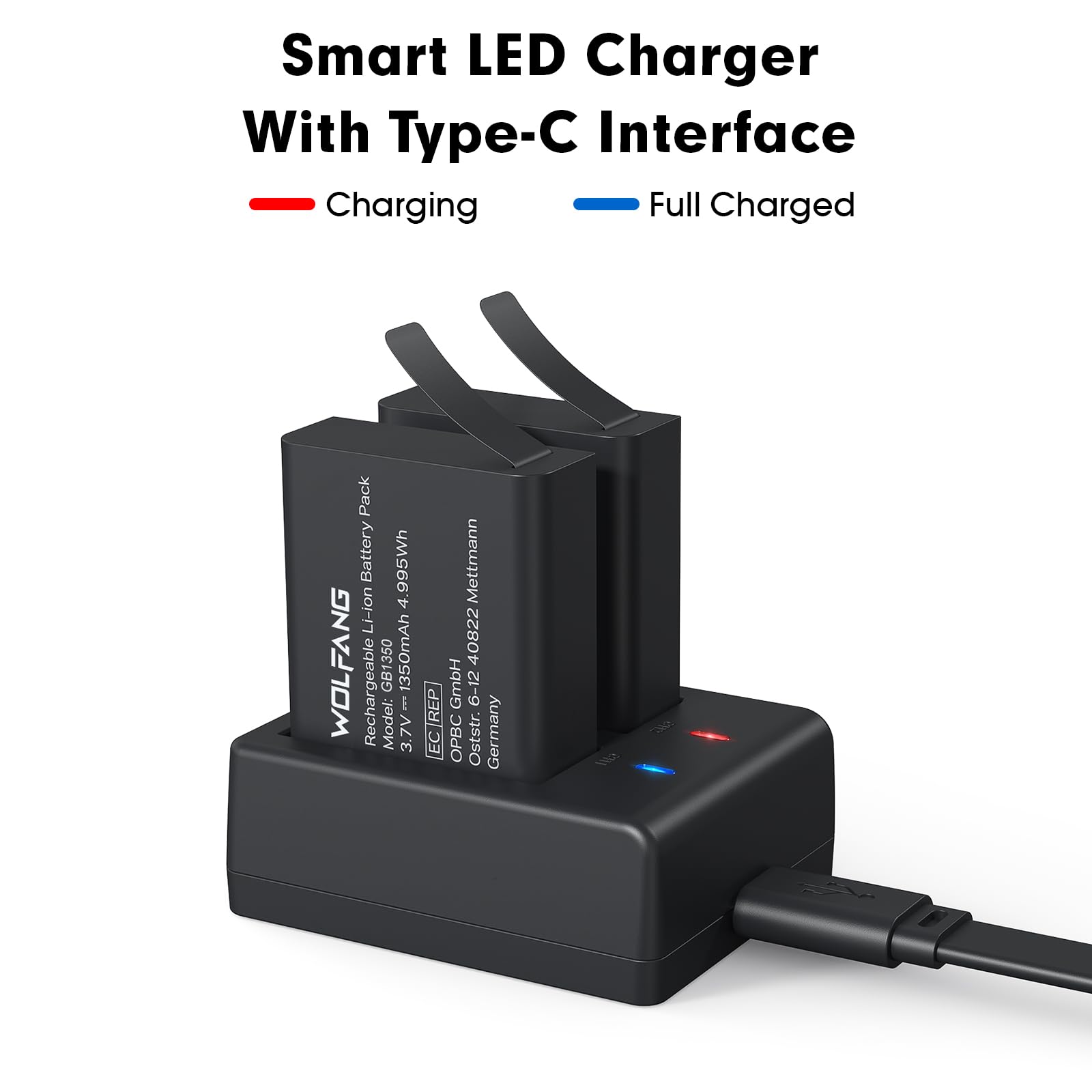
Image: Charger showing red light for charging and blue light for fully charged.
- Remove Batteries: Once the blue light appears, the battery is fully charged. Disconnect the charger from the power source and remove the batteries.
3. Operating the Batteries
These 1350 mAh batteries are designed to provide extended power for your WOLFANG action cameras. To use, simply insert a charged battery into your compatible action camera (GA100, GA200, GA300).
Image: The charging kit is compatible with WOLFANG GA100, GA200, and GA300 action cameras.
The increased capacity allows for longer shooting sessions, capturing more photos and videos without frequent battery changes.
4. Maintenance and Care
- Store batteries in a cool, dry place away from direct sunlight and extreme temperatures.
- Avoid fully discharging batteries before recharging to prolong their lifespan.
- Clean the battery contacts and charger pins periodically with a dry, soft cloth to ensure good connection.
- Do not disassemble, crush, or puncture the batteries or charger.
- Keep the charging kit away from water and moisture.
- If not using the batteries for an extended period, charge them to about 50% capacity before storage.
5. Troubleshooting
| Problem | Possible Cause | Solution |
|---|---|---|
| Batteries not charging (no red light) |
|
|
| Blue light stays on, but battery is not charged |
|
|
| Batteries do not fit WOLFANG GA420 camera |
|
|
6. Specifications
| Feature | Detail |
|---|---|
| Brand | WOLFANG |
| Model Number | GB1350 |
| Battery Capacity | 1350 mAh (each) |
| Battery Type | Lithium Polymer |
| Charger Type | Dual-Slot USB Charger |
| Connectivity | USB Type-C |
| Compatible Cameras | WOLFANG GA100, GA200, GA300 |
| Incompatible Cameras | WOLFANG GA420 |
| Item Weight | 0.07 g (total kit) |
| UPC | 698746847647 |
7. Warranty and Support
WOLFANG provides a 1-year warranty for this product and offers a 1-month free return and exchange policy. For any support needs, technical assistance, or warranty claims, please contact WOLFANG customer service directly.
Email: support@wolfang.co
Please visit the official WOLFANG website or your retailer's support page for additional resources and contact information.
Related documentsGB1350


Ask a question about this manual
Ask about setup, troubleshooting, compatibility, parts, safety, or missing instructions. Manuals+ will review the question and use this page’s manual context to help answer it.