
boAt Airdopes 141 ANC
boAt Airdopes 141 ANC TWS Earbuds User Manual
Model: Airdopes 141 ANC
1. Introduction
Thank you for choosing the boAt Airdopes 141 ANC TWS Earbuds. These earbuds are designed to provide a superior audio experience with advanced features such as Active Noise Cancellation, low latency for gaming, and extended battery life. This manual will guide you through the setup, operation, and maintenance of your new earbuds.
2. What's in the Box
- Airdopes 141 ANC Earbuds
- Charging Cable (USB Type-C)
- User Manual
- Warranty Card
3. Product Overview

Image: boAt Airdopes 141 ANC TWS Earbuds in Green, showcasing the earbuds and their charging case.
The Airdopes 141 ANC features a sleek, pocketable design. The earbuds are ergonomically shaped for a comfortable and secure fit, while the charging case provides protection and extends battery life. Available in multiple colors, including Green, Gunmetal Black, and White.

Image: An overview graphic highlighting key features such as Active Noise Cancellation, BEAST™ Mode, 42 hours playback, Quad Mics with ENx™ Technology, ASAP™ Charge, and Dual EQ Modes.
4. Setup
4.1 Charging Your Earbuds
Before first use, fully charge your Airdopes 141 ANC. Use the provided USB Type-C cable to connect the charging case to a power source.
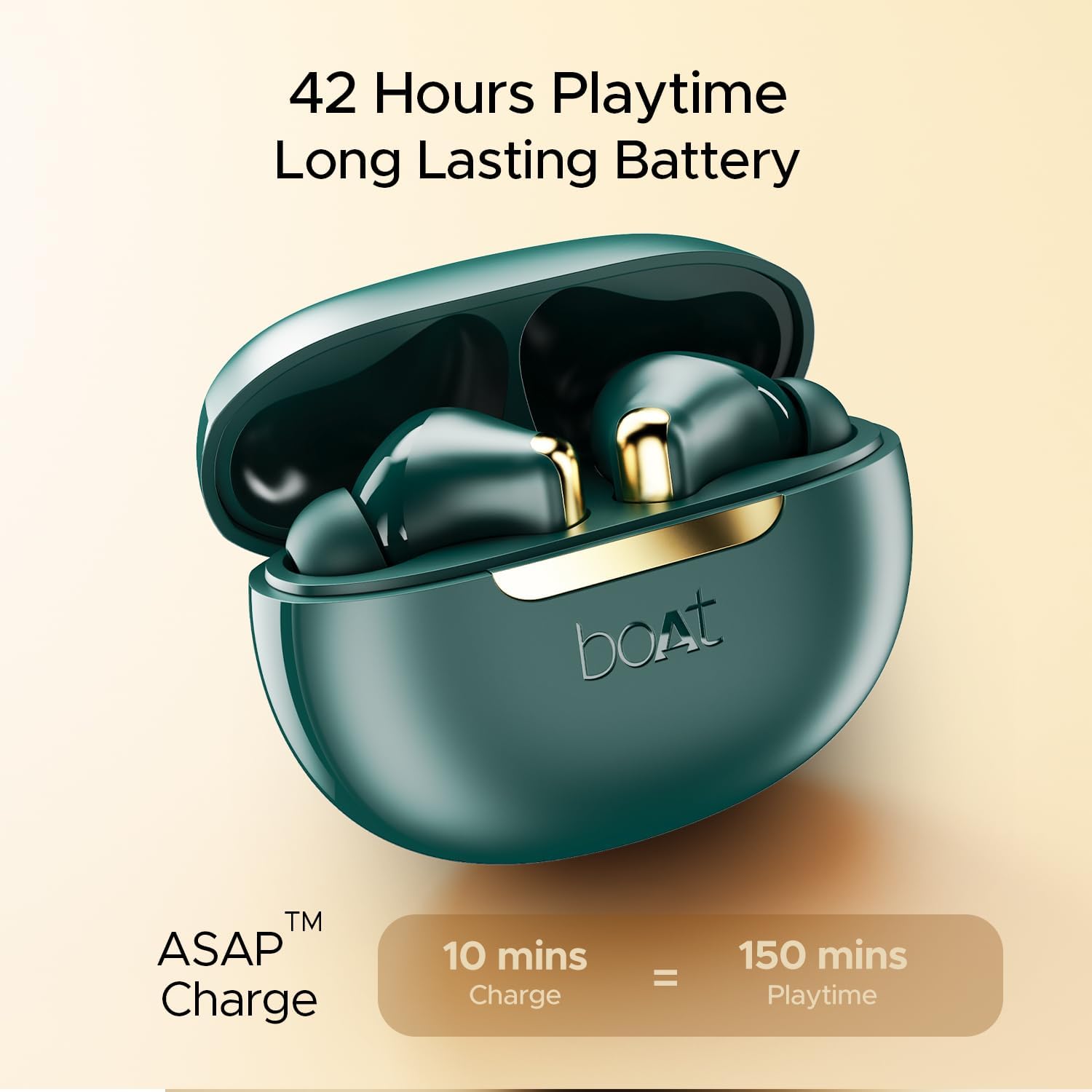
Image: The Airdopes 141 ANC charging case open with earbuds inside, illustrating the ASAP™ Charge feature: 10 minutes of charge provides 150 minutes of playtime.
- The charging case has a USB Type-C port for convenient charging.
- The ASAP™ Charge feature allows for quick power-ups: a 10-minute charge provides approximately 150 minutes of playback.
- A full charge provides up to 42 hours of total playback time with the charging case.
4.2 Pairing with Your Device
The Airdopes 141 ANC utilizes IWP™ (Insta Wake N’ Pair) Tech for seamless connectivity.
- Open the lid of the charging case. The earbuds will automatically power on and enter pairing mode.
- On your device (smartphone, tablet, etc.), enable Bluetooth.
- Search for 'Airdopes 141 ANC' in the list of available Bluetooth devices and select it to pair.
- Once paired, the earbuds will automatically connect to the last paired device when the case lid is opened.
- Equipped with Bluetooth v5.3 for stable and efficient wireless connection.

Image: A visual representation of the earbuds highlighting Bluetooth v5.3 connectivity and IPX5 sweat and splash resistance.
5. Operating Instructions
5.1 Active Noise Cancellation (ANC)
Experience immersive audio by eliminating external distractions.
- The Airdopes 141 ANC can eliminate up to 32 dB of external noise.
- Activate ANC to enjoy your music or podcasts with enhanced clarity, free from ambient sounds.

Image: A woman wearing the Airdopes 141 ANC earbuds, demonstrating the effect of 32dB Active Noise Cancellation.
5.2 BEAST™ Mode (Low Latency)
Optimize your gaming and video streaming experience.
- Engage BEAST™ Mode for ultra-low latency of up to 50 ms.
- This mode synchronizes audio and visuals perfectly, providing a competitive edge in gaming and a seamless experience for videos.

Image: The Airdopes 141 ANC charging case with earbuds, emphasizing the BEAST™ Mode for 50ms low latency.
5.3 Crystal Clear Voice Calls
Ensure clear communication even in noisy environments.
- Equipped with Quad Mics with ENx™ Technology.
- This technology enhances voice clarity during calls by filtering out ambient noise, making your voice sound crisp and clear to the recipient.

Image: A detailed diagram illustrating the placement and function of the Quad Mics with ENx™ Technology for clear voice calls.
5.4 Superior Audio Quality
Enjoy rich and balanced sound.
- Features dual 10 mm drivers for powerful and clear audio output.
- Experience boAt Signature Sound, delivering a balanced audio profile.
- Utilize Dual EQ Modes (Signature and Balanced) to customize your listening experience according to your preference.

Image: A close-up view of an earbud's internal components, emphasizing boAt Signature Sound and the availability of Dual EQ Modes.
6. Maintenance
6.1 Cleaning
- Regularly clean the earbuds and charging case with a soft, dry cloth.
- Remove ear tips and clean any earwax or debris from the earbud nozzles using a small brush or cotton swab.
- Ensure the charging contacts on both the earbuds and the case are clean and dry.
6.2 Water Resistance
The Airdopes 141 ANC earbuds are rated IPX5 for water resistance.
- This rating means they are protected against sweat and splashes of water.
- They are suitable for workouts and outdoor activities where they might be exposed to light moisture.
- Note: The IPX5 rating does not mean the earbuds are waterproof. Do not submerge them in water or expose them to heavy rain.
7. Troubleshooting
7.1 Earbuds Not Pairing
- Ensure both earbuds are charged.
- Place earbuds back in the case, close the lid, wait a few seconds, then open again.
- Turn off and on Bluetooth on your device.
- Forget the device from your Bluetooth settings and try pairing again.
7.2 No Sound or Low Volume
- Check the volume levels on both your device and the earbuds.
- Ensure earbuds are properly seated in your ears.
- Clean any debris from the earbud nozzles.
- Try resetting the earbuds (refer to manufacturer's specific reset instructions if available, or try placing them in the case and holding a button if applicable).
7.3 Charging Issues
- Ensure the charging cable is securely connected to both the case and the power source.
- Try a different USB Type-C cable and/or power adapter.
- Clean the charging contacts on the earbuds and inside the case.
8. Specifications
| Feature | Detail |
|---|---|
| Model Name | Airdopes 141 ANC |
| Connectivity Technology | Wireless (Bluetooth v5.3) |
| Active Noise Cancellation | Up to 32 dB |
| Low Latency Mode | BEAST™ Mode (50 ms) |
| Playback Time | Up to 42 hours (with charging case) |
| Microphones | Quad Mics with ENx™ Technology |
| Drivers | Dual 10 mm Dynamic Drivers |
| Charging Interface | USB Type-C (ASAP™ Charge) |
| Water Resistance | IPX5 |
| Control Type | Media Control, Voice |
| Item Weight | 45 Grams (1.59 ounces) |
9. Warranty & Support
Your boAt Airdopes 141 ANC comes with a Warranty Card included in the box. Please refer to the Warranty Card for detailed terms and conditions of your product warranty.
For technical support, troubleshooting assistance, or warranty claims, please visit the official boAt website or contact their customer service. Keep your purchase receipt and Warranty Card handy for any support inquiries.
Related documentsAirdopes 141 ANC


Ask a question about this manual
Ask about setup, troubleshooting, compatibility, parts, safety, or missing instructions. Manuals+ will review the question and use this page’s manual context to help answer it.