
Introduction
This manual provides comprehensive instructions for the safe and efficient operation, maintenance, and troubleshooting of your AIRROBO PC100 Robotic Pool Cleaner. Please read this manual thoroughly before using the device and retain it for future reference.

Image: The AIRROBO PC100 Robotic Pool Cleaner, a compact and efficient device designed for autonomous pool cleaning.
Product Overview
The AIRROBO PC100 is a wireless robotic pool cleaner designed to efficiently clean the floor, walls, and waterline of various pool types. It features intelligent navigation and powerful suction for thorough cleaning.
Key Features:
- Wireless Operation: Eliminates tangled cables and hoses, offering hassle-free operation with a single button press.
- Dual Cleaning Modes: Automatically scrubs the pool floor, waterline, and walls.
- Strong Suction & Fine Filtration: Equipped with powerful suction, efficient motors, and active scrubbing brushes to remove dust, sand, and small debris. A 180 µm fine filter ensures effective debris capture.
- Intelligent Navigation: Utilizes automatic positioning and smart path planning for comprehensive zigzag cleaning.
- Extended Battery Life: Provides up to 150 minutes of cleaning, covering areas up to 288 m².
- Automatic Parking: The robot parks near the pool wall when the battery is low or a cleaning cycle is complete, facilitating easy retrieval.
What's in the Box:
- AIRROBO PC100 Pool Cleaner
- Internal Filter
- Maintenance Tools
- Power Adapter
- Retrieval Hook
Setup
- Charge the Device: Before first use, fully charge the AIRROBO PC100 using the provided power adapter. Ensure the charging port is dry before connecting the adapter. The charging indicator will show the charging status.
- Prepare the Pool: Ensure the pool is free of large debris that could obstruct the cleaner. The water temperature should be within the recommended operating range (typically 10°C to 35°C).
- Submerge the Cleaner: Gently lower the cleaner into the pool. Tilt it slightly to allow air bubbles to escape until it sinks to the bottom. Ensure it is fully submerged before starting.

Image: The AIRROBO PC100 features a wireless design, eliminating the need for external cables during operation.
Operating Instructions
- Start Cleaning: Once the cleaner is fully submerged, press the power button to initiate a cleaning cycle. The cleaner will begin its programmed cleaning path.
- Cleaning Modes: The PC100 operates with two cleaning modes, automatically adjusting to clean the pool floor, walls, and waterline. It uses intelligent path planning for efficient coverage.
- Wall Climbing: The cleaner is designed to climb pool walls up to a 90-degree angle to clean the waterline effectively.
- Automatic Parking: Upon completion of a cleaning cycle or when the battery is low, the cleaner will automatically move to the nearest pool wall and park itself for easy retrieval.
- Retrieving the Cleaner: Use the provided retrieval hook to gently pull the cleaner to the surface. Allow excess water to drain before lifting it out of the pool.

Image: The PC100 uses intelligent path planning for efficient and thorough cleaning in a zigzag pattern.
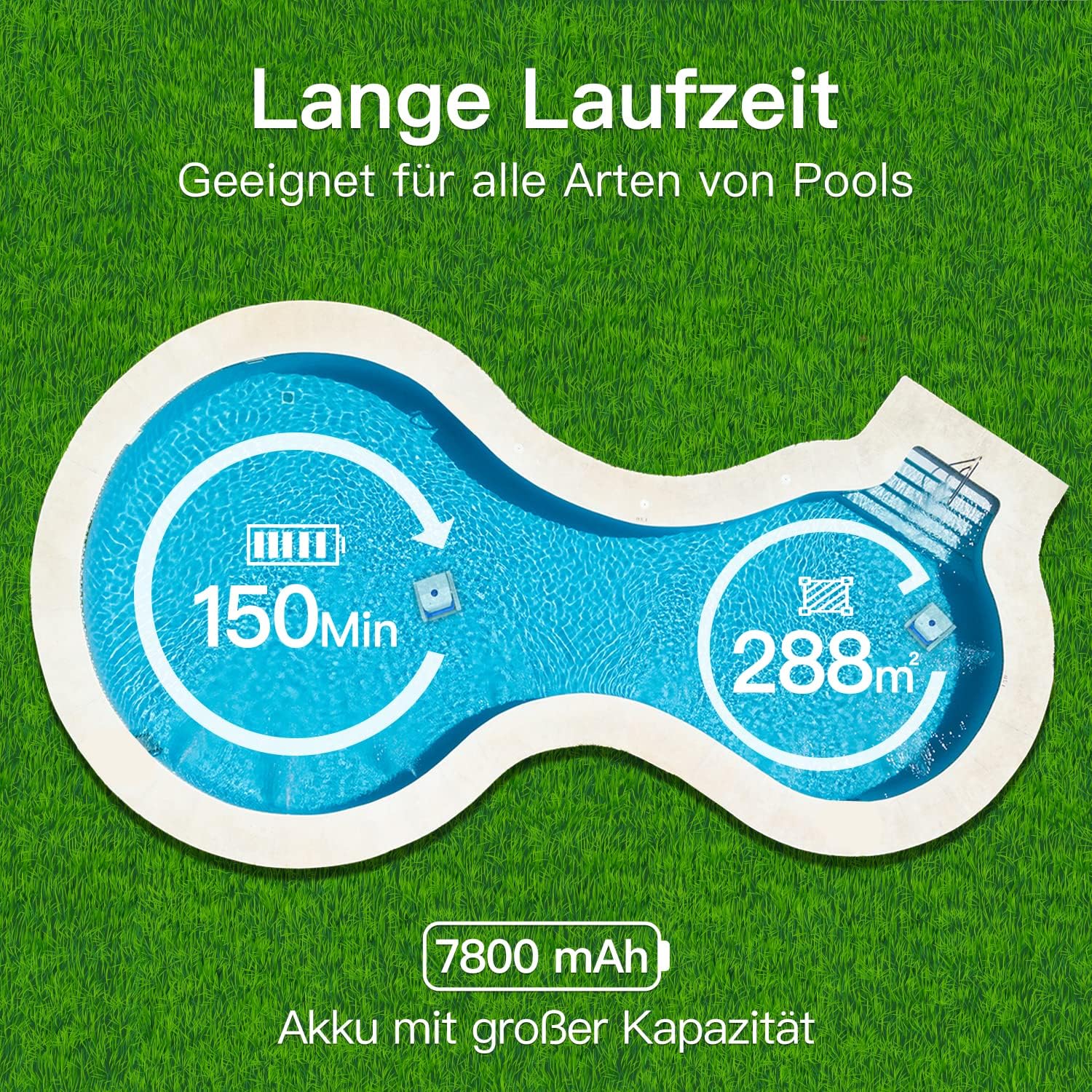
Image: The cleaner demonstrates its wall-climbing capability, adhering closely to walls for comprehensive cleaning.

Image: The robot automatically stops and parks itself at the side of the pool for easy retrieval after cleaning.
Maintenance
Regular maintenance ensures optimal performance and extends the lifespan of your AIRROBO PC100.
- Clean the Filter: After each cleaning cycle, remove the internal filter and rinse it thoroughly with clean water. Ensure all debris is removed from the 180 µm fine filter.
- Drain Water: Before storing, ensure all water is drained from the cleaner. The quick water drainage feature assists in this process.
- Clean the Exterior: Wipe down the exterior of the cleaner with a soft, damp cloth. Do not use harsh chemicals or abrasive materials.
- Inspect Brushes and Tracks: Periodically check the scrubbing brushes and tracks for any trapped debris or wear. Clean or replace as necessary.
- Storage: Store the cleaner in a cool, dry place away from direct sunlight and extreme temperatures. Ensure the battery is partially charged before long-term storage.

Image: The cleaner features a quick water drainage system, making it easy to remove water after use.
Troubleshooting
If you encounter issues with your AIRROBO PC100, refer to the following common problems and solutions:
| Problem | Possible Cause | Solution |
|---|---|---|
| Cleaner does not start | Low battery; Power button not pressed correctly; Obstruction | Charge the battery fully; Ensure the power button is pressed firmly; Check for and remove any obstructions. |
| Poor cleaning performance | Clogged filter; Worn brushes; Large debris in pool | Clean the internal filter; Inspect and replace brushes if worn; Remove large debris manually before cleaning. |
| Cleaner gets stuck | Obstruction; Uneven pool surface; Low battery | Remove any obstructions; Ensure the pool surface is suitable for robotic cleaners; Charge the battery. |
| Cleaner does not climb walls | Low battery; Slippery pool surface (algae); Worn tracks/brushes | Ensure battery is fully charged; Brush pool walls to remove algae; Inspect and replace tracks/brushes if worn. |
If the problem persists, please contact AIRROBO customer support.
Specifications
| Feature | Detail |
|---|---|
| Model Number | YM-EU-PC100-01 |
| Dimensions (L x W x H) | 42 x 39 x 21 cm |
| Weight | 11.92 kg |
| Material | Plastic |
| Color | White |
| Power Source | Battery Powered |
| Battery Type | Lithium |
| Lithium Battery Capacity | 68.48 Watt-hours |
| Battery Weight | 460 Grams |
| Run Time | Up to 150 minutes |
| Cleaning Area | Up to 288 m² |
| Filter Fineness | 180 µm |
| Control Method | Push Button |
| Special Features | Wireless, Intelligent Navigation, Automatic Parking, Wall Climbing |

Image: Visual representation of the PC100's 150-minute run time and ability to clean up to 288 m² with its 7800 mAh battery.
Warranty and Support
AIRROBO provides a 1-year warranty service for the PC100 Robotic Pool Cleaner. For any questions, technical assistance, or warranty claims, please do not hesitate to contact AIRROBO customer support.
Please refer to your purchase documentation or the official AIRROBO website for specific contact details and warranty terms.


