
1. Product Overview
The Moman H2 Pro Motorcycle Intercom is designed to enhance communication and entertainment for motorcyclists. Featuring advanced Bluetooth 5.1 technology, it ensures stable and low-latency connections for clear two-way communication up to 1000 meters. The device incorporates Hi-Fi stereo sound with 40mm speakers and triple noise reduction (DSP & CVC) for superior audio quality, even at high speeds. It supports an AI voice assistant for hands-free control, FM radio, and music sharing, making long rides more enjoyable. With a robust 900mAh battery, it offers up to 20 hours of continuous operation, and its IP65 waterproof rating ensures reliable performance in various weather conditions.

Image 1.1: Two Moman H2 Pro Motorcycle Intercom units, showcasing their design and compact form factor.

Image 1.2: An overview of the Moman H2 Pro's key functions, including upgraded connection tech, full duplex intercom, Hi-Fi stereo, music control, FM radio, CVC&DSP noise cancellation, IP65 waterproof rating, and 900mAh battery.
2. Package Contents
Verify that all items are present in your Moman H2 Pro package:
- Moman H2 Pro Intercom (x2)
- Velcro Clip (x2)
- Back Clip (x2)
- Hook and Loop Fasteners
- Pair of Speakers with Microphone (x2)
- Headphone Velcro (x8)
- USB Cable (x2)
- Screw Driver (x2)
- Manual (x1)

Image 2.1: Visual representation of the Moman H2 Pro package contents and a step-by-step guide for easy installation onto a helmet.
3. Setup and Installation
3.1 Charging the Device
Before first use, fully charge the Moman H2 Pro. Connect the provided USB-C cable to the charging port on the intercom unit and to a standard USB power adapter (not included). The indicator light will show charging status. A full charge provides up to 20 hours of working time.

Image 3.1: The Moman H2 Pro connected to a USB-C charging cable, highlighting its 900mAh battery capacity and fast charging capability, offering 300H standby, 20H working/music/call time, and 2H charging time.
3.2 Installing on Helmet
The Moman H2 Pro can be installed using either the velcro clip or the back clip, depending on your helmet type. Ensure the speakers are positioned correctly inside the helmet, aligned with your ears for optimal sound. The microphone should be placed near your mouth.
- Choose the appropriate mounting clip (velcro or back clip) and attach it to the side of your helmet.
- Securely slide the intercom unit onto the mounted clip.
- Attach the speakers inside the helmet using the provided headphone velcro pads, ensuring they are centered over your ears.
- Position the microphone arm so it is close to your mouth for clear voice pickup.
3.3 Pairing with Devices
The H2 Pro utilizes advanced Bluetooth 5.1 for stable connections.
- To pair with a smartphone: Power on the H2 Pro. The indicator light will flash, indicating pairing mode. On your smartphone, search for Bluetooth devices and select "Moman H2 Pro". Once connected, the indicator light will turn solid.
- To pair with another H2 Pro unit (intercom): Ensure both units are off. Press and hold the power button on both units simultaneously until they enter pairing mode. They will automatically connect for intercom communication.

Image 3.2: Diagram illustrating the Moman H2 Pro's upgraded connection technology, emphasizing faster transmission, longer distance, more stable connection, and higher efficiency.
4. Operating Instructions
4.1 Basic Controls
The Moman H2 Pro features intuitive controls designed for easy operation even with gloves.

Image 4.1: Detailed diagram of the Moman H2 Pro's controls, including the On/Off Key (Switch ON/OFF, Change language, Last call redial), Function Key (Play/pause music, Share music, End/Reject call, FM radio, Voice assistant), Knob (Next song, Volume down, Change FM channels, Previous song, Volume up), and Charging Interface, along with the Indicator light.
- Power On/Off: Press and hold the On/Off key for 2 seconds.
- Volume Control: Rotate the knob clockwise to increase volume, counter-clockwise to decrease.
- Music Playback: Press the Function Key once to play/pause music. Rotate the knob to skip tracks (next/previous song).
- Call Management: Press the Function Key to answer an incoming call. Press and hold to reject a call. Press again to end a call.
4.2 Intercom Communication
Once two H2 Pro units are paired, you can initiate intercom communication. The intercom range is up to 1000 meters in open terrain.

Image 4.2: Two motorcyclists on dirt bikes, illustrating the 1000-meter long-range sharing and intercom capability of the Moman H2 Pro, ensuring clear communication between riders.
4.3 AI Voice Assistant
Activate your smartphone's AI voice assistant (e.g., Siri, Google Assistant) through the H2 Pro for hands-free control of calls, music, and navigation. Refer to Image 4.1 for the specific button press to activate the voice assistant.
4.4 FM Radio
The built-in FM radio allows you to listen to your favorite stations. Use the Function Key to toggle FM radio on/off and the knob to change channels.
4.5 Music Sharing
Share your music with a paired H2 Pro unit. This feature is ideal for couples or groups riding together, allowing everyone to enjoy the same audio. Press the Function Key to initiate music sharing.

Image 4.3: A central image of the Moman H2 Pro surrounded by icons representing its diverse functionalities: Music Control, FM Radio, Pair With Phone, and Call Answer.
5. Maintenance
5.1 Cleaning
The Moman H2 Pro is IP65 waterproof and dust-free, making it resistant to water splashes and dust. To clean the unit, wipe it with a soft, damp cloth. Do not use harsh chemicals or abrasive cleaners. Ensure the charging port cover is securely closed to maintain water resistance.

Image 5.1: The Moman H2 Pro being splashed with water, illustrating its IP65 waterproof and dust-free capabilities, indicating it is snowproof, waterproof, dustproof, and mudeproof.
5.2 Battery Care
To prolong battery life, avoid fully discharging the battery frequently. If storing the device for an extended period, charge it to approximately 50% before storage and recharge every few months.
6. Troubleshooting
| Problem | Possible Cause | Solution |
|---|---|---|
| Device does not power on. | Low battery. | Charge the device fully. |
| Cannot pair with smartphone/another intercom. | Not in pairing mode; too far apart; interference. | Ensure device is in pairing mode. Move closer to the other device. Reduce interference from other electronic devices. Try resetting Bluetooth on your phone. |
| Poor audio quality / Excessive noise. | Microphone/speaker placement; high speed wind noise; environmental noise. | Adjust speaker and microphone position. Ensure microphone is not obstructed. The DSP & CVC noise reduction should minimize most environmental noise. |
| Music sharing not syncing correctly. | Temporary software glitch; distance. | Restart both intercom units and re-initiate music sharing. Ensure units are within optimal range. |
| Controls are unresponsive or erratic. | Internal contact issue; temporary software freeze. | Try performing a soft reset (power off and on). If the issue persists, contact customer support. |
7. Technical Specifications
| Feature | Detail |
|---|---|
| Model | H2-CF |
| Connectivity Technology | Wireless (Bluetooth 5.1) |
| Intercom Range | Up to 1000 meters |
| Battery Capacity | 900mAh |
| Working Time | Up to 20 hours |
| Water Resistance Level | IP65 (Water-resistant) |
| Noise Control | Active Noise Cancellation (DSP & CVC) |
| Speaker Impedance | 32 Ohm |
| Frequency Spectrum | 20 Hz - 20,000 Hz |
| Weight | 550 Grams |
| Dimensions | 18.7 x 11.5 x 7.7 cm |
| Included Components | Moman Intercom Set (2 units) |
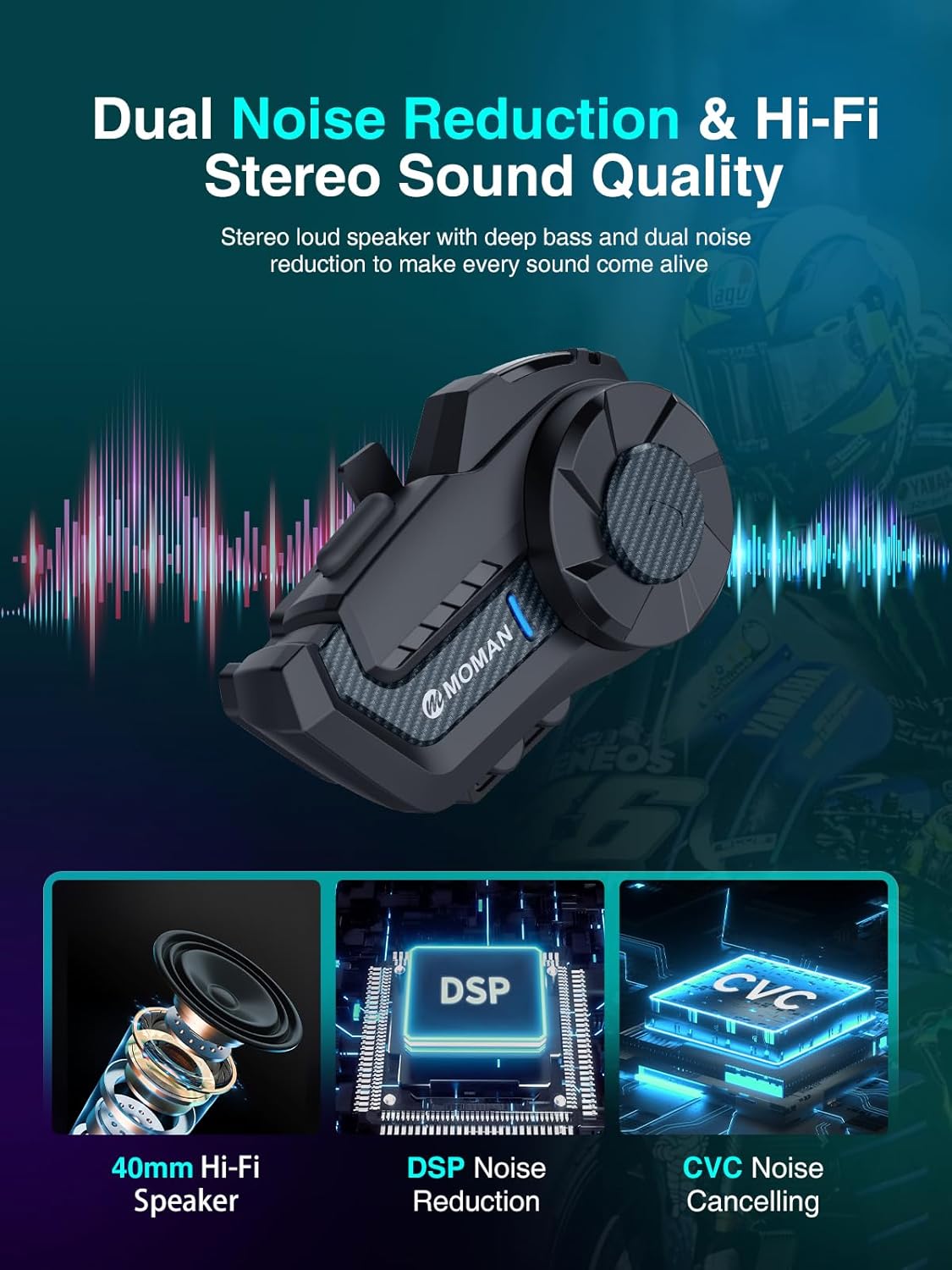
Image 7.1: Illustration of the Moman H2 Pro's audio features, including 40mm Hi-Fi speakers, DSP Noise Reduction, and CVC Noise Cancelling, ensuring clear and immersive sound.
8. Warranty and Support
Moman products are designed for reliability and performance. For any issues not covered in this manual, or for warranty inquiries, please contact Moman customer support. Details for contacting support can typically be found on the product packaging or the official Moman website.
Please retain your proof of purchase for warranty claims.


