
1. Introduction
Thank you for choosing the PRUNUS J-999 Mini Retro Bluetooth Speaker. This portable device combines vintage aesthetics with modern functionality, offering Bluetooth 5.0 connectivity, FM radio, and multiple playback options. Please read this manual carefully to ensure proper use and to maximize your listening experience.
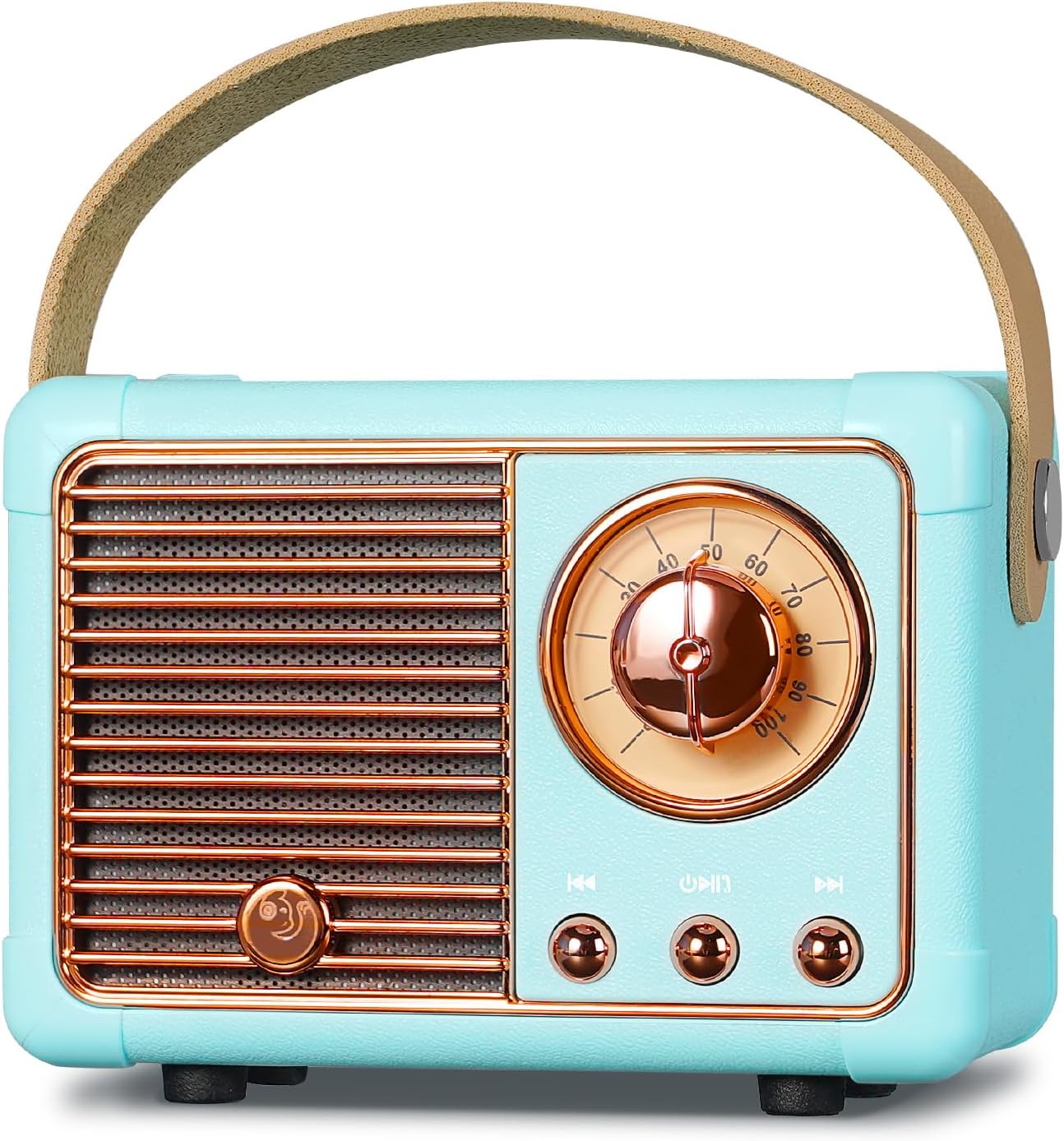
Image 1.1: Front view of the PRUNUS J-999 Mini Retro Bluetooth Speaker.
2. Safety Information
- Do not expose the device to extreme temperatures, direct sunlight, or high humidity.
- Avoid dropping or subjecting the device to strong impacts.
- Do not disassemble or attempt to repair the device yourself. Contact qualified service personnel.
- Keep the device away from water and other liquids.
- Use only the provided charging cable or a certified equivalent.
3. Package Contents
Please check the package for the following items:
- PRUNUS J-999 Mini Retro Bluetooth Speaker
- USB Charging Cable
- AUX Cable (functions as FM antenna)
- User Manual (this document)
4. Product Overview
Familiarize yourself with the speaker's components and controls.

Image 4.1: The PRUNUS J-999 speaker features a compact design and an elegant handle for portability.
Controls and Ports:
- Power/Volume Knob: Rotate to turn on/off and adjust volume.
- Mode Button: Press to switch between Bluetooth, FM, USB, TF, and AUX modes.
- Play/Pause Button: Play or pause audio. Answer/end calls in Bluetooth mode.
- Previous/Next Track Buttons: Navigate tracks in playback modes or stations in FM mode.
- USB Port: For USB disk playback.
- TF Card Slot: For TF (MicroSD) card playback.
- AUX Input: For connecting external audio devices via 3.5mm cable.
- Charging Port: Micro USB port for charging the internal battery.
5. Charging the Device
The speaker is equipped with a built-in rechargeable Lithium-ion battery. Before first use, fully charge the speaker.
- Connect the small end of the USB charging cable to the charging port on the speaker.
- Connect the larger end of the USB cable to a USB power adapter (not included) or a computer's USB port.
- The charging indicator light will illuminate during charging and turn off when fully charged.
- A full charge provides up to 7 hours of playback at 50% volume.
6. Operating Instructions

Image 6.1: The PRUNUS J-999 supports five distinct playback modes.
6.1 Power On/Off
- To power on, rotate the Power/Volume knob clockwise until you hear a click and the speaker activates.
- To power off, rotate the Power/Volume knob counter-clockwise until you hear a click.
6.2 Bluetooth Mode
- Turn on the speaker. It will automatically enter Bluetooth pairing mode, indicated by a flashing LED.
- Enable Bluetooth on your smartphone, tablet, or other Bluetooth-enabled device.
- Search for "J-999" in your device's Bluetooth list and select it to pair.
- Once paired, the speaker will emit a confirmation sound, and the LED will stop flashing.
- You can now play audio from your device through the speaker.
6.3 FM Radio Mode
- Connect the AUX cable (included) to the AUX input port. This cable acts as the FM antenna.
- Press the Mode button until you hear the FM radio function activate.
- Press and hold the Play/Pause button to initiate an automatic station scan. The speaker will scan and save available FM stations (87-108 MHz).
- Use the Previous/Next Track buttons to navigate through the saved stations.
6.4 USB/TF Card Playback
- Insert a USB disk or TF (MicroSD) card containing MP3 audio files into the respective port.
- The speaker will automatically switch to USB or TF card mode and begin playback. If not, press the Mode button to select the correct mode.
- Use the Play/Pause and Previous/Next Track buttons to control playback.
6.5 AUX Input
- Connect one end of the 3.5mm AUX cable to the AUX input port on the speaker.
- Connect the other end to the headphone jack of your external audio device (e.g., MP3 player, laptop).
- Press the Mode button to select AUX mode.
- Control audio playback from your external device.
6.6 Hands-free Calling

Image 6.2: The speaker supports hands-free calling when connected via Bluetooth.
- When the speaker is connected to your phone via Bluetooth, an incoming call will be announced.
- Press the Play/Pause button once to answer the call.
- Press the Play/Pause button once again to end the call.
- Press and hold the Play/Pause button to reject an incoming call.
7. Maintenance
- Clean the speaker with a soft, dry cloth. Do not use abrasive cleaners or solvents.
- Store the speaker in a cool, dry place when not in use.
- Avoid prolonged exposure to direct sunlight or extreme temperatures.
8. Troubleshooting
| Problem | Possible Solution |
|---|---|
| Speaker does not turn on. | Ensure the battery is charged. Connect to a power source and try again. |
| Cannot pair via Bluetooth. | Ensure the speaker is in Bluetooth mode. Turn off and on Bluetooth on your device. Move closer to the speaker. |
| Poor FM radio reception. | Ensure the AUX cable is connected and fully extended to act as an antenna. Try repositioning the speaker. |
| No sound from USB/TF card. | Ensure the card/disk contains compatible MP3 files. Check if the volume is turned up. |
9. Specifications
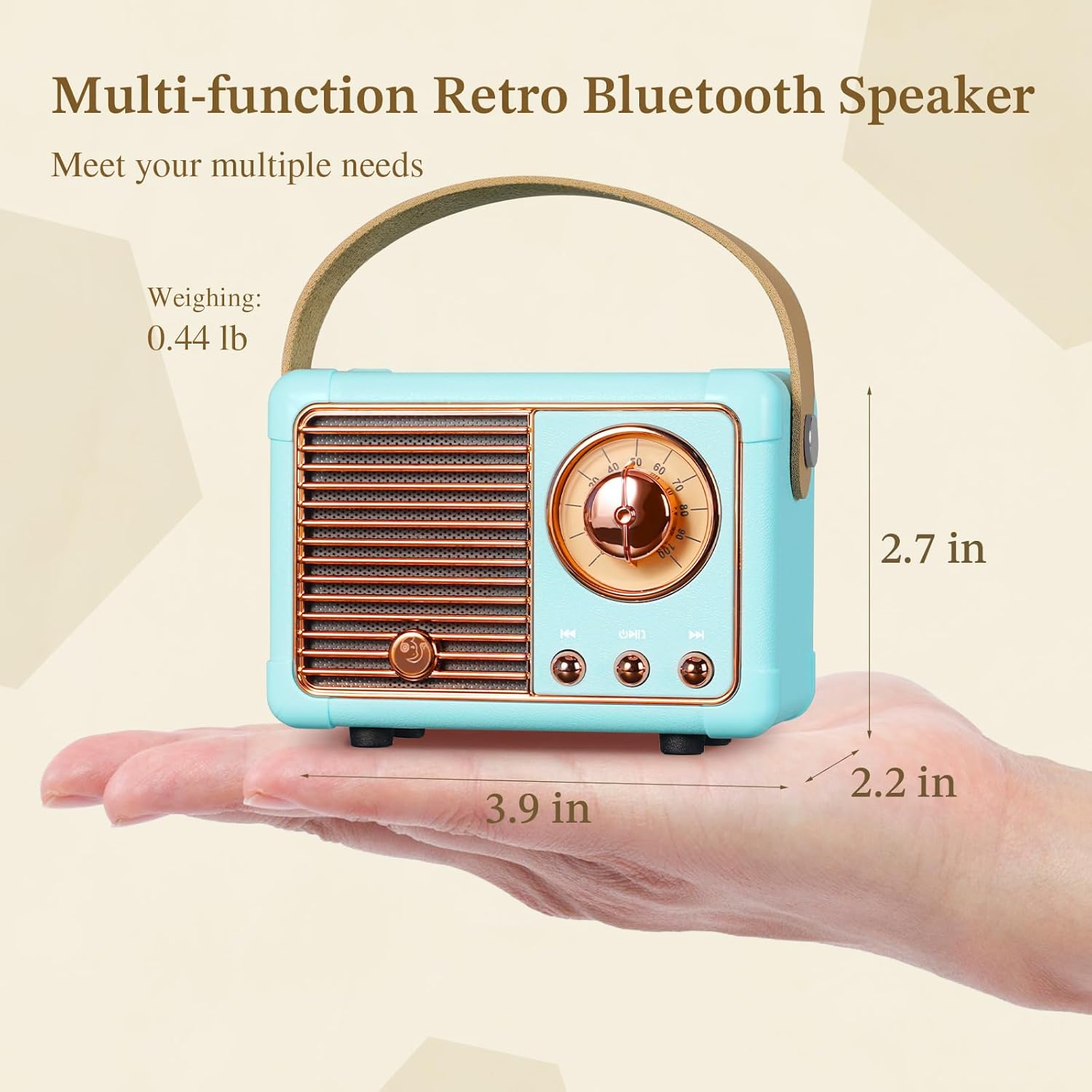
Image 9.1: Dimensions and weight of the PRUNUS J-999 speaker.
- Brand: PRUNUS
- Model Number: J-999
- Connectivity Technology: Bluetooth 5.0
- Supported Playback Modes: Bluetooth, FM Radio, USB Disk, TF Card, AUX Input
- FM Frequency Range: 87-108 MHz
- Output Power: 3W
- Battery Type: Lithium-ion (rechargeable)
- Battery Life: Up to 7 hours (at 50% volume)
- Dimensions: Approximately 13L x 7W x 7H centimeters (5.1 x 2.7 x 2.7 inches)
- Weight: Approximately 0.2 kg (0.44 lbs)
- Special Features: High-resolution audio, USB port, Hands-free calling
- Compatible Devices: Smartphone, Laptop, Tablet, MP3 Player (with Bluetooth or USB)
10. Warranty and Support
PRUNUS products are designed with quality and customer satisfaction in mind. For warranty information or technical support, please refer to the contact details provided with your purchase or visit the official PRUNUS website.
- Customer Support: For assistance, please contact the seller or PRUNUS customer service.
- Warranty: This product comes with a standard manufacturer's warranty. Please retain your proof of purchase for warranty claims.


