
1. Introduction
The Razer Nommo V2 2.0 Speaker System is designed to deliver high-quality stereo sound for an enhanced audio experience across gaming, movies, and music. Featuring advanced audio technologies and customizable lighting, this system integrates seamlessly into modern setups.
Key features include:
- Powerful Audio: Equipped with two front-firing drivers for clear sound and impactful bass.
- THX Spatial Audio: Provides an immersive, positional soundstage.
- Razer Chroma RGB: Customizable lighting effects that synchronize with other Razer accessories.
- Versatile Connectivity: USB and Bluetooth compatibility for various devices.
2. Package Contents
Ensure all items are present in your package:
- 1 x Razer Nommo V2 2.0 Speaker System
- USB Cable
- Power Adapter (not explicitly listed but implied for powered speakers)
- Quick Start Guide (not explicitly listed but implied)
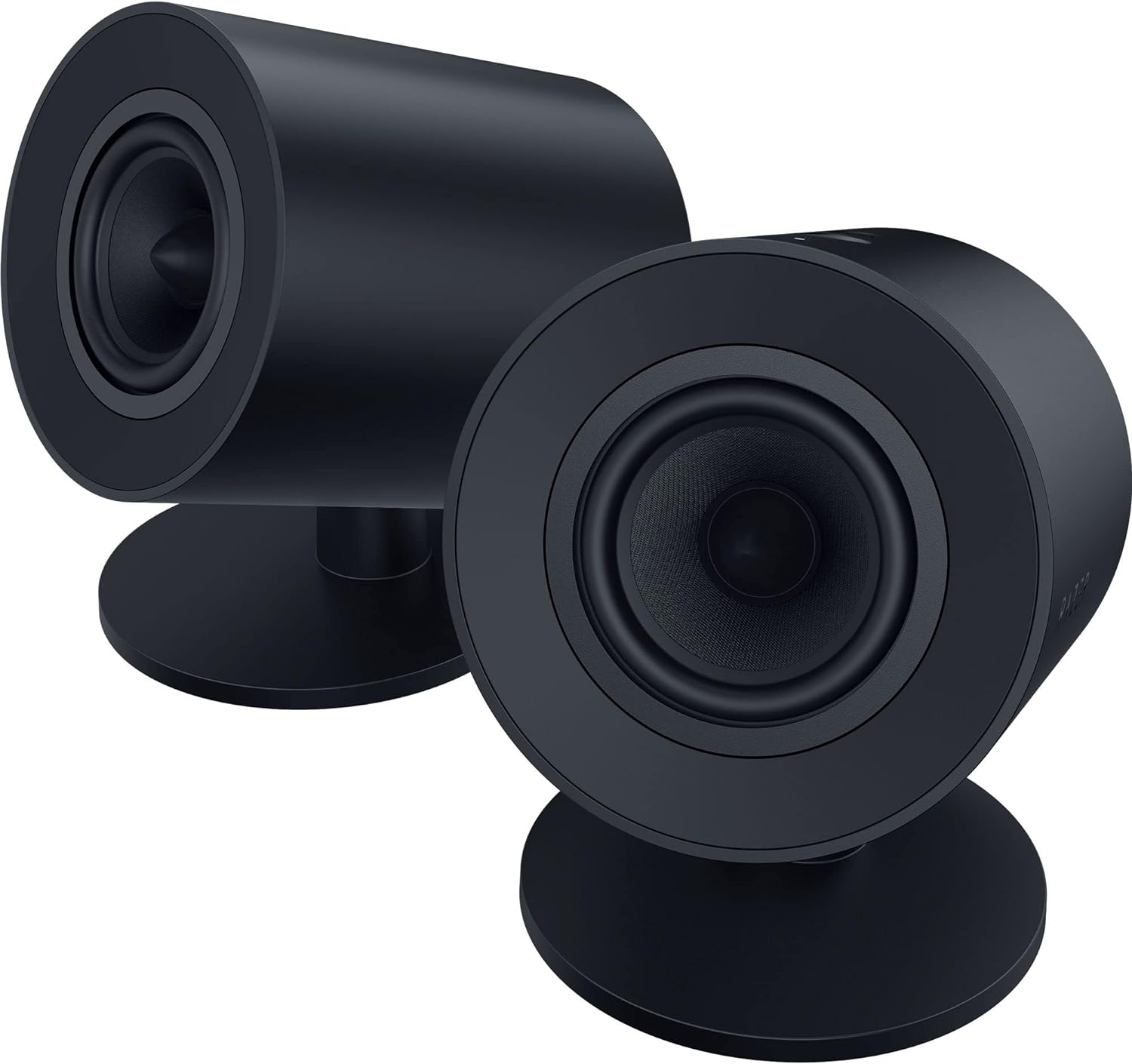
Image: The Razer Nommo V2 2.0 Speaker System, showcasing both speakers from the front-side angle.
3. Setup
3.1 Speaker Placement
Place the left and right speakers on either side of your monitor or listening area. For optimal sound, ensure they are equidistant from your listening position and angled slightly inwards.
3.2 Connecting to Power
Connect the power adapter to the designated power input on one of the speakers, then plug it into a wall outlet.
3.3 Connecting to Your Device
The Razer Nommo V2 2.0 offers multiple connectivity options:
- USB Connection (Recommended for PC): Connect the provided USB cable from the speaker to an available USB port on your computer. This enables full functionality, including THX Spatial Audio and Razer Chroma RGB.
- Bluetooth Connection: For wireless audio, activate Bluetooth on your device (e.g., smartphone, tablet) and pair with "Razer Nommo V2 2.0".
- 3.5mm Audio Jack: (If available, not explicitly mentioned but common for speakers) Connect a 3.5mm audio cable from your device's audio output to the speaker's auxiliary input.

Image: Rear view of the Razer Nommo V2 2.0 speakers, highlighting the USB, auxiliary, and power input ports.
3.4 Software Installation (Razer Synapse)
For advanced customization of audio settings, THX Spatial Audio, and Razer Chroma RGB lighting, download and install the latest version of Razer Synapse software from the official Razer website (www.razer.com/synapse).
4. Operating Instructions
4.1 Basic Controls
The speakers feature intuitive controls for volume adjustment and power. Refer to the top of the right speaker for physical controls (if present, based on images, there are some buttons/knobs). For precise control, use the Razer Synapse software or the optional Razer Wireless Control Pod.

Image: The Razer Wireless Control Pod, an optional accessory for convenient control of the speaker system.
4.2 THX Spatial Audio
Activate THX Spatial Audio through Razer Synapse to experience a wider, more realistic soundstage. This technology enhances immersion by providing accurate positional audio, crucial for gaming.

Image: A visual representation of THX Spatial Audio, showing a gamer immersed in a virtual world with a dragon, indicating a wide and true-to-life soundstage.
4.3 Razer Chroma RGB Lighting
Customize the integrated Razer Chroma RGB lighting using Razer Synapse. Choose from various effects, colors, and synchronize them with other Razer Chroma-enabled devices for a unified aesthetic.
4.4 Maximizing Audio Performance
The Nommo V2 2.0 speakers are capable of a maximum sound pressure level of 96 dB, providing powerful, room-filling audio. Ensure proper speaker placement and adjust volume levels to your preference for the best experience.

Image: A gaming setup featuring the Razer Nommo V2 2.0 speakers, demonstrating their powerful audio capabilities and integration with a vibrant RGB keyboard.
5. Maintenance
5.1 Cleaning
To maintain the appearance and performance of your speakers, regularly wipe them with a soft, dry cloth. Avoid using abrasive cleaners or solvents, as these can damage the finish.
5.2 Storage
When not in use for extended periods, store the speakers in a cool, dry place, away from direct sunlight and extreme temperatures.
6. Troubleshooting
6.1 No Sound
- Check Connections: Ensure all cables (power, USB, audio) are securely connected to both the speakers and your device.
- Volume Levels: Verify that the volume on both the speakers and your connected device is not muted or set too low.
- Input Source: Confirm that the correct audio input source is selected on your device.
- Driver/Software: For PC connections, ensure Razer Synapse and audio drivers are up to date.
6.2 Distorted Audio
- Volume Levels: Reduce the volume on both the speakers and your device to prevent clipping.
- Cable Integrity: Check for any damaged cables.
- Interference: Move the speakers away from other electronic devices that might cause interference.
6.3 Bluetooth Pairing Issues
- Pairing Mode: Ensure the speakers are in Bluetooth pairing mode.
- Device Visibility: Make sure your device's Bluetooth is enabled and discoverable.
- Distance: Keep the connected device within the recommended Bluetooth range.
- Forget Device: On your device, "forget" or "unpair" the speakers and attempt to pair again.
7. Specifications
| Feature | Detail |
|---|---|
| Model Name | Nommo V2 |
| Model Number | RZ05-04760100-R3U1 |
| Brand | Razer |
| Speaker Type | 3D (Stereo with Spatial Audio) |
| Speaker Size | 3 Inches (Full-Range Drivers) |
| Audio Output Mode | 3D |
| Max Speaker Output Power | 300 Watts |
| Surround Sound Channel Configuration | 2.0 |
| Compatible Devices | Notebook, Smartphone, Tablet, Television, Computers, Gaming Consoles |
| Control Method | Touch (on speaker), Software (Razer Synapse), Optional Wireless Control Pod |
| Product Dimensions | 37.4D x 28.5W x 17.9H cm |
| Product Weight | 2.39 Kilograms |
| Amplification Type | Active |
| Waterproof | No |
| Batteries Required | No |
| Rechargeable Battery | No |
8. Warranty and Support
8.1 Manufacturer's Warranty
The Razer Nommo V2 2.0 Speaker System comes with a 1-year limited manufacturer's warranty. Please retain your proof of purchase for warranty claims.
8.2 Extended Protection Plans
Extended protection plans may be available for purchase separately, offering additional coverage against failures, defects, and accidental damage. Please check with your retailer for available options.
8.3 Customer Support
For technical assistance, troubleshooting, or further inquiries, please visit the official Razer support website or contact their customer service. You can also visit the Razer Brand Store on Amazon for more product information.


