Introduction
This manual provides essential information for the proper use and care of your MINISO Neck Protection Memory Foam U-Shaped Pillow with Sleep Mask. Please read these instructions carefully before first use and retain them for future reference. This product is designed to provide comfortable neck support and aid relaxation during travel or rest.
Setup
Upon receiving your MINISO Neck Protection Memory Foam U-Shaped Pillow and Sleep Mask, remove all packaging materials. The pillow is ready for immediate use. The memory foam may require a few moments to fully expand after being compressed during packaging. Gently knead the pillow to help it regain its shape if needed.

Image: Front view of the MINISO U-Shaped Neck Pillow, ready for use.
Operating Instructions
Using the Neck Pillow
- Position the U-shaped pillow around your neck, ensuring the open end faces forward.
- Adjust the pillow to comfortably support your head and neck, reducing strain.
- Utilize the snap button closure at the front to secure the pillow, preventing it from slipping during movement. This feature is particularly useful during travel.

Image: Side view of the U-shaped neck pillow, illustrating its ergonomic design.

Image: Close-up of the snap button closure, designed for secure fitting.
Using the Sleep Mask
- Place the sleep mask over your eyes.
- Adjust the elastic strap to ensure a snug yet comfortable fit, blocking out light effectively.
Maintenance
Cleaning Instructions
The pillow cover and sleep mask cover are washable. Follow these steps for cleaning:
- Pillow Cover: The outer cover of the neck pillow can be removed for cleaning. Hand wash or machine wash on a gentle cycle with cold water. Use a mild detergent. Do not bleach. Air dry flat. Do not tumble dry.
- Pillow Filling (Memory Foam): The memory foam filling itself is not washable. If it gets wet, gently blot with a towel and allow it to air dry completely in a well-ventilated area away from direct sunlight. Do not submerge in water or machine wash.
- Sleep Mask: Hand wash the sleep mask with cold water and mild detergent. Air dry flat.
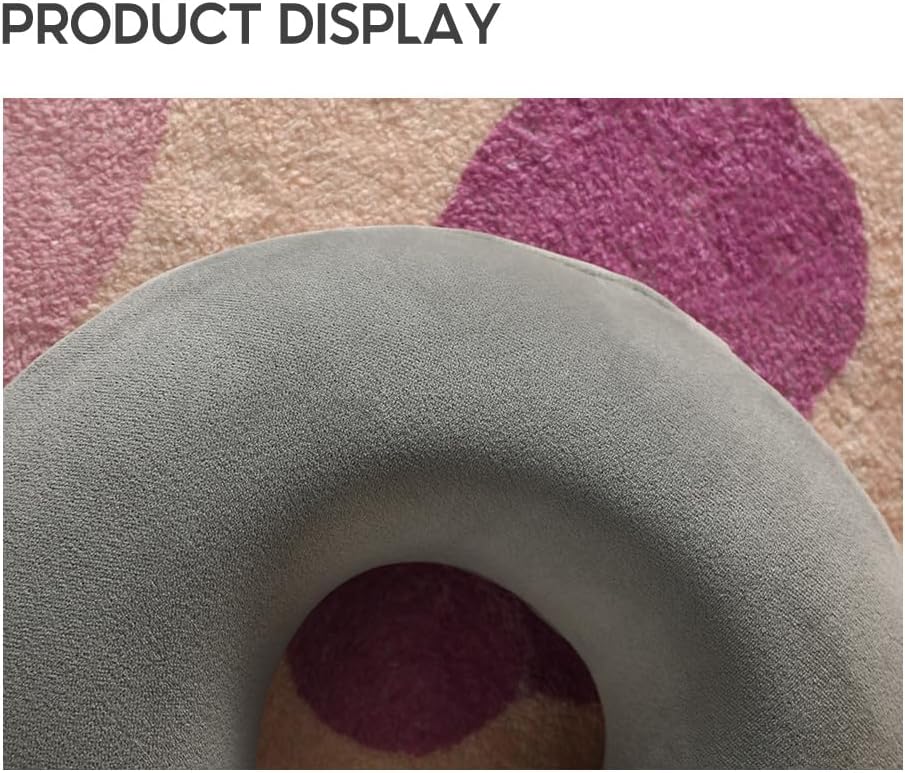
Image: Close-up of the pillow's fabric texture, highlighting its soft polyester and elastane blend.
Storage
Store the pillow and sleep mask in a clean, dry place away from direct sunlight and extreme temperatures. Avoid compressing the memory foam for extended periods to maintain its shape and longevity.
Troubleshooting
- Pillow not regaining shape: If the pillow appears compressed, allow it to air out for 24-48 hours in a well-ventilated room. Gently knead the foam to help it expand.
- Unusual odor: New memory foam products may have a slight odor. This is normal and will dissipate within a few days of unboxing. Air the pillow out in a well-ventilated area.
- Pillow feels too firm/soft: Memory foam reacts to body heat. It may feel firmer in cooler environments and softer in warmer ones. Allow time for the pillow to adjust to your body temperature.
Specifications
| Brand | MINISO |
| Model Number | 2012533210106 |
| Pillow Cover Material | 94% Polyester, 6% Elastane |
| Pillow Filling Material | 100% Polyurethane Memory Foam |
| Sleep Mask Cover Material | 94% Polyester, 6% Elastane |
| Sleep Mask Foam Material | 100% Polyurethane |
| Color | Grey |
| Item Weight | 231 g |
| Special Feature | Washable Cover |

Image: Product details showing approximate dimensions: 30 inches (11.8 cm) length, 28 inches (11.1 cm) width, and 3.8 inches (9.5 cm) thickness.
Warranty and Support
For information regarding warranty coverage or product support, please refer to the MINISO official website or contact MINISO customer service directly. Keep your purchase receipt as proof of purchase.


