
BuTure VC70
BuTure VC70 Cordless Vacuum Cleaner User Manual
Model: VC70
1. Introduction
Thank you for choosing the BuTure VC70 Cordless Vacuum Cleaner. This manual provides important information on the safe operation, maintenance, and troubleshooting of your new appliance. Please read this manual thoroughly before first use and keep it for future reference.
2. Safety Instructions
Always follow basic safety precautions when using electrical appliances to reduce the risk of fire, electric shock, or injury.
- Do not use outdoors or on wet surfaces.
- Do not allow to be used as a toy. Close attention is necessary when used by or near children.
- Use only as described in this manual. Use only manufacturer's recommended attachments.
- Do not use with damaged cord or plug. If appliance is not working as it should, has been dropped, damaged, left outdoors, or dropped into water, return it to a service center.
- Do not pull or carry by cord, use cord as a handle, close a door on cord, or pull cord around sharp edges or corners. Do not run appliance over cord. Keep cord away from heated surfaces.
- Do not unplug by pulling on cord. To unplug, grasp the plug, not the cord.
- Do not handle plug or appliance with wet hands.
- Do not put any object into openings. Do not use with any opening blocked; keep free of dust, lint, hair, and anything that may reduce air flow.
- Keep hair, loose clothing, fingers, and all parts of body away from openings and moving parts.
- Do not pick up anything that is burning or smoking, such as cigarettes, matches, or hot ashes.
- Do not use to pick up flammable or combustible liquids, such as gasoline, or use in areas where they may be present.
- Do not pick up toxic material, such as chlorine bleach, ammonia, or drain cleaner.
- Do not use without dust bag and/or filters in place.
- Turn off all controls before unplugging.
- Use extra care when cleaning on stairs.
- Do not use to pick up hard or sharp objects such as glass, nails, screws, coins, etc.
3. Package Contents
Carefully unpack your BuTure VC70 and check that all items are present and in good condition. If any items are missing or damaged, please contact customer support.

Figure 3.1: All components of the BuTure VC70 cordless vacuum cleaner, including the main unit, extension wand, floor brush, crevice tool, 2-in-1 brush, wall mount, charger, and spare filter.
- Main Vacuum Body (with dustbin and motor)
- Extension Wand
- Motorized Floor Brush
- Crevice Tool
- 2-in-1 Brush Tool
- Wall Mount Bracket
- Power Adapter/Charger
- Spare Filter
- User Manual (this document)
4. Product Overview
Familiarize yourself with the main parts of your BuTure VC70 vacuum cleaner.

Figure 4.1: The BuTure VC70 cordless vacuum cleaner shown as a stick vacuum, and in handheld configurations with different attachments, along with the wall mount and filters.
- Main Unit: Contains the motor, dustbin, and control panel.
- Extension Wand: Connects the main unit to the floor brush for upright cleaning.
- Motorized Floor Brush: Features an integrated brush with soft and hard bristles for effective cleaning on various floor types.
- Dustbin: Transparent container for collecting dust and debris.
- Filtration System: Multi-layer system designed to capture fine dust and allergens.
- LED Touch Screen: Displays battery level, current mode, and maintenance reminders.
5. Setup and Assembly
Follow these steps to assemble your vacuum cleaner for first use.
5.1 Initial Charging
Before first use, fully charge the battery. The battery is removable for convenient charging.
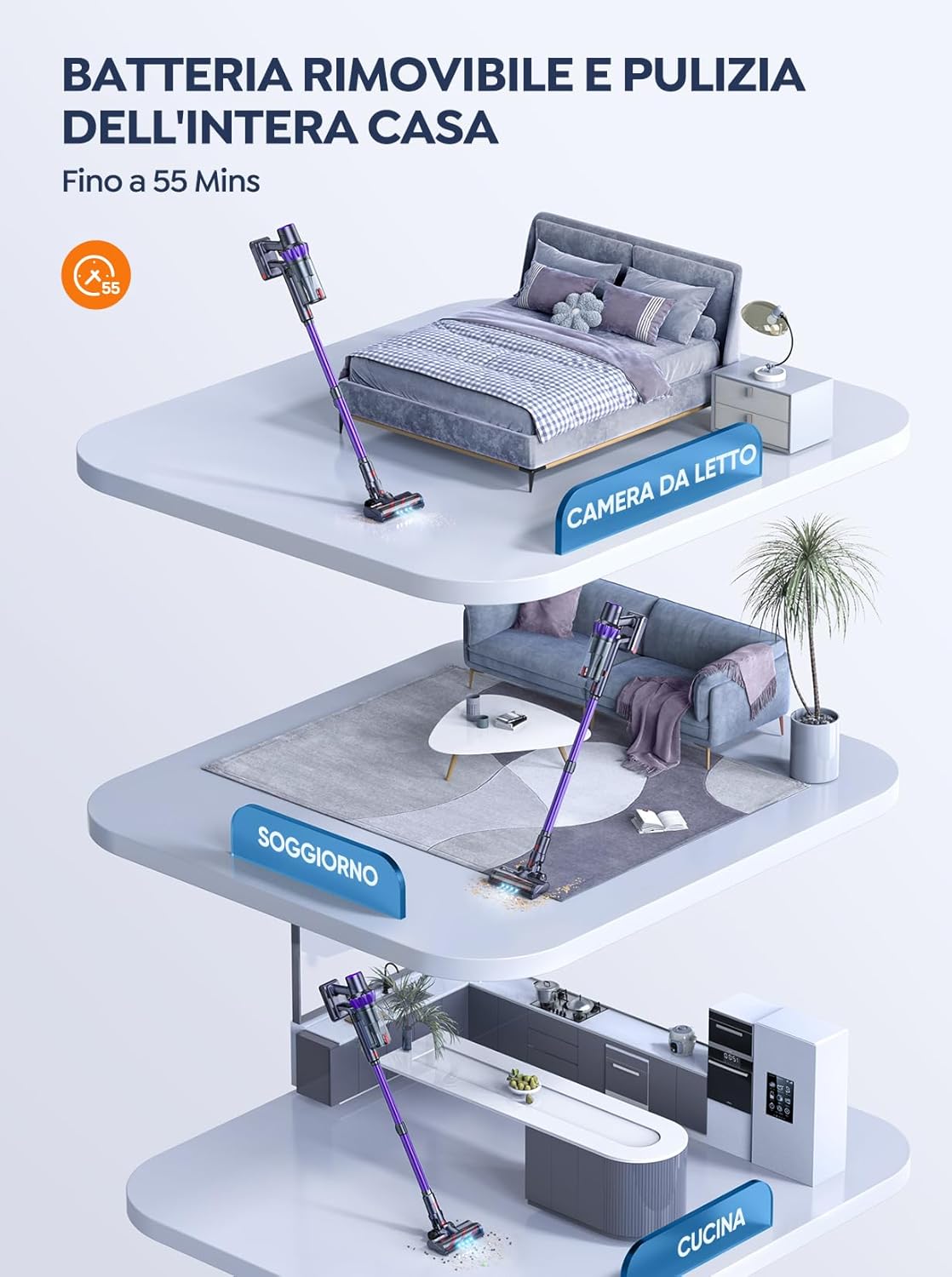
Figure 5.1: The removable battery allows for flexible charging options and extended cleaning time across multiple rooms.
- Connect the power adapter to the charging port on the main unit or directly to the battery if removed.
- Plug the adapter into a wall outlet.
- The LED screen will indicate charging status. A full charge typically takes 4-5 hours.
5.2 Assembling the Vacuum
- Attach the Extension Wand: Insert the top end of the extension wand into the main vacuum body until it clicks into place.
- Attach the Floor Brush: Insert the bottom end of the extension wand into the motorized floor brush until it clicks into place.
- Attach Accessories (for handheld use): For handheld cleaning, you can directly attach the crevice tool or 2-in-1 brush tool to the main vacuum body.
6. Operating the Vacuum Cleaner
Learn how to effectively use your BuTure VC70 for various cleaning tasks.
6.1 Power On/Off and Mode Selection

Figure 6.1: The intelligent LED touch screen provides real-time information on battery status and selected cleaning mode.
- To Power On: Press the power button on the main unit. The vacuum will start in the default mode.
- To Change Modes: Use the mode selection button on the LED touch screen to cycle through available suction modes (e.g., Eco, Standard, Max, Auto).
- To Power Off: Press the power button again.
6.2 Intelligent Automatic Suction Mode
The BuTure VC70 features an intelligent automatic suction mode that adjusts power based on floor type.
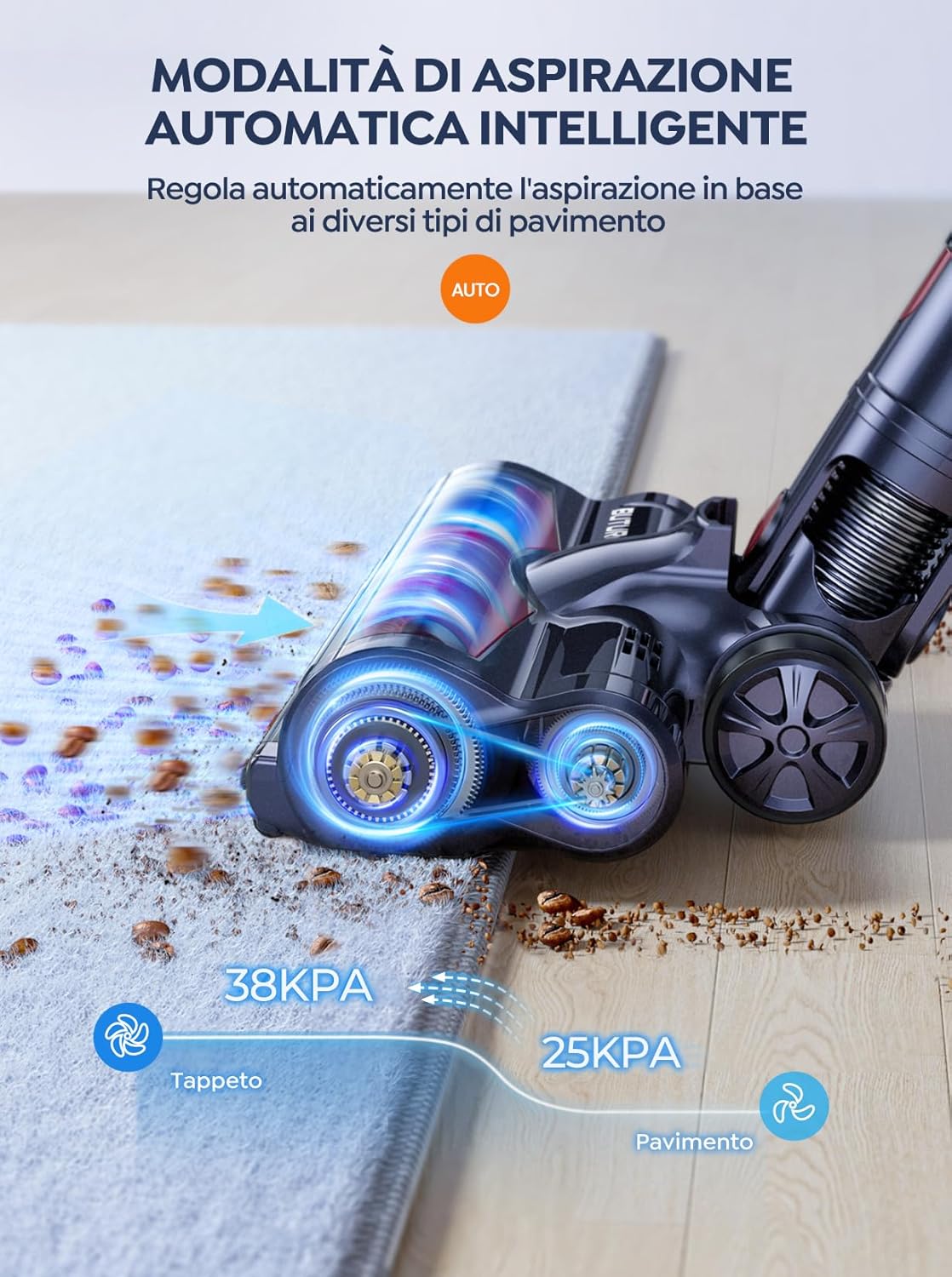
Figure 6.2: The vacuum automatically adjusts suction power, providing 38KPA for carpets and 25KPA for hard floors in Auto mode.
In Auto mode, the vacuum detects the floor type and automatically increases suction for carpets (up to 38KPA) and reduces it for hard floors (25KPA), optimizing cleaning efficiency and battery life.
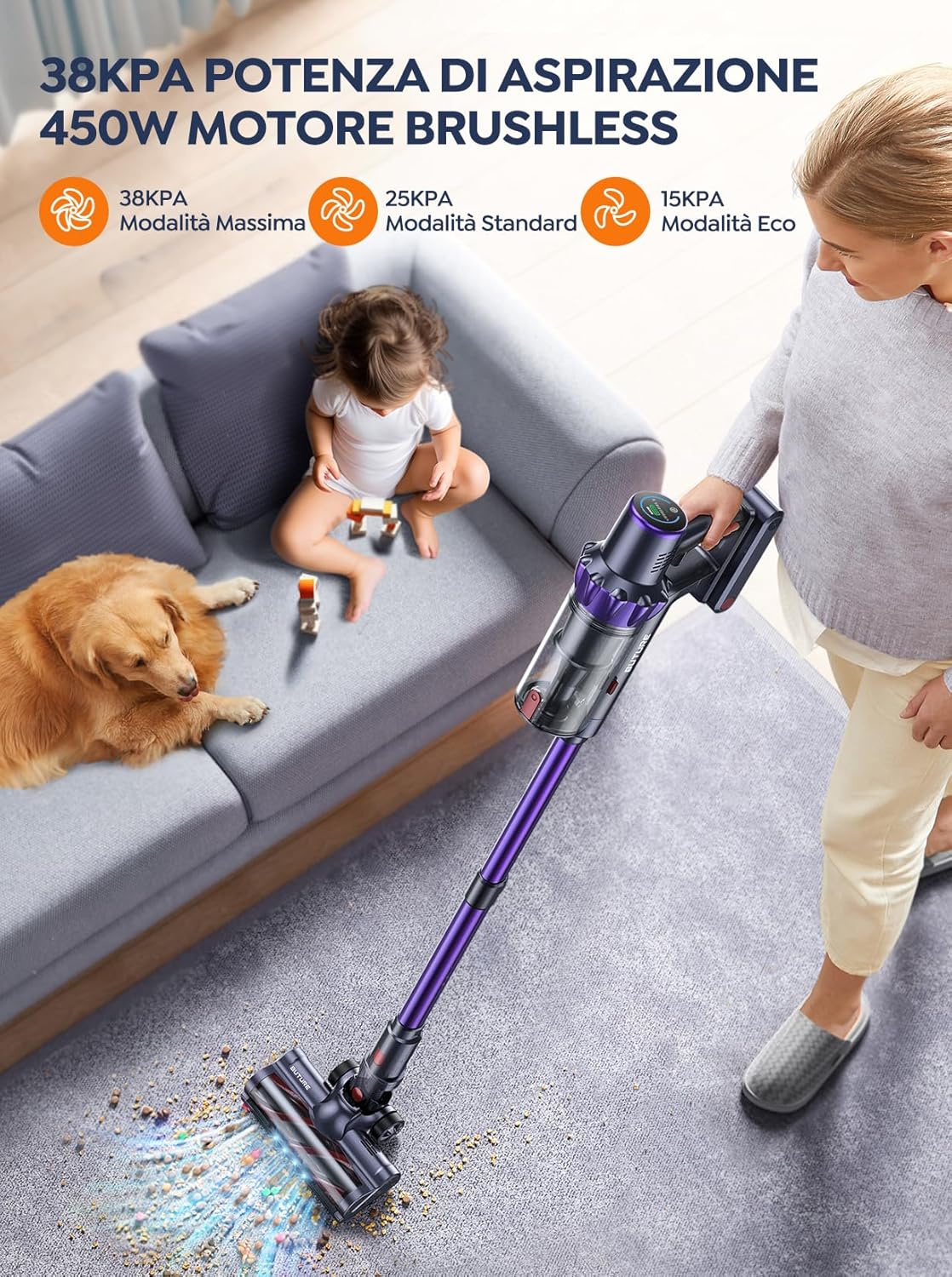
Figure 6.3: The 450W brushless motor delivers powerful suction, with modes including 38KPA Max, 25KPA Standard, and 15KPA Eco.
6.3 Using Attachments
- Crevice Tool: Ideal for narrow gaps, corners, and edges.
- 2-in-1 Brush Tool: Use the brush for delicate surfaces like upholstery or curtains, and the nozzle for general dusting.
- Motorized Floor Brush: Designed for efficient cleaning of both hard floors and carpets. Its integrated bristles effectively pick up various debris.

Figure 6.4: The motorized floor brush features a combination of soft and hard bristles to effectively clean different types of debris from various floor surfaces.
7. Maintenance
Regular maintenance ensures optimal performance and extends the lifespan of your vacuum cleaner.
7.1 Emptying the Dustbin
Empty the dustbin after each use or when the MAX fill line is reached.
- Press the dustbin release button to detach it from the main unit.
- Open the dustbin lid and empty contents into a trash can.
- Close the lid and reattach the dustbin to the main unit.
7.2 Cleaning Filters
The BuTure VC70 features an advanced multi-layer filtration system. Clean filters regularly to maintain suction power.

Figure 7.1: The advanced multi-layer filtration system captures 99.99% of dust and dirt, ensuring cleaner exhaust air.
- Remove the dustbin and locate the filters inside.
- Gently tap the filters to remove loose dust.
- Rinse the filters under cold running water. Ensure they are completely dry before reinserting (allow 24-48 hours for air drying).
- Replace filters every 3-6 months depending on usage.
7.3 Cleaning the Brush Roll
Periodically check the brush roll for tangled hair or debris.
- Turn off the vacuum and detach the motorized floor brush.
- Locate the brush roll access latch/button and open it.
- Remove the brush roll. Use scissors or a cleaning tool to cut and remove any tangled hair or fibers.
- Reinsert the brush roll and secure the access latch.
8. Troubleshooting
If you encounter issues with your vacuum cleaner, refer to the following table for common problems and solutions.
| Problem | Possible Cause | Solution |
|---|---|---|
| Vacuum does not turn on | Battery is not charged Battery not properly installed | Charge the battery fully Ensure battery is securely clicked into place |
| Low suction power | Dustbin is full Filters are clogged Brush roll is tangled Hose/nozzle is blocked | Empty the dustbin Clean or replace filters Clean the brush roll Check for and remove blockages |
| Brush roll not spinning | Brush roll is tangled Brush roll motor issue | Clean the brush roll Contact customer support if issue persists |
| Vacuum stops suddenly | Overheating protection activated Battery low | Turn off and allow to cool for 30 minutes Charge the battery |
9. Specifications
Technical specifications for the BuTure VC70 Cordless Vacuum Cleaner.
| Feature | Specification |
|---|---|
| Model Number | VC70 |
| Brand | BuTure |
| Rated Power | 450 Watts |
| Voltage | 100-240 Volts |
| Dustbin Capacity | 1.5 Litres |
| Noise Level | 68 dB |
| Item Weight | 1.81 Kilograms (approx. 4 lbs) |
| Battery Type | Lithium-ion |
| Color | Violet |
10. Warranty and Support
BuTure products are manufactured to the highest quality standards. For warranty information or technical support, please refer to the warranty card included with your purchase or visit the official BuTure website. Please have your model number (VC70) and purchase details ready when contacting support.
Related documentsVC70


Ask a question about this manual
Ask about setup, troubleshooting, compatibility, parts, safety, or missing instructions. Manuals+ will review the question and use this page’s manual context to help answer it.