1. Introduction
The Dibea HC26 is an advanced 5-in-1 cordless wet and dry floor washer engineered to simplify your cleaning routine. This versatile appliance combines powerful vacuuming with wet mopping, self-cleaning, and sterilization capabilities. Its intelligent design and user-friendly features ensure a clean and hygienic environment for your home.
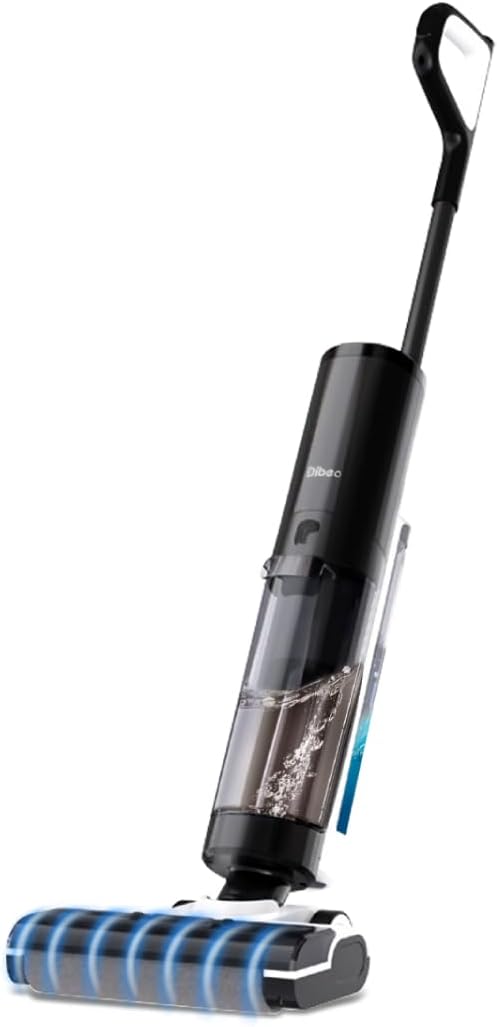
Image: The Dibea HC26 Cordless Wet Dry Smart Washer and Vacuum Cleaner, showcasing its sleek design and integrated water tanks.
2. Package Contents
Please check the box for the following components:
- 1 x Dibea HC26 Main Body
- 1 x Handheld Handle
- 1 x Dirty Water Tank (DWT)
- 1 x Clean Water Tank (CWT)
- 1 x Roller Brush (Pre-installed)
- 1 x HEPA Filter (Pre-installed)
- 1 x Charging Base
- 1 x Adaptor
- 1 x Cleaning Brush
- 1 x Cleaning Solution (500ml)
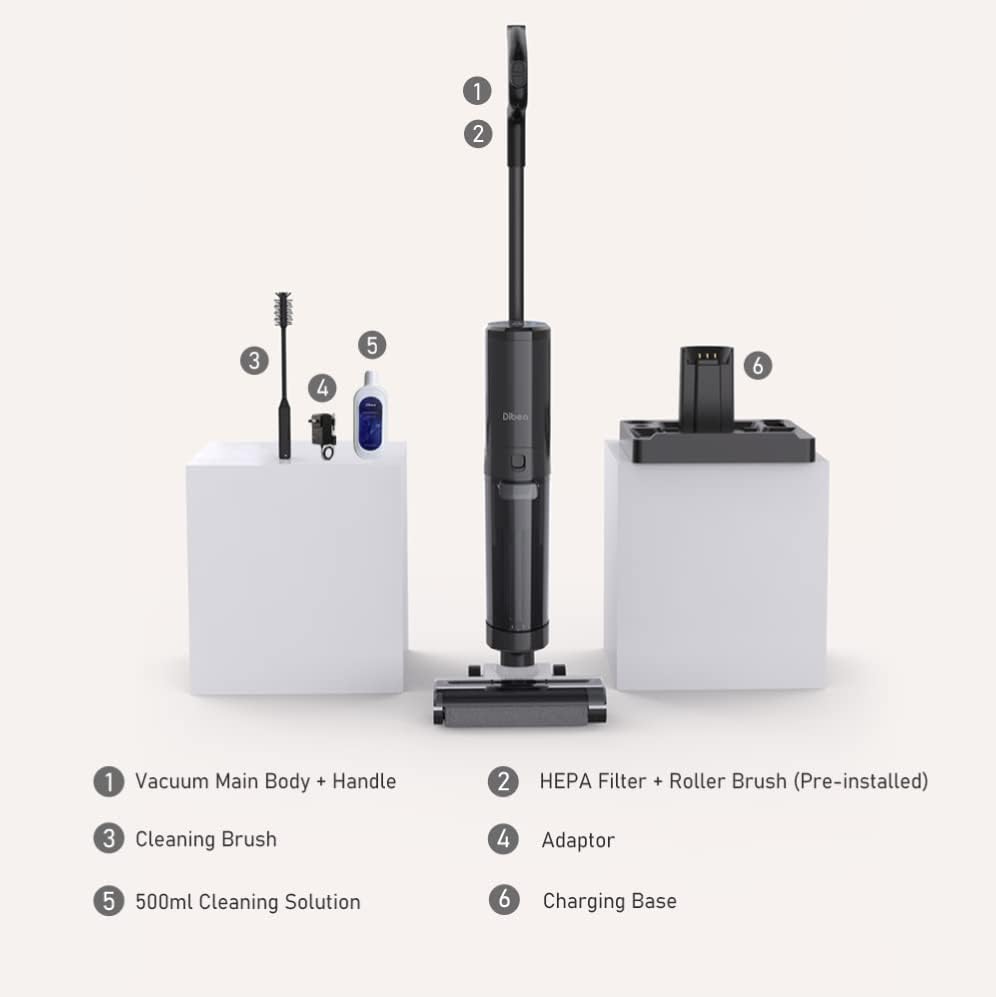
Image: A visual representation of all components included in the Dibea HC26 package, laid out for easy identification.
3. Setup
Follow these steps to assemble your Dibea HC26 before first use:
- Attach the Handle: Insert the handheld handle into the main body until it clicks securely into place.
- Install Water Tanks: Ensure the Clean Water Tank (CWT) and Dirty Water Tank (DWT) are correctly seated in their respective compartments. The CWT is typically located at the top, and the DWT at the bottom.
- Charge the Battery: Place the main unit onto the charging base. Connect the adaptor to the charging base and plug it into a power outlet. The LED display will indicate charging status. Fully charge the unit before first use (approximately 4-5 hours).
- Fill the Clean Water Tank: Open the CWT and fill it with clean tap water. For enhanced cleaning and sterilization, the unit can electrolyze tap water. You may also add the provided cleaning solution if desired, following the solution's instructions for dilution.
4. Operating Instructions
The Dibea HC26 offers multiple cleaning modes for various needs:
4.1 Cleaning Modes
- Auto Mode: Automatically adjusts suction power and water flow based on the detected mess. Ideal for general cleaning.
- Sterilization Mode: Utilizes electrolyzed water to disinfect surfaces, effectively eliminating bacteria and germs.
- Suction Mode: Provides powerful suction for dry messes or to remove excess liquid from surfaces.
- Self-Cleaning Mode: Initiates a thorough cleaning cycle for the roller brush and internal components while the unit is on its charging base.

Image: A visual guide to the four primary operation modes of the Dibea HC26, including Auto, Self-Cleaning/Water Sterilization, and Suction modes.
4.2 Smart Features
- LED Display: The integrated LED screen provides real-time information on battery level, cleaning mode, and status indicators.
- Voice Prompts: The unit provides helpful voice alerts for various operations, such as low battery, full dirty water tank, or reminders to clean the roller brush.
- Self-Propelled Power: The vacuum features self-propelled traction, reducing the effort required to maneuver the unit during operation.

Image: Close-up of the Dibea HC26's smart LED display and an illustration of its voice prompt feature, indicating real-time feedback to the user.
4.3 Cleaning Performance
- Powerful Suction: Equipped with a 250W brushless motor, the HC26 delivers up to 16KPa of suction power, effectively handling both wet and dry messes.
- Long Runtime: The 4,000 mAh battery provides up to 42 minutes of uninterrupted cleaning on a single charge.
- Dual Tanks: The 700ml clean water tank and 700ml dirty water tank allow for cleaning larger areas without frequent refilling or emptying.
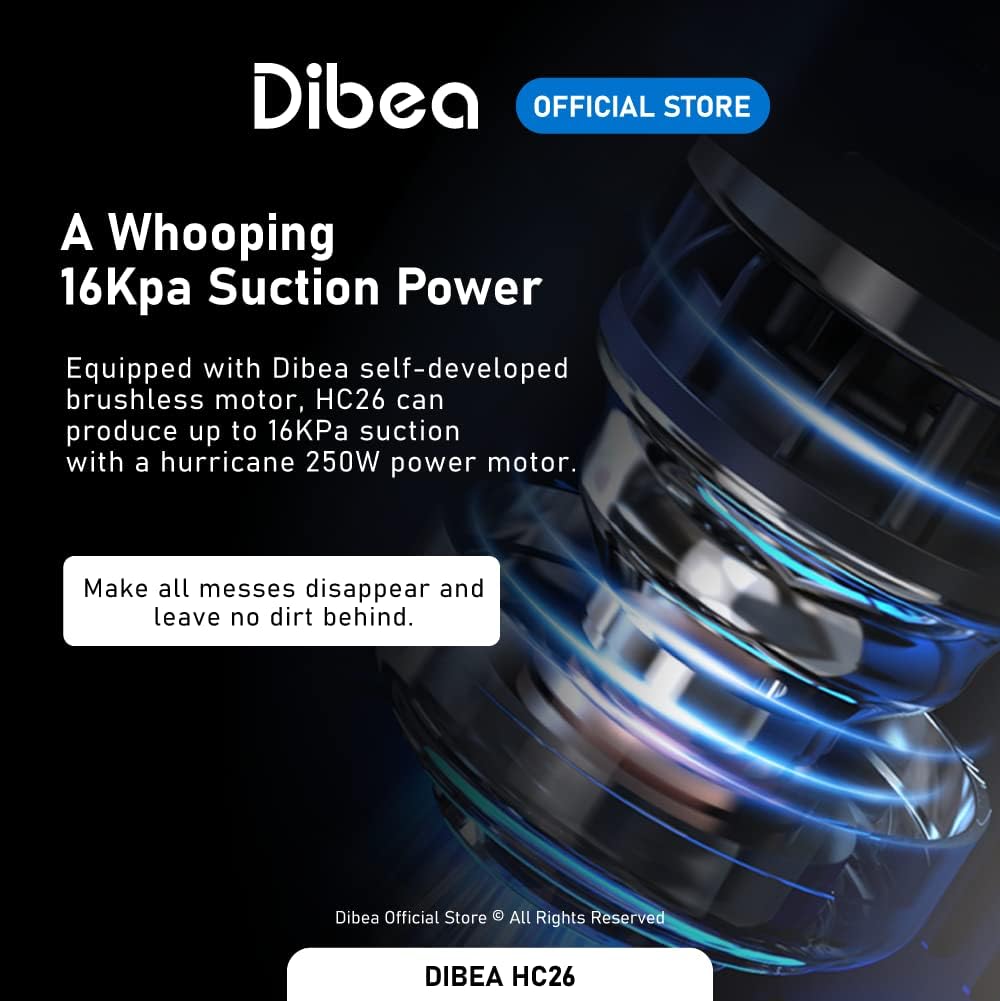
Image: An illustration highlighting the Dibea HC26's powerful 16KPa suction, demonstrating its ability to effectively clean various messes.

Image: A diagram illustrating the Dibea HC26's 700ml clean and dirty water tanks, emphasizing its capacity for extended cleaning sessions.
5. Maintenance
Regular maintenance ensures optimal performance and longevity of your Dibea HC26.
5.1 Self-Cleaning Function
After each use, it is recommended to run the self-cleaning cycle:
- Place the unit on its charging base.
- Ensure there is sufficient clean water in the CWT.
- Press the self-cleaning button (refer to your unit's specific button layout). The unit will perform a thorough cleaning of the roller brush and internal pathways.
- The self-cleaning process includes centrifugal cool air drying to prevent mold and odors.

Image: An illustration demonstrating the Dibea HC26's thorough self-cleaning process, including the centrifugal cool air drying feature to prevent odors and mold.
5.2 Electrolyzed Water Cleaning
The unit can generate electrolyzed water for sterilization:
- Simply fill the Clean Water Tank with tap water. The unit will automatically electrolyze it during operation or self-cleaning to produce sterilization water.
- This natural process helps eliminate up to 99.9% of bacteria and germs without the need for chemical additives.

Image: A visual explanation of the Dibea HC26's electrolyzed water cleaning technology, showing how it effectively removes bacteria.
5.3 Tank Emptying and Cleaning
- Dirty Water Tank (DWT): Empty the DWT after each use. Detach the tank, open the lid, and dispose of the dirty water. Rinse the tank thoroughly with clean water.
- Clean Water Tank (CWT): Refill the CWT as needed. Periodically rinse the CWT to prevent residue buildup.
5.4 Roller Brush and HEPA Filter
- Roller Brush: The self-cleaning function largely maintains the roller brush. However, if visible debris remains, remove the brush and clean it manually with the provided cleaning brush. Allow it to air dry completely before reinserting.
- HEPA Filter: The HEPA filter is pre-installed. It is recommended to rinse the HEPA filter with clean water every 1-2 months, depending on usage. Ensure it is completely dry before reinserting to prevent mold growth and maintain suction performance.
6. Troubleshooting
If you encounter issues with your Dibea HC26, refer to the following common problems and solutions:
| Problem | Possible Cause | Solution |
|---|---|---|
| Unit does not power on | Low battery; Unit not properly assembled | Charge the unit fully; Ensure handle and tanks are securely attached. |
| Poor suction power | Dirty water tank full; Clogged roller brush; Clogged HEPA filter | Empty and clean DWT; Clean roller brush; Clean or replace HEPA filter. |
| Water not dispensing | Clean water tank empty; CWT not properly installed | Fill CWT; Reinstall CWT securely. |
| Voice prompt alerts | Specific issue indicated by prompt (e.g., "Please clean the roller brush", "Please add water to Clean Water Tank") | Follow the instructions given by the voice prompt. |
| Unpleasant odor | Dirty water tank not emptied/cleaned; Roller brush not dried properly | Empty and thoroughly clean DWT; Run self-cleaning cycle with cool air drying; Ensure roller brush is dry. |
7. Specifications
Detailed technical specifications for the Dibea HC26:
| Feature | Specification |
|---|---|
| Net Weight | 3.85 kg |
| Dimensions | 1095 x 265 x 271 (mm) |
| Battery Capacity | 4,000 mAh |
| Motor Type | Brushless Motor |
| Rating Power | 250W |
| Suction Power (Pa) | 16KPa |
| Running Time | Up to 42 minutes |
| Charging Time | 4-5 Hours |
| Noise Level | ≤80db |
| Charging Voltage | 21.6V |
| Filter Type | HEPA |
| Dirty Water Tank Capacity | 700 ml |
| Clean Water Tank Capacity | 700 ml |
| Display Screen | LED On-Screen Display |
| Voice Prompts | Yes |
| Self-Propulsion | Yes |
| Water Sterilization | Yes (Electrolyzed) |
| Cleaning Modes | Auto / Water Sterilization / Self-Cleaning / Suction |
| Drying Method | Centrifugal cool air drying |
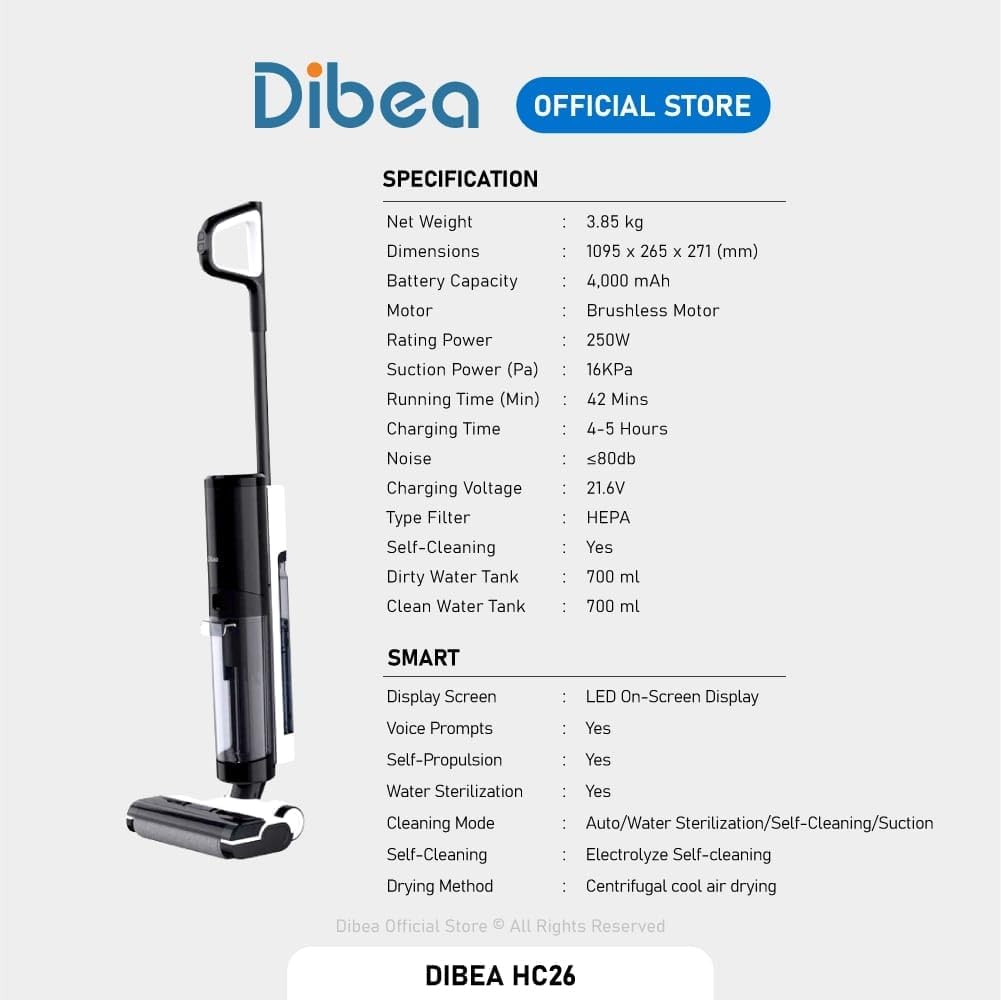
Image: A detailed table outlining the technical specifications of the Dibea HC26, including weight, dimensions, battery, and motor details.
8. Warranty and Support
The Dibea HC26 comes with a 2-year manufacturer's guarantee. This warranty covers defects in materials and workmanship under normal use. Please retain your proof of purchase for warranty claims.
For technical support, troubleshooting assistance beyond this manual, or warranty service, please contact Dibea customer support through their official website or the retailer from whom you purchased the product.


