Introduction
This manual provides detailed instructions for the assembly, operation, and maintenance of your Yaheetech L Shaped Computer Desk. Designed for small spaces, this desk features a convenient built-in charging station, a drawer, and a storage shelf, making it ideal for home offices, bedrooms, or living rooms. Its L-shaped design maximizes corner space utilization.
Key features include:
- Space-saving L-shaped design for optimal corner utilization.
- Built-in power outlet with 2 AC and 2 USB ports, a 2m/6.5' cord, and a safety switch.
- Ample legroom and protective feet for stability and floor protection.
- Versatile design suitable for various room configurations.
- Minimalist modern aesthetic that complements diverse home styles.
Safety Information
Please read all safety warnings and instructions carefully before assembly and use. Failure to follow these instructions may result in injury or damage to the product.
- Do not overload this computer desk. The maximum weight capacity for the top is 110 lbs, and for the shelf is 33 lbs.
- Ensure the power outlet's rated capacity of 1500W is not exceeded.
- Always use the built-in outlet with caution.
- Keep electrical appliances and the power outlet away from water sources.
- Avoid exposing the desk to excessive moisture.
- Allow a measurement tolerance of ±1 cm (1/2 inch).
Package Contents
Before beginning assembly, ensure all parts listed in the accessory kit are present and undamaged. Refer to the included assembly diagram for component identification.
Included Components: Accessory Kit (all necessary tools for assembly are included).
Setup and Assembly
Assembly is required for this product. It is recommended for 1 person to assemble. All necessary assembly tools are included.
- Unpack Components: Carefully remove all parts from the packaging. Lay them out on a clean, soft surface to prevent scratches.
- Identify Parts: Refer to the assembly diagram provided in the accessory kit to identify each component (e.g., P2 MDF Board, Solid Wood Legs, Metal Handle).
- Assemble Frame: Follow the step-by-step instructions in the accessory kit to connect the solid wood legs and support structures.
- Install Drawer: Assemble and install the drawer into its designated slot. Ensure the drawer glide mechanism operates smoothly.
- Attach Desktop: Secure the desktop to the assembled frame.
- Install Power Outlet: Mount the built-in power outlet unit to the designated area on the desk. Ensure the power cord is routed safely and can reach a wall outlet. Use the provided hook & loop fastener for cord organizing.
- Attach Storage Shelf: Secure the lower storage shelf between the legs.
- Adjust Protective Feet: The screw-in protective feet can be adjusted to level the desk on uneven floors and protect hard surfaces from scratches.
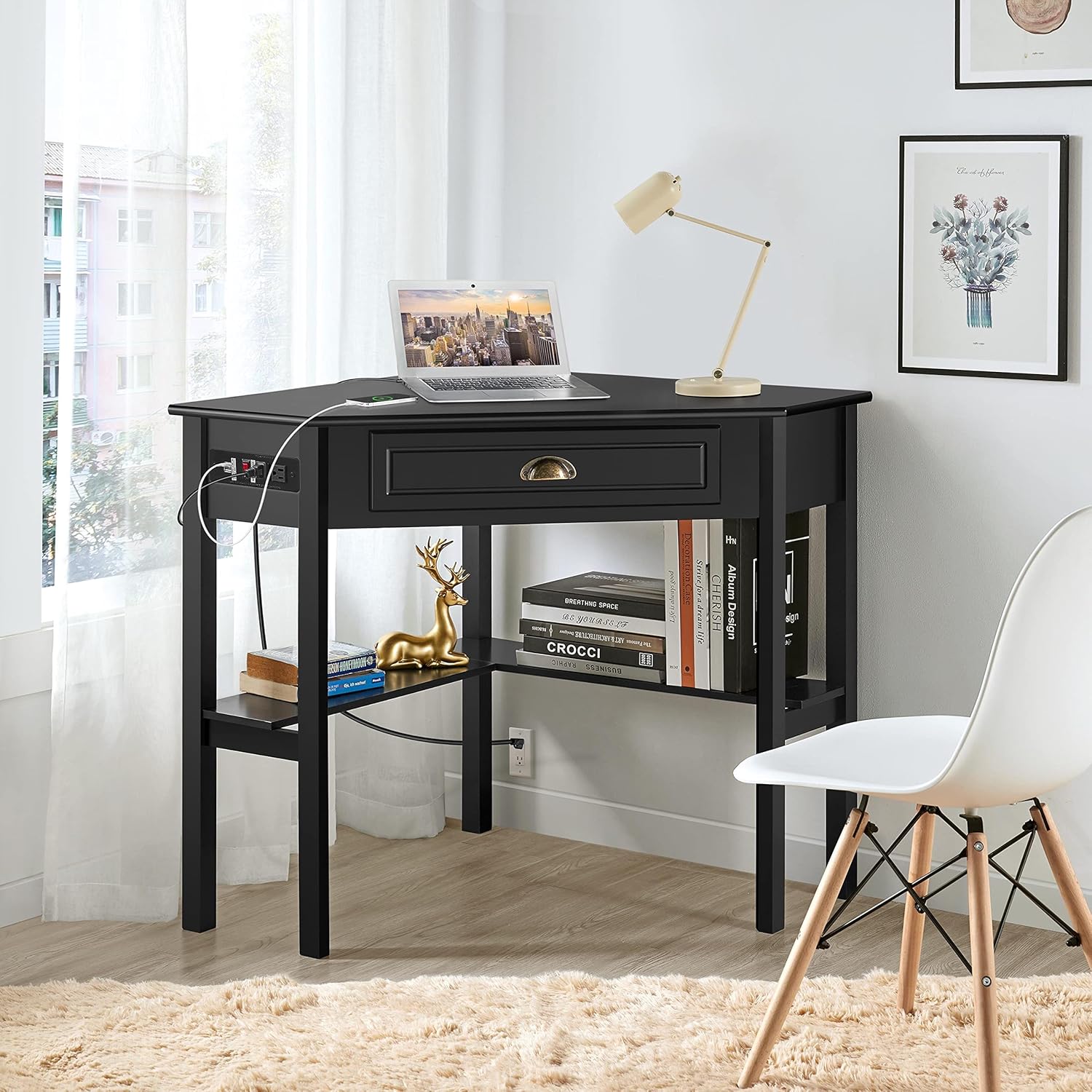
Image: The fully assembled L-shaped desk, showcasing its compact design and integrated storage.
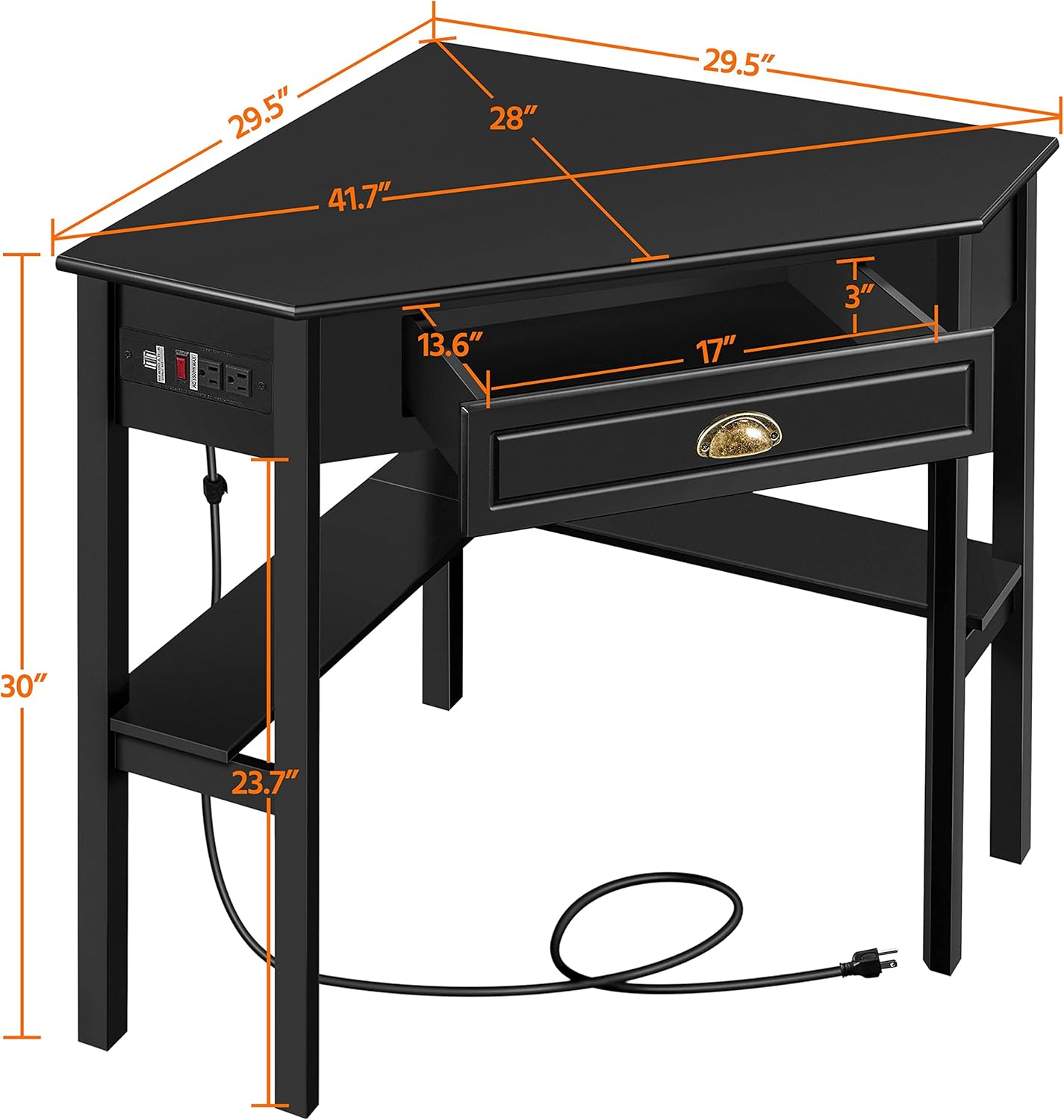
Image: Detailed dimensions of the desk, including desktop width, depth, and height.
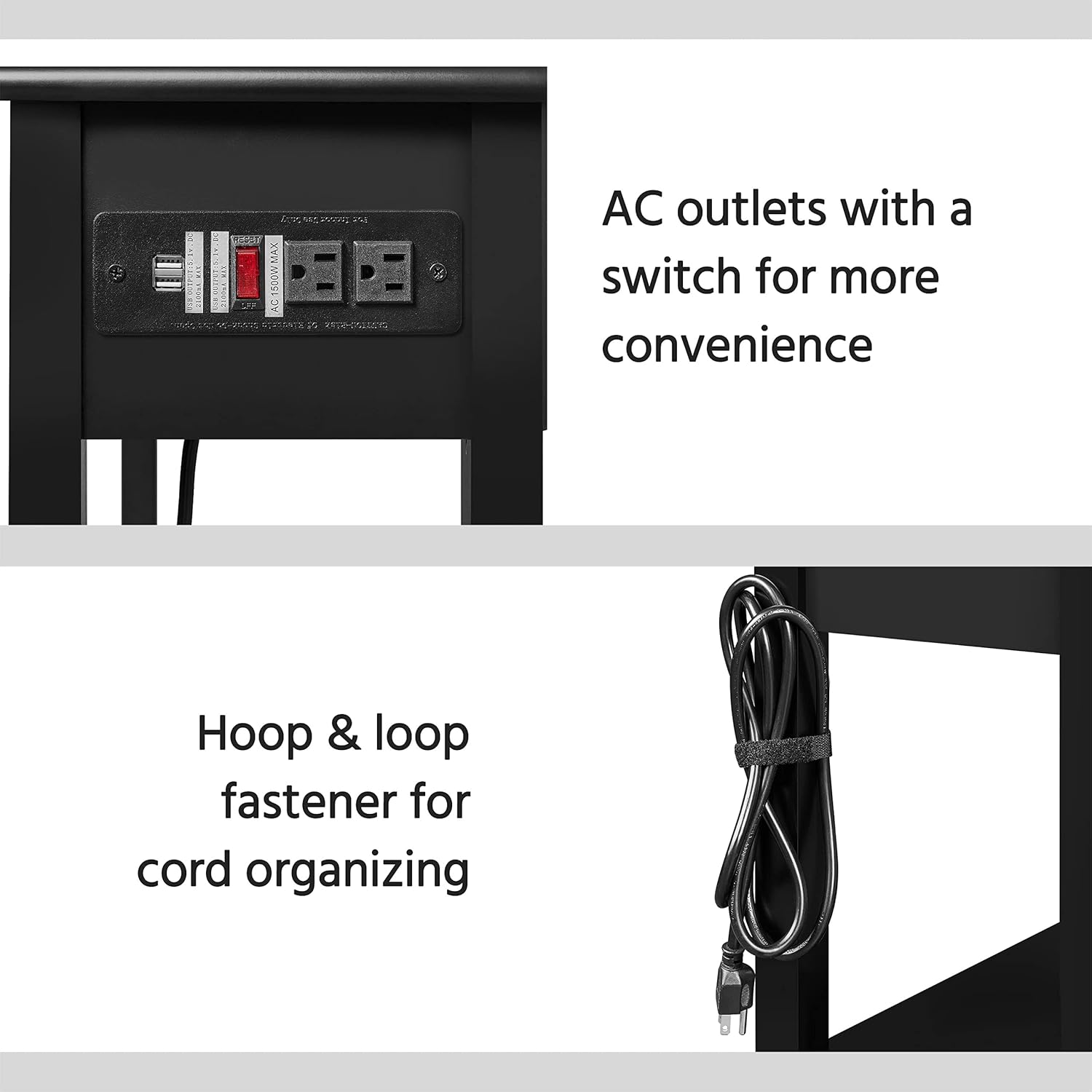
Image: A close-up view of the integrated power outlet with 2 USB and 2 AC ports, and the wire management hook & loop fastener.
Operating Instructions
Using the Built-in Charging Station
The desk is equipped with a built-in power outlet for convenient charging of your electronic devices.
- Power Connection: Plug the desk's 6.5-foot power cord into a standard wall outlet.
- AC Outlets: Use the two AC outlets to power devices such as laptops, monitors, or lamps.
- USB Ports: Use the two USB ports to charge smartphones, tablets, or other USB-powered devices.
- Power Switch: The power outlet includes a switch for quick power on/off, allowing you to easily cut power to all connected devices without unplugging.
Drawer and Storage Shelf Usage
- Drawer: The integrated drawer (inner size: 17"L x 13.6"D x 3"H) provides enclosed storage for office supplies, documents, or personal items.
- Storage Shelf: The lower L-shaped shelf offers open storage space for books, decorative items, or computer peripherals.

Image: The desk with its drawer open, showing ample storage space for various items.
Maintenance and Care
- Cleaning: Dust the desk regularly with a dry, soft cloth. For spills, wipe immediately with a slightly damp cloth and dry thoroughly.
- Avoid Harsh Chemicals: Do not use abrasive cleaners or strong chemical solvents, as these can damage the finish.
- Protect Surface: Use coasters for drinks and pads under hot items to prevent marks and stains.
- Moisture Protection: While the surface is protective, avoid prolonged exposure to moisture.
- Check Connections: Periodically check all screws and fasteners to ensure they remain tight. Retighten as necessary.

Image: Demonstrates the easy-to-clean surface of the desk, showing water resistance.
Troubleshooting
- Desk Wobbles: Ensure all assembly screws are tightened. Adjust the screw-in protective feet on the bottom of the legs to level the desk on uneven surfaces.
- Power Outlet Not Working: Check if the desk's power cord is securely plugged into a functional wall outlet. Verify that the power switch on the outlet unit is in the "on" position. Ensure the total wattage of connected devices does not exceed 1500W.
- Drawer Sticks: Check for any obstructions in the drawer slides. Ensure the drawer was assembled correctly and the slides are properly aligned.
- Missing Parts: If any parts are missing or damaged upon arrival, contact Yaheetech customer support immediately with your purchase details.
Specifications
| Feature | Detail |
|---|---|
| Brand | Yaheetech |
| Model Number | BY213-C021K |
| Product Dimensions | 29.5"D x 41.7"W x 30"H |
| Color | Black |
| Material | Engineered Wood (P2 MDF Board Desktop) & Pine Legs |
| Finish Type | Matte |
| Special Feature | Built-In USB Outlet (2 AC & 2 USB ports) |
| Power Outlet Length | 2m / 6.5 feet |
| Rated Power | 1500W |
| Maximum Weight Capacity (Top) | 110 lbs |
| Maximum Weight Capacity (Shelf) | 33 lbs |
| Number of Drawers | 1 |
| Drawer Inner Size | 17"L x 13.6"D x 3"H |
| Assembly Required | Yes (Tools included) |
| Product Weight | 33.5 Pounds |
Warranty and Support
This Yaheetech L Shaped Computer Desk comes with a Limited Warranty. For specific details regarding warranty coverage, terms, and conditions, please refer to the warranty information provided with your purchase or contact Yaheetech customer service.
For technical support, missing parts, or any inquiries regarding your product, please visit the official Yaheetech website or contact their customer support team. Keep your purchase receipt and model number (BY213-C021K) handy when contacting support.
You can visit the Yaheetech Store for more information: Yaheetech Store
Product Videos
Below are relevant product videos from the seller that may assist with understanding the product's features and usage.
No official seller videos are available for this product at this time.


