
Radtel RT 590
Radtel RT-590 UHF/VHF Dual Band Walkie Talkie User Manual
Model: RT 590 | Brand: Radtel
1. Introduction
Thank you for choosing the Radtel RT-590 Dual Band Walkie Talkie. This device is a high-performance two-way radio designed for reliable communication across UHF and VHF bands, with additional capabilities for air band reception and FM radio. This manual provides detailed instructions for the proper setup, operation, and maintenance of your RT-590 to ensure optimal performance and longevity.
2. Product Overview
2.1 Key Features
- Dual Band UHF/VHF Transmit/Receive (144-146 MHz / 430-440 MHz)
- AM Air Band Receive (108-136 MHz)
- 200 Memory Channels for storing frequencies and CTCSS/DCS codes
- Type-C Charging Interface for convenient charging
- High/Medium/Low Power Output Settings
- VOX (Voice Operated Exchange) Function
- Built-in FM Radio
- CTCSS/DCS Codes for privacy
- DTMF Functionality
- Scan Function
- Dual Watch/Standby
- 1750 Hz Tone for repeater access
- Voice Alert
- Fast Frequency Copy Function
- Automatic/Manual Emergency Alert
- NOAA Weather Alert Support
2.2 Package Contents
- Radtel RT-590 Walkie Talkie Unit
- Rechargeable Lithium-ion Battery
- Antenna
- Type-C Charging Cable
- Charging Base
- Belt Clip
- High-visibility vest (as per product information)
- User Manual (this document)
2.3 Component Identification

Figure 2.3.1: Front view of the Radtel RT-590 Walkie Talkie, showing the display, keypad, and main controls.

Figure 2.3.2: Detailed views highlighting various parts of the RT-590, including the belt clip, top knob, side buttons, and charging port.
3. Setup
3.1 Battery Installation and Charging
To install the battery, align the battery pack with the grooves on the back of the radio and slide it upwards until it clicks into place. To remove, press the battery release latch and slide the battery downwards.
Before first use, fully charge the battery. Connect the Type-C charging cable to the radio's Type-C port or place the radio in the charging base. The charging indicator will show the charging status.

Figure 3.1.1: The Radtel RT-590 featuring a convenient Type-C charging port for versatile power options.
3.2 Antenna Attachment
Screw the antenna clockwise into the connector on the top of the radio until it is firmly seated. Do not overtighten.
4. Operating Instructions
4.1 Power On/Off and Volume Control
Rotate the power/volume knob clockwise to turn on the radio and increase the volume. Rotate counter-clockwise to decrease volume and turn off the radio.
4.2 Channel Selection
Use the UP/DOWN arrow keys to navigate through programmed channels. Alternatively, enter the desired channel number directly using the keypad.
4.3 Fast Frequency Copy Function
The RT-590 allows for quick copying of frequencies and CTCSS/DCS codes from another radio within a 1-meter distance. This feature simplifies setting up your radio to match existing communication systems.

Figure 4.3.1: The fast copy feature allows quick duplication of channel frequencies from another radio, similar to using a frequency meter.
4.4 Air Band Reception (AM)
The RT-590 can receive frequencies in the AM air band (108-136 MHz), allowing users to listen to aircraft communications and tower calls.

Figure 4.4.1: The RT-590's capability to receive AM/FM aviation band frequencies, useful for aviation enthusiasts.
4.5 Emergency Alert
The radio features an automatic/manual emergency alert function. Refer to the detailed menu settings for activation and configuration.
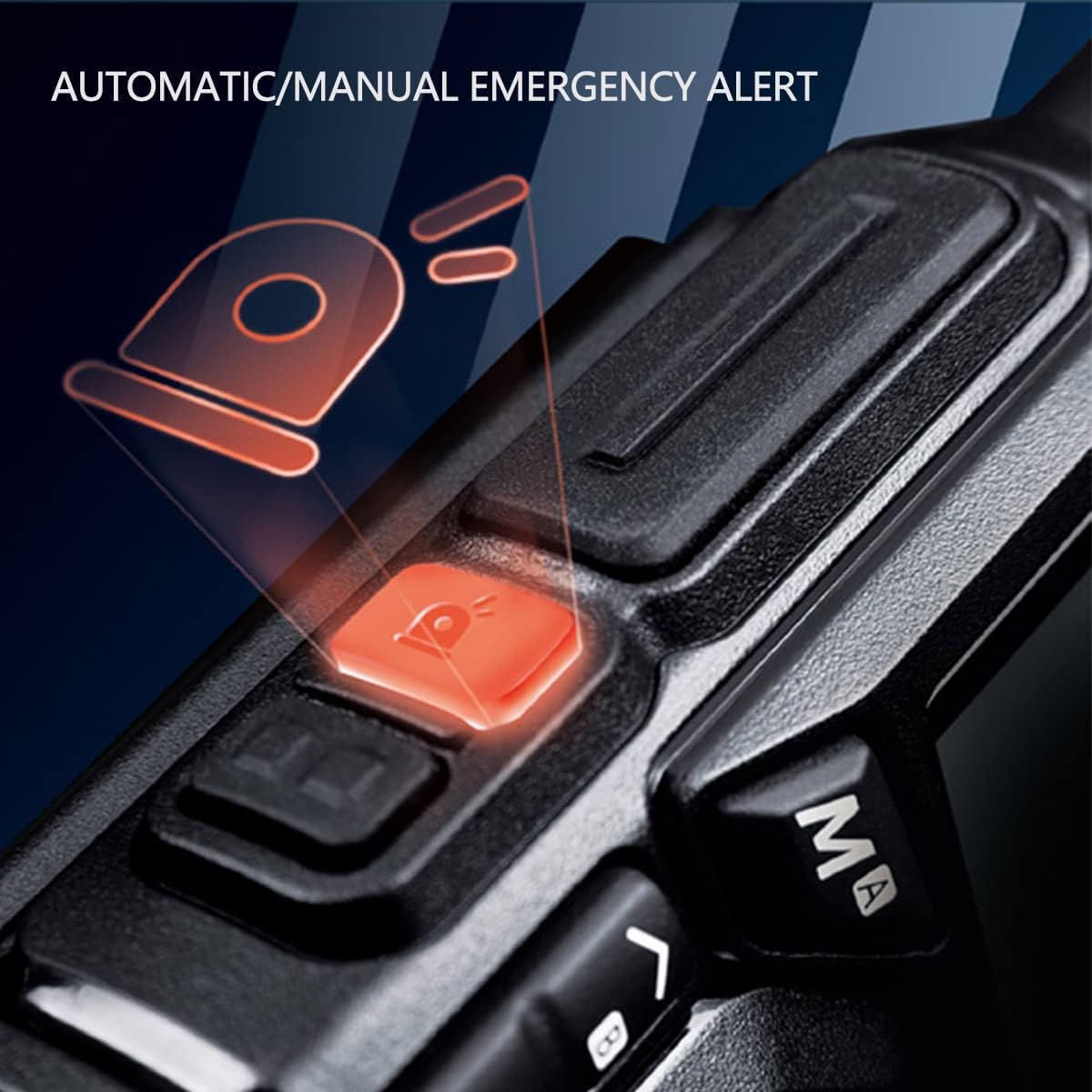
Figure 4.5.1: Illustration of the dedicated emergency alert button on the Radtel RT-590.
4.6 VOX Function
VOX (Voice Operated Exchange) allows for hands-free transmission. When enabled, the radio will transmit automatically when it detects your voice. Adjust VOX sensitivity in the menu.
4.7 FM Radio
To activate the FM radio, press the dedicated FM button. Use the arrow keys to tune to desired FM stations. Press the FM button again to exit FM mode.
4.8 NOAA Weather Alert
The RT-590 supports NOAA weather station channel reception, providing weather warnings. This feature is particularly useful for outdoor activities and work arrangements.

Figure 4.8.1: The NOAA Weather Alert feature helps outdoor staff receive timely weather warnings.
4.9 Cross-Band Intercom
The RT-590 supports cross-band intercom functionality, allowing communication between different frequency bands, either through a cross-band repeater or directly via the radio's internal capabilities.

Figure 4.9.1: Diagram illustrating the cross-band intercom capability of the RT-590.
4.10 Frog Sound Signal
After an intercom transmission is completed, the receiving radio can emit a distinctive 'frog sound' signal, indicating the end of the call. This provides clear communication cues.

Figure 4.10.1: Visual representation of the frog sound signal emitted by the radio after a call ends.
5. Maintenance
5.1 Cleaning
Clean the radio's surface with a soft, damp cloth. Do not use harsh chemicals or abrasive cleaners. Ensure the charging port is free of dust and debris.
5.2 Storage
When not in use for extended periods, store the radio in a cool, dry place. Remove the battery if storing for more than a month to prevent discharge and damage. Avoid extreme temperatures and direct sunlight.
6. Troubleshooting
| Problem | Possible Cause | Solution |
|---|---|---|
| Radio does not power on | Low or dead battery; Incorrect battery installation | Charge the battery; Reinstall battery correctly |
| Cannot transmit or receive | Wrong frequency/channel; Antenna not attached; Low battery; Out of range | Verify frequency/channel; Attach antenna securely; Charge battery; Move closer to other radios |
| Poor audio quality | Low signal strength; Obstructions; Volume too low/high | Move to an open area; Adjust volume; Check antenna connection |
| Battery drains quickly | Frequent transmission; High power setting; Old battery | Reduce transmission time; Use lower power setting when possible; Replace battery if old |
7. Specifications
| Feature | Detail |
|---|---|
| Brand | Radtel |
| Model Number | RT 590 |
| Color | Black |
| Number of Channels | 200 |
| Frequency Range | VHF: 144-146 MHz, UHF: 430-440 MHz (TX/RX); AM: 108-136 MHz (RX); FM: 50-76 MHz (RX), 76-108 MHz (RX) |
| Max Range | 10 Kilometers (approximate, depends on terrain) |
| Tuning Technology | UHF, VHF |
| Voltage | 7.4 Volts |
| Battery Type | Lithium-ion (Rechargeable) |
| Water Resistance Level | Not waterproof |
| Product Dimensions | 3P x 6W x 28H centimeters |

Figure 7.1.1: Dimensions of the Radtel RT-590 Walkie Talkie, showing height and width measurements.
8. Warranty and Support
Radtel products are designed for reliability and performance. For specific warranty terms and conditions, please refer to the warranty card included with your product or visit the official Radtel website. If you encounter any issues or require technical assistance, please contact Radtel customer support through their official channels. Please have your model number (RT 590) and purchase information ready when contacting support.
Related documentsRT 590


Ask a question about this manual
Ask about setup, troubleshooting, compatibility, parts, safety, or missing instructions. Manuals+ will review the question and use this page’s manual context to help answer it.