1. Introduction
Thank you for choosing the MINISO Sanrio Kuromi Memory Foam Neck Pillow. This pillow is designed to provide comfortable neck support during travel, at home, or in the office. Its memory foam filling conforms to your neck's shape, offering personalized comfort and reducing discomfort. This manual provides essential information for the proper use, care, and maintenance of your neck pillow.
2. Product Overview
The MINISO Sanrio Kuromi Memory Foam Neck Pillow features a U-shaped design with a soft, plush cover and supportive memory foam interior. It includes a snap button closure for secure fitting and easy attachment to luggage.
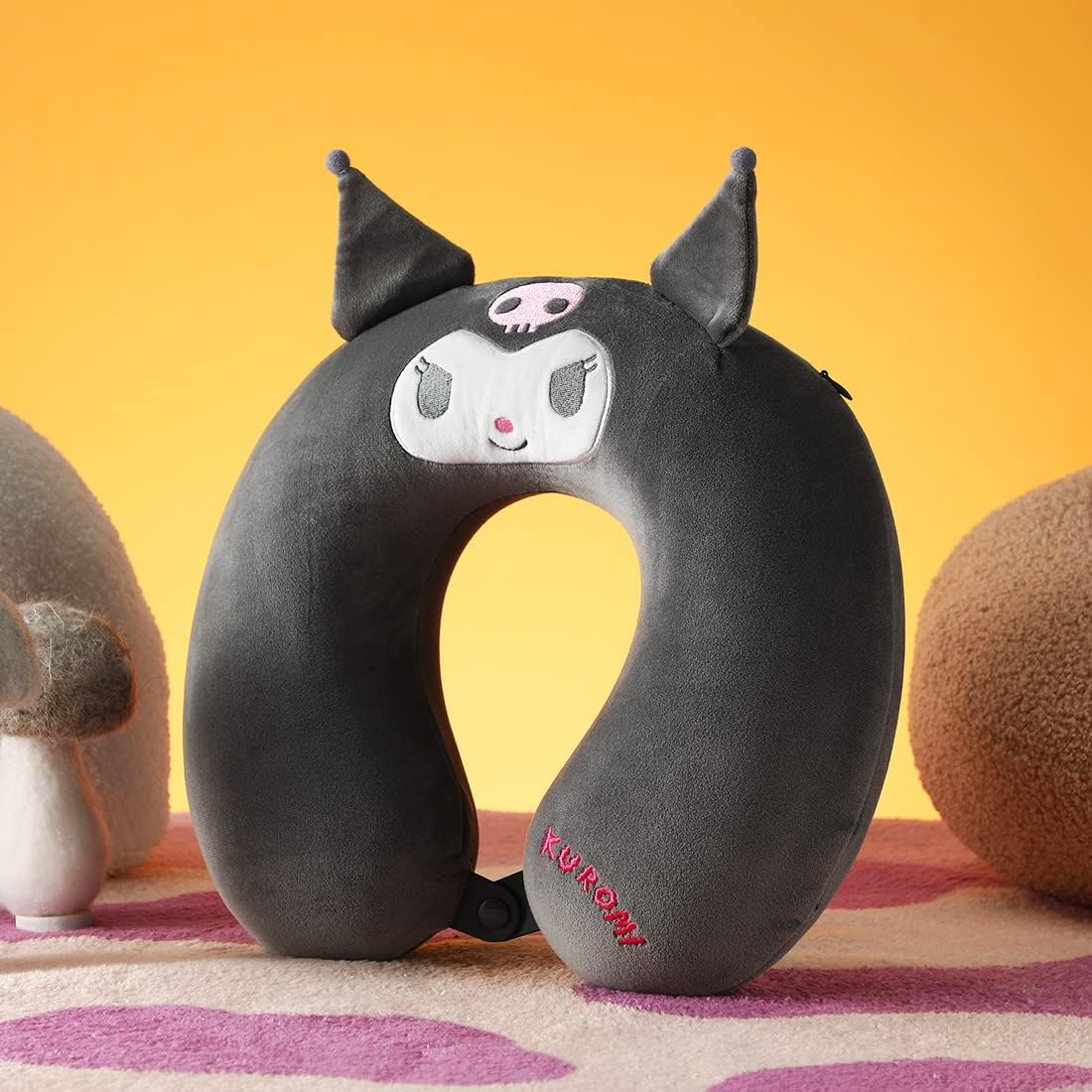
Image 2.1: Front view of the MINISO Sanrio Kuromi Memory Foam Neck Pillow, showcasing its U-shape and the Kuromi character design on the front.

Image 2.2: Close-up of the Kuromi character design on the neck pillow, detailing the embroidered facial features and soft ear accents.

Image 2.3: Detailed view of the neck pillow, illustrating the 'Kuromi' embroidery, the functional snap button closure, and a partially unzipped section revealing the memory foam filling.
Key Features:
- Memory Foam Filling: Molds to the neck's shape for personalized comfort and support.
- Soft and Durable Material: Made of 95% polyester and 5% elastane, providing a plush and gentle feel against the skin.
- Lightweight and Compact: Designed for easy portability, ideal for various travel scenarios.
- Versatile Use: Suitable for cars, planes, trains, as well as home and office environments.
3. Setup
The MINISO Sanrio Kuromi Memory Foam Neck Pillow requires minimal setup. Follow these steps before first use:
- Unpack: Carefully remove the neck pillow from its packaging.
- Inspect: Check the pillow for any signs of damage or manufacturing defects.
- Allow to Expand: If the pillow was compressed for packaging, allow it to fully expand to its original shape for a few minutes.
- Initial Airing: If a slight odor is present from manufacturing, place the pillow in a well-ventilated area for a few hours before use.
4. Operating Instructions (Usage)
The neck pillow is designed for various situations to provide optimal neck support.
How to Use:
- Positioning: Place the U-shaped pillow around your neck with the open end facing forward.
- Secure Fit: Use the snap button closure at the front to secure the pillow around your neck. This helps prevent the pillow from slipping and provides continuous support.
- Adjust: Gently adjust the pillow to find the most comfortable position that supports your head and neck. The memory foam will conform to your contours.
Recommended Uses:
- Travel: Ideal for long journeys in cars, airplanes, or trains to prevent neck strain and promote relaxation.
- Home: Use while reading, watching television, or relaxing on a sofa.
- Office: Provides ergonomic support during extended periods of sitting at a desk.
5. Maintenance and Care
Proper care will extend the life of your MINISO Sanrio Kuromi Memory Foam Neck Pillow.
Cleaning Instructions:
- Cover: The outer cover (95% polyester, 5% elastane) can be spot cleaned with a damp cloth and mild detergent. Allow to air dry completely. Do not machine wash or tumble dry the cover, as this may damage the material or character design.
- Memory Foam Core: The memory foam core should not be washed. Exposure to water can damage the foam structure. If the foam core gets wet, gently blot it with a dry towel and allow it to air dry completely in a well-ventilated area away from direct sunlight or heat.
- General Care: Avoid exposing the pillow to direct sunlight for prolonged periods, as this can degrade the memory foam. Store in a cool, dry place when not in use.
6. Troubleshooting
If you encounter any issues with your neck pillow, refer to the following common solutions:
| Problem | Possible Cause | Solution |
|---|---|---|
| Pillow feels too firm or too soft. | Temperature sensitivity of memory foam; individual preference. | Memory foam softens with body heat. Allow a few minutes for it to adapt. Adjust position for optimal comfort. |
| Pillow has a slight odor. | New product odor (common with memory foam). | Place the pillow in a well-ventilated area for 24-48 hours before first use. The odor should dissipate. |
| Pillow slips off during use. | Pillow not properly secured. | Ensure the snap button closure is fastened securely at the front of your neck. |
| Stains on the cover. | Accidental spills or dirt. | Spot clean immediately with a damp cloth and mild detergent. Do not rub vigorously. Air dry. |
7. Specifications
| Brand | MINISO |
| Model Number | 2010896410102 |
| ASIN | B0C284B86T |
| Color | Black |
| Age Range | Adult |
| Cover Material | 95% Polyester, 5% Elastane |
| Filling Material | Memory Foam |
| Product Dimensions (L x W x H) | 3.9" x 11.8" x 12.6" (10 cm x 30 cm x 32 cm) |
| Item Weight | 0.26 Kilograms (9.2 ounces) |
8. Warranty and Support
For information regarding warranty coverage or product support, please refer to the retailer's return policy or contact MINISO customer service directly through their official website or the point of purchase. Please retain your proof of purchase for any warranty claims.


