
Durastar DRAW24F1B
Durastar DRAW24F1B Mini Split Indoor Unit User Manual
Model: DRAW24F1B
1. Introduction
This manual provides essential information for the proper installation, operation, and maintenance of your Durastar DRAW24F1B Mini Split Wall Mount Indoor Unit. This unit is designed to provide efficient cooling and heating as part of a mini-split system. Please read this manual thoroughly before installation and use.
Important Note: Mini split systems, including this indoor unit, must be installed by a qualified HVAC professional in accordance with all local codes and regulations. Failure to do so will void the manufacturer's warranty and may result in improper operation or safety hazards. This is an indoor evaporator unit only; an outdoor condenser unit is required for full functionality.

Image 1.1: Front view of the Durastar DRAW24F1B Mini Split Indoor Unit.
2. Setup and Installation
The installation of the Durastar DRAW24F1B indoor unit requires specialized tools and knowledge. It is crucial that installation is performed by a certified professional.
2.1 Professional Installation Requirement
As stated, professional installation is mandatory. This ensures correct electrical connections (230 Volts), proper refrigerant line connections to the outdoor condenser, and adherence to safety standards.
2.2 Unit Placement
The indoor unit should be mounted on a sturdy wall, ensuring adequate clearance for airflow and maintenance. Consult the detailed installation guide provided to your professional installer for specific dimensions and mounting procedures.

Image 2.1: Example of the Durastar Mini Split Indoor Unit installed in a residential setting.
3. Operating Instructions
Your Durastar indoor unit is equipped with several features designed for comfort and energy efficiency. All functions are typically controlled via the wireless remote control.
3.1 Wireless Remote Control with "Follow Me" Technology
The remote control features "Follow Me" technology. When activated, the unit will sense the temperature at the remote's location, rather than at the indoor unit itself, to optimize comfort in your immediate vicinity.
3.2 Airflow Control (Swing/Gentle Feature)
The unit includes a Swing/Gentle feature that allows for adjustable airflow direction. This helps circulate air effectively throughout the room, preventing direct drafts and ensuring even temperature distribution.
3.3 Sleep Mode
Activate Sleep Mode to reduce energy consumption during nighttime hours. This mode incrementally adjusts the temperature and automatically deactivates after 8 hours, returning to normal operation.
3.4 24-Hour Timer Feature
Utilize the 24-Hour Timer to program the unit to automatically turn on or off after a set period, enhancing convenience and energy management.
3.5 Auto Restart Function
In the event of a power outage, the Auto Restart module will automatically restore the unit to its previous settings once power is re-established, ensuring continuous comfort without manual intervention.
3.6 Quiet Operation
The Durastar indoor unit is engineered for quiet operation, minimizing noise disruption in your living or working space.
4. Maintenance
Regular maintenance ensures the longevity and efficient operation of your Durastar mini split unit. Always turn off the power to the unit before performing any maintenance.
4.1 Filter Cleaning
The air filters should be cleaned regularly (e.g., every 2-4 weeks, depending on usage and air quality). Refer to your detailed product manual for instructions on how to access and clean the filters. Clean filters improve air quality and maintain energy efficiency.
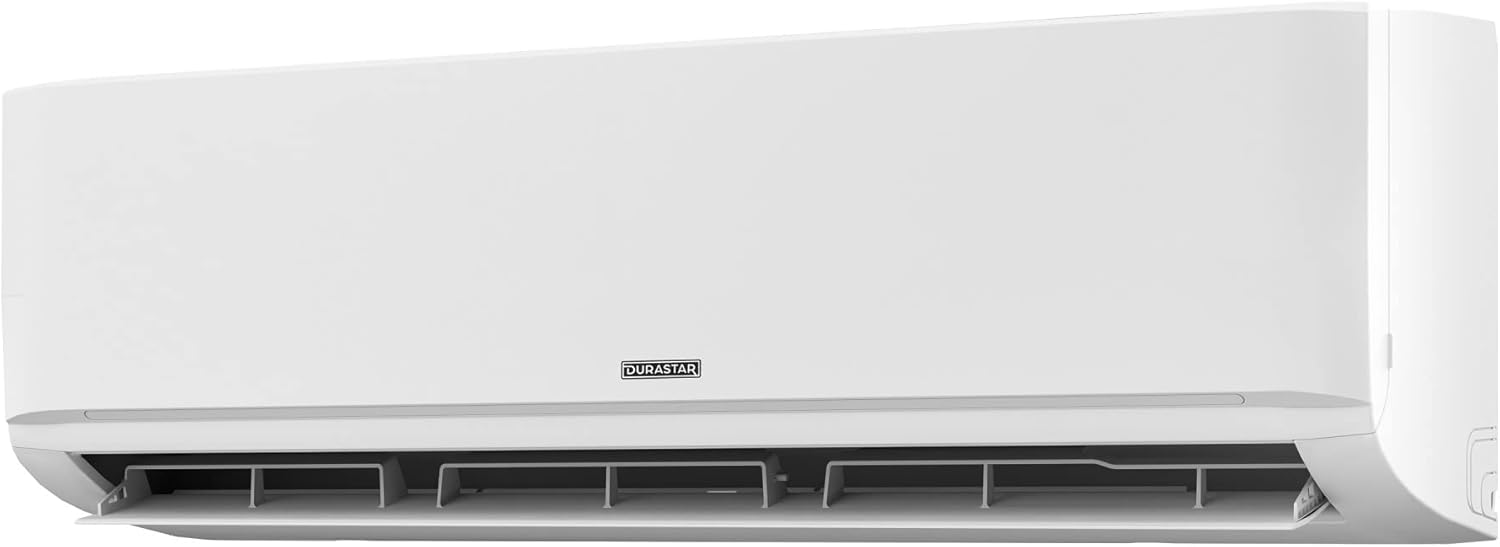
Image 4.1: The indoor unit with its front panel and louvers open, typically for filter access.
4.2 Anti-Corrosive Fin Coating
Both Durastar indoor and outdoor units feature Golden Fin Coating, an anti-corrosive treatment applied to the fins. This coating helps prevent corrosion, ensuring the longevity and reliability of the heat exchange components.
4.3 Professional Servicing
Beyond routine filter cleaning, it is recommended to have your unit professionally serviced annually. This includes checking refrigerant levels, cleaning coils, and inspecting electrical connections.
5. Troubleshooting
If you experience issues with your Durastar indoor unit, consider the following common troubleshooting steps. For complex problems, always contact a qualified technician.
5.1 Unit Not Turning On
- Check the circuit breaker to ensure power is supplied to the unit.
- Verify the remote control batteries are functional and correctly inserted.
- Ensure the unit is not in timer mode preventing it from turning on.
5.2 Insufficient Cooling/Heating
- Clean the air filters as described in the Maintenance section.
- Ensure no obstructions are blocking the indoor unit's air intake or outlet.
- Check if the outdoor condenser unit is operating correctly.
- Verify the temperature setting on the remote control is appropriate for the desired mode (cooling or heating).
5.3 Unusual Noises
- A slight gurgling or hissing sound is normal and indicates refrigerant flow.
- If loud or persistent noises occur, power off the unit and contact a professional.
If these steps do not resolve the issue, please contact Durastar customer support or a certified HVAC technician.
6. Specifications
Key technical specifications for the Durastar DRAW24F1B Mini Split Wall Mount Indoor Unit:
| Specification | Value |
|---|---|
| Model Number | DRAW24F1B |
| Cooling Capacity | 24,000 BTU (2 Tons) |
| Heating Capacity | 26,000 BTU |
| Voltage | 230 Volts |
| Noise Level | 56 dB |
| Refrigerant Type | R 410A |
| Form Factor | Mini-Split Wall Mount Indoor Unit |
| Color | White |
| Special Features | Follow-Me, Sleep Mode, Auto Restart, 24-Hour Timer, Anti-Corrosive Fin Coating, Quiet Operation, Swing/Gentle Airflow |
7. Warranty Information
Durastar products are backed by a manufacturer's warranty. Please note that the warranty may be voided if the unit is not installed by a professional according to local codes and manufacturer guidelines. For specific warranty terms and conditions, please refer to the warranty card included with your product or visit the official Durastar website.
8. Customer Support
For technical assistance, troubleshooting beyond this manual, or questions regarding multi-zone system configurations, please contact Durastar customer support:
- Phone: (855) 484-3292 (for multi-zone system assistance)
- Online: Visit the official Durastar website for FAQs, support resources, and contact forms.
When contacting support, please have your model number (DRAW24F1B) and purchase information ready.
Related documentsDRAW24F1B


Ask a question about this manual
Ask about setup, troubleshooting, compatibility, parts, safety, or missing instructions. Manuals+ will review the question and use this page’s manual context to help answer it.