
Product Overview
The PSIER Wireless Earbuds are designed for an immersive audio experience with enhanced call clarity and extended playtime. Featuring Bluetooth 5.3 technology, these earbuds offer stable connectivity and superior sound quality. The ergonomic design with earhooks ensures a secure fit, making them ideal for sports and active use. The included charging case provides multiple recharges, extending your listening time significantly.

Image showing the PSIER wireless earbuds with various sizes of replaceable soft eartips and earwings (XS, S, M, L) for a customizable and secure fit. The image also displays a person wearing the earbuds, demonstrating their ergonomic design.
Package Contents
- PSIER Wireless Earbuds (Left and Right)
- Charging Case
- USB-C Charging Cable
- Multiple Sizes of Eartips (XS, S, M, L)
- User Manual
Setup
Initial Charging
Before first use, fully charge the earbuds and the charging case.
- Connect the provided USB-C cable to the charging port on the case and to a power source.
- Alternatively, place the charging case on a compatible wireless charging pad (not included).
- The LED digital display on the case will show the charging progress. A full charge is indicated by 100% on the display.
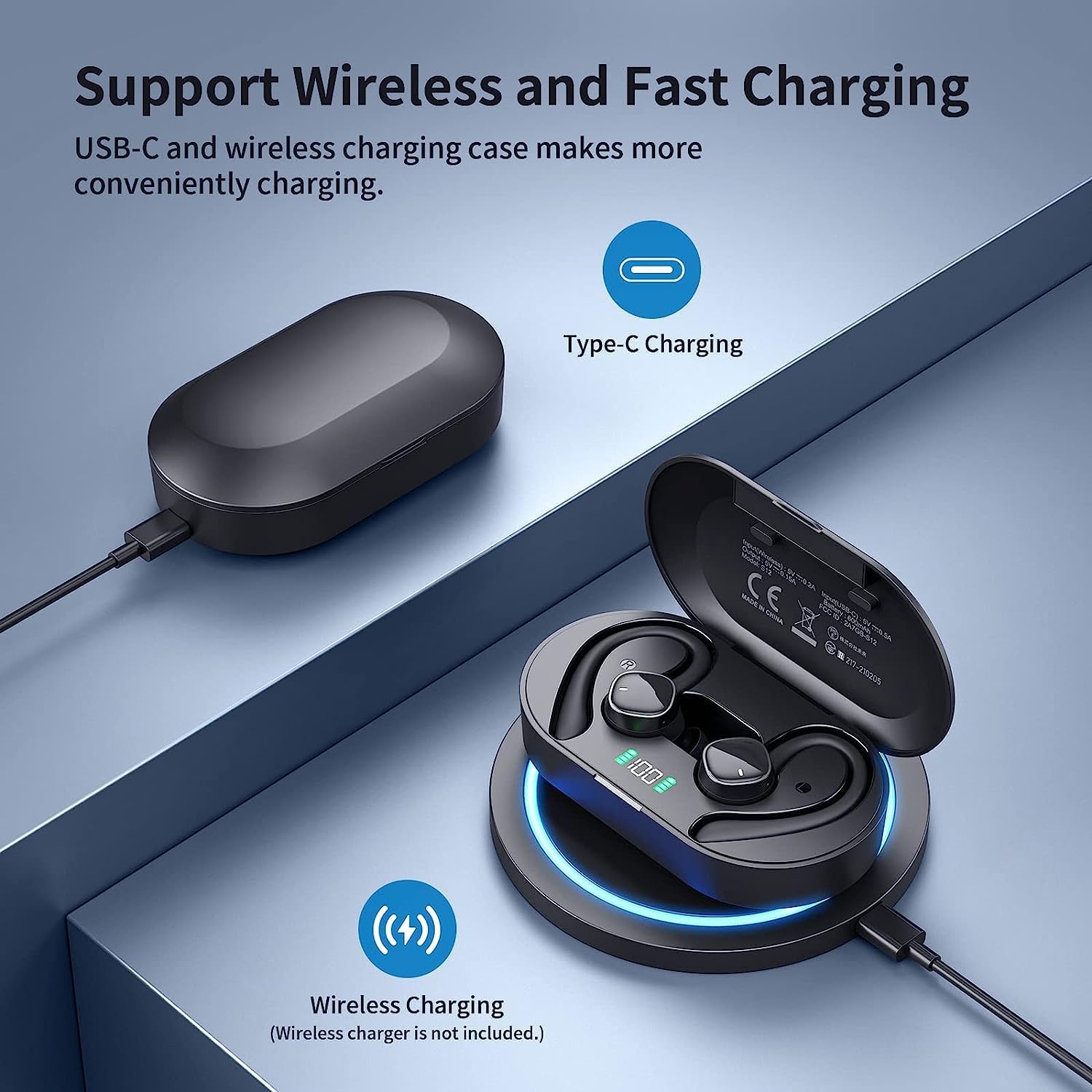
Image illustrating the two charging methods for the PSIER wireless earbuds: USB-C cable charging and wireless charging on a compatible pad. The charging case with LED display is shown.
Powering On/Off
- Power On: Open the charging case. The earbuds will automatically power on and attempt to connect to the last paired device.
- Power Off: Place the earbuds back into the charging case and close the lid. They will automatically disconnect and power off.
Bluetooth Pairing
The earbuds feature one-step pairing for convenience.
- Ensure the earbuds are charged and placed inside the charging case.
- Open the charging case. The earbuds will enter pairing mode automatically.
- On your device (smartphone, tablet, etc.), enable Bluetooth and search for available devices.
- Select "S12" from the list of devices to connect.
- Once connected, you will hear an audio prompt, and the device will show "Connected."

Image demonstrating the one-step pairing process for the PSIER wireless earbuds. The charging case is open, showing the earbuds, and a smartphone screen displays 'S12 Connected' in its Bluetooth settings.
Wearing the Earbuds
For optimal sound quality and comfort, choose the correct eartip size and ensure the earhooks are securely positioned.
- Select the eartips (XS, S, M, L) that provide a snug fit in your ear canal.
- Gently insert the earbud into your ear.
- Adjust the earhook over your ear to secure the earbud in place.
Operating Instructions
Media Controls
The earbuds feature multi-function buttons for easy control of audio playback and calls.
| Function | Action |
|---|---|
| Play/Pause | Single press on either earbud |
| Next Track | Double press on the Right earbud |
| Previous Track | Double press on the Left earbud |
| Volume Up | Triple press on the Right earbud |
| Volume Down | Triple press on the Left earbud |
| Answer/End Call | Single press on either earbud |
| Reject Call | Press and hold on either earbud |
| Activate Voice Assistant | Press and hold on either earbud (when not on a call) |
Call Management
Each earbud is equipped with two microphones, totaling four microphones, to ensure clear call quality by accurately picking up your voice and isolating environmental noise through advanced algorithms.

Image depicting a person using PSIER wireless earbuds in a noisy environment, with graphics illustrating how 4 microphones isolate voice from background noise for clearer calls.
LED Digital Display
The charging case features an LED digital display that shows the remaining power in percentage (1%-100%). This allows you to easily monitor the battery level of the case and plan your charging accordingly. Individual indicators for left (L) and right (R) earbuds may also be present.

Image showcasing the digital LED display on the PSIER earbud charging case, indicating 100% charge. It also highlights the 60 hours total playtime, with 10 hours on a single earbud charge and 50 hours from the charging case.
Sound Quality
The PSIER Wireless Earbuds are equipped with a 6mm large size speaker driver, engineered to deliver powerful deep bass and dynamic treble. This design aims to provide a 3D spatial sound experience, enhancing your music listening across a wide sound range.

Close-up image of the PSIER earbud's internal components, highlighting the 6mm large size speaker driver and Bluetooth 5.3 chip, emphasizing powerful stereo sound with dynamic treble and deep bass.
Maintenance and Care
Cleaning
- Regularly clean the earbuds, eartips, and charging contacts with a soft, dry, lint-free cloth.
- Avoid using abrasive materials, solvents, or chemical cleaners.
Water Resistance (IPX7)
The earbuds are rated IPX7 waterproof, meaning they can withstand splashes, sweat from workouts, and rain. They are not designed for swimming or prolonged submersion in water. Ensure the earbuds are dry before placing them back in the charging case to prevent damage.
Storage
- Store the earbuds in their charging case when not in use to protect them and keep them charged.
- Avoid storing in extreme temperatures or high humidity.
Troubleshooting
- Earbuds not pairing: Ensure both earbuds are charged and out of the case. Turn off and on your device's Bluetooth. If issues persist, try resetting the earbuds (refer to manufacturer's website for specific reset instructions).
- No sound: Check volume levels on both your device and the earbuds. Ensure earbuds are properly connected to your device.
- Charging issues: Verify the USB-C cable is securely connected or the wireless charging pad is functioning correctly. Clean the charging contacts on both the earbuds and the case.
- Poor call quality: Ensure the microphones are not obstructed. Try moving to an area with less background noise.
Specifications
| Feature | Detail |
|---|---|
| Model Number | B0BY911HRZ |
| Brand | PSIER |
| Connectivity Technology | Bluetooth 5.3, Wireless |
| Ear Placement | Open Ear (with earhooks) |
| Form Factor | In Ear |
| Color | Black |
| Control Type | Media Control |
| Microphones | 4 (2 per earbud) |
| Playtime | Up to 10 hours (single charge), 60 hours total with charging case |
| Charging | USB-C, Wireless Charging |
| Water Resistance | IPX7 |
| Item Weight | 5.3 ounces |
| Package Dimensions | 5.24 x 3.86 x 1.46 inches |
Warranty and Support
For warranty information, technical support, or further assistance, please refer to the documentation included with your product or visit the official PSIER website. Keep your purchase receipt for warranty claims.


