
Introduction
Thank you for purchasing the Timex TW5M28800 Men's Digital Sports Watch. This manual provides essential information for setting up, operating, and maintaining your watch. Please read these instructions carefully to ensure proper use and to maximize the lifespan of your timepiece.
The Timex Command Urban TW5M28800 is a durable and reliable digital watch designed for men. It features a blue silicone strap, a digital display, and a round black resin case with a 47mm diameter. The watch includes an Indiglo night-light with Night-Mode for visibility in low light conditions and is water-resistant up to 10 ATM (100 meters).
Product Overview
Familiarize yourself with the key components of your Timex TW5M28800 watch.
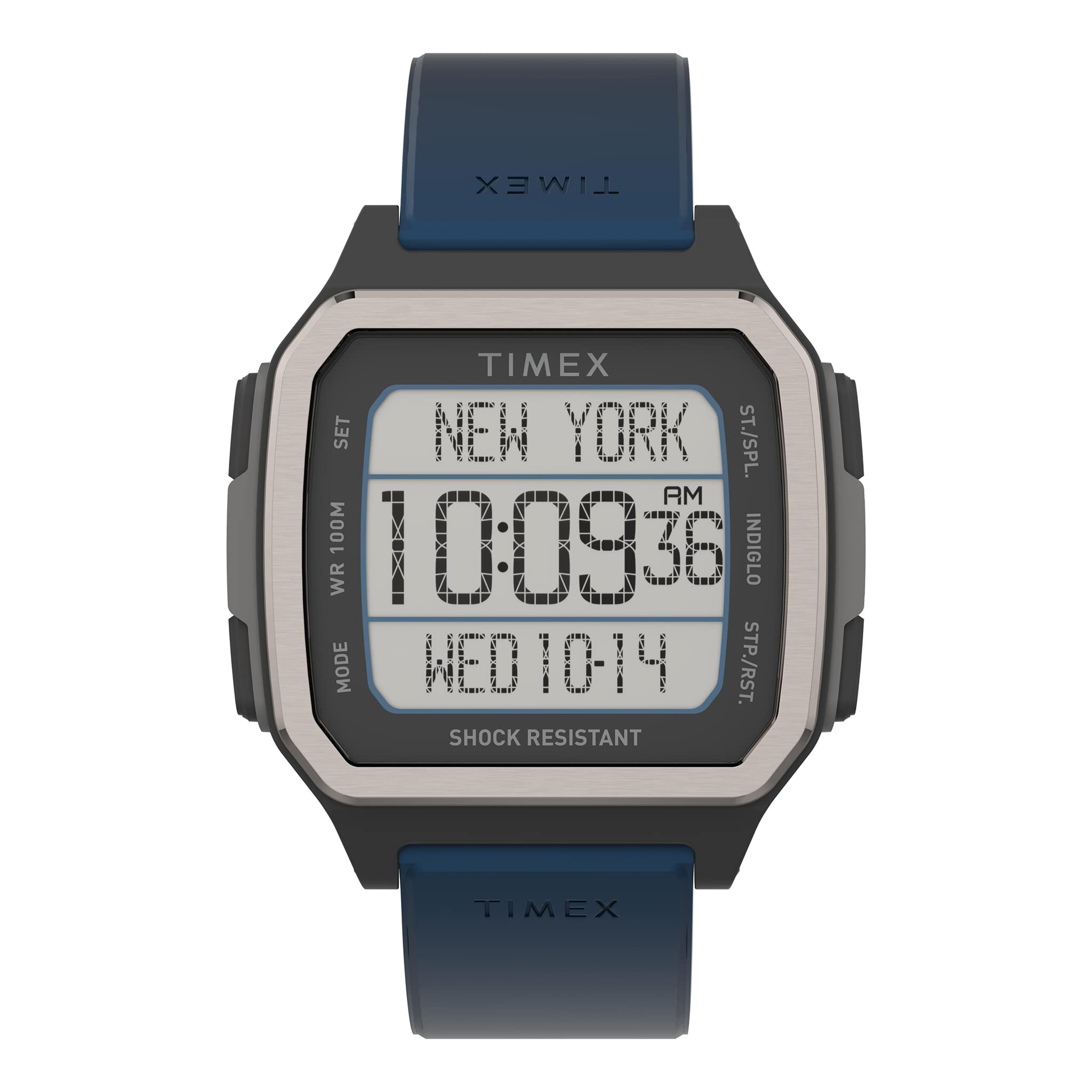
Image: Front view of the Timex TW5M28800 Digital Sports Watch, showing the digital display and case design.

Image: Side view of the watch, highlighting the control buttons on the left and right sides of the case.

Image: Rear view of the watch, showing the stainless steel case back with engraved details and the blue silicone strap.

Image: Close-up of the watch's blue silicone strap and buckle mechanism.
Setup
Initial Time and Date Setting
- Press the MODE button repeatedly until the time setting screen appears (usually indicated by flashing digits).
- Use the SET/ADJUST button to select the digit you wish to change (e.g., hours, minutes, year, month, day).
- Use the START/STOP button to advance the selected digit.
- Once all settings are correct, press the MODE button again to exit the setting mode.
Operating Instructions
Basic Functions
- Time Display: The default screen displays the current time (hours, minutes, seconds) and date.
- Indiglo Night-Light: Press the LIGHT button (typically located on the top left of the watch case) to activate the Indiglo backlight for approximately 3 seconds.
- Night-Mode: To activate Night-Mode, press and hold the LIGHT button for 3 seconds. This will keep the Indiglo light active for any button press for a set period (refer to specific model instructions for duration). Press and hold again to deactivate.
Stopwatch Function
- Press the MODE button until the stopwatch screen is displayed (usually indicated by '00:00:00').
- Press the START/STOP button to begin timing.
- Press START/STOP again to pause the stopwatch.
- Press the RESET button (often the same as SET/ADJUST in stopwatch mode) to clear the stopwatch to zero.
Alarm Function
- Press the MODE button until the alarm setting screen appears.
- Use the SET/ADJUST button to select the hour or minute digits.
- Use the START/STOP button to adjust the time.
- Press the MODE button to confirm and exit.
- To activate/deactivate the alarm, press the SET/ADJUST button while on the alarm screen. An alarm icon will appear when active.
Maintenance
Cleaning Your Watch
- Regularly clean your watch with a soft, damp cloth.
- For silicone straps, mild soap and water can be used, then rinse thoroughly and dry.
- Avoid harsh chemicals or abrasive materials, as these can damage the watch case or strap.
Water Resistance
Your watch is water-resistant up to 100 meters (10 ATM). This means it is suitable for showering, swimming, and snorkeling. However, it is not suitable for scuba diving.
- Do not operate buttons underwater.
- Ensure the watch is completely dry before operating buttons after exposure to water.
- Avoid exposing the watch to extreme temperature changes (e.g., hot shower immediately followed by cold water), as this can compromise seals.
Battery Replacement
The watch is powered by a battery. When the display dims or functions become erratic, the battery may need replacement. It is recommended to have the battery replaced by a qualified watch technician to ensure the water resistance seal is properly maintained.
Troubleshooting
- Display is blank or dim: The battery may be low or depleted. Replace the battery.
- Time is incorrect: Reset the time and date according to the "Initial Time and Date Setting" instructions. Ensure the watch is not in a setting mode.
- Buttons are unresponsive: Ensure the watch is not in a locked mode (if applicable, refer to specific model features). If the issue persists, a battery replacement or professional inspection may be required.
- Water inside the watch: Immediately take the watch to a qualified service center. Do not attempt to open the watch yourself, as this will void the warranty and may cause further damage.
Specifications
| Feature | Specification |
|---|---|
| Model Number | TW5M28800 |
| Brand | Timex |
| Display Type | Digital |
| Movement | Quartz |
| Power Source | Battery Powered |
| Case Material | Resin (Case), Stainless Steel (Case Back) |
| Case Diameter | 47 mm |
| Case Thickness | 11 mm |
| Band Material | Silicone |
| Band Color | Blue |
| Band Width | 22 mm |
| Clasp Type | Buckle |
| Crystal Material | Mineral Glass |
| Water Resistance | 10 ATM (100 meters) |
| Special Features | Indiglo Night-Light, Night-Mode |
| Item Weight | 65 grams |
Warranty and Support
Warranty Information
Your Timex TW5M28800 watch is covered by a one-year limited manufacturer's warranty from the date of purchase. This warranty covers manufacturing defects under normal use. It does not cover damage resulting from misuse, accidents, unauthorized repairs, or normal wear and tear.
Please retain your proof of purchase for warranty claims.
Customer Support
For further assistance, technical support, or warranty service, please refer to the contact information provided with your product packaging or visit the official Timex website for your region.


