
1. Introduction
The JAMJAKE Stylus Pen is designed to provide a precise and smooth writing and drawing experience on compatible iPad devices. Featuring a 1.5mm fine point tip, it offers high sensitivity and accurate signal transmission, ensuring no lag, offset, or breaking points during use. The pen incorporates palm rejection technology, allowing users to rest their hand comfortably on the screen without interference. It also boasts a touch-activated switch and fast charging capabilities for convenience.
2. Compatibility
This stylus pen is compatible with a wide range of iPad models released from 2018 to 2026. Please verify your iPad model before use.
2.1 Compatible Models:
- iPad Pro 13" (M4)
- iPad Pro 12.9" (3rd, 4th, 5th, 6th Generations)
- iPad Pro 11" (All Generations)
- iPad Air (3rd, 4th, 5th, M2, M3, M4 Generations)
- iPad (6th, 7th, 8th, 9th, 10th, 11th Generations)
- iPad Mini (5th, 6th, 7th Generations)
2.2 Incompatible Models:
- iPad Pro (1st & 2nd Generations)
- iPad Pro 10.5", iPad Pro 9.7"
- iPad (1st to 5th Generations)
- iPad Mini (1st to 4th Generations)
- iPad Air (1st & 2nd Generations)
- iPhone, Android, and Microsoft devices are not supported.

Figure 1: Stylus Pen Compatibility Overview

Figure 2: Detailed Compatibility Chart with Model Numbers
3. Setup and Operation
3.1 Power On/Off
To power on the stylus pen, simply touch the cap button. A blue indicator light will illuminate, confirming the pen is active. To power off, touch the cap button again. No Bluetooth connection is required for basic functionality.
Video 1: Demonstrates how to turn the JAMJAKE Stylus Pen on and off by tapping the cap button, and shows the charging port.
3.2 Usage
The 1.5mm fine point tip allows for precise input, ideal for writing, drawing, and navigating your iPad. The palm rejection feature ensures that only the pen's input is registered, providing a natural and comfortable experience. For optimal performance, it is recommended to use the pen with an iPad that has a glass screen protector.
3.3 Magnetic Adsorption
The stylus pen features magnetic adsorption, allowing it to attach to the side of compatible iPads for convenient storage. Please note that magnetic adsorption does not support wireless charging.

Figure 3: Magnetic Adsorption Feature

Figure 4: Palm Rejection in Action

Figure 5: Versatile Applications of the Stylus Pen
4. Charging
The stylus pen features a Type-C charging port. A quick charge of 15-20 minutes can provide 8-10 hours of continuous use. A full charge typically takes 90 minutes. The pen includes three light indicators to show the battery status. When charging, please use a 5V2A power adapter.
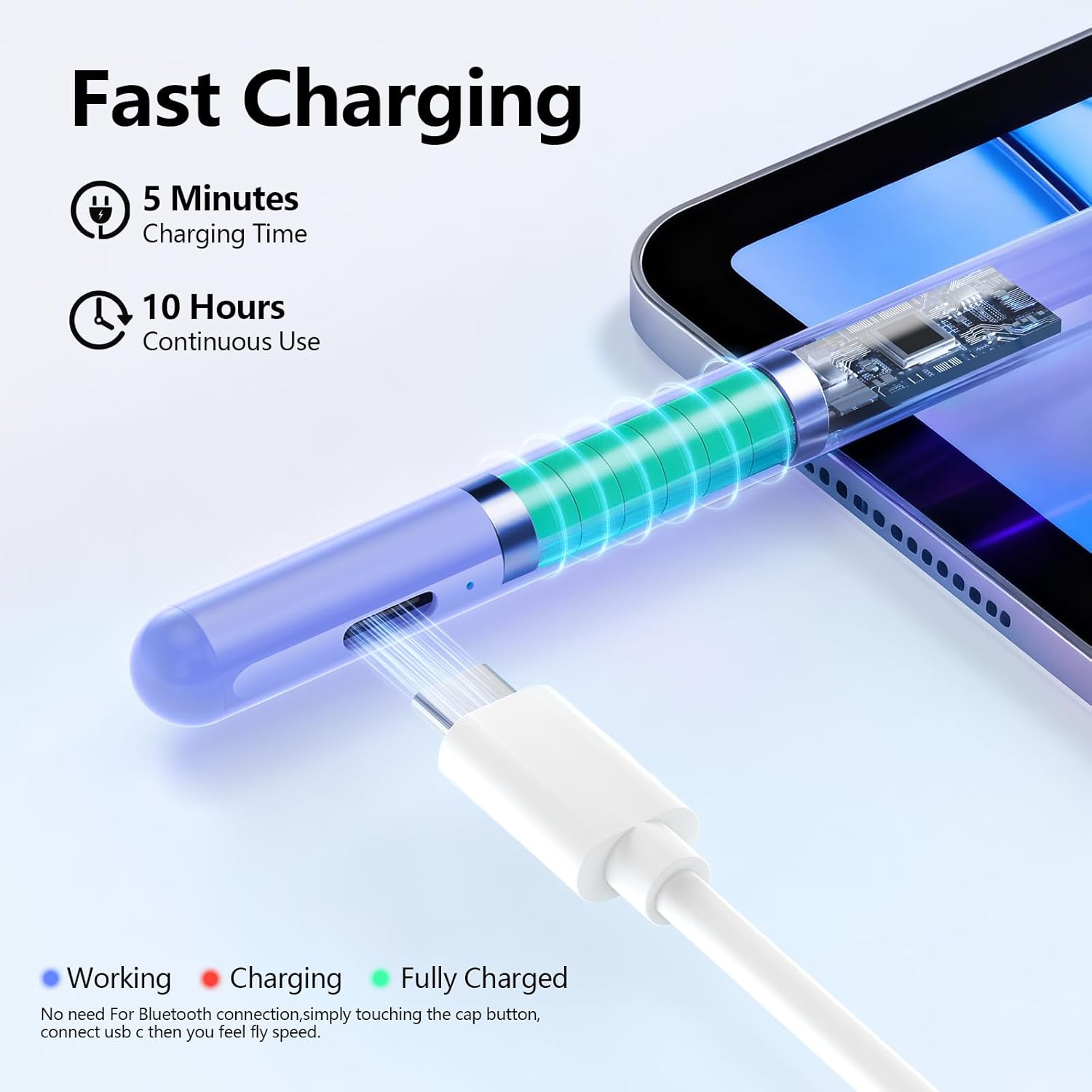
Figure 6: Fast Charging Feature
5. Maintenance
5.1 Nib Replacement
The stylus pen comes with replacement tips. The pen tips are designed for easy installation and removal without the need for any special tools. If the pen tip becomes worn or damaged, simply twist it off and replace it with a new one.

Figure 7: Stylus Pen Replacement Tips
5.2 General Care
To ensure the longevity of your stylus pen, avoid dropping it or exposing it to extreme temperatures. Keep the charging port free from dust and debris.
6. Troubleshooting
If you experience any delays or issues with connectivity while using the product, consider the following steps:
- Ensure the stylus pen is adequately charged.
- Try replacing the pen tip with one of the additional tips provided.
- Use a different charging cable to rule out cable issues.
- Ensure your iPad's operating system is updated to iOS 12 or later.
If the problem persists after attempting these solutions, please contact customer support for further assistance.
7. Specifications
| Feature | Detail |
|---|---|
| Color | Purple |
| Brand | JAMJAKE |
| Material | Aluminum |
| Number of Batteries | 1 Lithium Ion battery (included) |
| Item Weight | 0.11 Kilograms |
| Battery Average Life Standby | 8760 Hours |
| Item Dimensions (L x W x H) | 7.5 x 2.4 x 0.6 inches |
| Charging Time | 90 minutes for full charge (15-20 minutes for 8-10 hours use) |
| Minimum Required Operating System | iOS 12 |
8. Warranty and Support
JAMJAKE offers a return policy with a duration of 30 days for refund or replacement. For any product-related issues, technical support, or warranty claims, please contact JAMJAKE customer service. Our team is available to assist you in resolving any concerns.
Customer Support Email: support@jamjake.com


