
Introduction
The boAt Rockerz 558 is an over-ear wireless headset ergonomically designed for music lovers. These headphones feature Bluetooth v5.0 for instant wireless connectivity and a powerful 500mAh battery providing up to 20 hours of playback. Equipped with 50mm dynamic drivers, they deliver an immersive musical experience. Users can connect via both Bluetooth and AUX. The headphones also boast an IPX5 dust and water resistance rating, making them suitable for sports and adventures, and include physical noise isolation for pure audio bliss.
What's in the Box
- 1 X Headphones
- 1 X Charging Cable
- 1 X User Manual
Key Features
- Bluetooth v5.0: For instant and stable wireless connectivity.
- IPX5 Water Resistance: Protects against dust and water, ideal for sports and outdoor activities.
- 50mm Dynamic Drivers: Delivers immersive audio with rich bass and clear highs.
- 500mAh Battery: Provides up to 20 hours of playback on a single charge.
- Ergonomic Over-Ear Design: Ensures comfortable wear for extended periods with soft padded ear cushions.
- Physical Noise Isolation: Minimizes external distractions for an uninterrupted listening experience.
- Dual Connectivity: Supports both Bluetooth and AUX modes.
- Integrated Controls: Easy management of music, calls, and voice assistant.
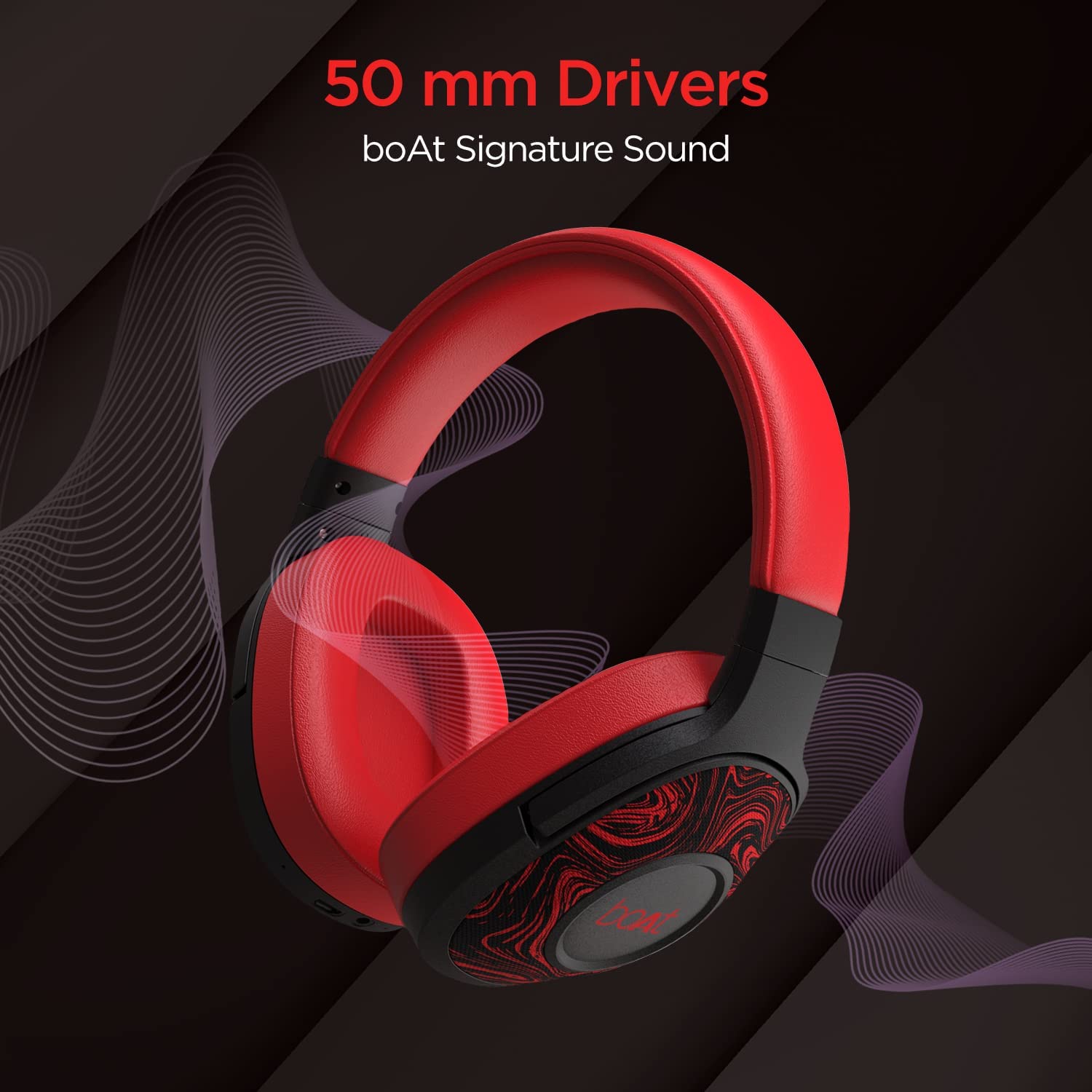
Image: boAt Rockerz 558 headphones highlighting 50mm dynamic drivers for enhanced audio quality.

Image: The boAt Rockerz 558 headphones illustrating their impressive 20-hour playback capability.

Image: Close-up of boAt Rockerz 558 headphones emphasizing the physical noise isolation feature.

Image: The boAt Rockerz 558 headphones showcasing their ergonomic over-ear design for comfort.
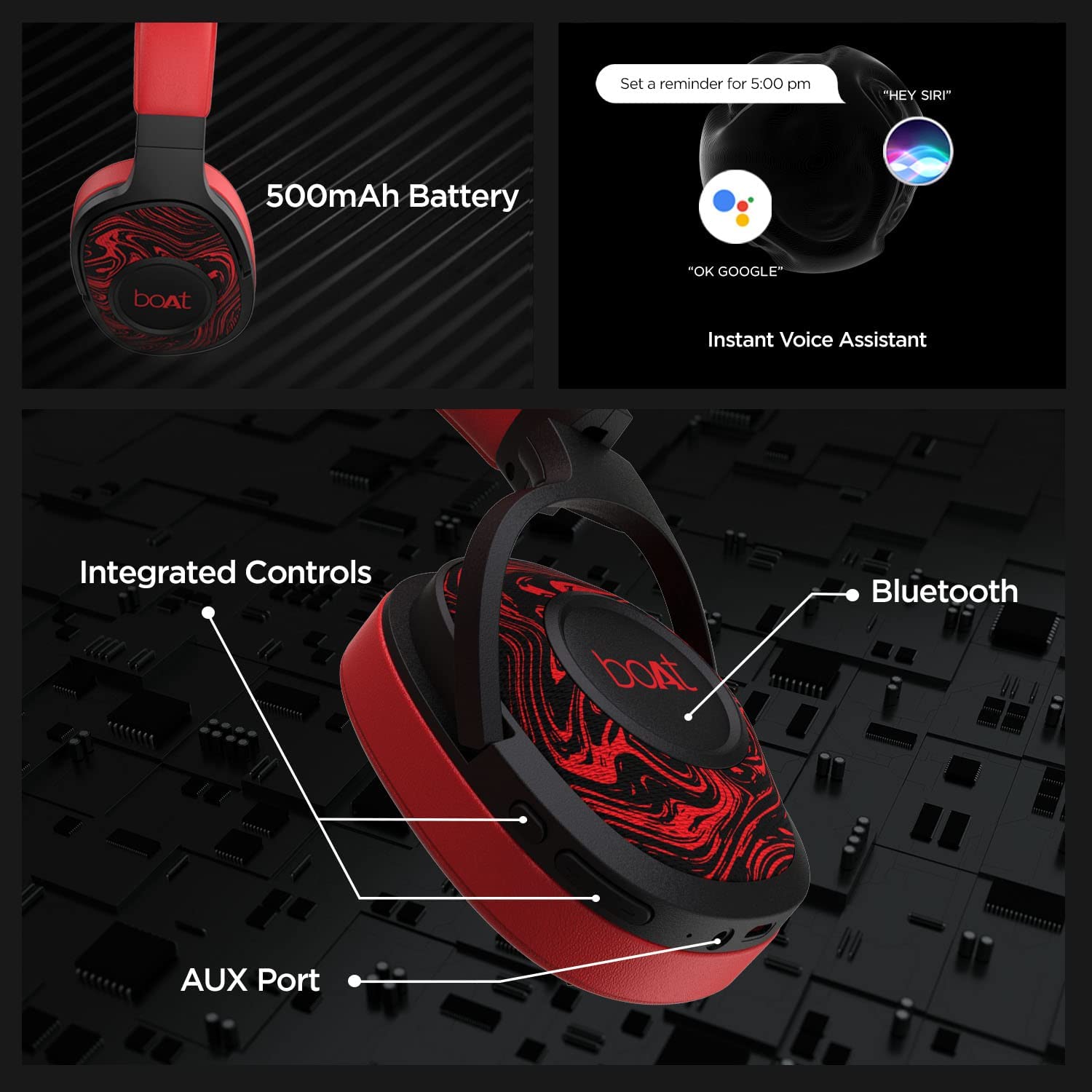
Image: Detailed view of boAt Rockerz 558 headphones, pointing out the 500mAh battery, voice assistant, integrated controls, Bluetooth, and AUX port.
Setup and Connectivity
Bluetooth Pairing
- Ensure the headphones are charged and powered off.
- Press and hold the Power button until the LED indicator flashes blue and red, indicating pairing mode.
- On your device (smartphone, laptop, etc.), enable Bluetooth and search for available devices.
- Select "boAt Rockerz 558" from the list of devices.
- Once connected, the LED indicator will show a steady blue light or flash blue slowly.
- The headphones have a Bluetooth range of up to 10 meters.
AUX Connection
To use the headphones with a wired connection, simply plug one end of the provided AUX cable into the headphone's AUX port and the other end into your audio device's 3.5mm audio jack. The headphones will automatically switch to AUX mode.
Operating Instructions
Controls
- Power On/Off: Press and hold the Power button.
- Volume Up/Down: Use the dedicated volume buttons.
- Play/Pause: Press the Multi-function button once.
- Next Track: Press and hold the Volume Up button.
- Previous Track: Press and hold the Volume Down button.
- Answer/End Call: Press the Multi-function button once.
- Reject Call: Press and hold the Multi-function button.
Voice Assistant
Activate your device's voice assistant (e.g., Google Assistant, Siri) by pressing the dedicated Voice Assistant button on the headphones.
Charging
Connect the provided charging cable to the charging port on the headphones and to a USB power source. The LED indicator will show red during charging and turn off when fully charged. A full charge takes approximately 2.5 hours, providing up to 20 hours of playback time.
Maintenance
- Clean the headphones regularly with a soft, dry cloth.
- Avoid exposing the headphones to extreme temperatures or direct sunlight.
- The IPX5 water resistance protects against sweat and light splashes, but do not submerge the headphones in water.
- Store the headphones in a cool, dry place when not in use.
Troubleshooting
| Problem | Solution |
|---|---|
| Headphones not powering on | Ensure the headphones are fully charged. Press and hold the Power button for a few seconds. |
| Unable to pair via Bluetooth | Make sure the headphones are in pairing mode (LED flashing blue/red). Turn off and on Bluetooth on your device. Ensure no other devices are connected to the headphones. |
| No sound | Check volume levels on both headphones and connected device. Ensure headphones are properly paired or AUX cable is fully inserted. |
| Poor sound quality | Ensure the headphones are within Bluetooth range. Check for interference from other wireless devices. Try a different audio source or file. |
Specifications
| Feature | Detail |
|---|---|
| Brand | boAt |
| Model Number | Rockerz 558 |
| Ear Placement | Over Ear |
| Noise Control | Sound Isolation |
| Bluetooth Version | 5.0 |
| Bluetooth Range | 10 Metres |
| Battery Capacity | 500mAh |
| Battery Average Life | 20 Hours |
| Battery Charge Time | 2.5 Hours |
| Audio Driver Size | 50 Millimetres |
| Frequency Range | 20 Hz - 20,000 Hz |
| Water Resistance Level | Water Resistant (IPX5) |
| Headphone Jack | 3.5 mm Jack |
| Control Type | Touch Control |
| Item Weight | 245 Grams |
Warranty and Support
The boAt Rockerz 558 headphones come with a 1-year warranty from the date of purchase.
For support or warranty claims, please contact the manufacturer:
Imagine Marketing LimitedUnit no. 204 & 205, 2nd floor, D-wing & E-wing, Corporate Avenue,
Andheri Ghatkopar Link Road, Mumbai, Maharashtra-400093, India
Product Videos
boAt Rockerz 558 Product Overview
This video provides a comprehensive overview of the boAt Rockerz 558 headphones, highlighting their key features, design, and benefits.
Amazon Product Details: boAt Rockerz 558 Headphones
A detailed Amazon product video showcasing the boAt Rockerz 558 headphones, covering features, battery, design, and compatibility.


