Introduction
The PowerA Play & Charge Kit provides a convenient and efficient way to power your Xbox Series X|S and Xbox One wireless controllers. This kit includes two 1100 mAh rechargeable batteries and multiple battery doors to ensure compatibility with various Xbox controller models. Enjoy up to 20 hours of gameplay per fully charged battery, eliminating the need for disposable batteries.
What's in the Box
- Two (2) 1100 mAh Rechargeable Batteries
- Four (4) Battery Doors (two for Xbox Series X|S, two for Xbox One)
- One (1) 10ft (3m) USB Charging Cable

Image: Contents of the PowerA Play & Charge Kit, showing two green rechargeable batteries, four black battery covers (two for Xbox Series X|S and two for Xbox One), and a black USB charging cable.
Setup
- Remove Existing Batteries: Open the battery compartment on the back of your Xbox wireless controller and remove any existing AA batteries or battery packs.
- Insert Rechargeable Battery: Carefully insert one of the PowerA rechargeable batteries into the controller's battery compartment. Ensure the positive (+) and negative (-) terminals align correctly with the markings inside the compartment.
- Attach Battery Door: Select the appropriate battery door for your controller model. The kit includes two doors designed for Xbox Series X|S controllers and two for Xbox One controllers. Snap the correct battery door onto the controller until it is securely in place. The battery door features an opening for direct charging.

Image: A green PowerA rechargeable battery being inserted into an Xbox wireless controller.

Image: An Xbox wireless controller with the PowerA rechargeable battery and its specialized battery door installed, ready for charging.
Operating (Charging)
Your PowerA Play & Charge Kit offers two convenient ways to charge your controller:
- Direct Charging via USB Cable: Connect the included 10ft (3m) USB charging cable to the USB-C port on the installed battery pack (visible through the battery door opening) and plug the other end into a USB power source (e.g., Xbox console, USB wall adapter). The LED indicator on the battery pack will illuminate amber to show it is charging and turn white when fully charged.
- Charging with a PowerA Charging Station: If you own a compatible PowerA charging station, simply place the controller onto the station. The specialized battery door allows for seamless charging without removing the battery. The charging station's indicators will show the charging status.
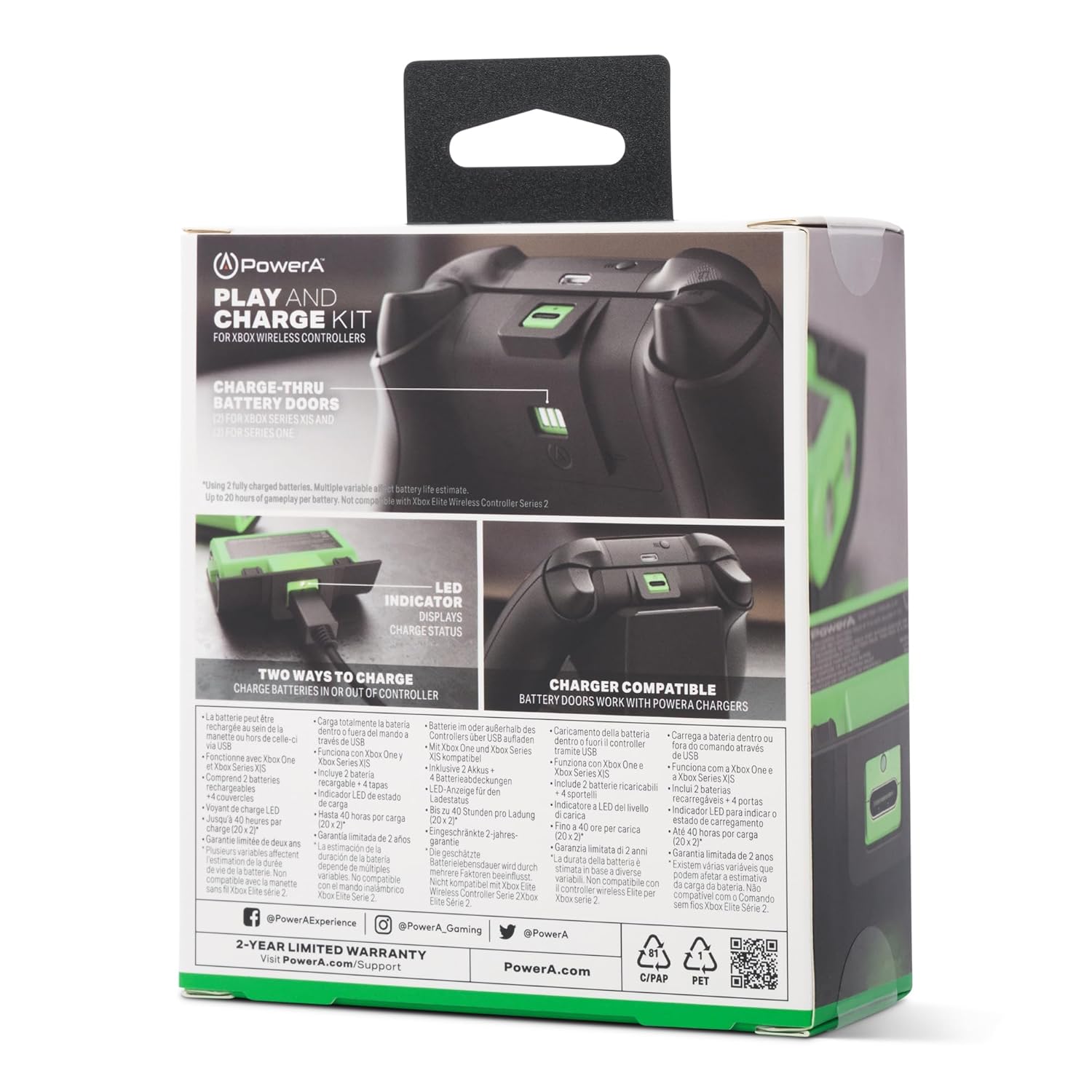
Image: Xbox wireless controller charging directly via the included USB cable.

Image: A PowerA rechargeable battery pack being charged directly via a USB cable, outside of the controller.
Maintenance
- Keep the battery contacts clean and dry.
- Store batteries in a cool, dry place when not in use.
- Avoid exposing batteries to extreme temperatures or direct sunlight.
- Do not attempt to disassemble or modify the battery packs.
Troubleshooting
- Battery Not Fitting: Ensure you are using the correct battery door for your specific Xbox controller model (Xbox Series X|S or Xbox One). The doors are slightly different to accommodate the controller designs.
- Controller Not Charging:
- Verify that the USB charging cable is securely connected to both the battery pack and the power source.
- Check if the power source is active and functioning correctly.
- Ensure the battery pack is properly seated in the controller.
- Short Battery Life: Battery life estimates (up to 20 hours per charge) can vary based on game usage, controller features (e.g., vibration), and other variables. Ensure the battery is fully charged before use.
Specifications
- Battery Capacity: 1100 mAh per battery
- Compatibility: Xbox Series X|S, Xbox One Wireless Controllers (not compatible with Xbox Elite Wireless Controller Series 2)
- Cable Length: 10ft (3m)
- Model Number: XBPW0119-01
- Product Dimensions: 2.13 x 1.42 x 0.71 inches; 5.92 ounces (for the kit)
Warranty and Support
This PowerA Play & Charge Kit comes with a two-year limited warranty. For detailed warranty information, product support, or to register your product, please visit the official PowerA support website:
For information regarding packaging recycling, please visit: PowerA.com/Support/Packaging-Recycling/


