1. Introduction
Thank you for choosing the Cecotec Chillin' Ice 1200 Go Ice Cube Machine. This appliance is designed to provide you with fresh ice cubes quickly and efficiently, producing up to 12 kg of ice per day. With its user-friendly controls and compact design, it is perfect for home use, parties, or any occasion where you need a steady supply of ice. Please read this manual carefully before operating the machine to ensure safe and optimal performance. Keep this manual for future reference.
2. Safety Instructions
General Safety
- Read all instructions before using the appliance.
- Do not operate any appliance with a damaged cord or plug, or after the appliance malfunctions or has been damaged in any manner.
- Do not immerse the appliance, power cord, or plug in water or other liquids.
- This appliance is for household use only. Do not use outdoors.
- Keep the appliance away from heat sources and direct sunlight.
- Ensure the voltage indicated on the appliance matches your local power supply.
- Always unplug the appliance when not in use, before cleaning, or before adding/removing parts.
Electrical Safety
- Do not allow the power cord to hang over the edge of a table or counter, or touch hot surfaces.
- Do not pull the power cord to unplug the appliance; always grasp the plug directly.
- If the supply cord is damaged, it must be replaced by the manufacturer, its service agent, or similarly qualified persons to avoid a hazard.
Cleaning Safety
- Always unplug the appliance before cleaning.
- Do not use abrasive cleaners or harsh chemicals on the appliance.
- Ensure all parts are dry before reassembling and storing the appliance.
3. Product Overview
Familiarize yourself with the components of your Cecotec Chillin' Ice 1200 Go ice maker.
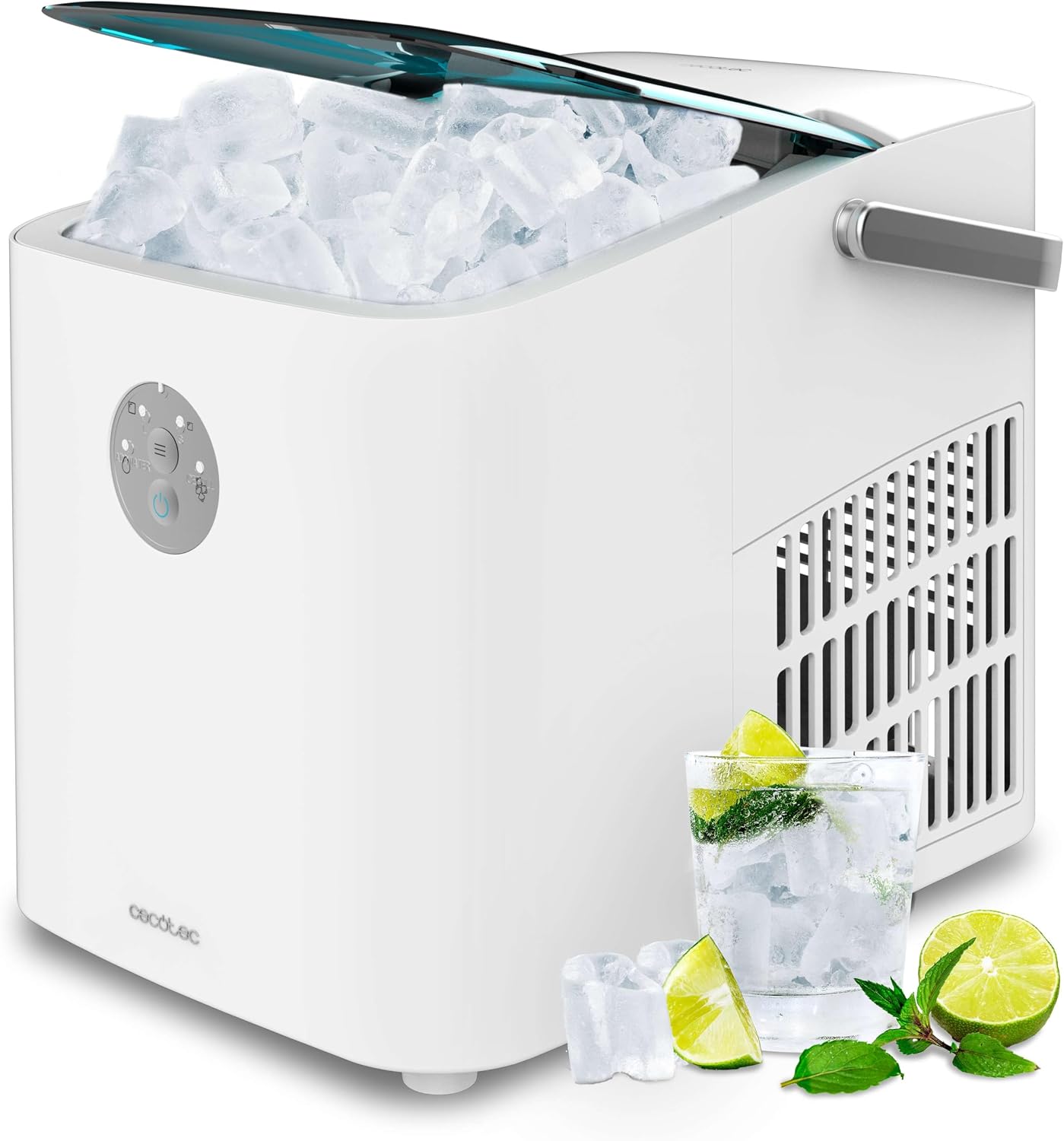
Figure 3.1: Main product image of the Cecotec Chillin' Ice 1200 Go ice maker, showing ice cubes inside and a glass with ice and lime, demonstrating its function.

Figure 3.2: Front view of the Cecotec Chillin' Ice 1200 Go ice maker with its transparent blue lid closed, showcasing its sleek design.

Figure 3.3: Frontal view of the Cecotec Chillin' Ice 1200 Go ice maker, highlighting the intuitive control panel.

Figure 3.4: A hand holding the portable carrying handle of the ice maker, demonstrating its ease of transport.
Control Panel
The control panel features two buttons and four LED indicators for easy operation:
- Power Button: Turns the machine on/off.
- Size Selection Button: Toggles between small and large ice cube sizes.
- Water Shortage Indicator: Lights up when the water reservoir needs refilling.
- Ice Full Indicator: Lights up when the ice basket is full.
- Small Ice Size Indicator: Lights up when small ice cubes are selected.
- Large Ice Size Indicator: Lights up when large ice cubes are selected.
4. Setup
Follow these steps for the initial setup of your ice maker:
- Unpack: Carefully remove the ice maker from its packaging. Remove all packing materials, including any tape or protective films.
- Clean: Before first use, clean the interior of the ice maker, including the water reservoir and ice basket, with a soft cloth and mild detergent. Rinse thoroughly with clean water.
- Placement: Place the ice maker on a stable, level surface, away from direct sunlight and heat sources. Ensure there is adequate ventilation around the appliance (at least 10 cm clearance on all sides).
- Power Connection: Plug the power cord into a grounded electrical outlet (230V AC).
- Fill Water Reservoir: Open the lid and fill the water reservoir with clean, potable water up to the MAX fill line. Do not overfill.

Figure 4.1: A hand pouring water into the reservoir of the ice maker, illustrating the water filling process.

Figure 4.2: Close-up of the ice maker's water reservoir being filled, with an icon indicating a low water or full ice warning, ensuring proper water levels.
5. Operating Instructions
Operating your Cecotec ice maker is simple:
- Turn On: Press the Power button to turn on the ice maker. The machine will automatically start the ice-making cycle.
- Select Ice Size: Press the Size Selection button to choose between small or large ice cubes. The corresponding LED indicator will light up. You can change the size at any time, even during an ice-making cycle.
- Ice Production: The first batch of ice cubes will be ready in approximately 6-8 minutes. Subsequent cycles will be faster.
- Monitor Indicators:
- If the Water Shortage indicator lights up, add more water to the reservoir. The machine will resume operation automatically once water is added.
- If the Ice Full indicator lights up, the ice basket is full. Remove ice cubes to continue production.
- Collecting Ice: Use the provided ice scoop to remove ice cubes from the basket.
- Turn Off: Press the Power button again to turn off the ice maker when you are finished.

Figure 5.1: A hand pressing a button on the control panel of the ice maker, demonstrating ease of use for selecting settings.

Figure 5.2: The ice maker with its lid open, revealing a basket full of freshly made ice cubes, ready for use.
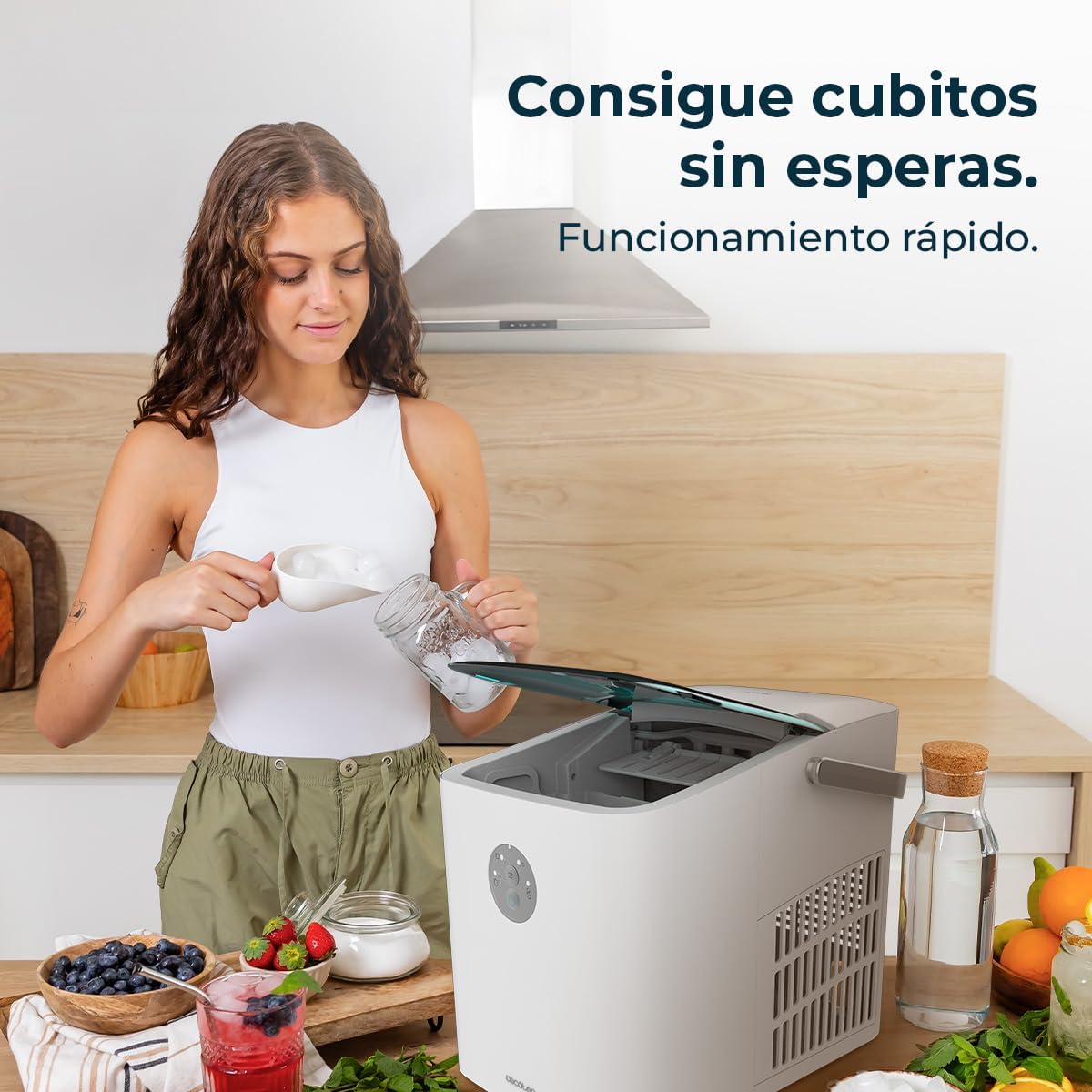
Figure 5.3: A person scooping ice cubes from the ice maker into a glass, illustrating quick ice production and easy retrieval.
6. Maintenance and Cleaning
Regular cleaning and maintenance will extend the life of your ice maker.
Self-Cleaning Function
The Cecotec Chillin' Ice 1200 Go features a convenient one-click self-cleaning function. Refer to your specific model's instructions for activating this mode, typically by pressing and holding a designated button for a few seconds. This function helps to flush out the internal water lines.
General Cleaning
- Drain Water: Unplug the appliance and drain any remaining water from the reservoir by opening the drain plug (if available) or by carefully tilting the machine over a sink.
- Clean Interior: Wipe the interior surfaces, including the water reservoir and ice basket, with a soft cloth dampened with a mild detergent solution. Rinse with clean water.
- Clean Exterior: Clean the exterior of the appliance with a soft, damp cloth. Do not use abrasive cleaners or solvents.
- Dry: Ensure all parts are completely dry before reassembling or storing the appliance.
Storage
If the ice maker will not be used for an extended period, clean it thoroughly, drain all water, and store it in a dry, well-ventilated area, away from direct sunlight and extreme temperatures.
7. Troubleshooting
If you encounter issues with your ice maker, refer to the following common problems and solutions:
| Problem | Possible Cause | Solution |
|---|---|---|
| Ice maker not turning on | No power supply; Power button not pressed. | Check power cord connection; Ensure outlet is working; Press the Power button. |
| Water Shortage indicator is on | Water reservoir is empty or low. | Fill the water reservoir with potable water up to the MAX line. |
| Ice Full indicator is on | Ice basket is full. | Remove ice cubes from the basket. |
| No ice production or small ice cubes | Insufficient water; Ambient temperature too high; Air vents blocked. | Ensure sufficient water; Place in a cooler environment; Clear air vents. |
| Unusual noise during operation | Machine not level; Internal components vibrating. | Ensure the machine is on a level surface; This can be normal during certain cycles. |
If the problem persists after trying these solutions, please contact customer support.
8. Specifications
| Feature | Detail |
|---|---|
| Brand | Cecotec |
| Model Name | Chillin' Ice 1200 Go |
| Model Number | 09325 |
| Daily Ice Production Capacity | 12 Kilograms |
| Power | 120 Watts |
| Voltage | 230 Volts (AC) |
| Material | Stainless Steel |
| Product Dimensions (L x W x H) | 29.5 x 22 x 28 cm |
| Item Weight | 6.2 Kilograms |
| Ice Cube Sizes | Small, Large |
| Ice Production Time | 6-8 minutes per batch |
9. Warranty and Support
Your Cecotec Chillin' Ice 1200 Go ice maker is designed for reliability and performance. For any questions, technical assistance, or warranty claims, please refer to the contact information provided with your purchase or visit the official Cecotec website.
Please note that products purchased through Amazon.de typically come with a 30-day return policy from Amazon. For specific warranty details, refer to the documentation included with your product or contact Cecotec customer service directly.


