
1. Introduction
This manual provides essential information for the safe and efficient operation, installation, and maintenance of your Daewoo WM714T1WA0DE front-load washing machine. Please read these instructions carefully before using the appliance and keep them for future reference.
2. Safety Information
Always follow basic safety precautions when using electrical appliances to reduce the risk of fire, electric shock, or injury. This appliance is intended for household use only.
- Ensure the appliance is properly grounded.
- Do not allow children to play with or operate the washing machine.
- Unplug the appliance before cleaning or performing any maintenance.
- Do not wash items that have been cleaned in, washed in, soaked in, or spotted with combustible or explosive substances.
- Keep the area around the washing machine clear of flammable materials.
- Do not force the door open during operation.
3. Product Overview
The Daewoo WM714T1WA0DE is a 7 kg front-load washing machine featuring a 1400 rpm spin speed and an Advanced Inverter motor for efficient and quiet operation. It offers 15 wash programs, including a convenient 15-minute short program, and is equipped with AquaStop technology for enhanced safety.

Figure 3.1: Front-right view of the Daewoo WM714T1WA0DE washing machine. This image shows the overall design, including the control panel, detergent drawer, and front-loading door.
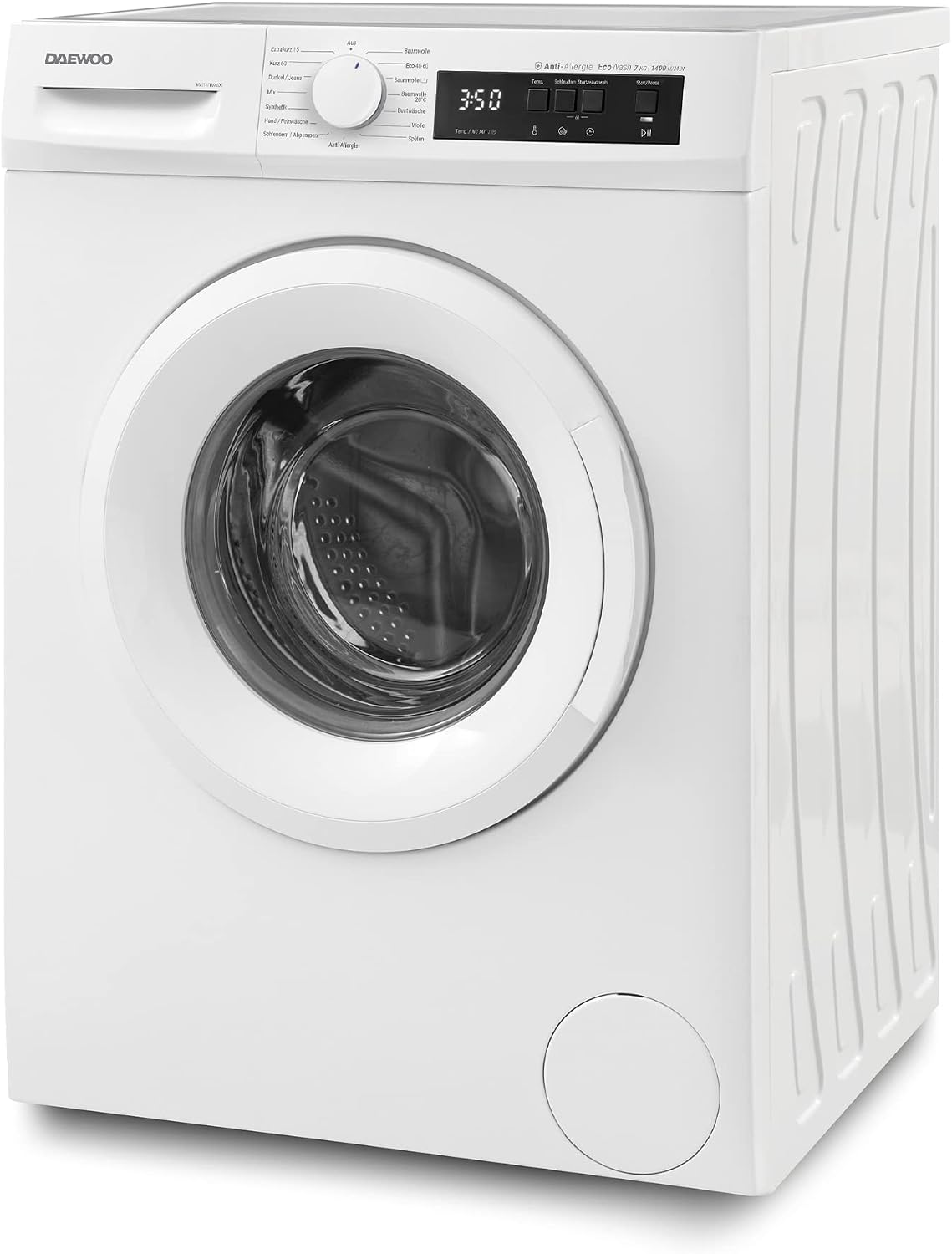
Figure 3.2: Direct front view of the washing machine, highlighting the central position of the loading door and the control panel above it.

Figure 3.3: The washing machine door is open, providing a clear view into the stainless steel drum where laundry is loaded.

Figure 3.4: A detailed view of the washing machine's inner drum, showing the perforations and agitator fins designed for effective washing.

Figure 3.5: A close-up of the control panel, featuring the rotary program selector dial with various wash options and the digital display.
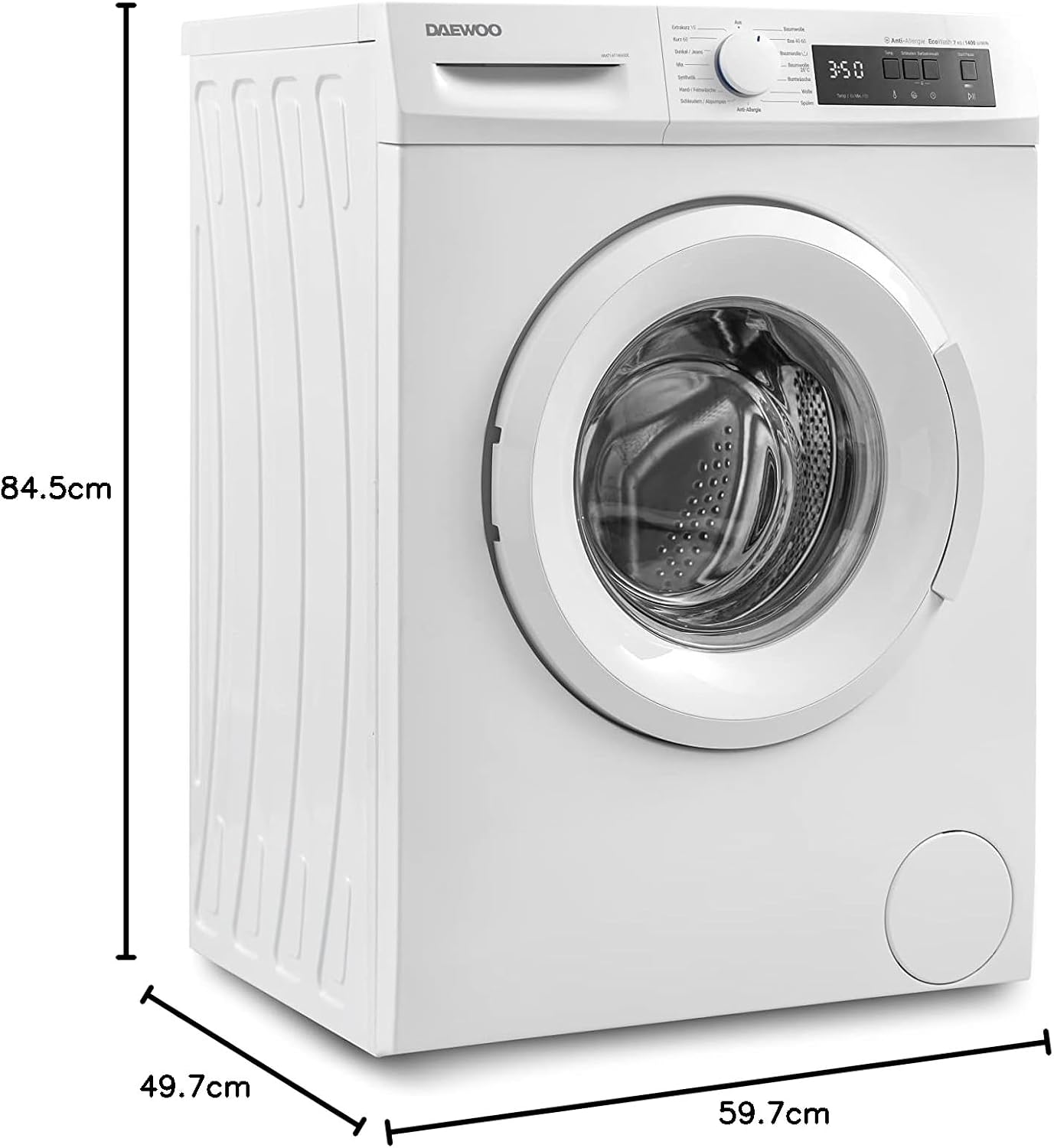
Figure 3.6: A detailed view of the digital display showing the remaining time (3:50) and touch-sensitive buttons for temperature, spin speed, start delay, and start/pause functions.
4. Setup and Installation
Proper installation is crucial for the performance and longevity of your washing machine. This appliance is designed as a freestanding unit.
4.1 Unpacking
- Remove all packaging materials, including the polystyrene base and any protective films.
- Important: Locate and remove all transport bolts from the rear of the machine. Failure to do so will cause severe vibration and damage during operation. Keep the bolts for future transport.
4.2 Positioning
- Place the washing machine on a firm, level floor.
- Adjust the leveling feet to ensure the machine is stable and does not rock. Use a spirit level to verify.
- Ensure there is adequate space around the machine for ventilation and access.
4.3 Water and Electrical Connections
- Connect the water inlet hose to a cold water tap with a 3/4" thread. Ensure connections are tight to prevent leaks.
- Position the drain hose into a standpipe or over the edge of a sink, ensuring it is securely fixed to prevent displacement during draining.
- Plug the power cord into a grounded 220 Volt, Type F (2-pin, Germany standard) electrical outlet. Do not use extension cords or adapters.

Figure 4.1: Diagram illustrating the dimensions of the washing machine: Height 84.5 cm, Width 59.7 cm, Depth 49.7 cm. These measurements are crucial for installation planning.
5. Operating Instructions
Follow these steps for typical washing machine operation.
5.1 Loading Laundry
- Sort laundry by fabric type, color, and degree of soiling.
- Open the washing machine door and load items loosely into the drum, ensuring not to overload. The maximum capacity is 7 kg.
- Close the door firmly until it clicks.
5.2 Adding Detergent
- Pull out the detergent dispenser drawer.
- Add the appropriate amount of detergent to the main wash compartment. Add fabric softener to the designated compartment if desired.
- Push the detergent drawer back in completely.
5.3 Selecting a Program
- Turn the program selector dial to choose one of the 15 available wash programs (e.g., Cotton, Synthetics, Delicates, Quick 15', Anti-Allergy).
- The digital display will show the default time and settings for the selected program.
5.4 Adjusting Settings (Optional)
- Use the touch buttons to adjust temperature, spin speed (up to 1400 rpm), or set a start delay if available for the chosen program.
5.5 Starting the Wash Cycle
- Press the Start/Pause button to begin the wash cycle. The machine will automatically lock the door.
- To pause a cycle, press the Start/Pause button again. The door may unlock after a short delay if the water level and temperature are safe.
5.6 End of Cycle
- Once the program is complete, the machine will signal, and the door will unlock.
- Remove laundry promptly to prevent wrinkles and odors.
- Turn off the washing machine and close the water tap.
6. Maintenance and Cleaning
Regular maintenance ensures optimal performance and extends the life of your washing machine.
6.1 Exterior Cleaning
- Wipe the exterior surfaces with a soft, damp cloth. Do not use abrasive cleaners or solvents.
6.2 Detergent Dispenser Drawer
- Remove the detergent drawer periodically and rinse it under running water to remove any detergent residue.
6.3 Drum Cleaning
- Run a maintenance wash (e.g., a hot cycle with no laundry and a descaling agent or washing machine cleaner) every few months to prevent odor and residue buildup.
6.4 Drain Filter
- Regularly check and clean the drain filter, usually located at the bottom front of the machine. Refer to the diagram on the machine for exact location.
- Place a shallow container beneath the filter to catch any residual water before unscrewing and removing the filter.
7. Troubleshooting
If you encounter problems with your washing machine, consult this section before contacting service.
| Problem | Possible Cause | Solution |
|---|---|---|
| Machine does not start | Power cord unplugged; door not closed properly; program not selected; Start/Pause button not pressed. | Check power connection; ensure door is latched; select a program; press Start/Pause. |
| No water intake | Water tap closed; water inlet hose kinked; water supply cut off. | Open water tap; straighten hose; check household water supply. |
| Water not draining | Drain hose kinked or blocked; drain filter clogged. | Check and clear drain hose; clean drain filter (see Section 6.4). |
| Excessive vibration/noise during spin | Transport bolts not removed; machine not level; uneven load. | Ensure all transport bolts are removed; adjust leveling feet; redistribute laundry inside the drum. |
| Door cannot be opened | Cycle in progress; high water level or temperature; child lock active. | Wait for cycle to finish; drain water if necessary; deactivate child lock. |
8. Specifications
Key technical specifications for the Daewoo WM714T1WA0DE washing machine:
| Feature | Specification |
|---|---|
| Model Name | WM714T1WA0DE |
| Manufacturer | Daewoo |
| Capacity | 7 Kilograms |
| Max. Spin Speed | 1400 rpm |
| Energy Efficiency Class | A (A to G scale) |
| Motor Type | Advanced Inverter Motor |
| Number of Programs | 15 |
| Special Function | Remaining Time Display, AquaStop |
| Installation Type | Freestanding |
| Voltage | 220 Volts |
| Plug Type | Type F: 2 pins (Germany) |
| Dimensions (H x W x D) | 84.5 cm x 59.7 cm x 49.7 cm |
| Weight | 64 kg |

Figure 8.1: The EU Energy Label for the WM714T1WA0DE, indicating an 'A' energy efficiency rating, 7.0 kg capacity, 45 kWh/100 cycles energy consumption, 45 liters water consumption per cycle, and 77 dB spin noise level. For more details, refer to the EPREL database.
9. Warranty and Support
Your Daewoo WM714T1WA0DE washing machine comes with a manufacturer's warranty of 24 months from the date of purchase. Please retain your proof of purchase for warranty claims.
For technical assistance, spare parts, or warranty service, please contact Daewoo customer support. You can find more information and contact details by visiting the Daewoo Brand Store or referring to the specialized customer service information provided with your purchase.


