
1. Introduction
Thank you for choosing the STREETZ HL-BT404 Bluetooth Noise-Cancelling Headphones. This manual provides essential information for the proper setup, operation, and maintenance of your new headphones. Please read this guide thoroughly before use to ensure optimal performance and longevity of the product.

Image 1.1: Front view of the STREETZ HL-BT404 Bluetooth Noise-Cancelling Headphones.
2. Safety Information
- Hearing Protection: Avoid using headphones at high volume levels for extended periods to prevent hearing damage.
- Water Resistance: These headphones are not water resistant. Avoid exposure to liquids, moisture, or extreme humidity.
- Temperature: Do not expose the headphones to extreme temperatures (hot or cold) or direct sunlight.
- Cleaning: Use a soft, dry cloth for cleaning. Do not use abrasive cleaners or solvents.
- Disassembly: Do not attempt to disassemble, repair, or modify the headphones. This will void the warranty and may cause damage.
- Disposal: Dispose of the product responsibly according to local regulations for electronic waste.
3. Package Contents
Please check the package for the following items:
- STREETZ HL-BT404 Bluetooth Noise-Cancelling Headphones
- USB Charging Cable
- 3.5mm Audio Cable
- User Manual (this document)

Image 3.1: Front view of the STREETZ HL-BT404 retail packaging, indicating included accessories.
4. Product Overview
Familiarize yourself with the various parts and controls of your STREETZ HL-BT404 headphones.

Image 4.1: Side view of the headphones, highlighting control buttons and ports. Specific button functions are detailed in the 'Operation' section.
- Power/Multi-function Button: Used for power on/off, play/pause, answering calls.
- Volume Up/Next Track Button: Increases volume or skips to the next track.
- Volume Down/Previous Track Button: Decreases volume or skips to the previous track.
- ANC (Active Noise Cancellation) Button: Activates or deactivates noise cancellation.
- Microphone: For hands-free calls.
- USB Charging Port: For charging the headphones.
- 3.5mm Audio Jack: For wired connection.
- LED Indicator: Shows power, charging, and Bluetooth status.
5. Setup
5.1. Charging the Headphones
- Connect the small end of the USB charging cable to the USB charging port on the headphones.
- Connect the larger end of the USB charging cable to a USB power adapter (not included) or a computer's USB port.
- The LED indicator will illuminate during charging and change color or turn off when fully charged.
- A full charge typically takes approximately 2-3 hours.
5.2. Power On/Off
- To Power On: Press and hold the Power/Multi-function button for approximately 3 seconds until the LED indicator flashes.
- To Power Off: Press and hold the Power/Multi-function button for approximately 3 seconds until the LED indicator turns off.
5.3. Bluetooth Pairing
- Ensure the headphones are powered off and fully charged.
- Press and hold the Power/Multi-function button for approximately 5-7 seconds until the LED indicator flashes red and blue alternately. This indicates pairing mode.
- On your device (smartphone, tablet, laptop), enable Bluetooth and search for available devices.
- Select "STREETZ HL-BT404" from the list of found devices.
- Once paired, the LED indicator will flash blue slowly, and you may hear an audible confirmation.
- If prompted for a password, enter "0000".
6. Operation
6.1. Music Playback
- Play/Pause: Press the Power/Multi-function button once.
- Volume Up: Press the Volume Up button once.
- Volume Down: Press the Volume Down button once.
- Next Track: Press and hold the Volume Up button for 2 seconds.
- Previous Track: Press and hold the Volume Down button for 2 seconds.
6.2. Call Management
- Answer/End Call: Press the Power/Multi-function button once.
- Reject Call: Press and hold the Power/Multi-function button for 2 seconds.
- Redial Last Number: Double-press the Power/Multi-function button.
6.3. Active Noise Cancellation (ANC)
- Activate ANC: Press the ANC button once. The ANC indicator light will turn on.
- Deactivate ANC: Press the ANC button once again. The ANC indicator light will turn off.
7. Maintenance
- Cleaning: Wipe the headphones with a soft, dry, lint-free cloth. Do not use liquid cleaners or sprays.
- Storage: When not in use, store the headphones in a cool, dry place, away from direct sunlight and extreme temperatures. The headphones feature a foldable design for compact storage.
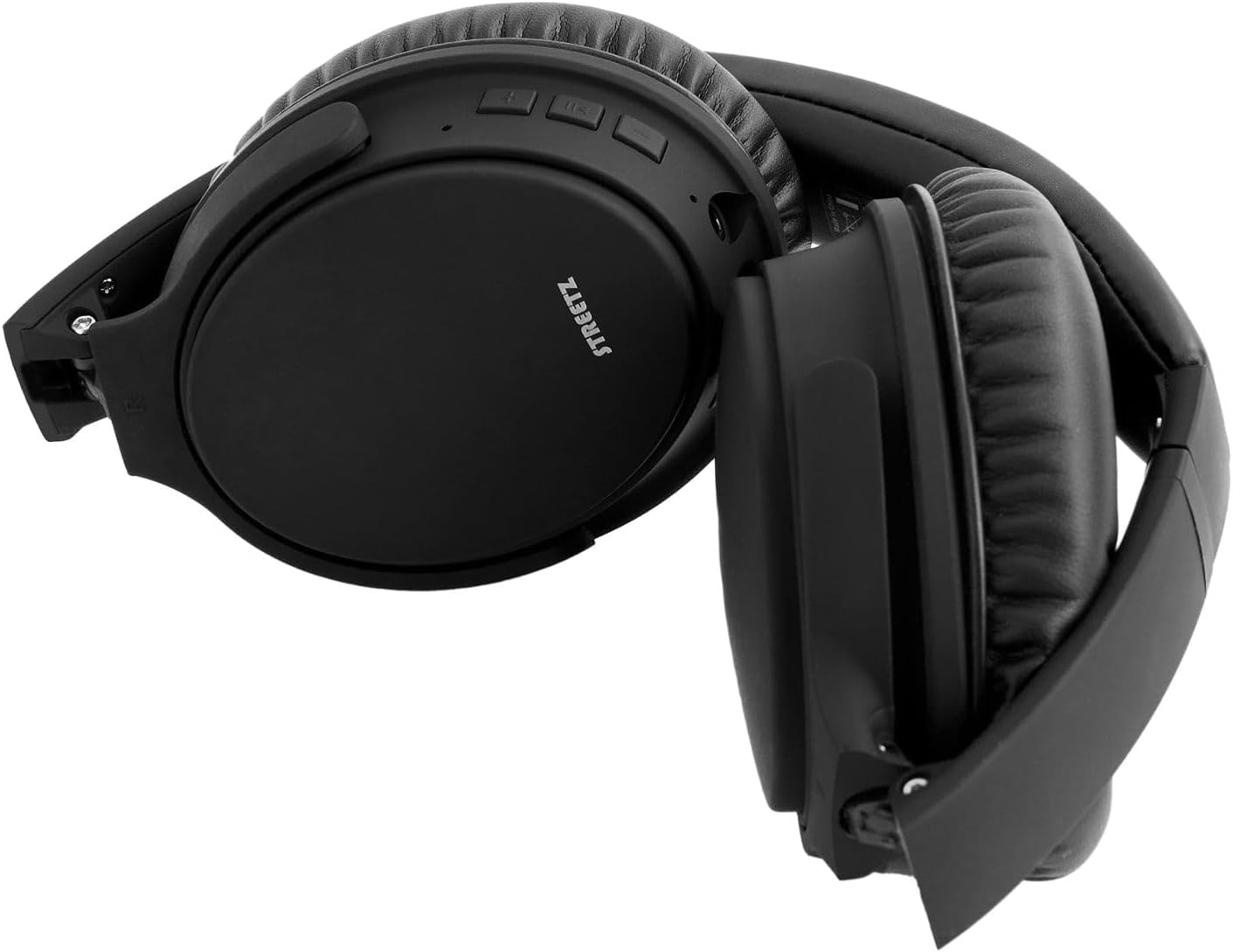
Image 7.1: The STREETZ HL-BT404 headphones in their folded position, suitable for storage or travel.
8. Troubleshooting
| Problem | Possible Cause | Solution |
|---|---|---|
| Headphones do not power on | Low battery | Charge the headphones fully. |
| Cannot pair with device | Headphones not in pairing mode; Bluetooth not enabled on device; Device too far | Ensure headphones are in pairing mode (flashing red/blue LED). Enable Bluetooth on your device. Move device closer to headphones (within 10 meters). |
| No sound | Volume too low; Headphones not paired; Wired connection issue | Increase volume on headphones and device. Re-pair headphones. Check 3.5mm cable connection if using wired mode. |
| Poor sound quality | Interference; Device too far | Move away from sources of interference (Wi-Fi routers, other Bluetooth devices). Move device closer to headphones. |
9. Specifications
| Feature | Specification |
|---|---|
| Model Name | HL-BT404 |
| Brand | STREETZ |
| Connectivity Technology | Wireless |
| Wireless Communication Technology | Bluetooth |
| Material | Plastic |
| Compatible Devices | Tablets, Telephones, Desktops, Laptops, Cellphones, Smart Speaker, Television |
| Item Weight | 1 Kilograms |
| Water Resistance Level | Not Water Resistant |
| Control Method | Remote |
| Product Dimensions | 8 x 17 x 25 cm |
| Ear Placement | Over Ear |
| Form Factor | On Ear |
| Color | Black |
10. Warranty and Support
For warranty information or technical support, please refer to the documentation provided with your purchase or visit the official STREETZ website. Keep your proof of purchase for warranty claims.


