
1. Introduction
Thank you for choosing the LIGE Smart Watch. This manual provides detailed instructions on how to set up, operate, and maintain your new smartwatch. Please read this manual carefully to ensure proper use and to fully utilize all the features of your device.
The LIGE Smart Watch is designed to be a versatile companion, offering features such as Bluetooth calling, AI voice assistance, comprehensive health monitoring, and smart notifications, all within a minimalist and elegant design.
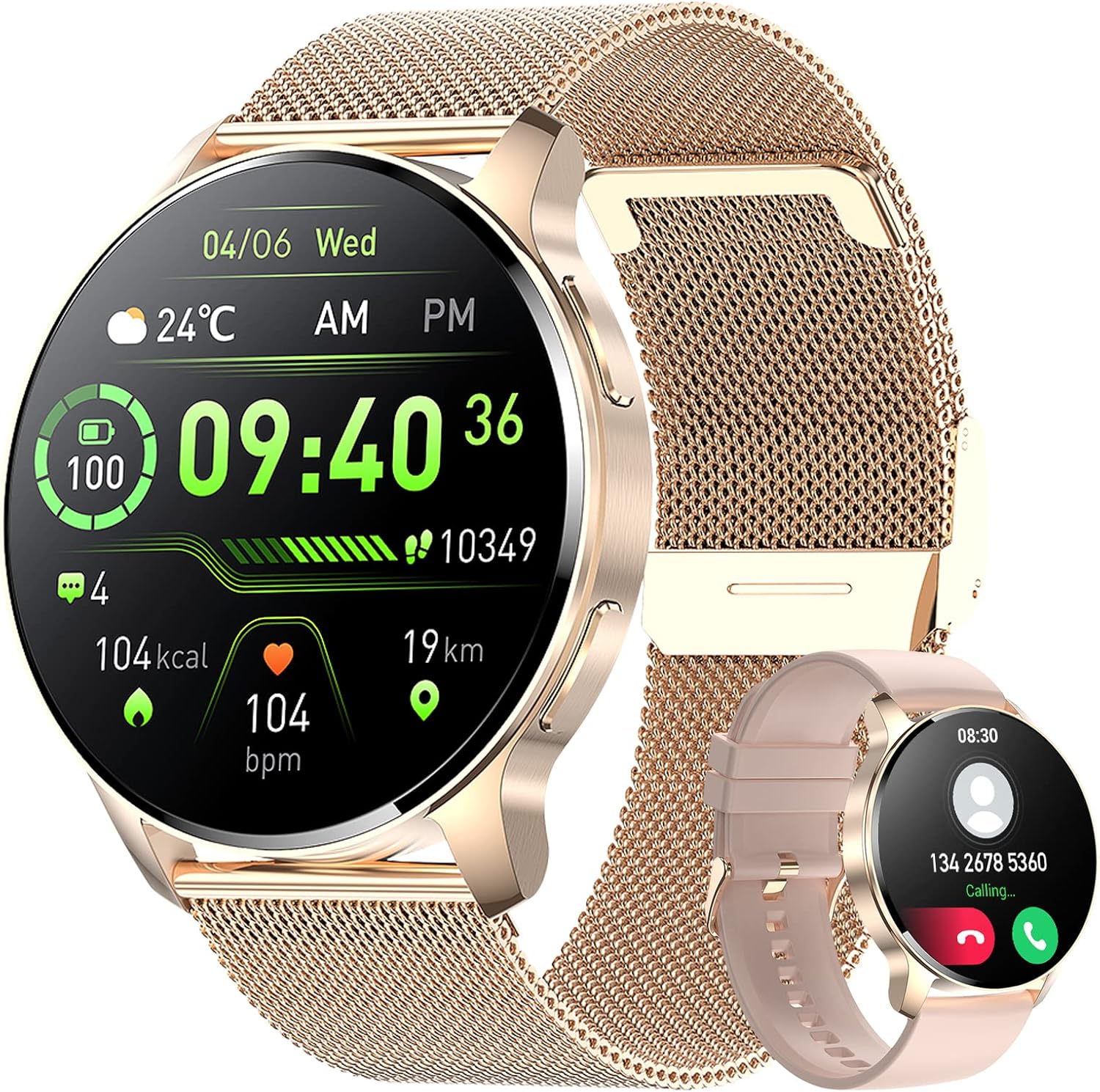
Figure 1: LIGE Smart Watch Overview
2. Package Contents
Please check the box to ensure all items are present:
- LIGE Smart Watch
- Leather Strap
- Silicone Strap
- Metal Mesh Strap
- Magnetic Charging Cable
- User Manual (this document)

Figure 2: Included Straps and Watch Dimensions
3. Getting Started
3.1 Charging the Smart Watch
Before first use, fully charge your smartwatch. Connect the magnetic charging cable to the charging points on the back of the watch and plug the USB end into a power adapter (not included) or a computer USB port.
- Charging Time: Approximately 1.5 - 2 hours.
- Average Usage Time: Up to 5-7 days depending on usage.
- Standby Time: Up to 40 days.
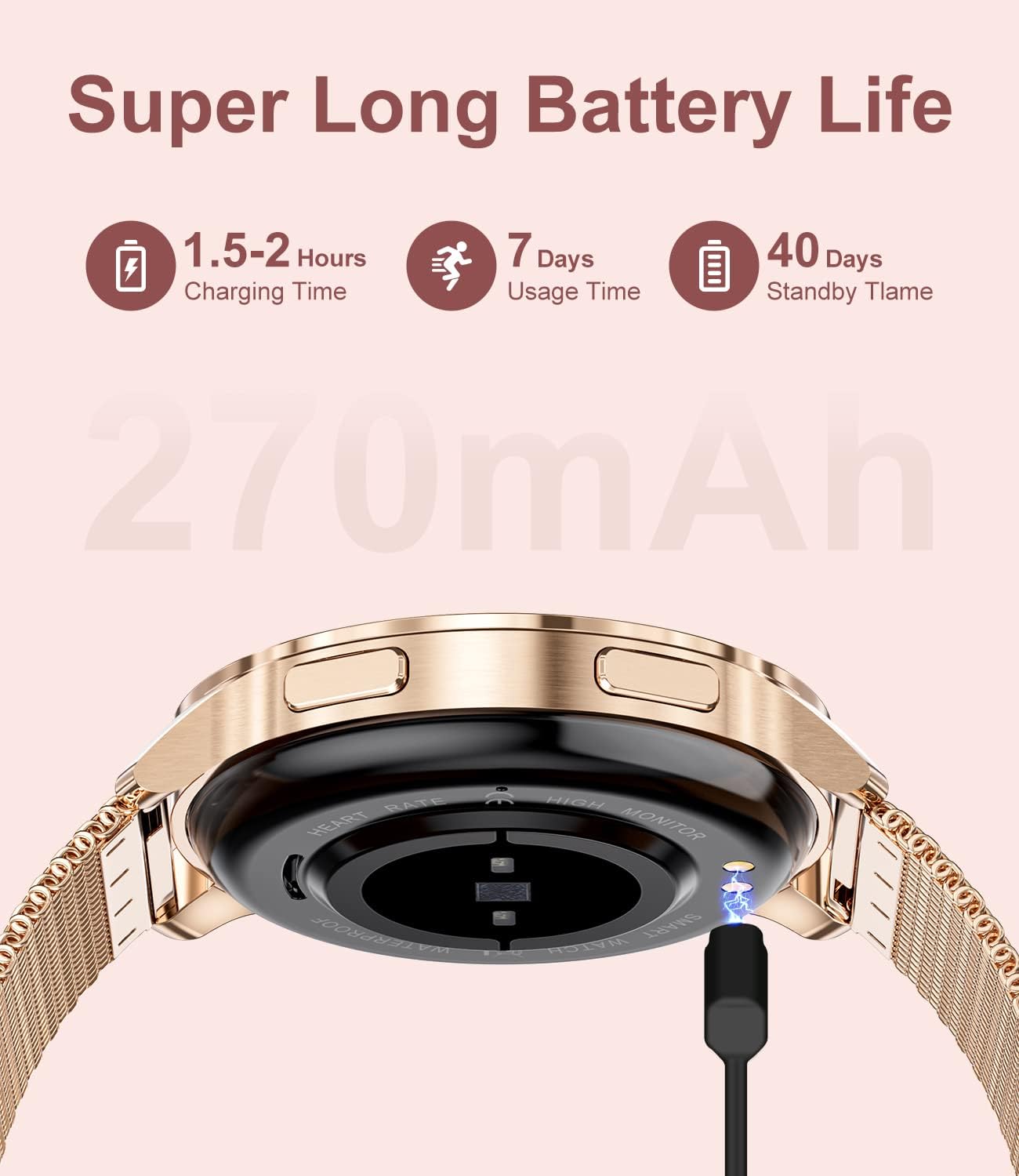
Figure 3: Battery Life and Charging
3.2 App Installation (FitCloudPro)
To unlock the full potential of your LIGE Smart Watch, download and install the 'FitCloudPro' app on your smartphone. The app is compatible with Android 5.0+ and iOS 8.0+.
- Scan the QR code provided in the watch's packaging or search for 'FitCloudPro' in your phone's app store (Google Play Store for Android, Apple App Store for iOS).
- Install the app and grant necessary permissions.
3.3 Pairing the Smart Watch
The LIGE Smart Watch uses two Bluetooth connections for full functionality: one for data synchronization and one for call features.
- First Bluetooth (Data Sync): Open the 'FitCloudPro' app. Ensure Bluetooth is enabled on your phone. In the app, navigate to 'Device' or 'Add Device' and search for your watch (e.g., 'BW1828-WYF'). Select it to pair. This connection enables data synchronization for health tracking and notifications.
- Second Bluetooth (Call Function): After the first pairing, go to your phone's Bluetooth settings. Search for a new device named 'Watch Call' or similar. Connect to this device. This connection enables the call making/receiving feature and AI voice assistant.
For app download and pairing instructions, refer to the visual guide below:

Figure 4: App Download and Bluetooth Pairing Process
Download the FitCloudPro app: FitCloudPro App
4. Key Features & Functions
4.1 Call Functionality
The LIGE Smart Watch allows you to make and receive phone calls directly from your wrist, thanks to its built-in microphone and speaker. You can sync your phone contacts, use the touch-screen keypad, or utilize the AI voice assistant for hands-free dialing.

Figure 5: Make/Receive Phone Call Function
The integrated AI voice assistant allows you to perform various tasks using voice commands, such as making calls or asking for weather updates.

Figure 6: AI Voice Assistant
4.2 Notifications
Receive vibration notifications for incoming calls, messages, and alerts from various applications like SMS, Facebook, Twitter, WhatsApp, Instagram, and Skype directly on your watch. This allows you to stay connected without needing to check your phone constantly.

Figure 7: Messages Notification Feature
4.3 Customization (Watch Faces)
Personalize your watch with over 100 available watch faces to match your style or mood. You can also create custom watch faces using your own photos through the FitCloudPro app.

Figure 8: Personalized Dial Customization
4.4 Health & Fitness Tracking
The LIGE Smart Watch is equipped with advanced sensors to monitor your health and fitness activities:
- 24-Hour Heart Rate Monitoring: Continuously tracks your heart rate throughout the day.
- Blood Oxygen (SpO2) Tracking: Measures your blood oxygen saturation levels.
- Activity Tracking: Records steps, calories burned, distance, and active minutes.
- Sleep Monitoring: Analyzes your sleep patterns to help you understand and improve your sleep quality.
- Workout Modes: Supports 20 different sports modes, including walking, running, and yoga, to accurately track your exercise data.
4.5 Additional Smart Features
- Music Player Control: Control music playback on your smartphone directly from your watch.
- Camera Remote Control: Use your watch as a remote shutter for your phone's camera.
- Weather Forecast: Get real-time weather updates on your wrist.
- Alarm Clock & Timer: Set alarms and use the timer/stopwatch functions.
- Sedentary & Drinking Reminders: Receive alerts to move or drink water throughout the day.
- Female Health Assistant: Track menstrual cycles, preparation for pregnancy, and pregnancy periods.

Figure 9: Message, Weather, and Reminder Functions

Figure 10: Camera Remote and Music Control

Figure 11: Female Health Assistant
5. Care and Maintenance
5.1 Water Resistance
The LIGE Smart Watch has an IP67 water resistance rating, meaning it is resistant to splashes, rain, and brief immersion in water. It is suitable for daily use and can withstand hand washing or light rain. However, it is not recommended for swimming, hot showers, or diving, as steam and hot water can damage the device.

Figure 12: IP67 Water Resistance
5.2 Cleaning and Storage
- Clean the watch regularly with a soft, dry cloth.
- If necessary, use a slightly damp cloth for stubborn dirt, then dry thoroughly.
- Avoid using harsh chemicals or abrasive cleaners.
- Store the watch in a cool, dry place when not in use.
6. Troubleshooting
If you encounter any issues with your LIGE Smart Watch, please refer to the following common solutions:
- Watch not turning on: Ensure the watch is fully charged. Connect it to the charger for at least 30 minutes.
- Cannot pair with phone:
- Ensure Bluetooth is enabled on your phone and the watch.
- Make sure the watch is within the Bluetooth range (typically 10 meters).
- Restart both your phone and the watch.
- Forget the device in your phone's Bluetooth settings and try pairing again through the FitCloudPro app.
- Notifications not received:
- Check if notification permissions are enabled for the FitCloudPro app in your phone's settings.
- Ensure the app is running in the background.
- Verify that the watch is properly connected via Bluetooth.
- Inaccurate health data:
- Ensure the watch is worn snugly on your wrist, not too tight or too loose.
- Clean the sensors on the back of the watch.
- Note that smartwatches are not medical devices and data is for reference only.
- Call function not working: Ensure the 'Watch Call' Bluetooth connection is established in your phone's Bluetooth settings.
If the issue persists, please contact customer support.
7. Specifications
| Feature | Specification |
|---|---|
| Brand | LIGE |
| Model | BW1828-WYF |
| Operating System | Android, iOS (Compatible with Android 4.4+/iOS 9.0+) |
| Display Size | 1.32 Inches |
| Display Type | LCD (240 x 240 resolution) |
| Battery Capacity | 270 Milliamp Hours (mAh) |
| Battery Life (Average) | 5-7 days (usage), 40 days (standby) |
| Charging Time | 1.5 - 2 hours |
| Connectivity | Bluetooth |
| Human Interface Input | Touchscreen |
| Water Resistance | IP67 |
| Product Dimensions | 20 x 10 x 2 cm; 200 g |
8. Warranty and Support
LIGE provides a 1-year (365 days) warranty for this smart watch from the date of purchase. This warranty covers manufacturing defects and issues arising from normal use.
If you have any questions, concerns, or require technical assistance, please do not hesitate to contact LIGE customer support through the platform where you purchased the product. Our team is committed to providing satisfactory service and will respond to your inquiries within 24 hours.


