
Ctronics CTIPC-650C
Ctronics 2.5K 4MP Dual-Lens Security Camera User Manual
Model: CTIPC-650C
1. Introduction
This manual provides detailed instructions for the installation, operation, and maintenance of your Ctronics 2.5K 4MP Dual-Lens Security Camera. This advanced outdoor camera offers comprehensive surveillance with features such as dual-lens technology, 360° pan and tilt, auto-zoom tracking, human detection, and versatile night vision modes. Please read this manual thoroughly before using the product to ensure proper setup and optimal performance.

Figure 1: Ctronics 2.5K 4MP Dual-Lens Security Camera
2. Safety Information
To prevent injury to yourself or others, or damage to your device, read all safety information before using the device. Keep this manual for future reference.
- Ensure the power supply is stable and matches the camera's specifications (12 Volts, 24 watts).
- Do not expose the camera to extreme temperatures or humidity beyond its operating range.
- Avoid direct exposure to strong sunlight for prolonged periods, which may affect image quality.
- Do not attempt to disassemble or modify the camera. This will void the warranty and may cause damage.
- Keep the camera and its accessories out of reach of children.
- Ensure all cables are properly secured to prevent tripping hazards or damage.
3. Product Overview
The Ctronics CTIPC-650C camera is designed for robust outdoor surveillance, featuring advanced capabilities for enhanced security.
3.1 Key Features
- Dual-Lens System: Equipped with a 3.6mm lens for wide overview and an 8.0mm lens for detailed close-ups.
- 2.5K 4MP Resolution: Provides clear and sharp images and videos (2560x1440P).
- PTZ Functionality: Offers 355° horizontal pan and 90° vertical tilt for comprehensive coverage.
- 6X Hybrid Zoom: Combines 2X optical zoom and 4X digital zoom for detailed viewing.
- Dual-Band WiFi: Supports both 2.4GHz and 5GHz Wi-Fi networks for flexible connectivity.
- Human Detection & Auto Tracking: Intelligently identifies human figures and tracks their movement, reducing false alarms.
- Color Night Vision: Provides clear color images up to 20 meters in low-light conditions.
- IR Night Vision: Offers black and white infrared vision up to 30 meters.
- Two-Way Audio: Built-in microphone and speaker for real-time communication.
- IP66 Waterproof: Designed to withstand various outdoor weather conditions.
- Broad Compatibility: Accessible via iOS, Android, Mac OS, and Windows platforms using Ctronics Pro or HiP2P Client software.
3.2 Product Video Overview
Video 1: Overview of Ctronics 2.5K 4MP Security Camera features, including dual-lens, auto-zoom, human detection, and night vision capabilities.
4. Setup
4.1 Physical Installation
The camera supports both wall and ceiling installation. Choose a location that provides optimal viewing coverage and stable network connectivity.

Figure 2: Illustration of ceiling and wall installation methods for the camera.
- Select Location: Identify a suitable outdoor location, ensuring it is within Wi-Fi range or near an Ethernet port.
- Mounting: Use the provided mounting bracket and screws to securely attach the camera to a wall or ceiling. Ensure the mounting surface is strong enough to support the camera's weight.
- Power Connection: Connect the camera to a power outlet using the provided power adapter.
4.2 Network Connection
The camera supports both Wi-Fi and wired Ethernet connections.
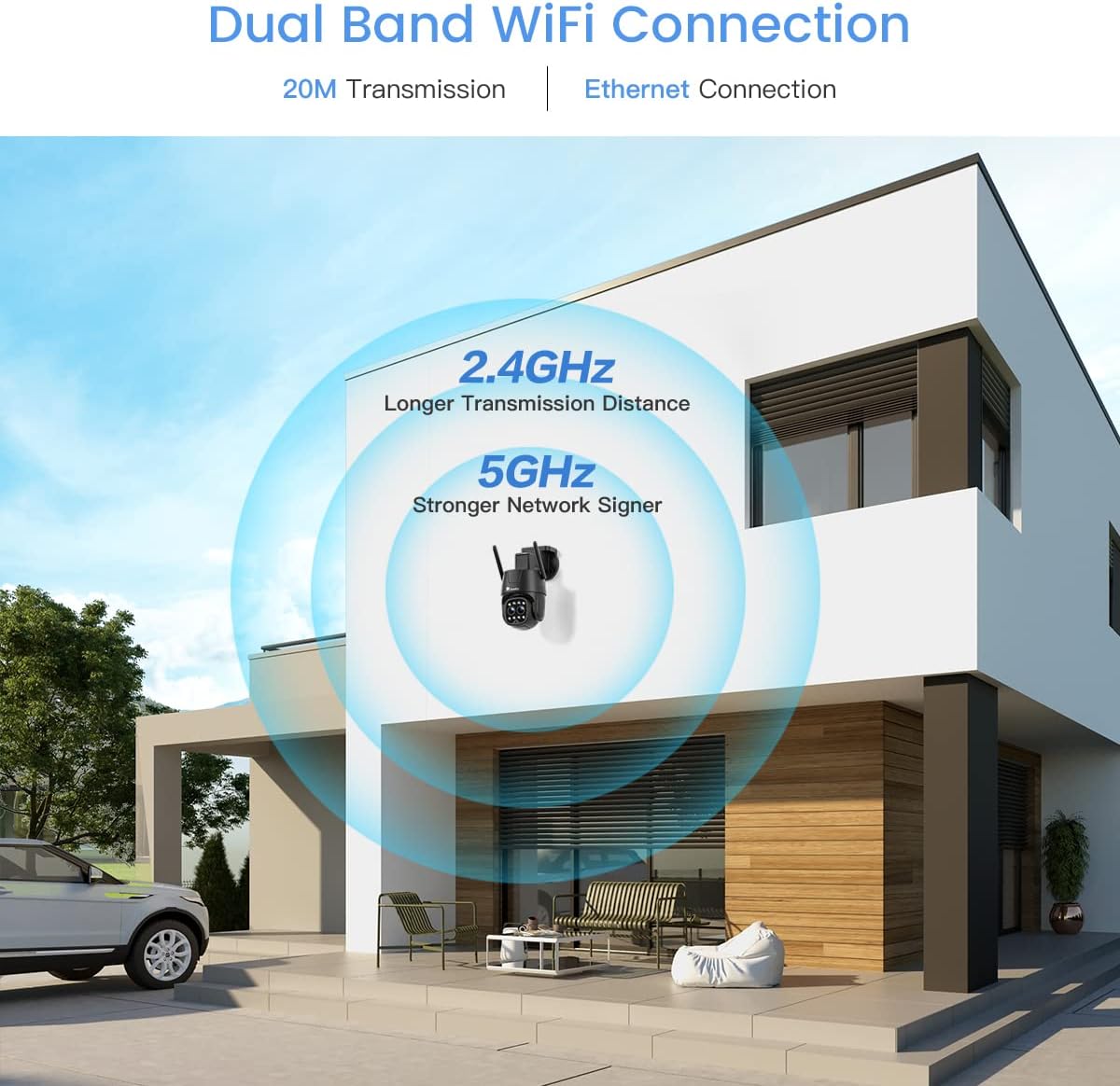
Figure 3: The camera supports dual-band Wi-Fi (2.4GHz and 5GHz) for flexible network connection.
4.2.1 Wi-Fi Connection (2.4GHz/5GHz)
- Download the 'Ctronics Pro' app from your smartphone's app store.
- Register an account and log in.
- Follow the in-app instructions to add your camera, selecting the Wi-Fi connection option.
- Ensure your Wi-Fi network is stable and within range.
4.2.2 Ethernet Connection
- Connect an Ethernet cable from your router to the camera's Ethernet port.
- Follow the in-app instructions to add your camera, selecting the wired connection option.
5. Operating Instructions
5.1 Live View and PTZ Control
Access the live feed through the Ctronics Pro app or HiP2P Client. Use the on-screen controls to pan (355°) and tilt (90°) the camera to adjust the viewing angle.
5.2 Zoom Functionality
The camera features 6X hybrid zoom, combining 2X optical zoom for clear magnification and 4X digital zoom for further detail.
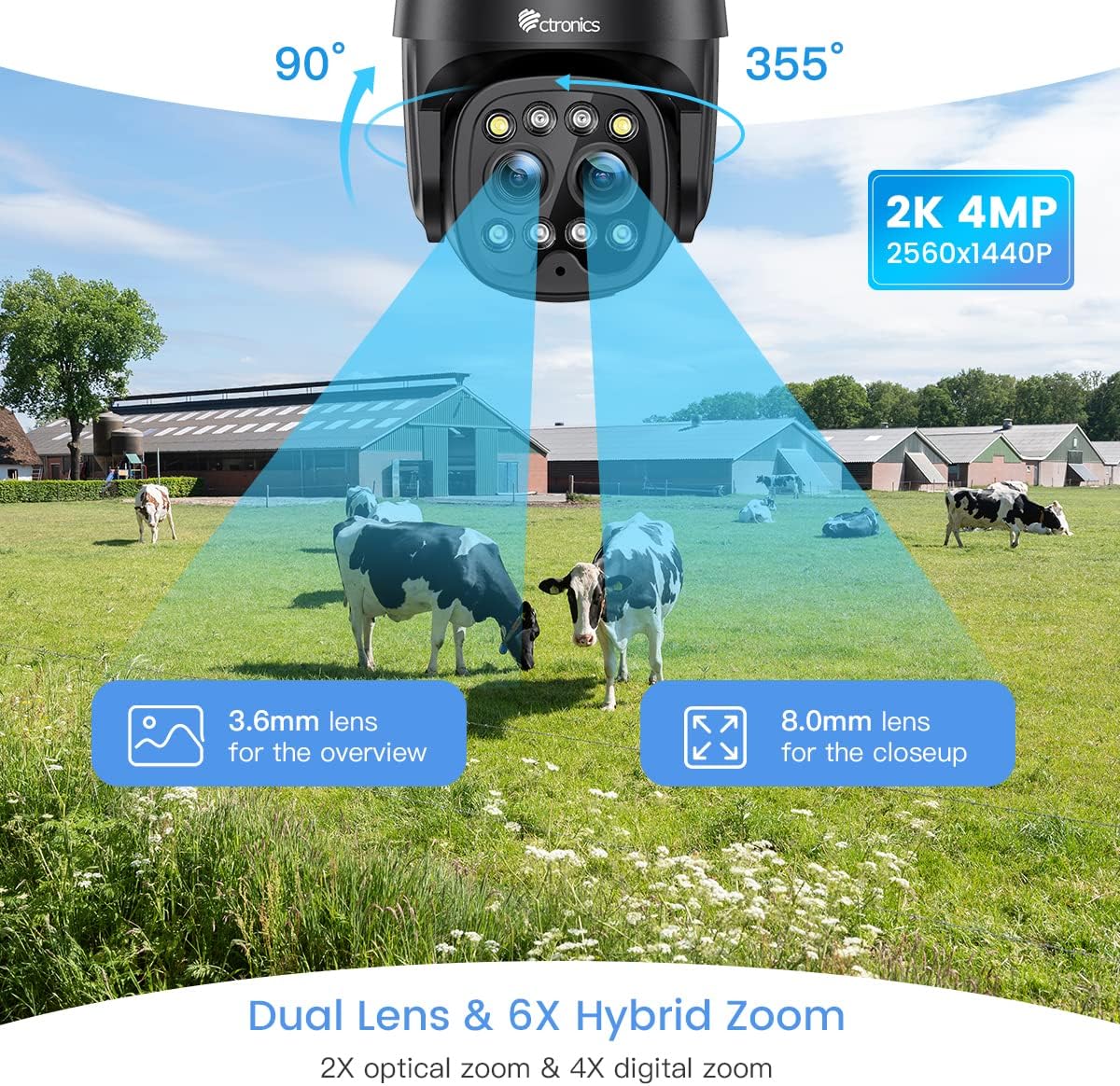
Figure 4: The dual-lens system provides both wide-angle overview and zoomed-in close-up views.
5.3 Smart Auto-Zoom Tracking
When motion is detected, the camera can automatically zoom in and track the subject, ensuring important details are captured.

Figure 5: The camera's smart auto-zoom feature automatically adjusts to track detected motion.
5.4 Human Detection & Auto Tracking
The camera's intelligent human detection reduces false alarms by distinguishing human shapes from other moving objects. Once a human is detected, the camera can automatically track their movement.

Figure 6: Human detection and auto-tracking capabilities minimize false alarms and ensure relevant events are captured.
Video 2: Demonstration of the camera's human detection and auto-tracking features, including sound and light alarm activation.
5.5 Night Vision Modes
The camera offers both color and infrared (IR) night vision modes for clear monitoring in various lighting conditions.

Figure 7: Comparison of 20M Color Night Vision and 30M IR Night Vision.
- 20M Color Night Vision: Provides full-color video even in very low light.
- 30M IR Night Vision: Offers traditional black and white infrared vision for extended range.
- Smart Night Mode: The camera can automatically switch between color and IR modes based on ambient light and detected motion.
5.6 Two-Way Audio
Utilize the built-in microphone and speaker for real-time two-way communication with visitors or to deter intruders.

Figure 8: The camera supports two-way audio for interactive communication.
5.7 Recording and Storage
The camera supports local storage via a microSD card (up to 128GB, not included) and cloud storage options (subscription may be required). Recordings can be accessed and managed through the Ctronics Pro app or HiP2P Client.
5.8 Multi-Platform Compatibility
Manage and view your camera feed from various devices and operating systems.

Figure 9: The camera is compatible with various operating systems and software clients.
6. Maintenance
- Cleaning: Regularly wipe the camera lens with a soft, dry cloth to ensure clear image quality. Do not use harsh chemicals.
- Firmware Updates: Check the Ctronics Pro app periodically for available firmware updates to ensure optimal performance and security.
- Storage Management: If using a microSD card, regularly review and back up important recordings. Consider formatting the card periodically to maintain performance.
7. Troubleshooting
If you encounter issues with your Ctronics camera, refer to the following common troubleshooting steps:
| Problem | Possible Cause | Solution |
|---|---|---|
| Camera offline | No power, weak Wi-Fi signal, network issue. | Check power connection. Relocate camera closer to router or use Ethernet. Restart camera and router. |
| Poor image quality | Dirty lens, insufficient light, network bandwidth. | Clean the lens. Ensure adequate lighting for optimal night vision. Check network speed. |
| Motion detection not working | Incorrect sensitivity settings, detection zone not set. | Adjust motion detection sensitivity and set detection zones in the app. |
| Cannot connect to Wi-Fi | Incorrect Wi-Fi password, unsupported Wi-Fi band, signal interference. | Verify Wi-Fi password. Ensure you are connecting to a supported 2.4GHz or 5GHz network. Reduce interference. |
For more detailed troubleshooting or persistent issues, please refer to the official Ctronics user guide PDF available online or contact Ctronics customer support.
8. Specifications
| Feature | Specification |
|---|---|
| Model Number | CTIPC-650C |
| Video Capture Resolution | 2.5K (2560x1440P) |
| Effective Video Resolution | 4 MP |
| Connectivity Technology | Wireless (Wi-Fi 2.4/5GHz), Wired (Ethernet) |
| PTZ Field of View | Pan 355 Degrees, Tilt 90 Degrees |
| Optical Zoom | 2 x |
| Hybrid Zoom | 6 x (2x Optical + 4x Digital) |
| Night Vision Range | 30 Meters (IR), 20 Meters (Color) |
| International Protection Rating | IP66 |
| Power Source | Corded Electric (12 Volts, 24 watts) |
| Item Dimensions (L x W x H) | 7.48 x 7.48 x 5.12 inches |
| Item Weight | 1.87 pounds |
| Compatible Devices | Desktop, Smartphone |
| Control Method | Remote (via app/software) |
| Recommended Uses | Outdoor Security |
9. Warranty and Support
Ctronics provides customer support for its products. For warranty information, technical assistance, or service inquiries, please refer to the official Ctronics website or contact their customer service directly. Keep your purchase receipt as proof of purchase for warranty claims.
You can also find the official User Guide (PDF) here for additional information.
Related documentsCTIPC-650C


Ask a question about this manual
Ask about setup, troubleshooting, compatibility, parts, safety, or missing instructions. Manuals+ will review the question and use this page’s manual context to help answer it.