
Introduction
Thank you for choosing the Yenkee YMS 5030 Wireless Ergonomic Vertical Mouse. This manual provides detailed instructions for setting up, operating, and maintaining your new mouse. Designed for comfort and precision, this vertical mouse helps promote a natural wrist posture, reducing strain during extended use.
Please read this manual thoroughly before using the product to ensure proper function and longevity.
Package Contents
Verify that all items are present in the package:
- 1 x Yenkee 1000/1600 DPI Wireless Ergonomic Vertical Mouse
- 1 x USB Nano Receiver
- 1 x User Manual (this document)
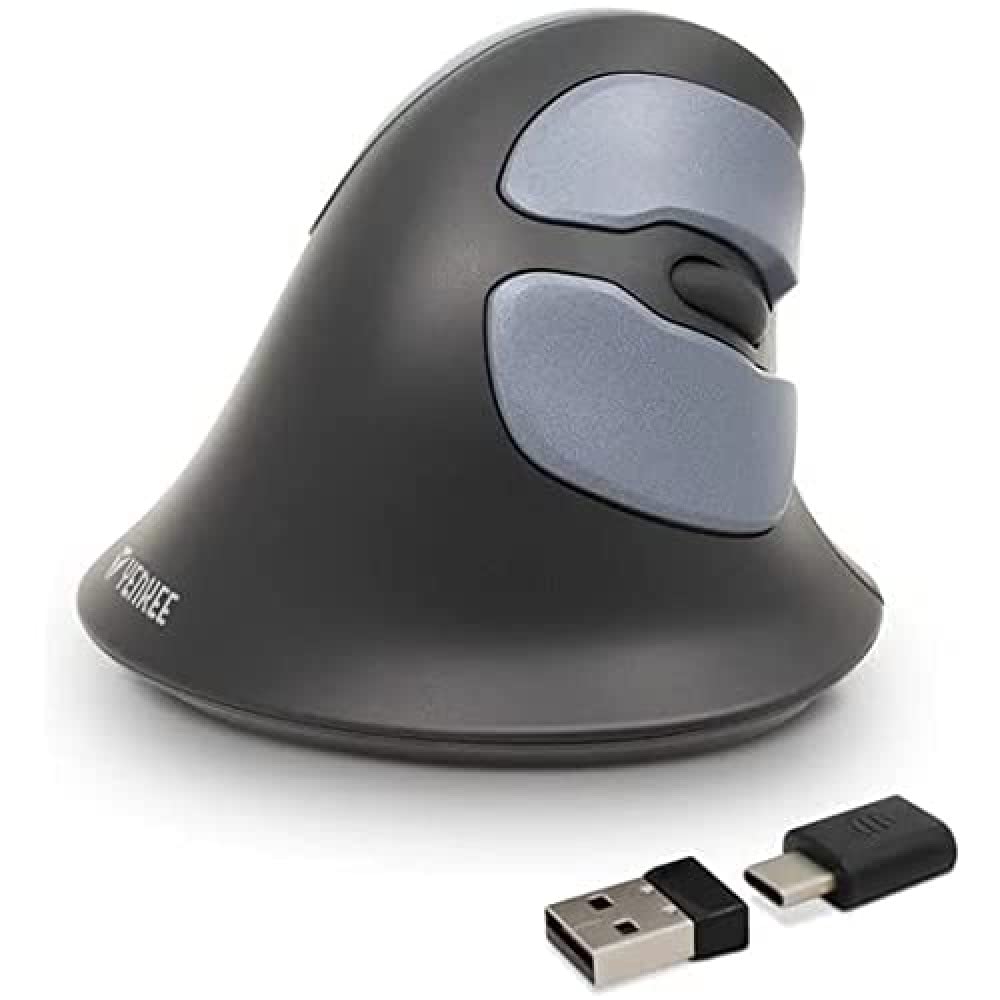
Image: Yenkee YMS 5030 Wireless Ergonomic Vertical Mouse with its USB nano receiver. The mouse is black, featuring a vertical design with multiple buttons.
Setup
- Install Batteries:
Locate the battery compartment on the underside of the mouse. Open the cover and insert the required batteries (not included), ensuring correct polarity (+/-). Close the battery compartment cover securely.
Image: Underside view of the Yenkee YMS 5030 mouse, highlighting the battery compartment and the on/off switch.
- Connect USB Nano Receiver:
Plug the USB nano receiver into an available USB port on your computer. Your operating system should automatically detect and install the necessary drivers. This process may take a few moments.
- Power On the Mouse:
Slide the ON/OFF switch, located on the underside of the mouse, to the "ON" position. The mouse should now be active and ready for use.
Operating Instructions
The Yenkee YMS 5030 mouse features 6 buttons and adjustable DPI settings for precise control.
- Left Click Button: Standard primary click function.
- Right Click Button: Standard secondary click function.
- Scroll Wheel: Scroll up or down through documents and web pages. Can also be pressed for middle-click functionality.
- Forward/Backward Buttons: Located on the side, these buttons allow for quick navigation in web browsers or file explorers.
- DPI Adjustment Button: Located near the scroll wheel, press this button to cycle between DPI settings (1000 DPI and 1600 DPI). Adjust the sensitivity to suit your preference and task.
Image: Top-down view of the Yenkee YMS 5030 mouse, indicating the positions of the left/right click, scroll wheel, forward/backward, and DPI adjustment buttons.
Ergonomic Design
The vertical design of the YMS 5030 mouse positions your hand in a natural handshake posture, which can help alleviate wrist strain and discomfort often associated with traditional horizontal mice. This design is particularly beneficial for users seeking to reduce the risk of repetitive strain injuries like Carpal Tunnel Syndrome.
Maintenance
- Cleaning: Use a soft, dry cloth to clean the surface of the mouse. For stubborn dirt, slightly dampen the cloth with water. Avoid using harsh chemicals or abrasive cleaners.
- Battery Replacement: When the mouse performance degrades or it stops responding, it's time to replace the batteries. Follow the "Install Batteries" steps in the Setup section. Dispose of old batteries responsibly according to local regulations.
- Storage: When not in use for extended periods, turn off the mouse using the ON/OFF switch to conserve battery life. Store the mouse and receiver in a dry, cool place.
Troubleshooting
| Problem | Possible Cause | Solution |
|---|---|---|
| Mouse not responding. |
|
|
| Cursor movement is erratic or jumpy. |
|
|
| DPI setting does not change. | DPI button not pressed correctly or mouse not powered on. | Ensure the mouse is on and press the DPI button firmly. Observe if cursor speed changes. |
Specifications
| Feature | Detail |
|---|---|
| Brand | Yenkee |
| Model Number | YMS 5030 |
| Color | Black |
| Connectivity Technology | Wireless (Wi-Fi) |
| Movement Detection Technology | Optical |
| DPI Settings | 1000 DPI / 1600 DPI |
| Number of Buttons | 6 |
| Working Distance | Up to 10 meters |
| Power Source | Battery Powered (Batteries not included) |
| Hardware Platform | PC |
| Operating System Compatibility | Windows 7, Windows 8, Windows Vista, Windows XP |
| Product Dimensions | 14.1 x 7.8 x 23 cm |
| Item Weight | 125 g |
Warranty and Support
Yenkee products are manufactured to high-quality standards. For information regarding warranty terms and conditions, please refer to the warranty card included with your purchase or visit the official Yenkee website. For technical support or service inquiries, please contact your local retailer or the Yenkee customer support team.


