
1. Introduction
The TAKSTAR WPM-300 is a UHF wireless in-ear monitor receiver designed for professional audio monitoring applications. This device operates within the 520-600MHz frequency range, offering 10 selectable channels for stable signal reception. It is intended for use with a compatible TAKSTAR WPM-300 transmitter (sold separately) to provide clear, low-latency audio monitoring for performers, presenters, and audio engineers.
2. Package Contents
Please check the package for the following items:
- 1 x WPM-300 Bodypack Receiver
- 1 x Pair of In-Earphones
3. Product Overview
Familiarize yourself with the components and controls of the WPM-300 receiver.

Figure 3.1: Labeled diagram of the WPM-300 receiver components.
- LED Indicator: Displays power and connection status.
- Headphone Jack: 3.5mm output for connecting in-earphones.
- External Antenna: For receiving UHF wireless signals.
- Power Button: Turns the receiver on/off.
- LED Screen: Displays current channel, battery level, and connection status.
- Switch Frequency Button (SET): Used to enter channel selection mode.
- Volume Control (+/-): Adjusts the audio output level to the earphones.

Figure 3.2: The HD LED screen provides clear status information.
4. Setup
4.1 Battery Installation
The WPM-300 receiver operates on two AA batteries. To install:
- Locate the battery compartment cover on the back of the receiver.
- Slide the cover open.
- Insert two AA batteries, ensuring correct polarity (+/-) as indicated inside the compartment.
- Close the battery compartment cover securely.
4.2 Connecting Earphones
Connect the provided in-earphones to the 3.5mm headphone jack on the top of the receiver.
4.3 Initial Power On and Pairing
To power on the receiver and establish a connection with a compatible WPM-300 transmitter:
- Press and hold the Power Button on the side of the receiver until the LED screen illuminates.
- Ensure your WPM-300 transmitter is powered on and transmitting on a desired channel.
- On the receiver, press the SET button to enter channel selection mode. The channel number on the LED screen will flash.
- Use the + and - buttons to select the same channel as your transmitter.
- Once the channels match, the receiver will automatically pair with the transmitter. The channel number on the LED screen will stop flashing, and the signal strength indicator will show activity.
- Adjust the volume using the + and - buttons on the receiver to a comfortable listening level.
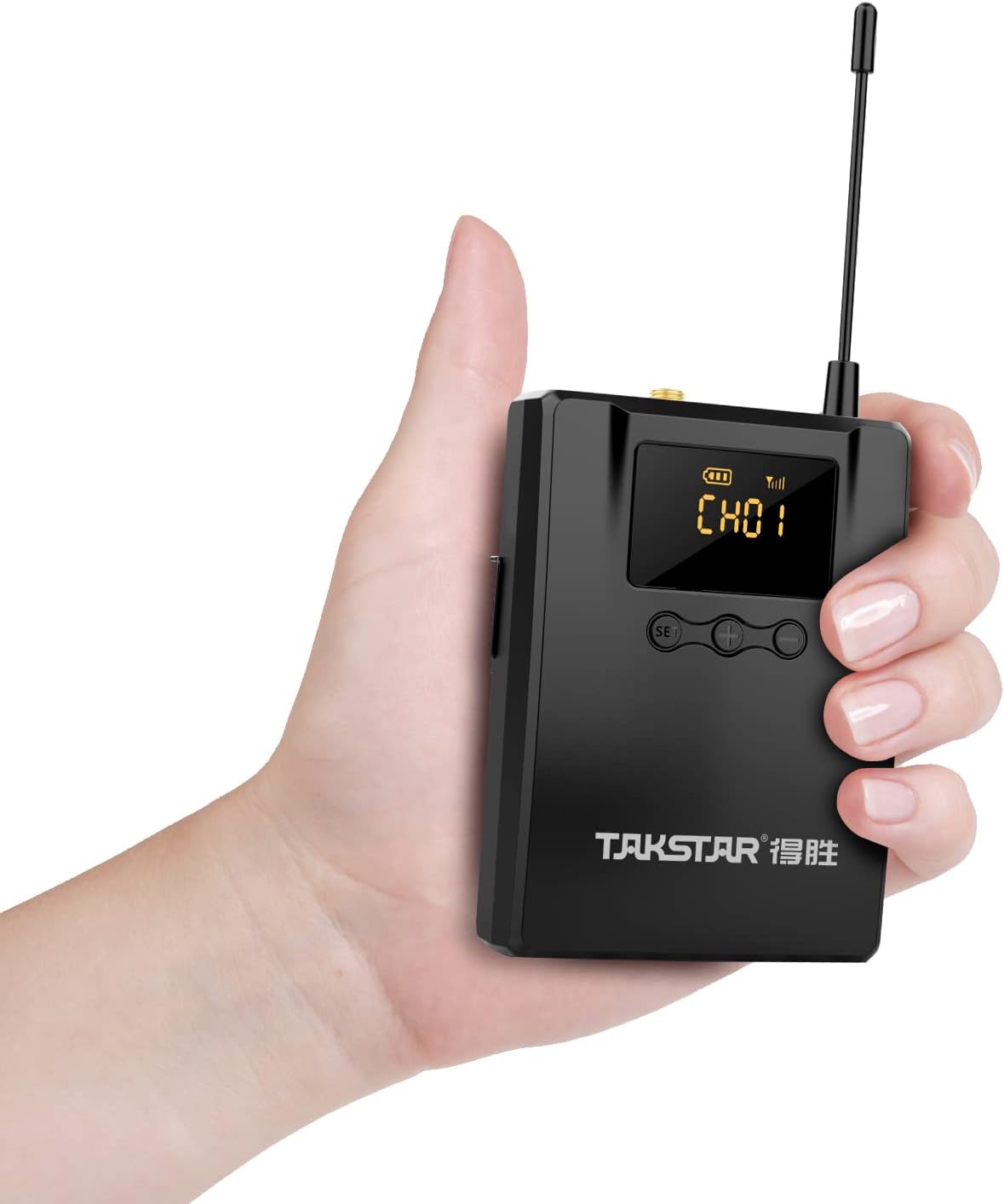
Figure 4.1: The lightweight bodypack receiver is designed for portability.
5. Operating Instructions
5.1 Channel Selection
To change the receiving channel:
- Press the SET button. The current channel number on the LED screen will begin to flash.
- Use the + or - buttons to cycle through the available channels (CH01-CH10).
- Once the desired channel is displayed, wait a few seconds. The channel number will stop flashing, indicating the new channel is set and the receiver is attempting to connect.
5.2 Volume Adjustment
Adjust the monitoring volume using the + and - buttons located next to the SET button. Press + to increase volume and - to decrease volume.
5.3 Power Off
To turn off the receiver, press and hold the Power Button until the LED screen turns off.
6. Maintenance
Proper care ensures the longevity and optimal performance of your WPM-300 receiver.
- Cleaning: Use a soft, dry cloth to clean the exterior of the receiver. Avoid using harsh chemicals or abrasive materials.
- Storage: Store the receiver in a cool, dry place away from direct sunlight and extreme temperatures.
- Battery Care: Remove batteries if the device will not be used for an extended period to prevent leakage.
- Antenna: Handle the external antenna with care to avoid bending or breaking.
7. Troubleshooting
If you encounter issues with your WPM-300 receiver, refer to the following common problems and solutions:
| Problem | Possible Cause | Solution |
|---|---|---|
| No sound from earphones | Low battery; Incorrect channel; Earphones not connected; Transmitter off or out of range; Volume too low. | Replace batteries; Match receiver channel to transmitter; Ensure earphones are fully plugged in; Check transmitter status and range; Increase receiver volume. |
| Interference or poor audio quality | Other wireless devices on the same frequency; Receiver too far from transmitter; Obstructions between receiver and transmitter. | Change to a different channel on both receiver and transmitter; Move closer to the transmitter; Ensure a clear line of sight. |
| Receiver does not power on | Dead or incorrectly inserted batteries. | Replace batteries with fresh ones; Verify correct battery polarity. |
8. Technical Specifications
Detailed specifications for the WPM-300 receiver:
- Frequency Range: 520-600MHz
- Operating Voltage: DC 2.5V (2.2V-3.0V) / two AA batteries
- Operating Current: 115mA (TYP)
- Frequency Response: 20Hz-15 kHz (-6dB intercept point)
- S/N Ratio: > 60dB
- Receiving Sensitivity: Better than 8dBuV
- Stereo Separation: >45dB
- Dimensions: 169mm × 64mm × 30.95mm
- Weight: Approx. 123.5g
- Battery Life: Up to 6 hours (with AA batteries)
- Connectivity Technology: Wireless (RF)
- Headphones Jack: 3.5 mm Jack
- Control Type: Volume Control, Channel Selection
9. Warranty and Support
TAKSTAR provides a 12-month manufacturer assurance for this product. For technical support, warranty claims, or further assistance, please contact TAKSTAR customer service through their official channels or the retailer from whom the product was purchased.


