
1. Introduction
Welcome to the user manual for your boAt Airdopes 190 True Wireless Stereo (TWS) Earbuds. These earbuds are designed to provide a high-quality audio experience with features tailored for gaming and everyday use. This manual will guide you through the setup, operation, maintenance, and troubleshooting of your device.

Image: boAt Airdopes 190 TWS Earbuds in black and white, highlighting features such as Breathing LEDs, Quad Mics with ENx Technology, BEAST Mode for low latency, 40 hours total playback, and 10 minutes ASAP Charge for 180 minutes playtime.
2. Setup
2.1. Unboxing and Package Contents
Upon opening the package, ensure all components are present:
- 1 x boAt Airdopes 190 TWS Earbuds
- 1 x Charging Case
- 2 x Additional Earbuds (pairs of different sizes)
- 1 x USB Type-C Charging Cable
- 1 x User Manual (this document)
2.2. Initial Charging
Before first use, fully charge the earbuds and the charging case. Connect the provided USB Type-C cable to the charging port on the case and to a power source. The LEDs on the case will indicate charging status.
- ASAP Charge: A 10-minute charge provides up to 180 minutes of playtime.
- Full charging time for the case is approximately 120 minutes.

Image: The boAt Airdopes 190 charging case open with earbuds, illustrating the 40 hours total playback time (10 hours per charge + 30 hours from case) and the ASAP Charge feature, providing 180 minutes of playback from a 10-minute charge.
2.3. Pairing with a Device
- Instant Connect (IWP™ Tech): Open the lid of the charging case. The earbuds will automatically power on and enter pairing mode.
- On your device (smartphone, tablet, laptop), enable Bluetooth.
- Search for available Bluetooth devices and select "Airdopes 190" from the list.
- Once connected, you will hear an audio prompt, and the earbud LEDs will indicate a successful connection.
- The earbuds utilize Bluetooth v5.3 for a stable and seamless connection.
3. Operation
3.1. Touch Controls
The Airdopes 190 features intuitive touch controls on each earbud for managing playback, calls, and voice assistant activation.
| Function | Action |
|---|---|
| Play/Pause | Single tap on either earbud |
| Next Track | Double tap on the right earbud |
| Previous Track | Double tap on the left earbud |
| Answer/End Call | Single tap on either earbud |
| Reject Call | Long press on either earbud |
| Activate Voice Assistant | Triple tap on either earbud |
| Toggle BEAST Mode | Long press on the right earbud (specific gesture may vary, refer to quick start guide) |

Image: A visual representation of key features including IPX4 splash and sweat resistance, easy touch controls on the earbuds, a Type-C charging interface, and one-touch access to voice assistants like Google Assistant and Siri.
3.2. BEAST Mode (Low Latency)
For an enhanced gaming and entertainment experience, activate BEAST Mode. This mode reduces audio latency to 50ms, ensuring synchronized audio and visuals during fast-paced activities. Refer to the touch control table for activation.
3.3. ENx™ Technology (Quad Mics)
The Airdopes 190 features quad microphones with ENx™ Technology. This technology helps to cancel out unwanted background noise during calls, ensuring your voice is heard clearly by the recipient.
3.4. Breathing LEDs
The earbuds and charging case are equipped with breathing LEDs that provide visual feedback and add to the aesthetic, especially during gaming sessions. These lights typically activate for a few seconds when the case is opened or closed.

Image: The boAt Airdopes 190 charging case and earbuds, showcasing the "Fancy Breathing LED Lights" which illuminate in blue, designed to enhance the gaming experience.
3.5. boAt Signature Sound
Experience immersive audio with the boAt Signature Sound, delivered by powerful 10mm audio drivers within the earbuds.
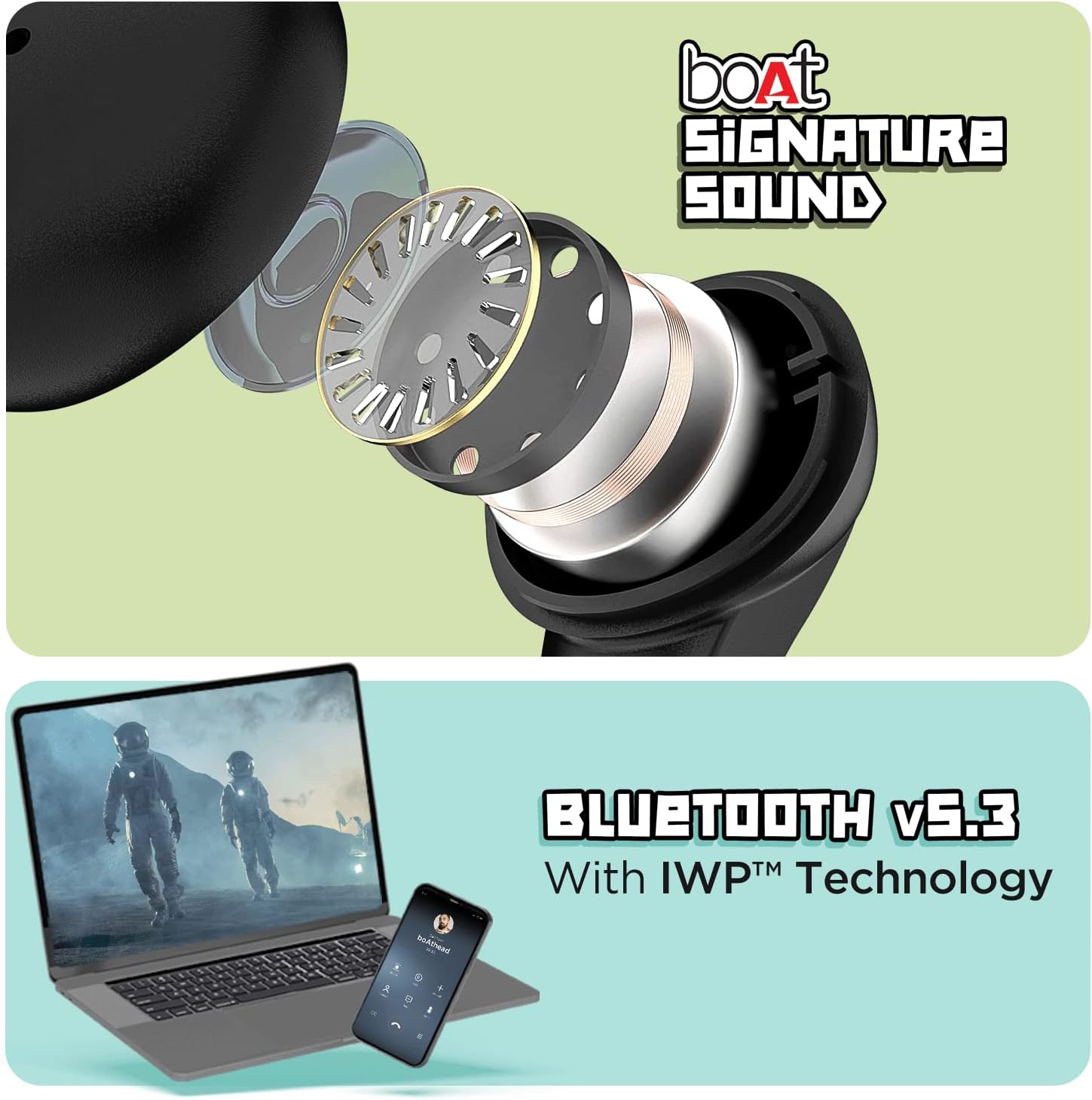
Image: The top section displays an exploded view of an earbud, illustrating the internal components responsible for delivering boAt Signature Sound. The bottom section shows a laptop and a mobile phone, symbolizing the seamless connectivity provided by Bluetooth v5.3 with IWP™ Technology.
4. Maintenance
4.1. Cleaning
- Gently wipe the earbuds and charging case with a soft, dry, lint-free cloth.
- Do not use harsh chemicals, cleaning solvents, or strong detergents.
- Remove ear tips and clean them separately with water if necessary, ensuring they are completely dry before reattaching.
4.2. Storage
When not in use, store the earbuds in their charging case to protect them from dust, damage, and to keep them charged.
4.3. Water Resistance
The Airdopes 190 earbuds are marked with an IPX4 water resistance rating. This means they are resistant to splashes and sweat, making them suitable for workouts and light rain. They are not designed for submersion in water or exposure to pressurized water jets.
5. Troubleshooting
5.1. Earbuds Not Pairing
- Ensure the earbuds are charged.
- Place both earbuds back into the charging case, close the lid, wait a few seconds, then open the lid again to re-initiate pairing mode.
- Turn off and on Bluetooth on your device.
- Forget "Airdopes 190" from your device's Bluetooth list and try pairing again.
5.2. No Sound or Low Volume
- Check the volume level on both your device and the earbuds.
- Ensure the earbuds are properly seated in your ears.
- Clean any debris from the earbud nozzles and ear tips.
- Reconnect the earbuds to your device.
5.3. Charging Issues
- Verify the charging cable is securely connected to both the case and the power source.
- Try a different USB Type-C cable and power adapter.
- Ensure the charging contacts on the earbuds and inside the case are clean and free of obstruction.
6. Specifications
| Feature | Detail |
|---|---|
| Model Name | Airdopes 190 |
| Connectivity Technology | Wireless (Bluetooth v5.3) |
| Low Latency | 50ms (BEAST Mode) |
| Total Playtime | Up to 40 Hours |
| Playtime Per Earbud | Up to 10 Hours |
| ASAP Charge | 10 mins charge = 180 mins playtime |
| Microphones | Quad Mics with ENx™ Technology |
| Drivers | 10mm Audio Drivers |
| Water Resistance | IPX4 (Splash & Sweat Resistant) |
| Control Method | Touch, Voice |
| Charging Interface | USB Type-C |
| Item Weight | 42 Grams |
| Product Dimensions | 7 x 5 x 2 cm |
| Material | Plastic |
| Manufacturer | Imagine Marketing Ltd |
| Country of Origin | China or India |
7. Warranty & Support
For warranty information, technical support, or service inquiries, please refer to the official boAt website or contact their customer service. Keep your purchase receipt as proof of purchase for warranty claims.


