
BIGBIG WON BIGBIG WON Armor-X Pro Black
BIGBIG WON ARMOR-X Pro Controller Paddles
User Manual
Introduction
The BIGBIG WON ARMOR-X Pro is a versatile back button attachment designed to enhance your gaming experience across multiple platforms. It adds four remappable buttons, motion control, turbo, and macro functions to your Xbox Series X|S controller, making it compatible with Xbox One, Nintendo Switch, and Windows PC. This manual provides detailed instructions for setup, operation, maintenance, and troubleshooting.
Setup
Package Contents
The ARMOR-X Pro package includes the following items:
- 1x ARMOR-X Pro wireless mod back button (Black)
- 1x Type-C data cable
- 1x 2.4G USB wireless adapter
- 1x User Manual

Image: Contents of the BIGBIG WON ARMOR-X Pro package, including the main unit, USB cable, wireless adapter, and user manual.
Attaching the ARMOR-X Pro
To attach the ARMOR-X Pro to your Xbox Series X|S controller:
- Remove the battery compartment cover from your Xbox Series X|S controller.
- Align the ARMOR-X Pro with the battery compartment and gently slide it into place until it clicks securely.
- Plug the USB-C cable from the ARMOR-X Pro into the USB port of the Xbox Series X|S controller.

Image: Step-by-step illustration of attaching the ARMOR-X Pro to an Xbox Series X|S controller.
Connectivity
The ARMOR-X Pro supports multi-platform connectivity via its 2.4Ghz wireless adapter or a wired Type-C connection.
- Wireless Connection: Plug the 2.4G USB wireless adapter into your console or PC. The ARMOR-X Pro will automatically detect the platform. The LED indicator will flash quickly, then turn solid when connected.
- Wired Connection: Connect the ARMOR-X Pro to your console or PC using the Type-C data cable. The LED indicator will show a solid light when the wired connection is successful.

Image: Diagram showing the ARMOR-X Pro connected to Xbox, Nintendo Switch, and PC via the 2.4Ghz wireless adapter.
Audio Support
The ARMOR-X Pro supports wired audio through the controller's 3.5mm jack when connected via cable. Wireless audio is not supported directly by the ARMOR-X Pro, but you can use wireless headphones compatible with your console. Wired audio is NOT supported on Switch and PS4 consoles.

Image: Diagram illustrating wired audio connection support for Xbox controllers with the ARMOR-X Pro.
Video: An unboxing video of the BIGBIG WON ARMOR-X Pro Back Button Attachment, showing its contents and initial setup.
Operating Instructions
Remappable Buttons & Profiles
The ARMOR-X Pro features 4 remappable back buttons (M1-M4) that can be assigned to any input. It also supports 3 on-board memory profiles, allowing you to save different button configurations for various games.
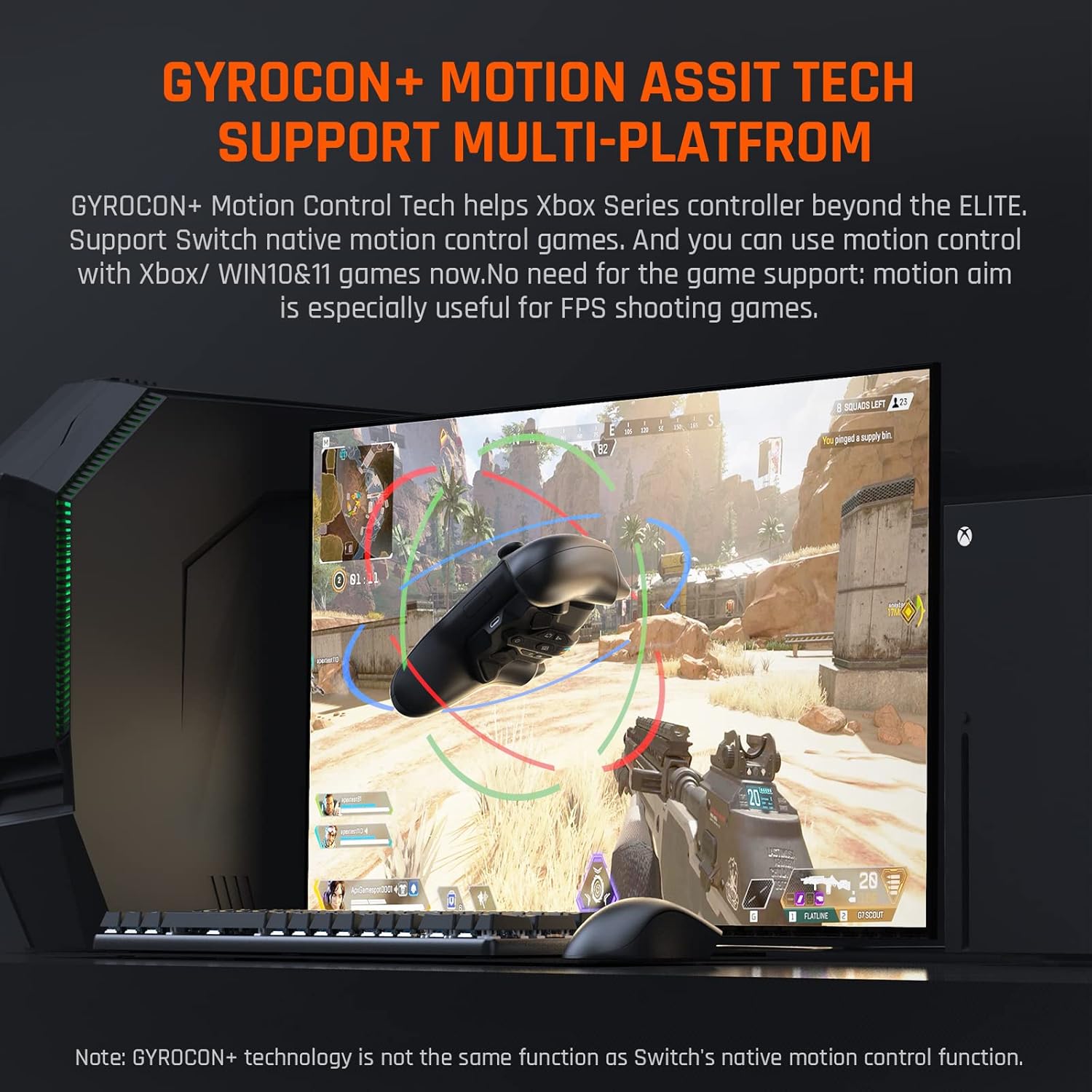
Image: Close-up view of the ARMOR-X Pro's remappable back buttons (M1-M4) and central control panel.
Image: Illustration of the ARMOR-X Pro's 3 on-board memory profiles, showing different button configurations for various games.
Motion Aiming (GYROCON+ Technology)
Experience enhanced aiming precision with GYROCON+ Motion Control. This feature allows you to use motion control in Xbox, Switch, and Windows PC games, which is particularly useful for FPS titles. Simply tilt the controller for precise adjustments.

Image: A gamer using the ARMOR-X Pro with motion aiming in a first-person shooter game.
Video: Demonstration of the BIGBIG WON Armor-X Pro controller paddles with motion aiming functionality.
Turbo and Macro Functions
The ARMOR-X Pro includes Turbo and Macro functions for advanced gameplay:
- Turbo: Allows for rapid, repeated input of a button with a single press.
- Macro: Record a sequence of complex button presses and execute them with a single button press.

Image: Visual representation of Turbo, Macro, and Vibration features on the ARMOR-X Pro.
Hair Trigger
The Hair Trigger feature reduces the travel distance of the main triggers, allowing for faster response times and quicker shots in games.

Image: Graph comparing trigger response times with and without the Hair Trigger function enabled on the ARMOR-X Pro.
App Real-Time Customization
Download the BIGBIG WON Elite App (available for Android and iOS) to unlock advanced customization options. The app allows you to:
- Set on-board profiles.
- Adjust lighting effects.
- Customize button mapping.
- Configure joystick/trigger dead zones and sensitivity.
- Adjust motion sensitivity.
- Program and import MACROs.

Image: Screenshot of the BIGBIG WON Elite App interface on a smartphone, showing various customization options for the ARMOR-X Pro.
Video: An introductory video showcasing the features and benefits of the BIGBIG WON Armor-X Pro Wireless Back Button.
Maintenance
Battery Information
The ARMOR-X Pro is equipped with a 1300mAh rechargeable lithium battery, providing over 10 hours of playtime on a full charge. It takes approximately 2 hours to fully charge the device. The LED indicator will flash quickly in red when the battery is low and turn solid green when fully charged.
Firmware Updates
To ensure optimal performance and access to the latest features, regularly check for firmware updates. Firmware update tutorials and files are available on the official BIGBIG WON support website.
Video: A tutorial video demonstrating how to upgrade the firmware of the BIGBIG WON ARMOR-X Pro.
Troubleshooting
Connectivity Issues
If you experience connectivity issues, try the following:
- Ensure the 2.4G USB wireless adapter is securely plugged into your console/PC.
- Verify that the ARMOR-X Pro is powered on and the LED indicator is active.
- For re-pairing, hold the power button on the ARMOR-X Pro until the LED flashes quickly, then press the sync button on the USB adapter.
Audio Problems
Remember that wired audio is only supported when the ARMOR-X Pro is connected via cable to an Xbox Series X|S controller. Wireless audio requires compatible wireless headphones for your console. Wired audio is not supported on Nintendo Switch or PS4 consoles.
Specifications
- Model Number: BIGBIG WON Armor-X Pro Black
- Product Dimensions: 2.56 x 3.39 x 1.57 inches
- Item Weight: 1.94 ounces
- Batteries: 1 Lithium Polymer battery (included)
- Connectivity: 2.4Ghz Wireless, USB Type-C Wired
- Compatibility: Xbox Series X|S, Xbox One, Nintendo Switch, Windows 10/11 PC
- Features: 4 Remappable Buttons, 3 On-board Profiles, GYROCON+ Motion Control, Turbo, Macro, Hair Trigger, App Customization
Warranty & Support
Manufacturer's Warranty
The BIGBIG WON ARMOR-X Pro comes with a 12-month manufacturer's warranty. Please retain your order ID as proof of purchase for any warranty claims. Feel free to contact BIGBIG WON customer service for assistance with any quality-related issues.
Additional Support
For more detailed instructions, FAQs, and video tutorials, please visit the official BIGBIG WON support website. You can also join the BIGBIG WON Discord community for user support, the latest offerings, exclusive event coverage, and opportunities to score BIGBIG WON hardware.
- Official User Manual (PDF): Download PDF
- BIGBIG WON Official Store: Visit Store
- BIGBIG WON Discord Community: Join Discord
Related documentsBIGBIG WON Armor-X Pro Black


Ask a question about this manual
Ask about setup, troubleshooting, compatibility, parts, safety, or missing instructions. Manuals+ will review the question and use this page’s manual context to help answer it.