
HOCO EW11 Melody (PQ-LS12-MG7Q)
HOCO EW11 Melody TWS Wireless Headset User Manual
Model: EW11 Melody (PQ-LS12-MG7Q)
Product Overview
The HOCO EW11 Melody TWS Wireless Headset provides a dynamic and crystal-clear sound experience with Bluetooth v5.1 connectivity. This manual will guide you through the setup, operation, and maintenance of your new headset.

Image: The HOCO EW11 Melody TWS Wireless Headset, showing both earbuds and the open charging case with a digital battery display.
Package Contents
Ensure all items are present in the package:
- HOCO EW11 Melody TWS Wireless Headset (Left and Right Earbuds)
- Charging Case
- Charging Cable (Type-C)
- Ear Cushions (various sizes)
- User Manual (this document)
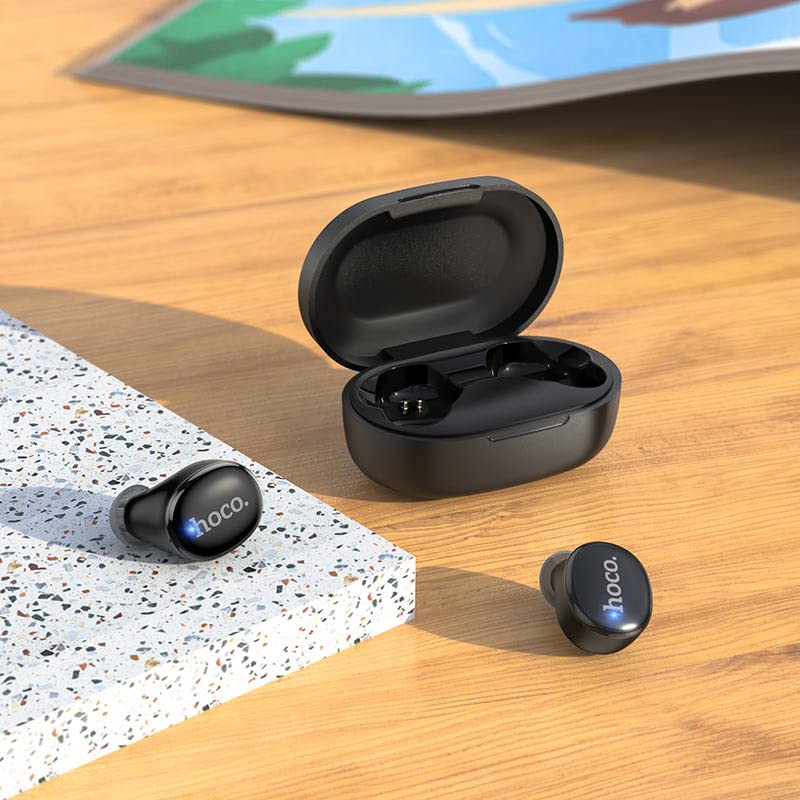
Image: The HOCO EW11 Melody earbuds placed next to the open charging case on a textured surface, illustrating the main components.
Setup Instructions
1. Initial Charging
- Place both earbuds into the charging case.
- Connect the provided Type-C charging cable to the charging port on the case and to a USB power adapter (not included).
- The digital display on the charging case will show the battery level. Charge the case and earbuds fully before first use. A full charge typically takes approximately 1.5 hours.
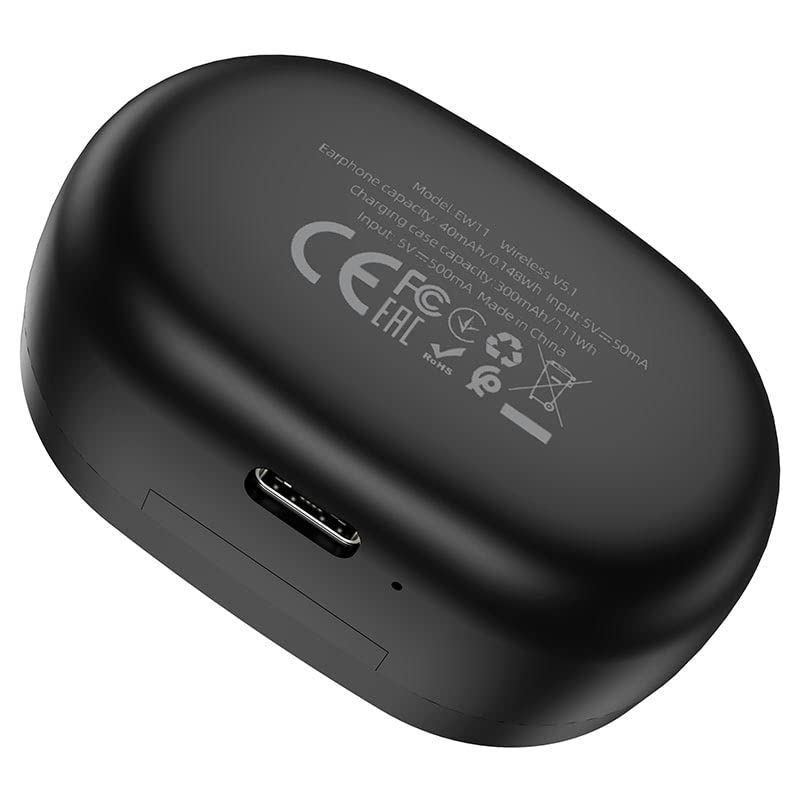
Image: The bottom of the HOCO EW11 Melody charging case, highlighting the Type-C charging port and product information.
2. Pairing with a Device
- Ensure the earbuds are charged and placed inside the charging case.
- Open the charging case. The earbuds will automatically power on and enter pairing mode.
- On your device (smartphone, tablet, etc.), enable Bluetooth and search for available devices.
- Select "HOCO EW11 Melody" from the list of found devices.
- Once connected, a voice prompt will confirm successful pairing. The earbuds will automatically reconnect to the last paired device when taken out of the case.
Operating Instructions
Power On/Off
- Power On: Open the charging case, and the earbuds will power on automatically.
- Power Off: Place the earbuds back into the charging case and close the lid. They will power off and begin charging.
Music Playback
- Play/Pause: Tap either earbud once.
- Next Track: Double-tap the right earbud.
- Previous Track: Double-tap the left earbud.
- Volume Control: Adjust volume directly from your connected device.
Call Management
- Answer/End Call: Tap either earbud once.
- Reject Call: Press and hold either earbud for 2 seconds.
Voice Assistant
- Activate Voice Assistant: Triple-tap either earbud.
Maintenance
Proper maintenance ensures the longevity and optimal performance of your headset.
- Cleaning: Use a soft, dry, lint-free cloth to clean the earbuds and charging case. Do not use harsh chemicals or abrasive materials.
- Water Resistance: The earbuds feature water resistance. However, they are not waterproof. Avoid submerging them in water or exposing them to heavy rain. Dry them thoroughly if they get wet.
- Storage: When not in use, store the earbuds in their charging case to protect them and keep them charged. Store in a cool, dry place away from extreme temperatures.
- Charging: Charge the device regularly, even if not in frequent use, to maintain battery health.
Troubleshooting
If you encounter issues, refer to the following common solutions:
- Earbuds not pairing with device:
- Ensure Bluetooth is enabled on your device.
- Make sure the earbuds are charged and out of the case.
- Forget "HOCO EW11 Melody" from your device's Bluetooth list and attempt to pair again.
- Restart your device.
- Only one earbud working:
- Place both earbuds back into the charging case, close the lid, wait a few seconds, then open it again.
- Ensure both earbuds are charged.
- No sound:
- Check the volume level on your connected device.
- Ensure the earbuds are properly connected to your device.
- Try playing audio from a different application or source.
- Charging case not charging:
- Verify the Type-C cable is securely connected to both the case and the power source.
- Try a different charging cable or power adapter.
Specifications
| Model Name | EW11 Melody |
| Model Number | PQ-LS12-MG7Q |
| Bluetooth Version | v5.1 |
| Bluetooth Chip | JL AC6973 |
| Earbud Battery Capacity | 40mAh |
| Charging Case Battery Capacity | 300mAh |
| Music/Call Time | Approximately 5 hours |
| Standby Time | Approximately 200 hours |
| Charging Port | Type-C |
| Material | Plastic |
| Water Resistance | Sweatproof (not waterproof) |
| Item Weight | 250 Grams (total package weight) |
Warranty and Support
This HOCO EW11 Melody TWS Wireless Headset comes with a 365 Day Warranty from the date of purchase, covering manufacturing defects.
For technical support or warranty claims, please contact your retailer or the HOCO customer service department. Refer to the product packaging or HOCO's official website for contact details.
Related documentsEW11 Melody (PQ-LS12-MG7Q)


Ask a question about this manual
Ask about setup, troubleshooting, compatibility, parts, safety, or missing instructions. Manuals+ will review the question and use this page’s manual context to help answer it.