
YABER YR200
YABER YR200 Jump Starter Power Bank User Manual
Model: YR200
1. Introduction
Thank you for choosing the YABER YR200 Jump Starter Power Bank. This manual provides essential information for the safe and effective operation, maintenance, and troubleshooting of your device. Please read this manual thoroughly before use and retain it for future reference.
2. Product Overview
2.1 Package Contents
- YABER YR200 Jump Starter Power Bank
- Smart Battery Clamps (Red and Black)
- USB Charging Cable
- User Manual
- Storage Case
2.2 Key Features
- Powerful Jump Starting: 2000A peak current, capable of starting 12V vehicles (up to 6.0L Gas or 5.0L Diesel engines).
- High Capacity Power Bank: 12000mAh capacity with 5V/2.1A USB output for charging smartphones, tablets, cameras, etc.
- Durable Design: IP66 waterproof and dustproof rating, robust casing for protection against impacts.
- Integrated LED Flashlight: Features 3 modes: Illumination, SOS, and Strobe for emergency situations.
- Advanced Safety Protection: Smart Battery Clip with 8-fold protection including short-circuit, overcharge, over-discharge, reverse polarity, overload, overcurrent, reverse connection, and overheat protection.
- Compact and Portable: Small size (14x8.5x2.7cm) and lightweight (320g) for easy carrying.
2.3 Product Components

Image Description: A front view of the YABER YR200 Jump Starter Power Bank, showcasing its black and red design with a textured surface. The smart battery clamps are attached, and water droplets are depicted around the device, emphasizing its waterproof feature. The power button and LED indicators are visible at the top.

Image Description: The YABER YR200 Jump Starter Power Bank is shown alongside its smart battery clamps. Above the device, icons illustrate the various safety protections: short-circuit, overcharge, over-discharge, reverse polarity, overload, overcurrent, reverse connection, and overheat protection.
3. Safety Information
Always observe the following safety precautions to prevent injury or damage to the device and vehicle:
- Do not attempt to jump start a frozen battery.
- Ensure proper polarity connection (red clamp to positive, black clamp to negative) to avoid reverse polarity.
- Do not allow the red and black clamps to touch each other when connected to the jump starter.
- Keep the device away from children.
- Do not disassemble or modify the device.
- Store in a cool, dry place away from direct sunlight and high temperatures.
- If the device becomes excessively hot during use, disconnect it immediately.
4. Charging the Jump Starter
Before first use, fully charge the YABER YR200. It is recommended to recharge the device every 3-6 months to maintain battery health, even if not in use.
- Connect the USB charging cable to the Micro USB input port on the jump starter.
- Connect the other end of the USB cable to a 5V/2.1A USB wall adapter (not included) or a computer USB port.
- The LED indicator lights will illuminate and flash during charging, indicating the charge level. All four LEDs will be solid when fully charged.

Image Description: The YABER YR200 Jump Starter Power Bank is shown connected via USB cables to a tablet and a smartphone, illustrating its function as a 12000mAh power bank. The device's LED indicators are lit, showing its charge status.
5. Operating Instructions
5.1 Jump Starting a Vehicle
Ensure the jump starter is at least 75% charged (3 LED indicators lit) before attempting to jump start a vehicle.
- Turn off the vehicle's ignition and all accessories (lights, radio, etc.).
- Connect the red (+) clamp of the smart battery clamps to the positive (+) terminal of the vehicle's battery.
- Connect the black (-) clamp of the smart battery clamps to the negative (-) terminal of the vehicle's battery.
- Plug the blue connector of the smart battery clamps into the jump starter's jump start port. Ensure a secure connection.
- Start the vehicle's engine. If it doesn't start immediately, wait 30 seconds and try again. Do not crank for more than 3 seconds per attempt.
- Once the vehicle starts, immediately disconnect the smart battery clamps from the jump starter, then disconnect the black (-) clamp from the vehicle battery, followed by the red (+) clamp.

Image Description: The YABER YR200 Jump Starter is shown connected to a car battery in an engine bay using its red and black clamps. Text overlays indicate its 2000A peak current and compatibility with various vehicle types like cars, trucks, boats, motorcycles, and SUVs, along with engine sizes (12V, 6.0L gasoline, 5.0L diesel).
Video Description: An animated demonstration of the YABER YR200 Jump Starter Power Bank. It highlights the device's features, including its USB charging ports, intelligent clamps with 8-fold protection, 12000mAh capacity, and the process of jump starting a vehicle. The video also shows the integrated LED light and its waterproof/dustproof capabilities.
5.2 Using as a Power Bank
The YABER YR200 can charge various electronic devices via its USB output port.
- Connect your device's USB charging cable to the USB output port (5V/2.1A) on the jump starter.
- Connect the other end of the cable to your electronic device.
- The jump starter will automatically begin charging your device. The LED indicators will show the remaining power.
5.3 Using the LED Flashlight
The integrated LED flashlight has three modes for different situations.
- To turn on: Press and hold the power button for approximately 3 seconds. The light will turn on in steady illumination mode.
- To switch modes: Briefly press the power button to cycle through modes: Steady Illumination → SOS Signal → Strobe Light.
- To turn off: Press and hold the power button again for approximately 3 seconds.
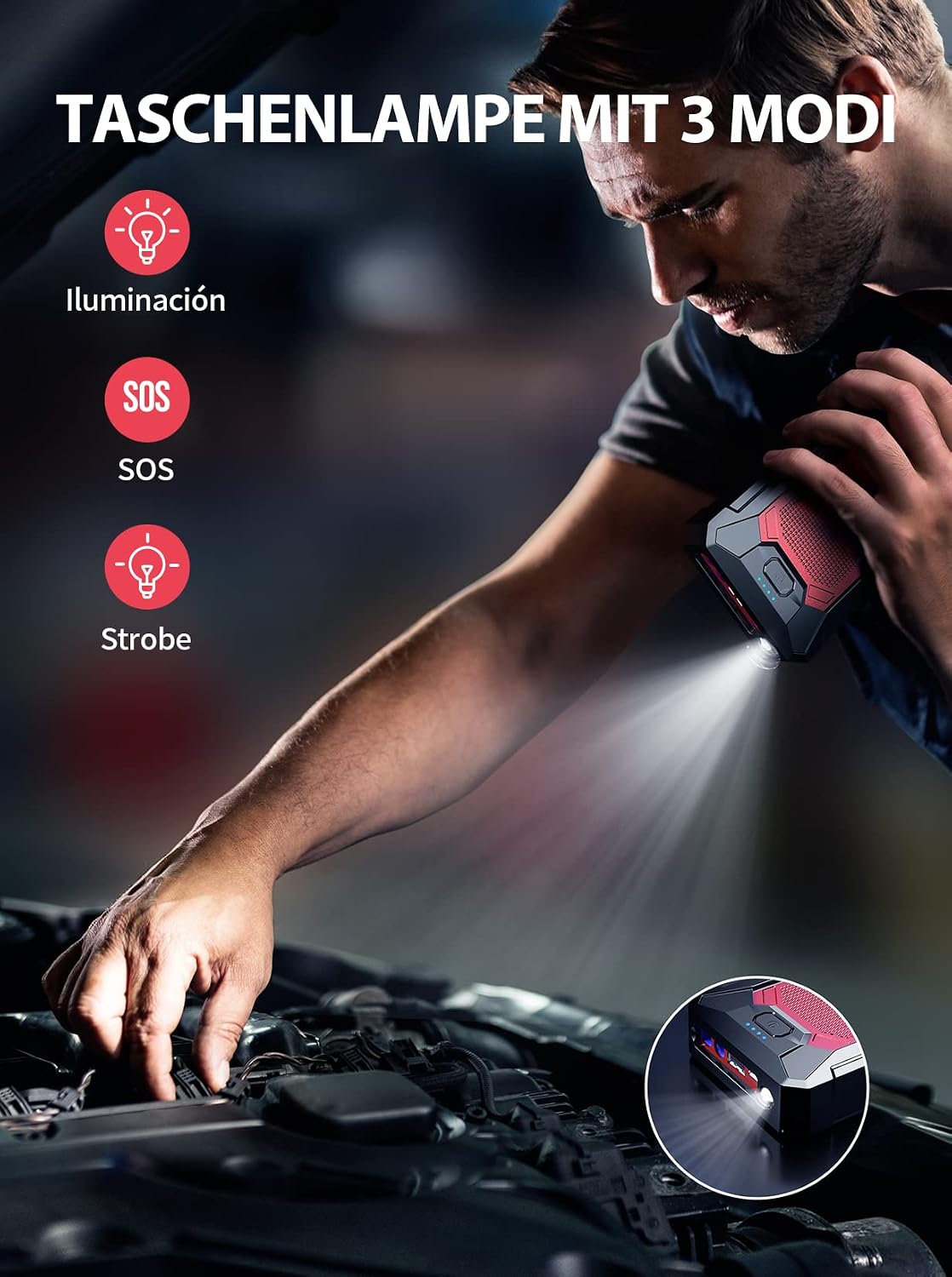
Image Description: A man is shown using the YABER YR200 Jump Starter's integrated LED flashlight to illuminate an engine bay. Icons next to the image illustrate the three available modes: Illumination, SOS, and Strobe.
6. Maintenance and Storage
- Clean the device with a dry, soft cloth. Do not use harsh chemicals or abrasive materials.
- Store the jump starter in its provided case in a cool, dry place between 0°C and 40°C (32°F and 104°F).
- Avoid exposing the device to extreme temperatures, direct sunlight, or moisture.
- Recharge the device at least once every 3-6 months to prolong battery life.

Image Description: The YABER YR200 Jump Starter is depicted in two scenarios: one with water splashing around it, indicating its waterproof capability, and another with dust surrounding it, highlighting its dustproof feature. This emphasizes its IP66 rating.
7. Troubleshooting
| Problem | Possible Cause | Solution |
|---|---|---|
| Device does not turn on. | Battery is depleted. | Charge the jump starter fully. |
| Vehicle does not start. | Incorrect clamp connection (reverse polarity). | Ensure red clamp is on positive (+), black on negative (-). The smart clamps have protection. |
| Vehicle does not start. | Jump starter battery too low. | Ensure jump starter is sufficiently charged (at least 3 LEDs). |
| Vehicle does not start. | Vehicle battery is severely damaged or completely dead. | Consult a professional mechanic. |
| USB charging not working. | USB cable is faulty or not properly connected. | Try a different USB cable and ensure secure connection. |
8. Specifications
| Feature | Detail |
|---|---|
| Model | YR200 |
| Peak Current | 2000A |
| Battery Capacity | 12000mAh |
| Start Voltage | 12V |
| USB Output | 5V/2.1A |
| Waterproof Rating | IP66 |
| Dimensions (L x W x H) | 14 x 8.5 x 2.7 cm (5.5 x 3.3 x 1.1 inches) |
| Weight | 320 g (0.7 lbs) |
| Operating Temperature | -20°C to 60°C (-4°F to 140°F) (Inferred, common for jump starters) |
9. Warranty and Support
YABER products come with a standard warranty. For detailed warranty information, product support, or technical assistance, please refer to the warranty card included with your product or visit the official YABER website. You can also contact YABER customer service directly through the retailer where you purchased the product.
Official YABER Store: Visit YABER Store on Amazon
Related documentsYR200


Ask a question about this manual
Ask about setup, troubleshooting, compatibility, parts, safety, or missing instructions. Manuals+ will review the question and use this page’s manual context to help answer it.