
1. Introduction
This manual provides detailed instructions for the proper setup, operation, and maintenance of your Technical Pro RX400X4 4-channel Bluetooth home receiver and (8) Rockville D4-8 wall-mount swivel outdoor speakers. This comprehensive audio system is designed to deliver strong, balanced sound for various environments, including patios, backyards, garages, or commercial spaces. Please read this manual thoroughly before using the product to ensure optimal performance and safety.
2. Important Safety Information
- Electrical Safety: Always ensure the power supply matches the voltage requirements specified on the unit. Disconnect power before making any connections or performing maintenance. Do not expose the receiver to rain or moisture.
- Ventilation: Ensure adequate ventilation for the receiver. Do not block ventilation openings. Overheating can lead to malfunction.
- Speaker Placement: Securely mount speakers to prevent them from falling. While the Rockville D4-8 speakers are weather-resistant, avoid direct exposure to extreme weather conditions for prolonged periods.
- Servicing: Do not attempt to service this product yourself. Refer all servicing to qualified service personnel. Opening the receiver unit will void the warranty.
- Cleaning: Use a soft, dry cloth for cleaning. Do not use liquid cleaners or aerosols.
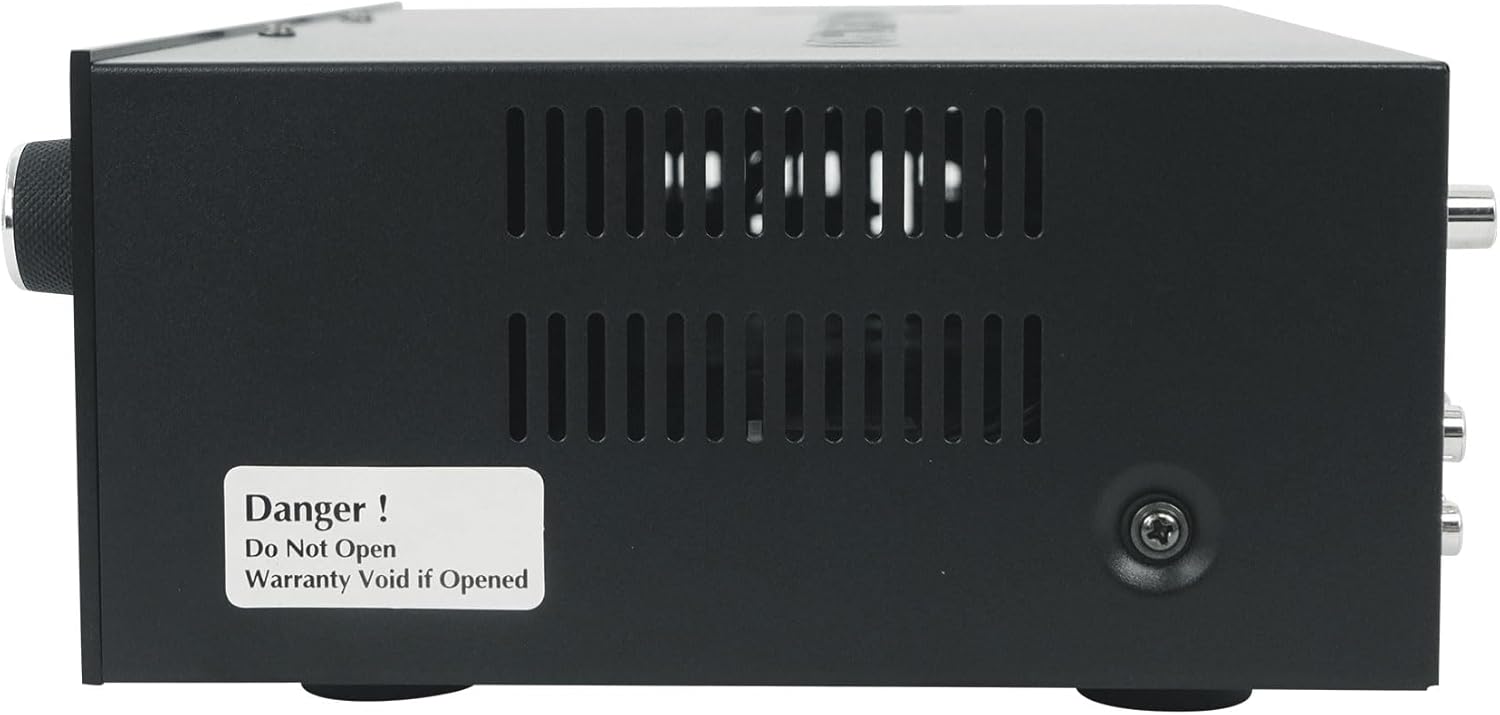
Figure 2.1: Receiver side panel showing a warning label. This image displays the side of the Technical Pro RX400X4 receiver, highlighting a warning sticker that states "Danger! Do Not Open Warranty Void if Opened." This emphasizes the importance of not opening the unit to maintain warranty coverage.
3. Package Contents
Please check the package contents to ensure all items are present and in good condition:
- (1) Technical Pro RX400X4 4-Channel Bluetooth Home Receiver with Microphone Inputs
- (8) Rockville D4-8 Black Dual 4" 8 Ohm Wall Mount Swivel Outdoor Home Patio Speakers
- (1) Remote Control for RX400X4 Receiver
- Mounting Hardware for Speakers (pre-attached swivel brackets)
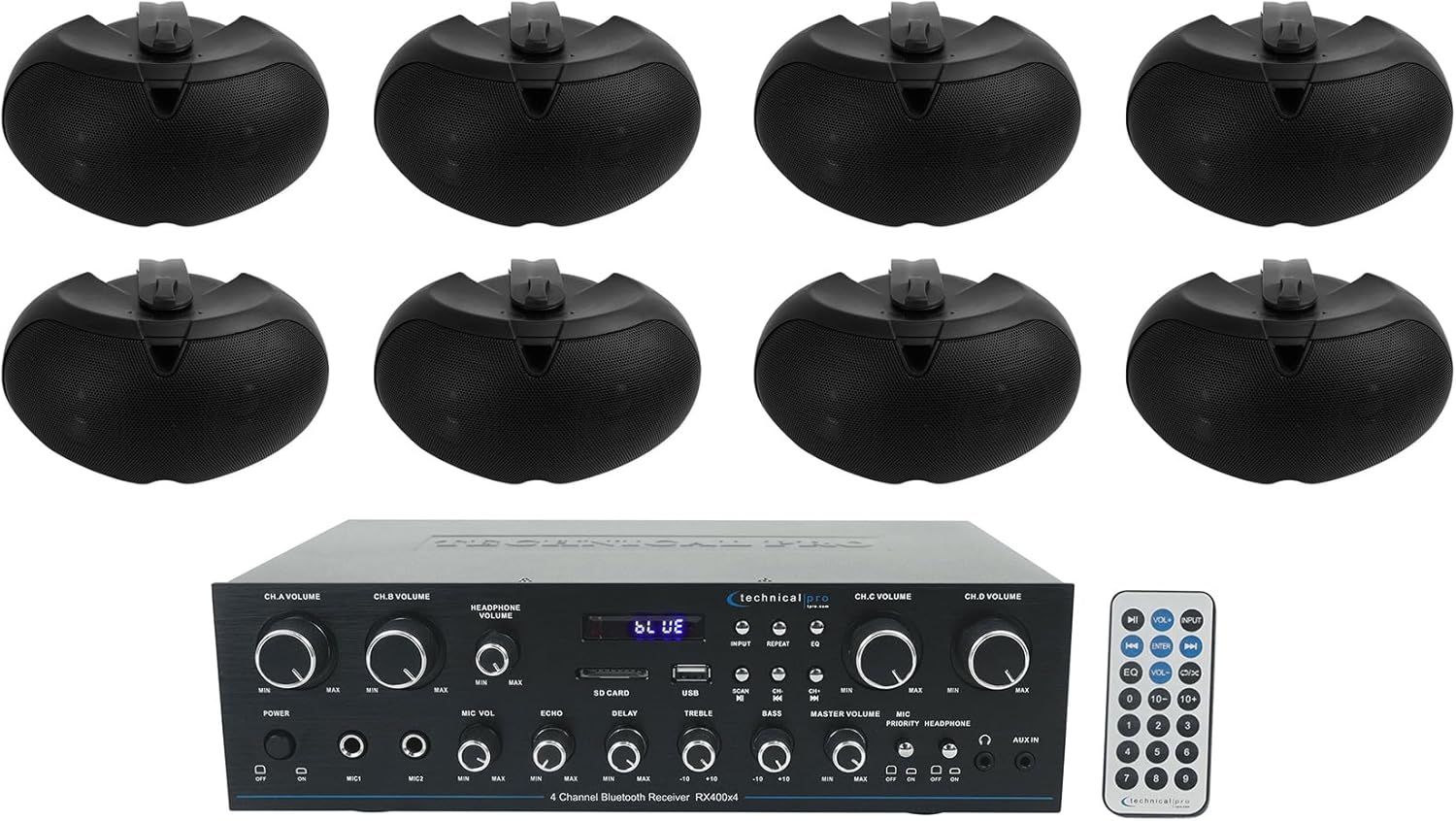
Figure 3.1: Complete System Bundle. This image shows the entire product bundle, including the Technical Pro RX400X4 receiver at the bottom and eight Rockville D4-8 speakers arranged above it, providing a visual representation of all included components.
4. Product Overview
4.1 Technical Pro RX400X4 Receiver
The RX400X4 is a versatile 4-channel home receiver designed to be the central hub of your audio system. It features Bluetooth connectivity for wireless streaming, multiple microphone inputs for live use, and various audio inputs for connecting external devices.

Figure 4.1: RX400X4 Front Panel and Remote. This image displays the front panel of the Technical Pro RX400X4 receiver, showing all controls, inputs, and the digital display. The included remote control is also visible to the right of the receiver.
Key Features:
- 4-Channel Speaker Outputs (A, B, C, D)
- Bluetooth Wireless Connectivity
- USB and SD Card Playback
- Multiple Microphone Inputs (MIC1, MIC2) with Echo and Delay controls
- Auxiliary (AUX) Input
- Master Volume, Channel Volume, Headphone Volume, and Microphone Volume controls
- Treble and Bass Tone Controls
- Headphone Output

Figure 4.2: RX400X4 Rear Panel (Speaker Outputs). This image provides a clear view of the rear panel of the RX400X4 receiver, specifically highlighting the four sets of speaker output terminals (Channels A, B, C, D) for connecting your speakers.

Figure 4.3: RX400X4 Rear Panel (Inputs). This detailed image of the receiver's rear panel shows the auxiliary (AUX) and line input/output RCA jacks, as well as the FM antenna connection point, illustrating the various connectivity options.
4.2 Rockville D4-8 Outdoor Speakers
The Rockville D4-8 speakers are designed for both outdoor and indoor use, featuring weather-resistant construction and a compact design. Each speaker houses dual 4-inch woofers and a rear bass port to deliver powerful and clear audio.

Figure 4.4: Rockville D4-8 Front View. This image shows the front grille of a single Rockville D4-8 speaker, highlighting its oval shape and protective mesh, designed for outdoor durability.
Key Features:
- Dual 4" Woofers for enhanced bass and mid-range
- 8 Ohm Impedance
- Weather-resistant sealed enclosures
- Swivel wall-mount brackets for flexible positioning
- Rear bass port design

Figure 4.5: Rockville D4-8 Angled View with Bracket. This image provides an angled view of the Rockville D4-8 speaker, clearly showing the integrated swivel wall-mount bracket that allows for directional adjustment.

Figure 4.6: Rockville D4-8 Rear View. This image shows the rear of the Rockville D4-8 speaker, detailing the input terminals for speaker wire connection and the model information label.
5. Setup Guide
5.1 Unpacking and Inspection
Carefully remove all components from the packaging. Inspect each item for any signs of damage. If any item is damaged or missing, contact your retailer immediately.
5.2 Receiver Placement
Place the RX400X4 receiver on a flat, stable surface. Ensure there is adequate space around the unit for proper ventilation to prevent overheating. Avoid placing it near heat sources or in direct sunlight.
5.3 Speaker Placement and Mounting
The Rockville D4-8 speakers are designed for wall mounting using the integrated swivel brackets. Consider the following for optimal sound coverage:
- Location: Choose locations that provide even sound distribution across your desired listening area. For outdoor use, consider sheltered areas to minimize direct exposure to harsh weather, despite their weather-resistant design.
- Mounting: Use appropriate screws and anchors for your wall material (wood, brick, concrete, etc.). Ensure the mounting surface can support the weight of the speakers.
- Direction: Utilize the swivel brackets to angle each speaker towards the primary listening area for the best audio experience.
5.4 Wiring Connections
Before making any connections, ensure the RX400X4 receiver is turned OFF and unplugged from the power outlet.
- Speaker Connections:
- Connect speaker wires from the Rockville D4-8 speakers to the speaker output terminals on the rear of the RX400X4 receiver (Channels A, B, C, D).
- Ensure correct polarity: connect the positive (+) terminal on the speaker to the positive (+) terminal on the receiver, and the negative (-) terminal on the speaker to the negative (-) terminal on the receiver. Incorrect polarity can result in poor sound quality.
- The D4-8 speakers have an 8 Ohm impedance. Ensure your wiring configuration respects the receiver's impedance requirements.
- Audio Input Connections (Optional):
- AUX Input: Use an RCA cable to connect external audio sources (e.g., CD player, DVD player, TV) to the "AUX IN" RCA jacks on the receiver's rear panel.
- USB/SD Card: Insert a USB drive or SD card into the respective slots on the front panel for digital media playback.
- Microphones: Connect microphones to the MIC1 or MIC2 inputs on the front panel.
- FM Antenna Connection:
- Connect the included FM antenna to the "FM ANTENNA" terminal on the rear of the receiver for radio reception.
- Power Connection:
- Once all audio connections are made, plug the receiver's power cord into a standard AC power outlet.
6. Operating Instructions
6.1 Powering On/Off
Press the POWER button on the front panel or the remote control to turn the unit on or off.
6.2 Input Selection
Press the INPUT button on the front panel or the remote control to cycle through available audio sources: Bluetooth, USB, SD Card, AUX.
6.3 Bluetooth Pairing
- Select "Bluetooth" as the input source on the receiver. The display will show "BLUE" and flash, indicating it's in pairing mode.
- On your Bluetooth-enabled device (smartphone, tablet, etc.), enable Bluetooth and search for available devices.
- Select "Technical Pro" or "RX400X4" from the list of devices.
- Once paired, the "BLUE" indicator on the receiver's display will stop flashing and remain solid. You can now stream audio wirelessly.
6.4 USB/SD Card Playback
Insert a USB flash drive or SD card containing audio files into the respective slot. The receiver will automatically switch to the USB/SD input and begin playback. Use the SCAN, CH-/CH+ (previous/next track), INPUT (play/pause), and REPEAT buttons on the front panel or remote to control playback.
6.5 Microphone Usage
Connect up to two microphones to the MIC1 and MIC2 inputs. Adjust the MIC VOL knob to control the microphone volume. Use the ECHO and DELAY knobs to add effects to the microphone audio.
6.6 Volume and Tone Controls
- MASTER VOLUME: Controls the overall output volume of the system.
- CH.A/B/C/D VOLUME: Adjusts the individual volume for each speaker channel.
- HEADPHONE VOLUME: Controls the volume for the headphone output.
- TREBLE/BASS: Adjust these knobs to fine-tune the high and low frequencies of the audio output.
7. Maintenance
- Cleaning: Regularly wipe the receiver and speakers with a soft, dry, lint-free cloth. Do not use abrasive cleaners, waxes, or solvents as they may damage the finish.
- Ventilation: Ensure the receiver's ventilation slots remain clear of dust and debris to prevent overheating.
- Speaker Care: While weather-resistant, occasional cleaning of the speaker grilles can prevent dirt buildup. For prolonged periods of non-use in harsh outdoor conditions, consider covering the speakers.
- Storage: If storing the system for an extended period, disconnect it from power and store it in a cool, dry place away from direct sunlight and extreme temperatures.
8. Troubleshooting
| Problem | Possible Cause | Solution |
|---|---|---|
| No power to receiver. | Power cord not securely plugged in; Power outlet not active. | Ensure power cord is fully inserted into the receiver and wall outlet. Test the outlet with another device. |
| No sound from speakers. | Incorrect input selected; Speaker wires loose or incorrectly connected; Volume too low; Mute function active. | Select the correct input source. Check all speaker wire connections for proper polarity and secure fit. Increase Master Volume and individual channel volumes. Ensure mute is off. |
| Bluetooth pairing issues. | Receiver not in pairing mode; Device too far; Interference. | Ensure receiver input is set to Bluetooth and "BLUE" is flashing. Move device closer to receiver. Turn off other Bluetooth devices nearby. Try unpairing and re-pairing. |
| Distorted or poor sound quality. | Speaker wires incorrectly connected (polarity); Volume too high (clipping); Source audio quality is poor; Treble/Bass settings. | Verify speaker wire polarity. Reduce volume to prevent distortion. Check the quality of the audio source. Adjust Treble and Bass controls. |
| Microphone not working. | Microphone not plugged in correctly; MIC VOL knob too low; Microphone faulty. | Ensure microphone is fully inserted into MIC1/MIC2 input. Increase MIC VOL. Test with another microphone if available. |
9. Specifications
Technical Pro RX400X4 Receiver
- Connectivity Technology: Auxiliary, Bluetooth, RCA, USB
- Audio Output Mode: Surround
- Frequency Response: 20 KHz (Upper limit, typical for audio systems)
- Power Source: Corded Electric
- Product Dimensions: 6.6"D x 12.05"W x 8.7"H (Approximate, for receiver)
Rockville D4-8 Outdoor Speakers
- Speaker Type: Outdoor
- Mounting Type: Plug Mount, Wall Mount
- Speaker Maximum Output Power: 1600 Watts (Peak Power)
- Impedance: 8 Ohm
- Is Waterproof: FALSE (Weather-resistant, not fully waterproof)
General System Information
- Brand: Technical Pro / Rockville
- Model Number: RX400X4+(4) D4-8 BLACK
- UPC: 613817056117
- Item Weight: 101.4 pounds (Total bundle weight)
- Date First Available: May 11, 2022
10. Warranty and Support
This product is manufactured by Technical Pro. For warranty information and technical support, please refer to the documentation included with your purchase or visit the official Technical Pro website. Please note that opening the receiver unit will void the product warranty, as indicated by the warning label on the device.
For further assistance, you may also visit the Technical Pro Store on Amazon.


