
AIMIBO B09X9V3DLF
AIMIBO Wireless HDMI Transmitter and Receiver 4K (2 Pack) Instruction Manual
Model: B09X9V3DLF
Introduction
This manual provides detailed instructions for the setup, operation, maintenance, and troubleshooting of your AIMIBO Wireless HDMI Transmitter and Receiver 4K (2 Pack). This device allows for wireless transmission of 4K video and audio signals from various source devices to displays such as TVs, monitors, or projectors, offering a flexible and cable-free viewing experience.
Product Overview
The AIMIBO Wireless HDMI system consists of a Transmitter (TX) and a Receiver (RX) unit. These units work together to extend HDMI signals wirelessly, supporting resolutions up to 4K@30Hz. The system operates on 2.4G/5G dual-band frequencies for stable and low-latency transmission.

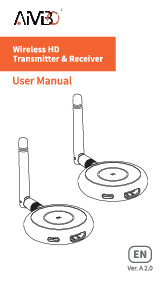
Image: AIMIBO Wireless HDMI Transmitter (TX) and Receiver (RX) units. The image displays both the Transmitter (TX) and Receiver (RX) units, highlighting their distinct labels and the direction of signal flow from output devices to input devices.
Setup Instructions
Follow these steps to set up your AIMIBO Wireless HDMI system:
- Identify Units: Distinguish between the Transmitter (TX) and Receiver (RX) units. The Receiver (RX) unit typically requires the 5G external antenna for optimal performance.
- Connect Receiver (RX): Plug the Receiver (RX) unit into an HDMI input port on your display device (TV, monitor, projector). Connect the USB power cable from the RX unit to a USB port on your TV/monitor or a USB power adapter (not included) for power. Ensure the 5G external antenna is connected to the RX unit.
- Connect Transmitter (TX): Plug the Transmitter (TX) unit into an HDMI output port on your source device (laptop, Blu-ray player, camera, TV box, etc.). Connect the USB power cable from the TX unit to a USB port on your source device or a USB power adapter for power.
- Power On: Power on both your source device and your display device.
- Automatic Pairing: The Transmitter and Receiver units are designed for automatic pairing. Wait approximately 3-5 seconds for the devices to sync and begin streaming. No additional apps, Bluetooth, or Wi-Fi configuration is required for basic operation.
- Language Selection: During the initial setup, you may be prompted to select your preferred language.

Image: Wide Compatibility Diagram. This diagram illustrates how the Transmitter (TX) connects to various output devices like cameras, PCs, laptops, and cable boxes, while the Receiver (RX) connects to input devices such as TVs, monitors, and projectors. It also shows screen mirroring capabilities from laptops, smartphones, and tablets.

Image: Plug and Play Setup. This image demonstrates the simple connection process: plug the 5G external antenna to the Receiver (RX) and connect its USB cable for power, then insert the Transmitter (TX) into an output device like a laptop and connect its USB cable for power. The system automatically streams after a short wait.
Operating Instructions
Basic Operation
- Once connected and powered, the system will automatically establish a wireless connection. The display connected to the RX unit will show the content from the device connected to the TX unit.
- The system supports 4K@30Hz ultra HD resolution, providing a high-quality viewing experience for movies, sports, and other content.
- The dual-band 2.4/5Ghz antenna ensures stable transmission with low latency (approximately 0.1 seconds) in a barrier-free environment up to 165 feet (50 meters). Note that transmission range may be reduced to 32 feet (10 meters) when passing through walls or floors.
Advanced Features
- Multiple Transmitters to One Receiver: The system supports connecting up to 8 Transmitters (TX) to a single Receiver (RX). You can switch between different source devices by pressing a button on the active Transmitter. This feature is ideal for conference rooms or multi-source setups.
- Mobile Device Streaming: A single Receiver (RX) can stream videos from a phone or tablet to a TV by connecting to the Wi-Fi network displayed on the main screen. This supports Android, iOS, and Windows devices.

Image: Smooth Streaming with Dual-Band Technology. This image highlights the 5.8GHz and 2.4GHz dual-band capabilities, indicating faster and more stable transmission with 5.8GHz, and the ability to stream 4K content from a mobile device to a large screen.

Image: Home Theater Setup. A person is shown enjoying content on a large TV screen, demonstrating the use of the wireless HDMI system for home entertainment, compatible with various streaming services.

Image: Multi-Room Setup. This image illustrates the extended range of 165 feet (50 meters), allowing for a setup where the Transmitter (TX) is in one room (e.g., study room) and the Receiver (RX) is in another (e.g., living room), enabling content sharing across different spaces.

Image: 1 to 1 Connection & 1 to 8 Connection. This image depicts a meeting room scenario where multiple laptops (TX1, TX2, TX3, TX4) are wirelessly connected to a single large display (RX), allowing for easy switching between presenters.
Maintenance
- Cleaning: Use a soft, dry cloth to clean the surfaces of the Transmitter and Receiver units. Do not use liquid cleaners or abrasive materials.
- Storage: When not in use for extended periods, store the devices in a cool, dry place away from direct sunlight and extreme temperatures.
- Handling: Handle the units with care to avoid physical damage. Do not drop or expose them to excessive force.
Troubleshooting
| Problem | Possible Cause | Solution |
|---|---|---|
| No signal on display. |
|
|
| Poor video quality or flickering. |
|
|
| No audio. |
|
|
Specifications
| Feature | Detail |
|---|---|
| Brand | AIMIBO |
| Model Number | B09X9V3DLF |
| Connectivity Technology | HDMI, Wi-Fi |
| Color | Black |
| Wireless Communication Standard | Bluetooth (Note: Primary function is HDMI extension via Wi-Fi) |
| Compatible Devices | Laptop, Tablet, Camera, Blu-ray, TV Box, TV, Monitor, Projector, Smartphone, Speaker |
| Manufacturer | AIMIBO |
| Unit Count | 2 (Transmitter and Receiver pair) |
| Connector Type | HDMI |
| Number of Ports | 1 (per unit for HDMI) |
| Controller Type | Button Control |
| Max Resolution | 4K@30Hz |
| Transmission Range | Up to 165FT/50M (barrier-free), 32FT/10M (through walls/floors) |
| Latency | 0.1 seconds |
| Frequency Band | 2.4G/5G Dual Band |
Warranty and Support
For warranty information or technical support, please refer to the product packaging or contact AIMIBO customer service directly. Contact details can typically be found on the manufacturer's official website or through your purchase platform.
Related documentsB09X9V3DLF



Ask a question about this manual
Ask about setup, troubleshooting, compatibility, parts, safety, or missing instructions. Manuals+ will review the question and use this page’s manual context to help answer it.