1. Introduction
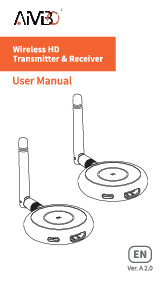
The AIMIBO Q3 Wireless HDMI Transmitter and Receiver Kit provides a solution for wirelessly transmitting 4K video and audio signals. This kit is designed to extend HDMI signals from a source device to a display device without the need for cables, offering flexibility for various applications including home entertainment, business presentations, and educational settings.
2. What's in the Box
- 1x HDMI Wireless Transmitter (TX)
- 1x HDMI Wireless Receiver (RX)
- 1x USB-C Power Cable
- 1x External Antenna (for RX)
- 1x Micro HDMI Adapter
- 1x Mini HDMI Adapter
- 1x User Manual

Video 2.1: This video demonstrates the unboxing and shows all the items included in the AIMIBO Wireless HDMI Kit.
3. Product Overview
The AIMIBO Q3 kit consists of two main units: a Transmitter (TX) and a Receiver (RX). Both units are compact and feature an HDMI connector for video/audio and a USB-C port for power. The Receiver (RX) also includes a port for an external antenna to enhance signal reception.


4. Setup Instructions
The AIMIBO Q3 kit is designed for plug-and-play operation, requiring no software installation or network configuration for basic use.
4.1 Basic Connection (Transmitter to Receiver)
- Connect Receiver (RX): Plug the RX unit into an available HDMI input port on your display device (HDTV, projector, or monitor). Connect the external antenna to the RX unit.
- Power Receiver (RX): Connect the USB-C power cable to the RX unit and plug the USB-A end into a USB power source (e.g., a USB port on your TV/monitor or a USB power adapter).
- Connect Transmitter (TX): Plug the TX unit into the HDMI output port of your source device (e.g., laptop, PC, camera, Blu-ray player, PS5).
- Power Transmitter (TX): Connect the USB-C power cable to the TX unit and plug the USB-A end into a USB power source (e.g., a USB port on your source device or a USB power adapter).
- Auto-Sync: Wait approximately 5 seconds for the units to automatically synchronize. The indicator light on both units will turn solid when connected successfully.


Video 4.1: This video provides a comprehensive overview of the AIMIBO Wireless HDMI Extender 4K, including setup and features.
5. Operating Instructions
5.1 Mobile Device Casting (Receiver Only)
The Receiver (RX) unit can also function as a standalone wireless display dongle, allowing direct casting from mobile devices without the Transmitter (TX).
- Connect and Power RX: Ensure the RX unit is connected to your display and powered on.
- Connect Mobile Device to RX Wi-Fi: On your mobile device, connect to the Wi-Fi hotspot broadcast by the RX unit. The SSID will typically be in the format RX-BF3F20A1 (or similar, check your display for the exact SSID). The default password is 12345678.
- Initiate Screen Mirroring:
- For Android Devices: Pull down the notification bar and select the