
BIRD VAOOO55
BirdBike A-Frame eBike User Manual
Model: VAOOO55
Introduction
Welcome to the BirdBike A-Frame eBike user manual. This guide provides essential information for the safe assembly, operation, maintenance, and troubleshooting of your new electric bicycle. Please read this manual thoroughly before your first ride to ensure optimal performance and safety.
The BirdBike A-Frame is designed for commuting and leisurely riding, offering a blend of traditional cycling and electric assistance. Its robust carbon fiber frame and integrated features provide a smooth and efficient riding experience.

Image: Side view of the BirdBike A-Frame eBike, showcasing its sleek design and integrated battery within the frame.
Safety Information
Your safety is paramount. Always adhere to the following safety guidelines:
- Always wear a helmet that meets local safety standards.
- Obey all local traffic laws and regulations.
- Perform a pre-ride inspection before each use, checking brakes, tires, and battery level.
- Do not ride under the influence of alcohol or drugs.
- Be aware of your surroundings and potential hazards.
- Avoid riding in adverse weather conditions, such as heavy rain or snow, as this can affect performance and safety.
- Ensure the battery is securely locked in place before riding.
- Do not exceed the maximum weight recommendation of 265 pounds.
Components Overview
Familiarize yourself with the main components of your BirdBike A-Frame eBike:
- Frame: Carbon Fiber A-Frame design.
- Motor: Rear hub motor providing electric assist.
- Battery: Integrated, removable battery with 460.8 Watt Hours capacity.
- Display: Digital display on the handlebars for speed, battery, and assist level.
- Brakes: Linear Pull brake style for reliable stopping power.
- Tires: Kenda tires designed for urban and road use.
- Drivetrain: Belt drive system for clean and low-maintenance operation.
- Lights: Integrated front headlight and rear taillight.

Image: Front-angle view of the BirdBike A-Frame eBike, highlighting the front wheel, handlebars, and integrated headlight.
Setup and Assembly
Your BirdBike A-Frame eBike requires some assembly before its first use. Please follow these steps carefully:
- Unpacking: Carefully remove all components from the packaging. Retain packaging for future transport or storage.
- Handlebar Installation: Attach the handlebars to the stem, ensuring they are centered and tightened securely.
- Front Wheel Installation: Install the front wheel, ensuring the brake rotor is correctly aligned with the caliper. Tighten the quick-release or axle nuts firmly.
- Pedal Installation: Identify the left (L) and right (R) pedals. Thread the pedals into the crank arms. Note that the left pedal is reverse-threaded. Tighten with a wrench.
- Seat Post and Saddle: Insert the seat post into the frame and adjust the saddle height to a comfortable riding position. Secure the quick-release lever.
- Battery Insertion: Insert the fully charged battery into its compartment within the frame and lock it securely with the provided key.
- Pre-Ride Check: Before your first ride, double-check all bolts, connections, and tire pressure. Ensure brakes are functioning correctly.

Image: Direct front view of the BirdBike A-Frame eBike, showing the front wheel, fork, and headlight, useful for assembly reference.
Operating Instructions
Operating your BirdBike A-Frame eBike is intuitive. Follow these steps to get started:
Powering On/Off
- To power on the eBike, press and hold the power button on the digital display until it illuminates.
- To power off, press and hold the power button again until the display turns off.
Digital Display
The digital display provides key information during your ride:
- Speed: Current riding speed.
- Battery Level: Indicates remaining battery charge.
- Assist Level: Shows the current pedal assist level (0-3).
- Odometer/Trip Meter: Displays total distance or current trip distance.

Image: Close-up view of the BirdBike A-Frame eBike handlebars and digital display, showing the controls and information screen.
Pedal Assist System (PAS)
The BirdBike A-Frame features a Pedelec electric assist type. The motor provides assistance only when you are pedaling.
- Use the '+' and '-' buttons on the handlebar controls to adjust the pedal assist level (0-3).
- Level 0: No electric assist (pure pedal power).
- Level 1-3: Increasing levels of motor assistance.
- The maximum assisted speed is 20 mph.
Braking
The eBike is equipped with linear pull brakes. Apply both front and rear brakes simultaneously for effective stopping. Practice braking in a safe area before riding in traffic.
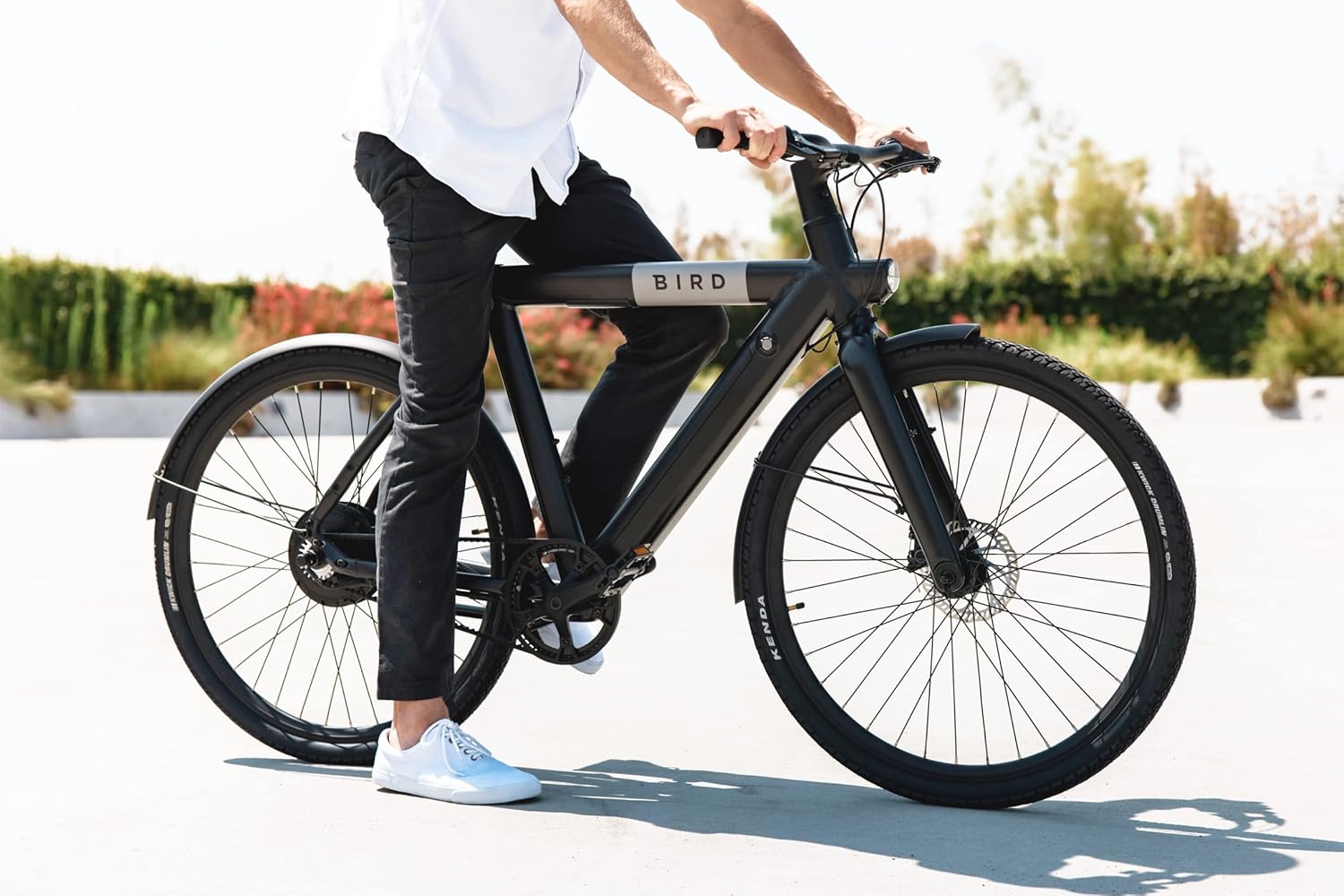
Image: A person riding the BirdBike A-Frame eBike on a paved surface, demonstrating typical use.
Maintenance
Regular maintenance ensures the longevity and safe operation of your BirdBike A-Frame eBike.
General Care
- Cleaning: Wipe down the frame and components with a damp cloth. Avoid high-pressure washing directly on electrical components.
- Storage: Store the eBike in a cool, dry place, away from direct sunlight and extreme temperatures. If storing for extended periods, keep the battery charged to 50-70%.
- Tire Pressure: Check tire pressure regularly and inflate to the recommended PSI found on the tire sidewall.
- Brakes: Inspect brake pads for wear and ensure brake levers are firm. Adjust or replace as needed.
- Belt Drive: The belt drive system requires minimal maintenance compared to a chain, but periodically check for debris or damage.
Battery Care
- Use only the original charger provided with your eBike.
- Do not overcharge or completely drain the battery.
- Charge the battery in a well-ventilated area.
- Avoid exposing the battery to extreme heat or cold.
Troubleshooting
This section addresses common issues you might encounter with your BirdBike A-Frame eBike.
| Problem | Possible Cause | Solution |
|---|---|---|
| eBike does not power on | Battery not charged or not properly inserted; loose electrical connection. | Ensure battery is fully charged and securely locked. Check all visible cable connections. |
| Motor not assisting | Pedal assist level is 0; battery low; brake levers engaged. | Increase assist level. Charge battery. Ensure brake levers are fully released. |
| Brakes squealing or ineffective | Dirty brake pads/rotors; worn brake pads; misaligned caliper. | Clean brake pads and rotors. Inspect and replace worn pads. Adjust caliper alignment. |
| Unusual noises during riding | Loose components; debris in belt drive; spoke tension issues. | Inspect all bolts and tighten as necessary. Clean belt drive. Check spoke tension. |
If you encounter issues not listed here or require further assistance, please contact customer support.
Specifications
Detailed technical specifications for the BirdBike A-Frame eBike:
- Model Name: VAOOO55
- Brand: BIRD
- Bike Type: Commuting Bike, Electric Bike, Road Bike
- Age Range: Adult
- Number of Speeds: 2
- Frame Material: Carbon Fiber
- Suspension Type: Rear
- Special Feature: Digital Display
- Brake Style: Linear Pull
- Power Source: Battery
- Lithium Battery Energy Content: 460.8 Watt Hours
- Maximum Weight Recommendation: 265 Pounds
- Assembly Required: Yes
- Bicycle Drivetrain Type: Electric (Pedelec)
- Item Dimensions (LxWxH): 72 x 41 x 27 inches
- UPC: 810029161954

Image: Rear-angle view of the BirdBike A-Frame eBike, showing the rear wheel, belt drive, and integrated taillight.
Warranty and Support
Your BirdBike A-Frame eBike comes with a Limited Warranty. Please refer to the warranty card included with your purchase for specific terms and conditions. Keep your proof of purchase for warranty claims.
For technical support, parts, or warranty inquiries, please contact Bird customer service. Contact information can typically be found on the Bird website or on your purchase documentation.
Note: Warranty coverage may vary based on purchase location and retailer. Products not purchased directly from Bird or authorized retailers may have different support policies.
Related documentsVAOOO55


Ask a question about this manual
Ask about setup, troubleshooting, compatibility, parts, safety, or missing instructions. Manuals+ will review the question and use this page’s manual context to help answer it.