
1. Product Overview
The PROHEAR 033 Bluetooth Hearing Protection Headphones are designed to provide effective noise reduction while allowing for audio entertainment and communication. This device integrates Bluetooth 5.0 technology, FM/AM radio, and a built-in rechargeable battery. The included GEP01 Gel Ear Pads offer enhanced comfort and sealing.

Image 1.1: PROHEAR 033 Headphones, GEP01 Gel Ear Pads, carrying bag, and packaging.
Key Features:
- Bluetooth 5.0 Connectivity: For stable wireless audio streaming and hands-free calling.
- Integrated FM/AM Radio: High reception sensitivity with automatic and manual tuning, and station presets.
- Noise Reduction Rating (NRR): 25dB for effective hearing protection.
- Rechargeable Battery: Built-in 2000mAh battery providing extended playtime.
- GEP01 Gel Ear Pads: Designed for improved comfort, sealing, and durability.
- LCD Display: For easy viewing of radio tuning and settings.
2. Setup
2.1 Charging the Headphones
Before initial use, fully charge the PROHEAR 033 headphones. The built-in 2000mAh rechargeable battery provides approximately 48 hours of playtime in Bluetooth mode and over 40 hours in wired or FM/AM radio mode. A full charge typically takes about 6 hours.
- Connect the provided charging cable to the charging port on the headphones.
- Plug the other end of the cable into a compatible USB power source (e.g., computer USB port, wall adapter).
- The charging indicator will illuminate. Once charging is complete, the indicator may change color or turn off, depending on the model.

Image 2.1: Rechargeable battery information and playtime details.
2.2 Bluetooth Pairing
To connect your PROHEAR 033 headphones to a Bluetooth-enabled device:
- Ensure the headphones are powered on and in Bluetooth pairing mode. Refer to the device's specific button functions for activating pairing mode (often indicated by a flashing LED).
- On your smartphone, tablet, or other Bluetooth device, navigate to the Bluetooth settings.
- Search for available devices. The headphones should appear as "PROHEAR 033" or a similar name.
- Select the headphones from the list to initiate pairing. Once connected, a confirmation tone or LED indicator will signify successful pairing.
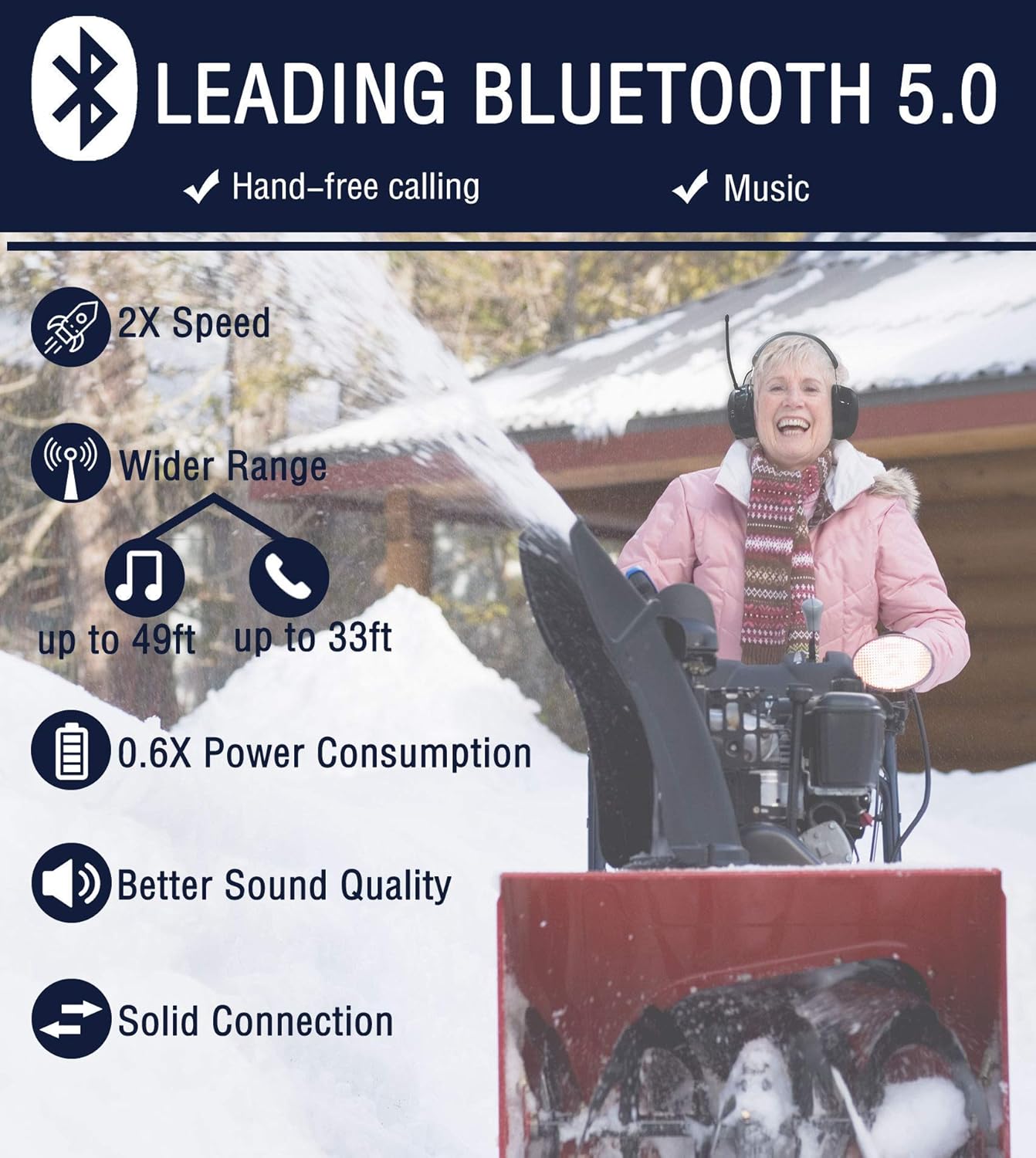
Image 2.2: Benefits of Bluetooth 5.0 technology.
3. Operation
3.1 Bluetooth Audio and Calls
Once paired, you can stream audio from your device and manage calls directly from the headphones.
- Audio Playback: Use the controls on the headphones (e.g., play/pause, next/previous track, volume) to manage your music or other audio content.
- Hands-Free Calling: The integrated microphone and multifunctional button allow you to answer, end, or reject calls without removing the earmuffs.

Image 3.1: High-fidelity speakers for premium sound quality.
3.2 FM/AM Radio Function
The PROHEAR 033 headphones feature a high-sensitivity antenna for clear radio reception.
- Tuning: Use the dedicated buttons to switch between FM and AM bands. The LCD display will show the current frequency.
- Automatic Scan: Activate the automatic scan function to find and save available radio stations.
- Manual Tuning: Fine-tune to specific frequencies using the manual tuning controls.
- Presets: Save up to 10 AM and 10 FM stations for quick access.
4. GEP01 Gel Ear Pad Installation and Compatibility
4.1 Compatibility
The PROHEAR GEP01 Gel Ear Pads are designed for use with a wide range of 3M PELTOR headsets, including 3M WorkTunes hearing protectors. They are also compatible with ZOHAN EM042, PROHEAR 037, and PROHEAR 033 headsets. Note: These ear pads are not compatible with 3M PELTOR Optime 105 Earmuffs H10A.

Image 4.1: Compatible headset models for GEP01 Gel Ear Pads.
4.2 Installation
The GEP01 Gel Ear Pads are designed for easy, quick installation to enhance comfort and sealing.
- Carefully remove the existing ear pads from your compatible headset.
- Align the GEP01 Gel Ear Pads with the ear cup.
- Press firmly around the edges until the ear pads snap securely into place. The "snap-in" design allows for easy maintenance and replacement.

Image 4.2: GEP01 Gel Ear Pads provide a perfect head seal and reduce noise.
4.3 Features of GEP01 Gel Ear Pads
The GEP01 Gel Ear Pads are constructed with advanced materials for durability and comfort:
- Super-Premium Acoustic Memory Foam: Conforms to your head shape for a closed head seal, enhancing noise blocking.
- Super-Thin Polyurethane Skin: Durable, anti-sweat, easy to clean, and provides a comfortable touch.
- Silicone Gel Filled: Contributes to better noise-blocking and longer-lasting comfort.
- Double-Hump Top Face Design: Engineered for improved softness and sealing.

Image 4.3: Detailed construction of GEP01 Memory Foam Gel Ear Pads.
5. Maintenance
5.1 Cleaning Gel Ear Pads
To maintain hygiene and prolong the life of your GEP01 Gel Ear Pads:
- Clean the outer surface of the ear pads with soapy water as necessary.
- Do not submerge the ear pads in water, as they contain a pinhole-sized air vent for proper functioning.
- Allow the ear pads to air dry completely before reattaching them to the headset.
6. Specifications
| Feature | Detail |
|---|---|
| Model | PROHEAR 033 |
| Bluetooth Version | 5.0 |
| Noise Reduction Rating (NRR) | 25dB (ANSI S3.19-1974, CE 352-1 certified) |
| Battery Capacity | 2000mAh Rechargeable |
| Playtime (Bluetooth Mode) | Up to 48 hours |
| Playtime (Wired/FM/AM Mode) | Over 40 hours |
| Charging Time | Approx. 6 hours |
| Radio Bands | FM/AM |
| Ear Pad Material | Polyurethane (PU) with Silicone Gel and Memory Foam |
| Color | Black |
| ASIN | B09JG7FD3V |

Image 6.1: All-day comfort features of the PROHEAR 033 headphones.

Image 6.2: NRR 25dB rating and typical usage environments.
7. Troubleshooting
If you encounter issues with your PROHEAR 033 headphones, consider the following common solutions:
- No Power: Ensure the battery is fully charged. Connect the headphones to a power source and allow sufficient charging time.
- Bluetooth Connection Issues:
- Ensure Bluetooth is enabled on both the headphones and your device.
- Move the headphones closer to your device to reduce interference.
- Forget the device in your phone's Bluetooth settings and attempt to re-pair.
- Restart both the headphones and your Bluetooth device.
- Poor Radio Reception:
- Extend the antenna fully for optimal reception.
- Move to an open area away from large metal structures or other electronic devices that may cause interference.
- Try manual tuning to fine-tune the station.
- No Sound:
- Check the volume levels on both the headphones and the connected device.
- Ensure the headphones are correctly paired via Bluetooth or the audio cable is fully inserted.
For further assistance, please refer to the Warranty and Support section.
8. Warranty and Support
PROHEAR offers a 50-DAY NO RISK MONEY BACK GUARANTEE and a 1 YEAR WARRANTY for this product. If you encounter any problems or have questions regarding your PROHEAR 033 headphones or GEP01 Gel Ear Pads, please do not hesitate to contact PROHEAR customer support. They are available 24/7 to provide assistance.
You can reach support via Amazon or by emailing support@proheartac.com.

Image 8.1: PROHEAR customer support and warranty information.


