
Taylor 5282621
Taylor Glass Body Composition Digital Bathroom Scale
Model: 5282621
Introduction
The Taylor Glass Body Composition Digital Bathroom Scale is designed to provide comprehensive body composition analysis, including estimates of body fat, muscle mass, and body water percentages, in addition to precise weight measurements. Utilizing advanced BIA (Bioelectrical Impedance Analysis) technology, this scale offers a convenient way to track your health and fitness progress. It features a high capacity of 400 lbs (180 kg / 28 st) with measurements in 0.2 lb (0.1 kg) increments and includes user recognition for up to 4 individuals.
The scale's tempered calming blue glass platform and clear digital readout ensure both durability and ease of use. This manual provides detailed instructions for setting up, operating, and maintaining your scale to ensure accurate and reliable performance.
Important Safety Information
WARNING: This product contains a button cell or coin battery. Button cell batteries can cause severe internal burns if swallowed. Keep new and used batteries away from children. If the battery compartment does not close securely, stop using the product and keep it away from children. If you think batteries might have been swallowed or placed inside any part of the body, seek immediate medical attention.

Image: A visual warning about button cell batteries, showing different sizes of button cell batteries and a graphic indicating keeping them away from children.
- Always use the scale on a hard, flat surface. Using it on carpet or uneven surfaces may affect accuracy.
- Do not immerse the scale in water or use harsh chemical cleaners. Wipe with a damp cloth.
- Avoid dropping the scale or subjecting it to strong impacts, as this may damage the glass platform or internal components.
- This scale is intended for household use only.
- Consult a healthcare professional before making significant changes to your diet, exercise, or weight management plan.
Setup
1. Battery Installation
Your scale requires one AAA battery (included). Locate the battery compartment on the underside of the scale. Open the compartment cover, insert the battery according to the polarity indicators (+/-), and close the cover securely.
2. Initial Calibration (Step-On Technology)
The scale features "Step-On" technology for immediate weight readings. For the first use or if the scale has been moved, it is recommended to calibrate it:
- Place the scale on a hard, flat surface.
- Lightly step onto the scale with one foot, then step off. The display will show "0.0" or a series of numbers before returning to zero. This indicates successful calibration.
- The scale is now ready for use.

Image: The Taylor digital bathroom scale positioned on a wooden floor, ready for use.
3. Setting Up User Profiles (for Body Composition Analysis)
The scale can store profiles for up to 4 users to track body composition data. To set up a user profile:
- With the scale off, press the "SET" button (usually located near the display or on the back).
- The display will show "P-1" (for User 1). Use the Up/Down arrows to select a user number (P-1 to P-4).
- Press "SET" to confirm the user number.
- The display will prompt you to enter your height. Use the Up/Down arrows to adjust the height, then press "SET".
- Next, enter your age using the Up/Down arrows, then press "SET".
- Select your gender (male/female) using the Up/Down arrows, then press "SET".
- Choose between Standard or Athlete mode. Athlete mode is for individuals who engage in intense physical activity regularly. Use the Up/Down arrows to select, then press "SET".
- The profile is now saved. Repeat for other users.
Operating Instructions
1. Basic Weight Measurement
To measure your weight only, simply step onto the scale with both feet. The scale will automatically turn on and display your weight. Remain still until the reading stabilizes. The scale will automatically turn off after a few seconds of inactivity.
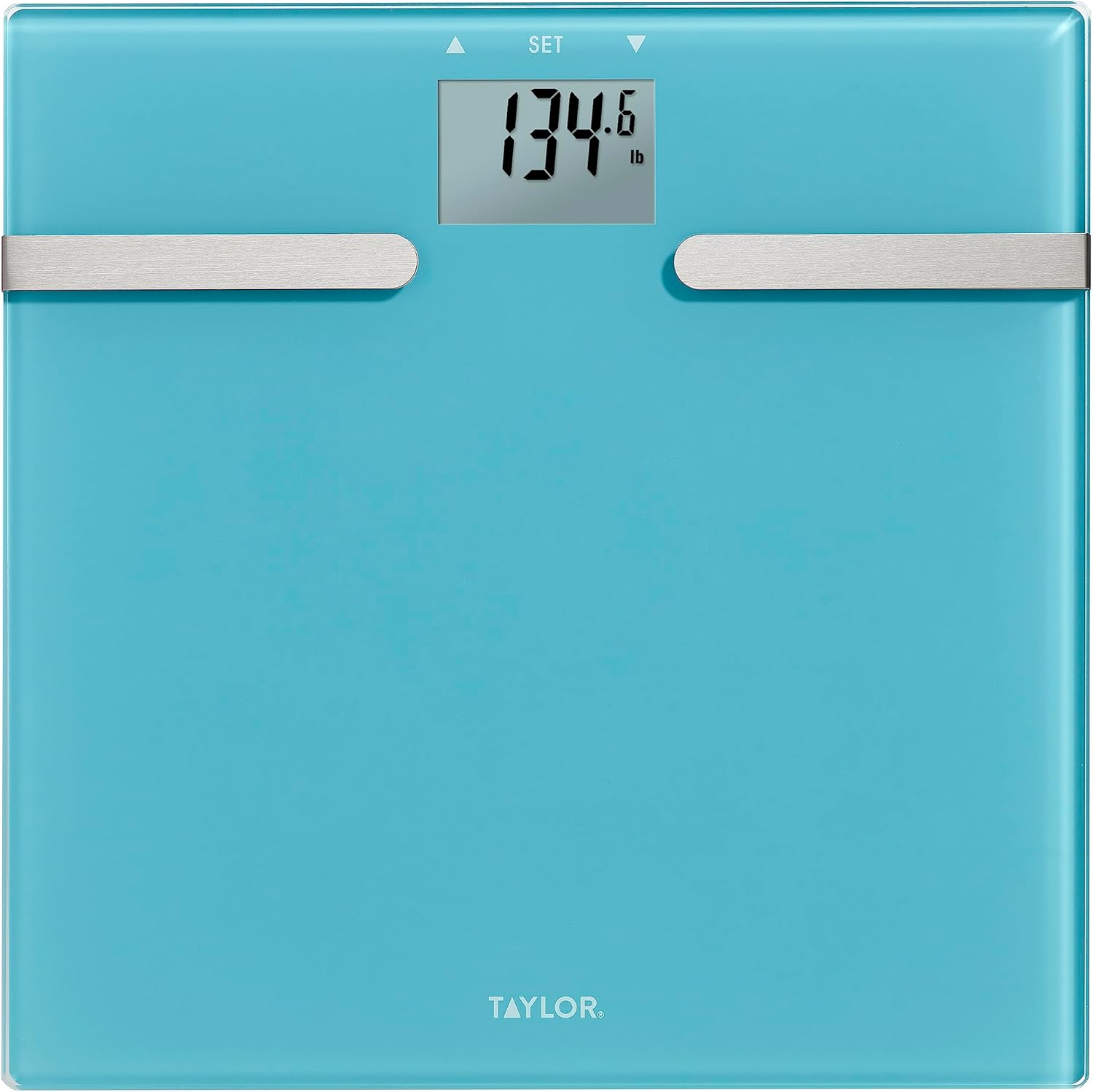
Image: The Taylor digital bathroom scale showing a weight reading on its display.
2. Body Composition Measurement
To measure body composition (body fat, body water, muscle mass), you must have a user profile set up. Ensure your feet are clean and dry for optimal contact with the electrodes.
- Select your user profile by pressing the "SET" button repeatedly until your user number (P-1, P-2, etc.) appears.
- Once your user number is displayed, step onto the scale with bare feet, ensuring your feet are positioned on the metal electrodes.
- Stand still. The scale will first display your weight, then cycle through your body fat percentage, body water percentage, and muscle mass percentage.
- The readings will repeat a few times before the scale turns off.

Image: A person demonstrating the "Step On Technology" by stepping onto a digital scale.
3. Changing Weight Units (lb/kg/st)
The scale can display weight in pounds (lb), kilograms (kg), or stones (st). To change the unit, locate the unit switch on the underside of the scale, usually near the battery compartment. Slide the switch to your desired unit.
Maintenance
- Cleaning: Wipe the scale with a damp cloth and mild detergent if necessary. Do not use abrasive cleaners or immerse the scale in water.
- Storage: Store the scale in a cool, dry place. Avoid extreme temperatures and direct sunlight.
- Battery Replacement: If the display shows "Lo" or becomes dim, replace the battery.

Image: A side view of the scale, illustrating its slim profile.
Troubleshooting
| Problem | Solution |
|---|---|
| Scale does not turn on or display is dim. | Check battery installation. Replace with a new AAA battery if necessary. |
| Inaccurate or inconsistent readings. |
|
| "Err" message on display. | This may indicate an overload (weight exceeds 400 lbs) or a measurement error. Step off the scale, wait for it to reset, and try again. |
| Body composition readings not appearing. |
|
Specifications
- Brand: Taylor
- Model Number: 5282621
- Capacity: 400 lbs (180 kg / 28 st)
- Readout Accuracy: 0.2 lbs (0.1 kg)
- Display Type: LCD
- Platform Material: Tempered Glass, Stainless Steel
- Color: Calming Blue
- Product Dimensions: 13.8 x 2.1 x 13.9 inches
- Item Weight: 3.36 pounds
- Battery: 1 AAA battery (included)
- Special Features: Body Fat, Muscle Mass, Body Water estimation, User Recognition (up to 4 users), Standard and Athlete Mode, Weight-only mode.
Warranty and Support
The Taylor Glass Body Composition Digital Bathroom Scale is backed by a 5-year limited warranty. For warranty claims, technical support, or any questions regarding your product, please contact Taylor customer service. Refer to the contact information provided on the product packaging or visit the official Taylor website for assistance.
For more information and product registration, please visit: www.taylorusa.com
Related documents5282621


Ask a question about this manual
Ask about setup, troubleshooting, compatibility, parts, safety, or missing instructions. Manuals+ will review the question and use this page’s manual context to help answer it.