
1. Introduction
This manual provides detailed instructions for the safe installation, operation, and maintenance of your Touchstone Sideline Infinity Pro 50-inch WiFi-Enabled Electric Fireplace, Model 80045. Please read all instructions carefully before installation and use to ensure proper function and safety.
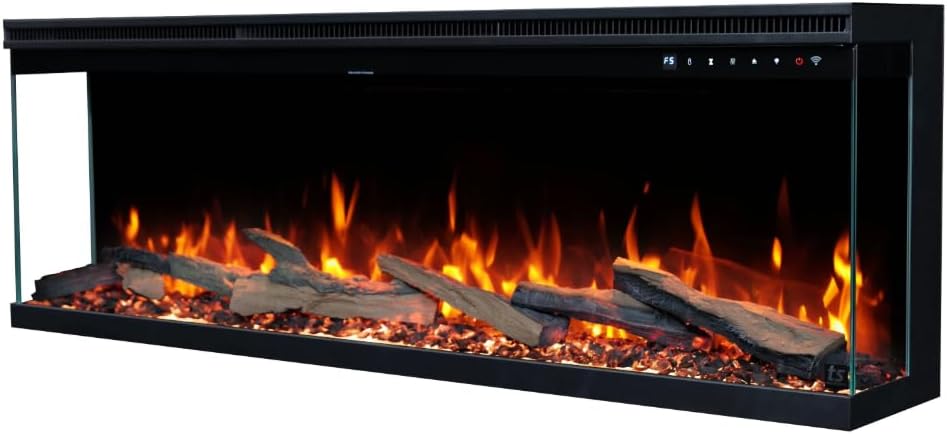
Image 1: Front view of the Touchstone Sideline Infinity Pro 50-inch Electric Fireplace, showcasing realistic flames and ember bed media.
2. Important Safety Information
Always follow basic safety precautions when using electrical appliances to reduce the risk of fire, electric shock, and injury to persons.
- Read all instructions before using this fireplace.
- This fireplace is hot when in use. To avoid burns, do not let bare skin touch hot surfaces. Keep combustible materials, such as furniture, pillows, bedding, papers, clothes, and curtains at least 3 feet (0.9 meters) from the front of the fireplace and keep them away from the sides and rear.
- Extreme caution is necessary when any fireplace is used by or near children or invalids and whenever the fireplace is left operating and unattended.
- Do not operate any fireplace with a damaged cord or plug or after the fireplace malfunctions, has been dropped or damaged in any manner.
- Do not run cord under carpeting. Do not cover cord with throw rugs, runners, or similar coverings. Arrange cord away from traffic area and where it will not be tripped over.
- Connect to properly grounded outlets only.
- Do not insert or allow foreign objects to enter any ventilation or exhaust opening as this may cause an electric shock or fire, or damage the fireplace.
- To prevent a possible fire, do not block air intakes or exhaust in any manner. Do not use on soft surfaces, like a bed, where openings may become blocked.
- This fireplace has hot and arcing or sparking parts inside. Do not use it in areas where gasoline, paint, or flammable vapors or liquids are used or stored.
- Use this fireplace only as described in this manual. Any other use not recommended by the manufacturer may cause fire, electric shock, or injury to persons.
- Always plug fireplaces directly into a wall outlet/receptacle. Never use with an extension cord or relocatable power tap (outlet/power strip).
- This fireplace is intended for indoor use only.
3. Package Contents
Verify that all components are present and undamaged before proceeding with installation.
- Touchstone Sideline Infinity Pro 50-inch Electric Fireplace Unit
- Remote Control
- Driftwood Log Set
- Painted Crushed Glass Crystals (Ember Bed Media)
- Mounting Hardware (screws, anchors, etc.)
- Instruction Manual
4. Product Specifications
| Brand | Touchstone |
| Model Name | Sideline Infinity Pro |
| Model Number | 80045 |
| Product Dimensions (D x W x H) | 9.25" x 49.75" x 17.25" |
| Material | Alloy Steel, Glass |
| Installation Type | Recessed (Built-in) |
| Power Source | Corded Electric (3-prong outlet) |
| Heat Output | 1500W/750W (5000 BTU) |
| Heating Coverage | Up to 400 sq. ft. |
| Special Features | Adjustable Thermostat, Crackle Speaker, Overheat Protection, WiFi, Alexa Compatible, App Control, Remote Control, 6 Flame Colors, 13 Downlighting Colors, 13 Ember Bed Colors, Programmable Timer |
| Item Weight | 69 pounds |

Image 2: Side view of the fireplace unit, illustrating its depth and overall dimensions.

Image 3: Detailed view of the fireplace depth, measuring 9 1/4 inches.
5. Installation
5.1 Pre-Installation Considerations
- Ensure the installation location is clear of obstructions and combustible materials.
- Verify that the electrical supply meets the fireplace requirements (120V, 15 Amp dedicated circuit recommended).
- This unit is designed for recessed (built-in) installation.
- The fireplace offers 4 display options: 3-sided, left-visible, right-visible, or front-only. Plan your rough opening accordingly.
5.2 Rough Opening Dimensions
For proper recessed installation, create a rough opening with the following dimensions:
- Width: 50 inches
- Height: 17 1/2 inches
- Depth: 9 3/4 inches

Image 4: Diagram illustrating the required rough opening dimensions for built-in installation.
5.3 Electrical Connection
The unit can be connected via a standard 3-prong plug into a grounded outlet or hardwired by a qualified electrician. Refer to local electrical codes for hardwiring procedures.
5.4 Media Installation
Carefully place the provided driftwood logs and painted crushed glass crystals onto the ember bed. Arrange them to your preference for a realistic appearance.
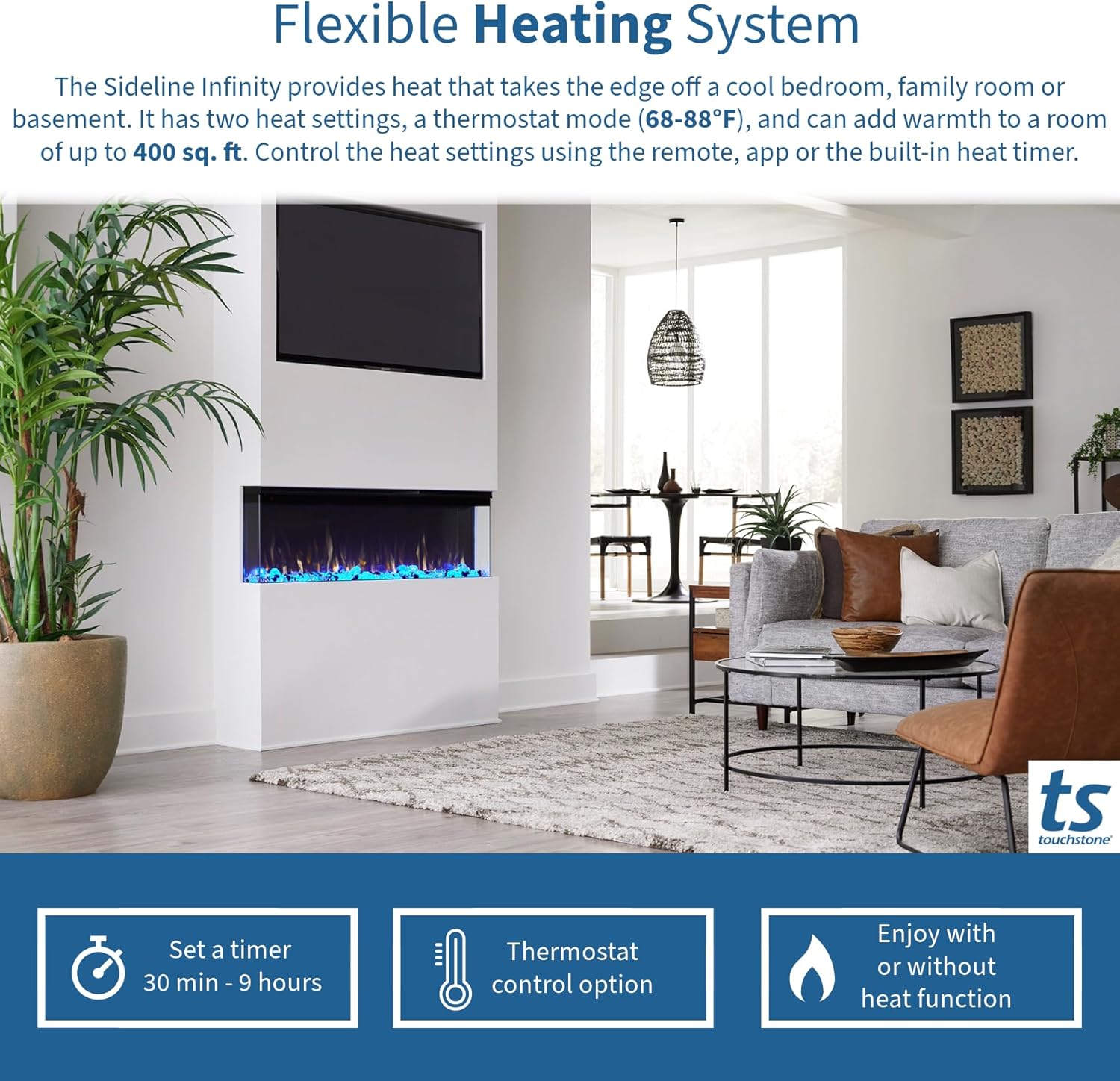
Image 5: The included media options, consisting of painted crushed glass crystals and a set of realistic driftwood logs, ready for placement in the ember bed.
6. Operation
Your Sideline Infinity Pro fireplace can be controlled using the integrated touchscreen panel, the included remote control, or the dedicated smartphone application.
6.1 Control Panel Guide
The control panel is located on the top right of the fireplace unit. Each icon corresponds to a specific function:

Image 6: Detailed guide to the fireplace's integrated control panel, showing icons for Display, Thermostat, Timer, Heat, Flame Color, Flame Brightness, Power, and Wi-Fi.
- Display: Shows current settings.
- Thermostat: Adjusts desired room temperature (68-88°F).
- Timer: Sets automatic shut-off (30 minutes to 9 hours).
- Heat: Activates/deactivates the heater (1500W/750W).
- Flame Color: Cycles through 6 flame color options.
- Flame Brightness: Adjusts flame intensity.
- Power: Turns the fireplace ON/OFF.
- Wi-Fi: Activates Wi-Fi connectivity for app control.
6.2 Remote Control Functions
The included remote control provides convenient access to all fireplace functions from a distance.

Image 7: The remote control for the Touchstone Sideline Infinity Pro, showing buttons for Power, Crackle Speaker Volume, Downlight Color, Ember Brightness, Flame Brightness, Flame Speed, Thermostat, Hi/Low Heat, Timer, Ember Bed Color, and Flame Color.
6.3 Smartphone App and Smart Home Integration
The Sideline Infinity Pro is WiFi-enabled and compatible with a smartphone app (Tuya Smart app) and smart home systems like Amazon Alexa and Google Home. This allows for remote control and voice commands for various settings.
- Download the Tuya Smart app from your device's app store.
- Follow the in-app instructions to connect your fireplace to your home Wi-Fi network.
- Once connected, you can control flame color, temperature, timers, and other settings via the app or integrated smart home devices.
6.4 Flame and Lighting Customization
The fireplace offers extensive customization options for ambiance:
- Flame Colors: Choose from 6 distinct flame color options.
- Flame Speed & Intensity: Adjust 5 flame speeds and intensity levels.
- Ember Bed Colors: Select from 13 ember bed colors with 4 predefined levels plus a pulsating setting.
- Down Lighting: Enhance the display with 13 downlighting colors.
- Crackle Sound: Activate the built-in crackle sound feature with adjustable volume for added realism.

Image 8: Visual representation of the 6 available flame color options, demonstrating the fireplace's customizable ambiance.

Image 9: Visual representation of the 13 available downlighting color options, enhancing the fireplace's customizable display.

Image 10: Visual representation of the 13 available ember bed color options, allowing for diverse aesthetic preferences.
6.5 Heating System
The integrated heater provides supplemental warmth for rooms up to 400 sq. ft. The heat function can be used independently of the flame effects.
- Heat Settings: Choose between 1500W (high) and 750W (low) heat output.
- Thermostat: Set your desired temperature between 68°F and 88°F. The heater will cycle ON/OFF to maintain this temperature.
- Timer: Program the heater to turn off automatically after a set period, from 30 minutes to 9 hours.

Image 11: Overview of the flexible heating system, highlighting the timer, thermostat control, and the option to use flames with or without heat.
7. Maintenance
Regular maintenance ensures the longevity and optimal performance of your electric fireplace.
- Cleaning: Ensure the fireplace is turned OFF and unplugged before cleaning. Use a soft, damp cloth to clean the exterior surfaces. Do not use abrasive cleaners or sprays.
- Glass Panel: Clean the glass panel with a soft cloth and a non-abrasive glass cleaner.
- Ventilation Openings: Periodically check and clean the air intake and exhaust openings to ensure they are free from dust and debris. Blocked openings can lead to overheating.
- Light Bulbs: The flame effect uses LED technology, which typically does not require replacement.
8. Troubleshooting
If you experience issues with your fireplace, refer to the following common problems and solutions:
| Problem | Possible Cause | Solution |
|---|---|---|
| Fireplace does not turn ON. | No power supply; Power cord not fully plugged in; Circuit breaker tripped. | Ensure unit is plugged into a grounded outlet. Check household circuit breaker. |
| No heat output. | Heater function is OFF; Thermostat set too low; Overheat protection activated. | Activate heater function. Increase thermostat setting. Unplug unit for 5 minutes to reset overheat protection. Ensure vents are not blocked. |
| Flames are not visible or dim. | Flame brightness set too low; Flame effect is OFF. | Adjust flame brightness using the control panel or remote. Ensure flame effect is ON. |
| Remote control not working. | Batteries are dead or incorrectly inserted; Remote is too far from the unit. | Replace batteries (2 AAA). Ensure line of sight to the fireplace sensor. |
| Wi-Fi connection issues. | Incorrect Wi-Fi password; Router too far; App not properly configured. | Re-enter Wi-Fi password in the app. Move router closer or use a Wi-Fi extender. Reconfigure the device in the Tuya Smart app. |
9. Warranty and Customer Support
9.1 Warranty Information
This Touchstone Sideline Infinity Pro electric fireplace comes with a standard manufacturer's warranty. Please refer to the warranty card included in your package or visit the official Touchstone website for detailed terms and conditions.
9.2 Customer Support
For technical assistance, troubleshooting beyond this manual, or warranty claims, please contact Touchstone Home Products customer support:
- Website: www.touchstonehomeproducts.com
- Phone: Refer to the contact information on the Touchstone website or your product packaging.


