
Matrix TF30 Treadmill with XER Console
Matrix Fitness TF30 Treadmill with XER Console
Model: TF30 Treadmill with XER Console (UPC: 763165008846)
Introduction
Welcome to your new Matrix Fitness TF30 Treadmill with XER Console. This manual provides essential information for the safe and effective operation, setup, maintenance, and troubleshooting of your treadmill. Designed for a comfortable and high-performance running experience, the TF30 combines robust construction with advanced technology to enhance your fitness journey.

Figure 1: Matrix Fitness TF30 Treadmill with XER Console, showcasing its sleek design and integrated console.
Safety Information
Before operating the treadmill, please read and understand all safety instructions. Failure to do so may result in serious injury or equipment damage.
- Emergency Stop: Always attach the safety key clip to your clothing before starting a workout. In case of an emergency, pulling the safety key or pressing the emergency stop button will immediately halt the treadmill.
- Clearance: Ensure adequate clearance around the treadmill (at least 6 feet behind and 2 feet on each side) for safe operation and emergency dismount.
- Footwear: Always wear appropriate athletic footwear while using the treadmill.
- Children and Pets: Keep children and pets away from the treadmill during operation.
- Medical Conditions: Consult a physician before starting any new exercise program, especially if you have pre-existing medical conditions.
- Power: Connect the treadmill to a properly grounded outlet. Do not use extension cords.
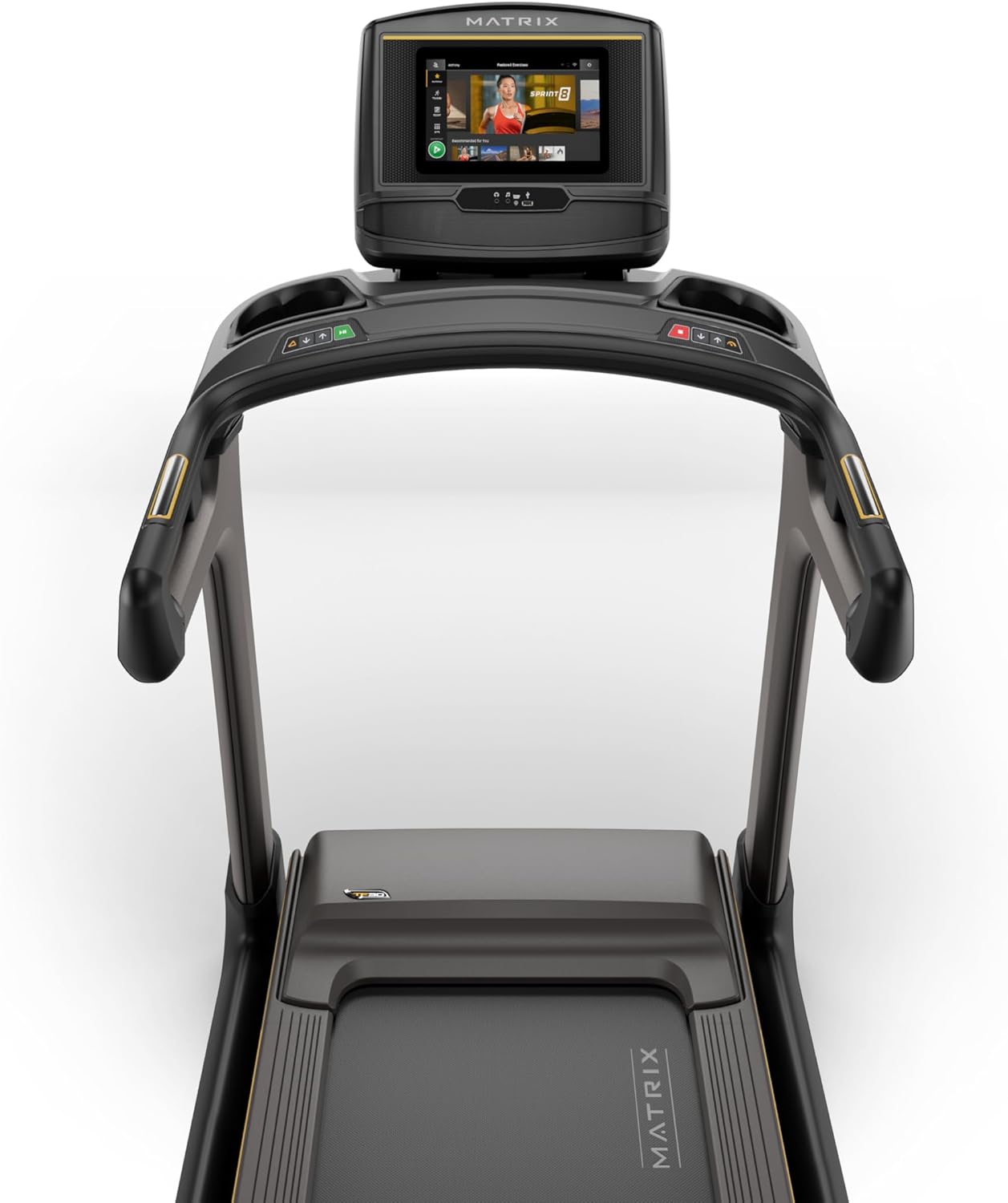
Figure 2: Close-up of the XER Console, highlighting the emergency stop button and safety key attachment point.
Setup
The Matrix Fitness TF30 Treadmill requires some assembly. Please ensure all components listed below are present before beginning assembly.
Included Components:
- Treadmill Frame
- Masts
- Mast Boots
- Console Base
- Handlebar
- Handlebar Sleeves
- Handlebar Caps
- Frame Cover Sets
- Back Cover
- Power Cord
- Safety Key
- Hardware Kit
For detailed assembly instructions, please refer to the separate assembly guide provided with your product. Ensure the treadmill is placed on a flat, stable surface.
Operating Instructions
Your TF30 Treadmill is equipped with advanced features for an optimal workout.
Key Features:
- Running Surface: A spacious 20" x 55" running surface provides ample room for comfortable strides.
- Speed & Incline: Adjust speed from 0.5 to 12.5 mph and incline from 0% to 15% to customize your workout intensity.
- Johnson Drive System: Experience quiet, durable, and responsive performance with the continuous-duty drive system.
- Ultimate Deck System: Benefit from a heavy-duty frame, extra-thick deck, and industrial-grade cushioning for superior comfort and joint protection.
- Space-Saving Design: The treadmill features a near 90-degree fold for convenient storage when not in use.

Figure 3: Diagram illustrating key features of the TF30 Treadmill, including its folding design, running surface, motor, incline, speed, and cushioning.

Figure 4: Demonstrating the space-saving folding capability of the TF30 Treadmill.
XER Console Operation:
The 10-inch touchscreen XER Console offers a rich interactive experience.
- Integrated Apps: Stream entertainment from popular apps like Netflix, YouTube, and Spotify directly on the console.
- Workout Programs: Access 12 built-in programs, including Sprint 8, and integrate with iFIT and Virtual Active for diverse workout experiences and scenic routes.
- Connectivity: Connect via Bluetooth FTMS to third-party apps and use Bluetooth HR with the included strap for heart rate monitoring.
- Wireless Charging: Conveniently charge your compatible smartphone by placing it on the designated wireless charging pad on the console.
- User Profiles: The console supports multiple user profiles, allowing personalized settings and tracking for each user.

Figure 5: The XER Console, highlighting its 10-inch touchscreen and integrated apps for entertainment and diverse workouts.

Figure 6: The XER Console's interface showing various entertainment applications available for use during workouts.

Figure 7: The XER Console displaying a virtual active scenic route, enhancing the immersive workout experience.
Maintenance
Regular maintenance ensures the longevity and optimal performance of your treadmill.
- Cleaning: Wipe down the treadmill and console after each use with a damp cloth to remove sweat and dust. Avoid abrasive cleaners.
- Belt Lubrication: Periodically check and lubricate the running belt according to the instructions in your detailed product manual to ensure smooth operation and prevent wear.
- Belt Tension & Alignment: Inspect the running belt for proper tension and alignment. Adjust as needed to prevent slipping or rubbing.
- Motor Area: Keep the area around the motor clean and free of dust and debris to ensure proper ventilation.
Troubleshooting
If you encounter issues with your treadmill, refer to the following common troubleshooting tips.
| Problem | Possible Cause | Solution |
|---|---|---|
| Treadmill does not power on. | Power cord not connected, circuit breaker tripped, safety key not engaged. | Ensure power cord is securely plugged in. Check household circuit breaker. Ensure safety key is fully inserted. |
| Running belt slips or hesitates. | Belt tension too loose, belt needs lubrication. | Adjust belt tension according to manual. Lubricate the running belt. |
| Unusual noise during operation. | Loose components, motor issues, belt friction. | Inspect for loose bolts and tighten. Check belt lubrication. If noise persists, contact customer support. |
| Console display is blank or unresponsive. | Power issue, software glitch. | Ensure power is connected. Try restarting the treadmill by unplugging and re-plugging. |
For more complex issues, please refer to the comprehensive troubleshooting section in your full user manual or contact Matrix Fitness customer support.
Specifications
| Specification | Value |
|---|---|
| Brand | Matrix |
| Model Name | Matrix Fitness TF30 Treadmill |
| Style | TF30 Treadmill with XER Console |
| Product Dimensions (LxWxH) | 77"D x 35"W x 62"H |
| Folded Size | 42"x35"x71" |
| Item Weight | 294 Pounds |
| Maximum Weight Recommendation | 350 Pounds |
| Running Surface (Deck Length x Deck Width) | 55 Inches x 20 Inches |
| Maximum Speed | 12.5 Miles per Hour |
| Minimum Speed | 0.5 Miles per Hour |
| Maximum Incline Percentage | 15% |
| Maximum Horsepower | 3.25 Horsepower |
| Display Type | LCD (10 Inches Screen Size) |
| Number of Programs | 12 |
| Power Source | Corded Electric |
| Assembly Required | Yes |
| Metrics Measured | Distance |

Figure 8: Dimensions of the Matrix Fitness TF30 Treadmill.
Warranty and Support
Your Matrix Fitness TF30 Treadmill is backed by a comprehensive manufacturer's warranty:
- Frame: Lifetime Warranty
- Motor and Cushioning: Lifetime Warranty
- Console: 5 years parts / 1 year labor
- Frame (Parts/Labor): 5 years parts / 2 years labor
For customer support or warranty claims, please contact Matrix Fitness USA directly.
Related documentsTF30 Treadmill with XER Console


Ask a question about this manual
Ask about setup, troubleshooting, compatibility, parts, safety, or missing instructions. Manuals+ will review the question and use this page’s manual context to help answer it.