
Introduction
Thank you for choosing the Baseus 100W 4-Port GaN II Wall Charger. This advanced charging device utilizes cutting-edge GaN II technology to provide high-speed, efficient, and safe power delivery for a wide array of electronic devices. Its compact design and multiple ports make it an ideal solution for both home and travel use, allowing you to charge up to four devices simultaneously.
Please read this manual thoroughly before using the product to ensure proper operation and to maximize its lifespan.
Product Overview

Image: The Baseus 100W 4-Port GaN II Wall Charger, showcasing its compact white design with two USB-C and two USB-A ports, alongside two white USB-C cables.
Key Features:
- 100W Power Delivery: Capable of delivering up to 100W of power, ideal for charging laptops like MacBook Pro.
- 4-Port Design: Equipped with two USB-C ports and two USB-A ports for versatile charging options.
- GaN II Technology: Ensures a compact size, higher efficiency, and lower operating temperatures.
- BPS II Intelligent Power Allocation: Automatically distributes optimal power to connected devices for efficient simultaneous charging.
- Wide Compatibility: Supports various fast-charging protocols including PD3.0, QC3.0, and PPS.
- Foldable Plug: Enhances portability and protects prongs during travel.
What's in the Box
- 1x Baseus 100W USB C Charger
- 1x 3.3ft USB-C to USB-C 100W Charging Cable with E-marker chip
- 1x User Manual
Setup Instructions
- Unfold the Plug: Gently unfold the AC prongs from the charger body.
- Connect to Power Outlet: Plug the charger into a standard wall outlet. The indicator light on the charger will illuminate, confirming it is powered on.
- Connect Your Devices: Use appropriate charging cables (USB-C to USB-C, USB-A to USB-C, etc.) to connect your devices to the available ports on the charger.
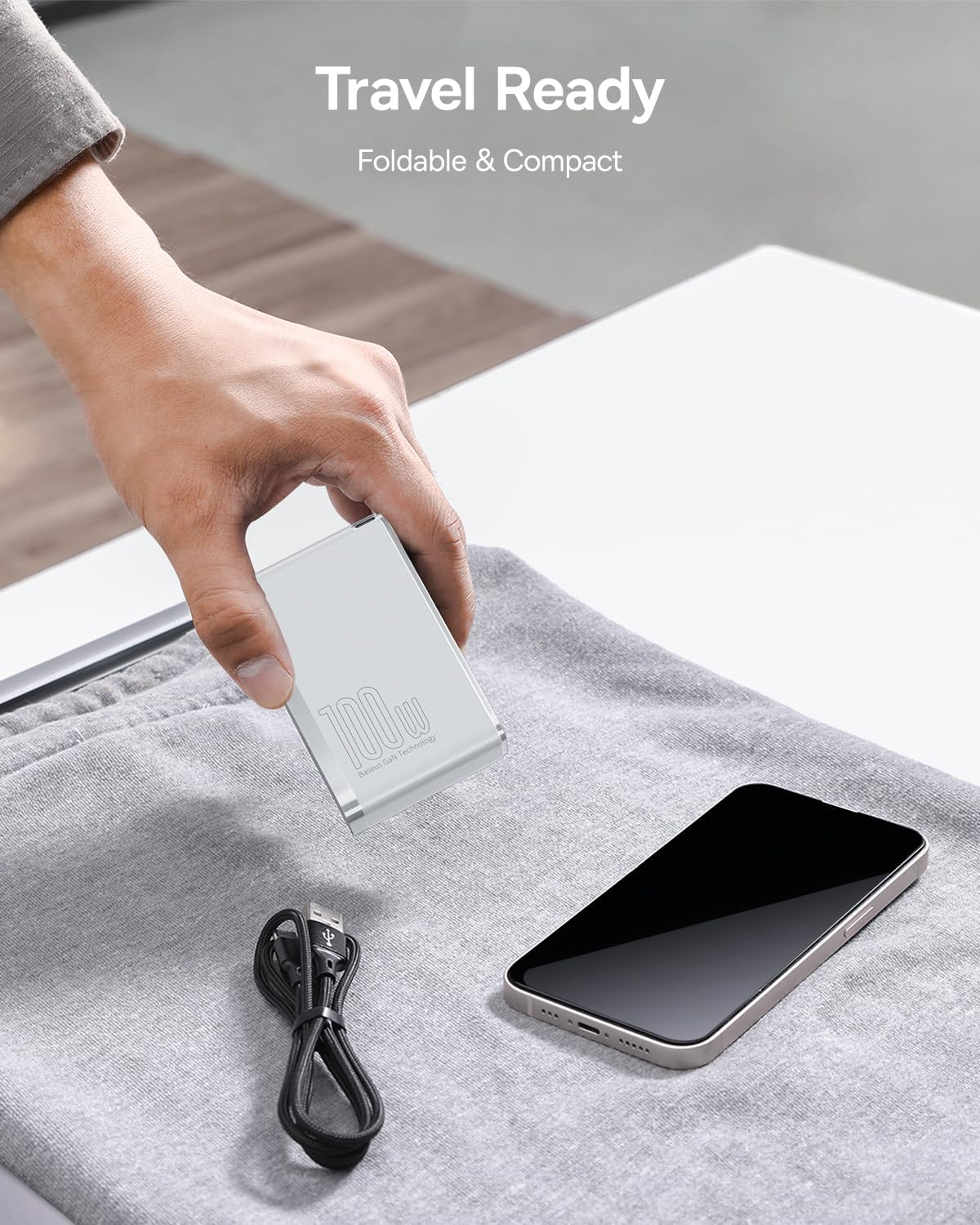
Image: A hand placing the compact, foldable Baseus 100W charger into a bag next to a smartphone, illustrating its travel-ready design.
Operating Instructions
Charging Single Device:
Connect your device to any available USB-C or USB-A port. The charger will automatically detect your device's power requirements and deliver the optimal charging speed. For maximum power output (e.g., 100W for laptops), use one of the USB-C ports.

Image: The Baseus 100W charger plugged into a wall outlet, charging a laptop via a USB-C cable, highlighting its high-speed charging capability for laptops.
Charging Multiple Devices (BPS II Intelligent Power Allocation):
The charger features BPS II technology, which intelligently distributes power across all connected ports. This allows for efficient simultaneous charging of up to four devices without compromising charging speed for individual devices within their power limits.

Image: The Baseus 100W charger connected to four devices (Apple Watch, AirPods, iPhone, MacBook), demonstrating its ability to charge multiple devices simultaneously.
Power Distribution Examples:
The charger dynamically adjusts power output based on the number and type of connected devices. Here are some common power distribution scenarios:
- One USB-C Device: Up to 100W (Max)
- Two USB-C Devices: Up to 65W + 30W
- One USB-C + One USB-A Device: Up to 65W + 30W
- Two USB-C + Two USB-A Devices: Power is intelligently distributed, for example, 60W (USB-C1) + 20W (USB-C2) + 15W (USB-A1) + 5W (USB-A2).

Image: A diagram illustrating various power output combinations when different ports on the Baseus 100W charger are in use, showing maximum wattage per port in different scenarios.
Maintenance
- Cleaning: Disconnect the charger from the power outlet and all devices before cleaning. Use a soft, dry cloth to wipe the surface. Do not use liquid cleaners or aerosols.
- Storage: When not in use, store the charger in a cool, dry place away from direct sunlight and extreme temperatures. Ensure the foldable prongs are retracted to prevent damage.
- Handling: Avoid dropping or subjecting the charger to strong impacts. Do not disassemble or attempt to repair the charger yourself.
Troubleshooting
| Issue | Possible Cause | Solution |
|---|---|---|
| Device not charging | Loose connection, faulty cable, incompatible device. | Ensure cables are securely connected. Try a different cable or port. Verify device compatibility. |
| Slow charging speed | Cable not supporting fast charging, multiple high-power devices connected, device not supporting fast charging protocol. | Use the included 100W USB-C cable or another high-quality fast-charging cable. Check power distribution diagrams if charging multiple devices. Ensure your device supports the charger's fast-charging protocols. |
| Charger is hot | Normal operation under heavy load, poor ventilation. | It is normal for the charger to become warm during operation, especially when charging multiple devices or high-power devices. Ensure adequate ventilation around the charger. If it becomes excessively hot or emits smoke/odor, disconnect immediately and contact customer support. |
Specifications
| Feature | Detail |
|---|---|
| Model Number | CCGAN100US |
| Product Dimensions | 3.34 x 2.12 x 1.18 inches |
| Item Weight | 9.9 ounces |
| Input Voltage | 240 Volts |
| Connectivity Technology | USB |
| Connector Type | USB Type C, USB Type A |
| Color | White |
Compatible Devices:
This charger is compatible with a wide range of devices, including but not limited to:
- Laptops: MacBook Air 2020, MacBook Pro 13"/15"/16", Dell XPS, HP Spectre, Lenovo ThinkPad, ASUS ROG/Zenbook, Microsoft Surface, Chromebooks, Steam Deck.
- Smartphones: iPhone 15/14/13/12 series, Samsung Galaxy S/Note series, Google Pixel, OnePlus, LG.
- Tablets: iPad Pro/Air/mini series.
- Other: AirPods, Apple Watch, PS4, PS5, Xbox, USB-C headphones, Oculus, Nintendo Switch Dock.

Image: A visual representation of various devices compatible with the Baseus 100W charger, including laptops, smartphones, tablets, and gaming consoles.
Warranty and Support
Baseus provides a worry-free 12-month warranty for this product. If you encounter any issues or have questions regarding the charger, please contact our friendly customer service team. Please retain your proof of purchase for warranty claims.
Safety Information
- Do not expose the charger to liquids, moisture, or extreme temperatures.
- Avoid dropping or disassembling the charger.
- Keep out of reach of children.
- Use only original or certified charging cables with the product.
- If the charger appears damaged, stop using it immediately and contact customer support.


