
1. Introduction
The Pabobo Kid Sleep Globetrotter is a nomadic educational alarm clock designed to help children understand when it is time to sleep and when it is time to wake up. This device features a visual indicator that transitions between a sleeping figure and an awake figure, promoting better sleep habits for children and longer sleep for parents. It is portable and can be used with or without an audible alarm.
2. Important Safety Information
- Keep the device away from water and moisture.
- Do not expose to extreme temperatures.
- This product is not a toy. Adult supervision is recommended for young children.
- Ensure batteries are inserted correctly according to polarity markings.
- Remove batteries if the device will not be used for an extended period.
- Dispose of used batteries responsibly.
3. Package Contents
- Pabobo Kid Sleep Globetrotter Unit
- Instruction Manual
4. Product Overview
The Kid Sleep Globetrotter features a clear display with a visual indicator that changes to show whether it is day or night. The back panel contains controls for setting the time and alarm functions.

Figure 1: Front view of the Kid Sleep Globetrotter, illustrating the day and night indicators.

Figure 2: Side view with the integrated stand, showing the clock in an upright position.

Figure 3: Rear view showing the control buttons and battery compartment.
5. Setup
5.1 Battery Installation
- Locate the battery compartment on the back of the device (refer to Figure 3).
- Open the battery compartment cover.
- Insert 4 AA batteries, ensuring correct polarity (+/-) as indicated inside the compartment.
- Close the battery compartment cover securely.
5.2 Initial Power On
Upon inserting batteries, the device will power on. You may need to set the current time and the desired wake-up time.
6. Operating Instructions
6.1 Setting the Current Time
- Press and hold the 'Time Set' button (usually marked with a clock icon) on the back panel.
- While holding 'Time Set', use the '+' or '-' buttons to adjust the hours.
- Release 'Time Set', then press and hold it again. Use '+' or '-' to adjust the minutes.
- Release 'Time Set' to confirm the current time.
6.2 Setting the Wake-Up Time (Day/Night Indicator)
This feature determines when the sleeping sheep changes to the awake sheep.
- Press and hold the 'Alarm Set' button (often marked with an alarm icon or a sun/moon icon).
- While holding 'Alarm Set', use the '+' or '-' buttons to adjust the desired wake-up hour.
- Release 'Alarm Set', then press and hold it again. Use '+' or '-' to adjust the wake-up minutes.
- Release 'Alarm Set' to confirm the wake-up time.
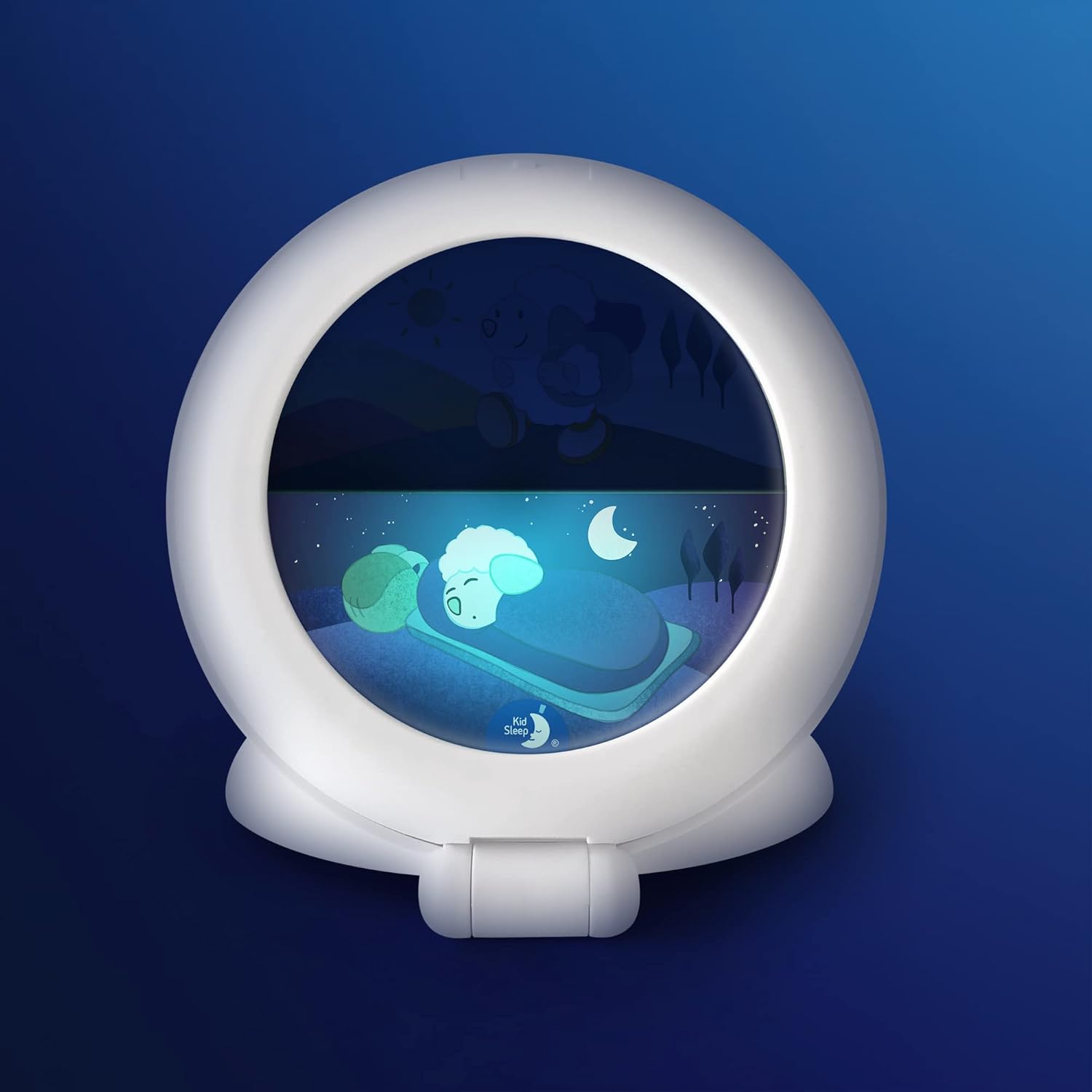
Figure 4: Night display with the sleeping sheep.

Figure 5: Day display with the awake sheep.
6.3 Alarm Function (Optional)
The device can emit a bird song sound at the set wake-up time.
- To enable the alarm, locate the alarm switch (often labeled 'Alarm ON/OFF' or with a speaker icon) on the back panel and slide it to the 'ON' position.
- To disable the alarm, slide the switch to the 'OFF' position.
6.4 Silent Mode
The Kid Sleep Globetrotter can operate silently, relying solely on the visual day/night indicator. Ensure the alarm function is switched to the 'OFF' position for silent operation.
7. Maintenance
To clean the device, gently wipe the exterior with a clean, dry cloth. Do not use abrasive cleaners or immerse the device in water.
8. Troubleshooting
- Device does not turn on:
- Check if batteries are inserted correctly and are not depleted. Replace batteries if necessary.
- Time or alarm settings are incorrect:
- Refer to sections 6.1 and 6.2 to re-set the time and wake-up time.
- Alarm sound is not working:
- Ensure the alarm switch is in the 'ON' position (refer to section 6.3).
9. Technical Specifications
| Brand | Pabobo |
| Model Number | CK0041-KSG-WH |
| Display Type | Analog (Visual Indicator) |
| Power Source | Battery Powered (4 x AA batteries, not included) |
| Material | Acrylonitrile Butadiene Styrene (ABS) |
| Product Dimensions | 5.63"W x 5.63"H |
| Item Weight | 5.7 ounces (0.16 Kilograms) |
| Special Features | Alarm, Silent Clock, Day/Night Indicator |
10. Warranty and Customer Support
Pabobo products are covered by a limited warranty. For specific warranty details, claims, or technical support, please refer to the warranty information provided at the time of purchase or visit the official Pabobo website. Please have your model number (CK0041-KSG-WH) and proof of purchase ready when contacting support.


