
Introduction
The CallToU Caregiver Pager Wireless Alert Button Home Intercom System provides a reliable communication solution for caregivers and individuals needing assistance. This system includes wireless alert buttons and receivers, along with two-way radios for extended communication. Designed for ease of use, it ensures that help is readily available at the touch of a button, offering peace of mind in various home and office settings.
What's Included
Your CallToU Caregiver Pager system package typically includes the following components:
- 3 x Plug-in Receivers
- 2 x Wireless Call Buttons
- 2 x Two-Way Radios (Walkie-Talkies)
- Lanyards for Call Buttons
- Mounting accessories (e.g., double-sided stickers, brackets)
- Charging cables for Two-Way Radios
- User Manuals for Pager System and Two-Way Radios
- Small screwdriver for battery replacement
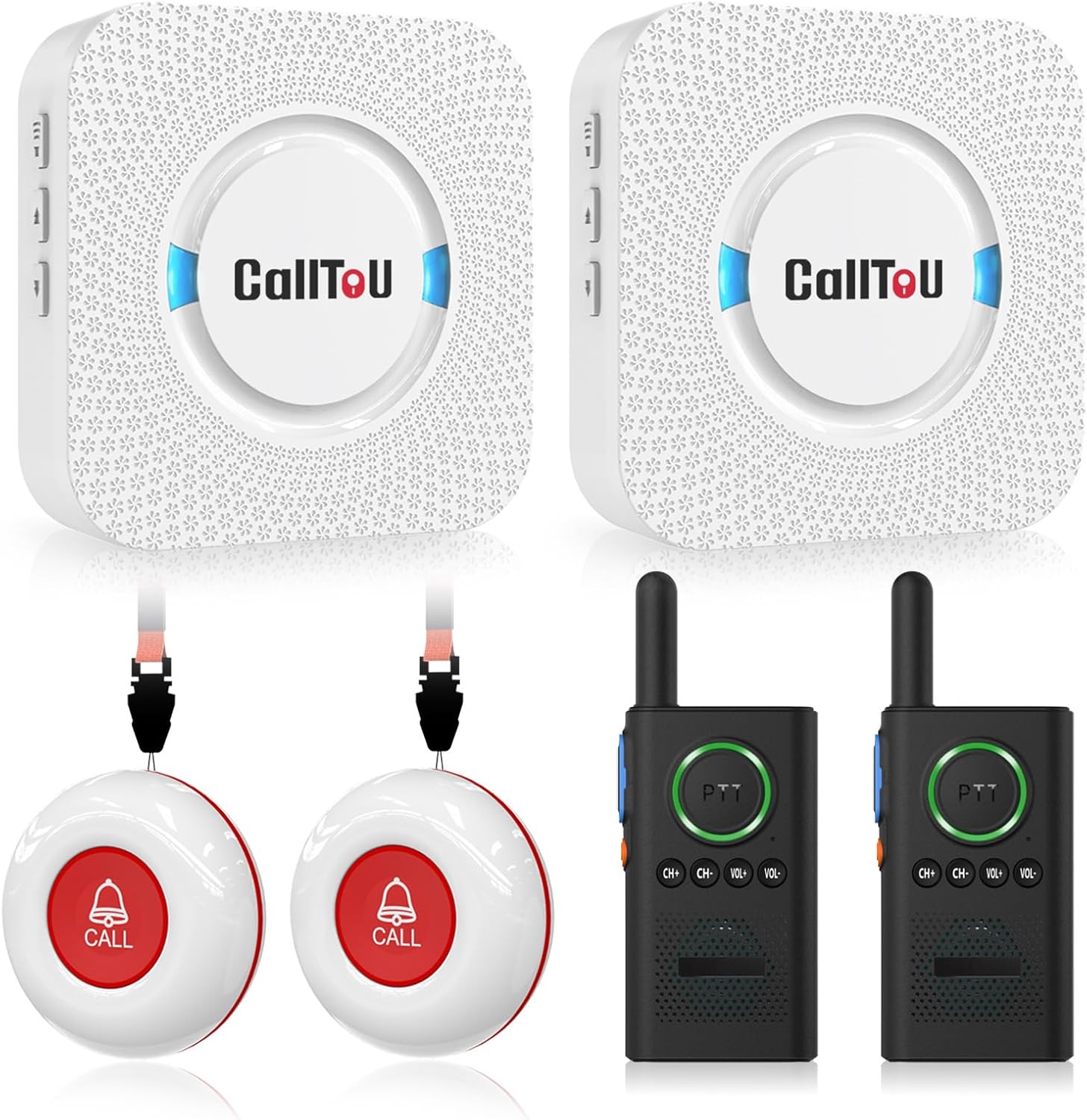
Image: Overview of the CallToU Caregiver Pager system components.
Setup
1. Receiver Placement
Plug the receiver into a standard electrical outlet in a central location where the caregiver can easily hear the alert. The receiver requires continuous power from the outlet.
Video: Demonstrates plugging in the CallToU Wireless Caregiver Pager receiver.
2. Call Button Pairing
The call buttons are pre-paired at the factory. If re-pairing is needed or for additional buttons:
- Plug the receiver into an AC socket.
- Press and hold the volume key on the receiver for 5 seconds until the LED flashes and you hear a "ding" sound, indicating pairing mode.
- Press the call button to send a signal. The receiver will make a "ding-ding" sound.
- Press the call button again to confirm pairing.
Video: Instructions on how to pair Call Buttons with the CC01 Wireless Caregiver Pager.
3. Attaching Lanyards and Placement
Attach the provided lanyard to the call button for easy wearing around the neck. Alternatively, use the included bracket or double-sided stickers to secure the call button in a convenient location, such as by a bed, in a bathroom, or near a chair.

Image: Illustrates the simple "plug and play" setup of the call button and receiver.
Operating Instructions
1. Using the Pager System
When assistance is needed, simply press the large red "CALL" button on the wireless transmitter. The receiver will immediately sound an alarm and flash its LED indicator, alerting the caregiver.
- Adjusting Ringtones: The receiver offers 55 different ringtones. Use the forward and backward keys on the side of the receiver to cycle through the available tones.
- Adjusting Volume: The receiver has 5 adjustable volume levels, from 0dB to 110dB. Use the volume up/down keys on the side of the receiver to set the desired alert volume.

Image: Step-by-step guide on activating the pager system.
2. Using the Two-Way Radios (Walkie-Talkies)
The two-way radios provide direct voice communication between individuals. They operate independently from the pager system.
- Power On/Off: Use the power button on the side of the walkie-talkie.
- Push-to-Talk (PTT): Press and hold the PTT button to speak, and release to listen.
- Channel Selection: Use the CH+ and CH- buttons to select a channel. Ensure both walkie-talkies are on the same channel for communication.
- Volume Adjustment: Use the VOL+ and VOL- buttons to adjust the listening volume.

Image: Key features of the CallToU two-way radio system.
3. System Range
The wireless pager system has an open area working range of 500+ feet. The two-way radios offer a long wireless range of up to 3300 feet (1-8 miles depending on terrain and obstructions), allowing for communication across larger distances or multiple floors.

Image: Visual representation of the long wireless range capability.
Maintenance
1. Battery Replacement for Call Buttons
The call buttons use replaceable Lithium Polymer batteries. When the battery is low, the indicator light on the button may dim or fail to light up when pressed. To replace the battery:
- Carefully open the call button casing using the provided small screwdriver.
- Remove the old battery.
- Insert a new compatible Lithium Polymer battery, ensuring correct polarity.
- Close the casing securely.
Video: Detailed guide on how to replace the battery in the CC01 Wireless Call Button.
2. Waterproof Design
Both the call button and receiver are designed to be waterproof and dustproof (IP55 rated). This allows for installation in areas like washrooms or outdoor use without concern for water damage. However, avoid prolonged submersion.

Image: Demonstrates the IP55 waterproof feature of the call button.
Troubleshooting
If you encounter issues with your CallToU Caregiver Pager system, consider the following:
- No Signal/No Sound:
- Ensure the receiver is properly plugged into a working electrical outlet.
- Check the battery in the call button and replace if necessary.
- Verify that the call button and receiver are paired correctly (refer to "Call Button Pairing" section).
- Ensure the receiver's volume is not set to 0.
- Interference:
- Move the receiver or call button away from large metal objects or other electronic devices that may cause interference.
- For walkie-talkies, ensure both units are on the same channel.
- Reduced Range:
- Obstructions like thick walls can reduce range. Try repositioning units for better line-of-sight.
- Low battery in call buttons or walkie-talkies can affect range.
For further assistance, please refer to the detailed user manual included in your package or contact customer support.
Specifications
| Feature | Detail |
|---|---|
| Brand | CallToU |
| Model | B0921HH5Q9 |
| Number of Batteries | 2 Lithium Polymer batteries required (included) |
| Control Method | Touch |
| Noise Level | 110 Decibels |
| Sensor Technology | Contact Sensor |
| Size | 2 call buttons + 2 receivers + 2 walkie talkies |
| Product Dimensions | 4.2 x 2 x 0.7 inches |
| Item Weight | 1.3 pounds |
| Power Source | Battery Powered (for buttons/walkie-talkies), Plug-in (for receivers) |
| Compatible Devices | Two-way radios |
| Waterproof Rating | IP55 (Call Button and Receiver) |
Warranty and Support
CallToU is committed to providing high-quality products and customer satisfaction. For any questions, technical assistance, or warranty inquiries, please refer to the contact information below:
- User Manual: A comprehensive user manual is included in your product package.
- Customer Service: 24-hour customer service and a professional technology team are available to assist you.
- Website: www.calltou.com
- Email: service01@calltou.com
- Facebook: Calltou Caregiver Pager


