
ThermoPro TP-03H
ThermoPro TP03H Digital Meat Thermometer User Manual
Model: TP-03H
Introduction
The ThermoPro TP03H Digital Meat Thermometer is designed to provide fast and accurate temperature readings for various foods, ensuring perfect cooking results every time. Its foldable probe, waterproof design, and convenient features make it an essential tool for any kitchen or grilling enthusiast.
This manual provides detailed instructions on how to set up, operate, maintain, and troubleshoot your ThermoPro TP03H thermometer.
Package Contents

Image: ThermoPro TP03H Digital Meat Thermometer, showing the main unit, a AAA battery, and a small screwdriver.
- 1 x ThermoPro TP03H Digital Meat Thermometer
- 1 x AAA Battery
- 1 x Screwdriver (for battery compartment)
- 1 x User Manual (this document)
Key Features
- Fast and Accurate Readings: Equipped with a 10cm / 3.9-inch food-grade stainless steel probe and a high-precision sensor, providing internal temperature readings within 3-4 seconds with an accuracy of ±0.5 °C / 0.9 °F.

Image: The thermometer probe inserted into meat on a grill, illustrating the fast response time and high accuracy.
- Completely Waterproof (IPX6): The thermometer boasts an IPX6 waterproof rating, allowing for easy cleaning under running water without fear of damage.
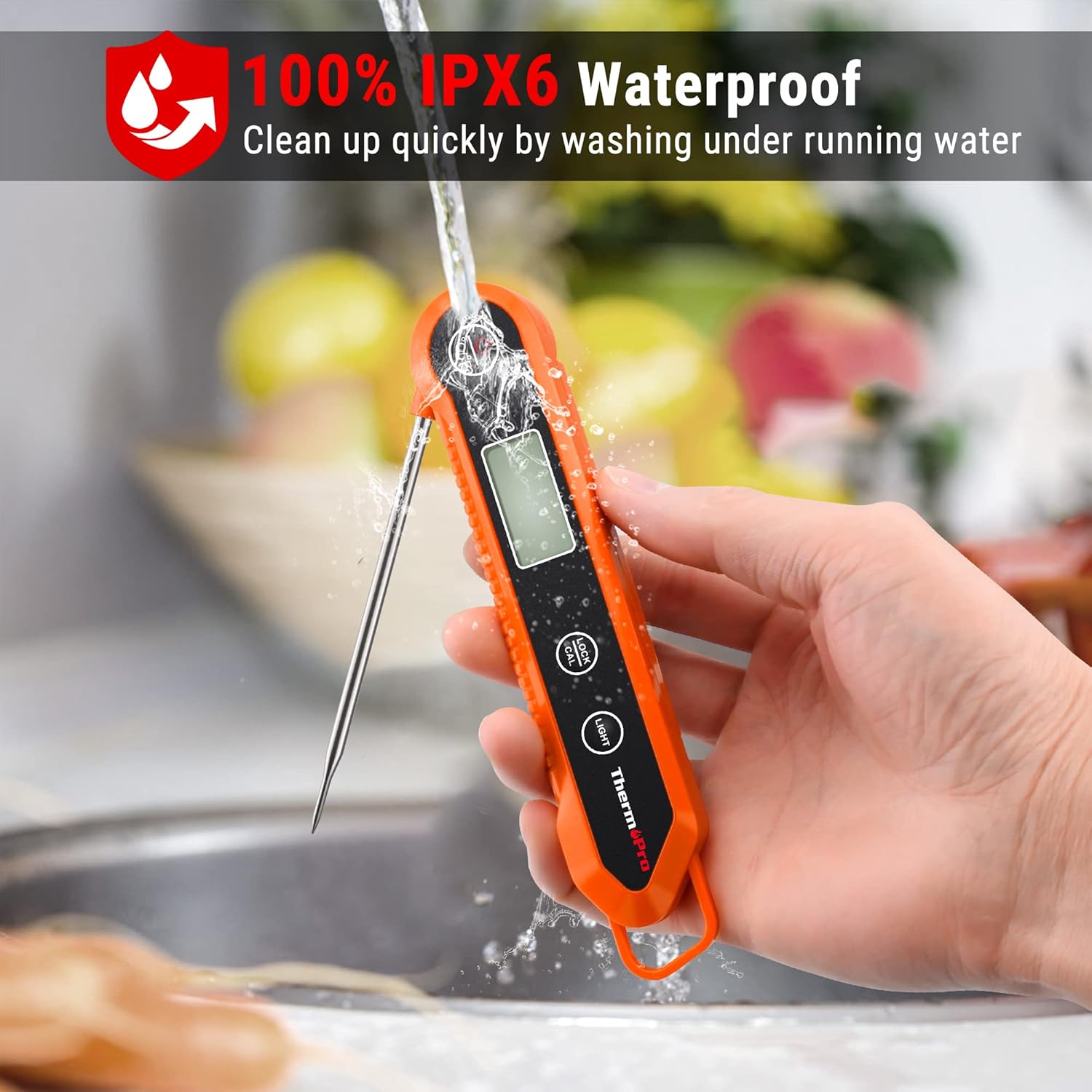
Image: A hand holding the thermometer under a running faucet, demonstrating its waterproof capability.
- Lock Function: Allows you to lock the current temperature reading on the display after removing the probe from the food, preventing the need to peer into hot ovens or grills.
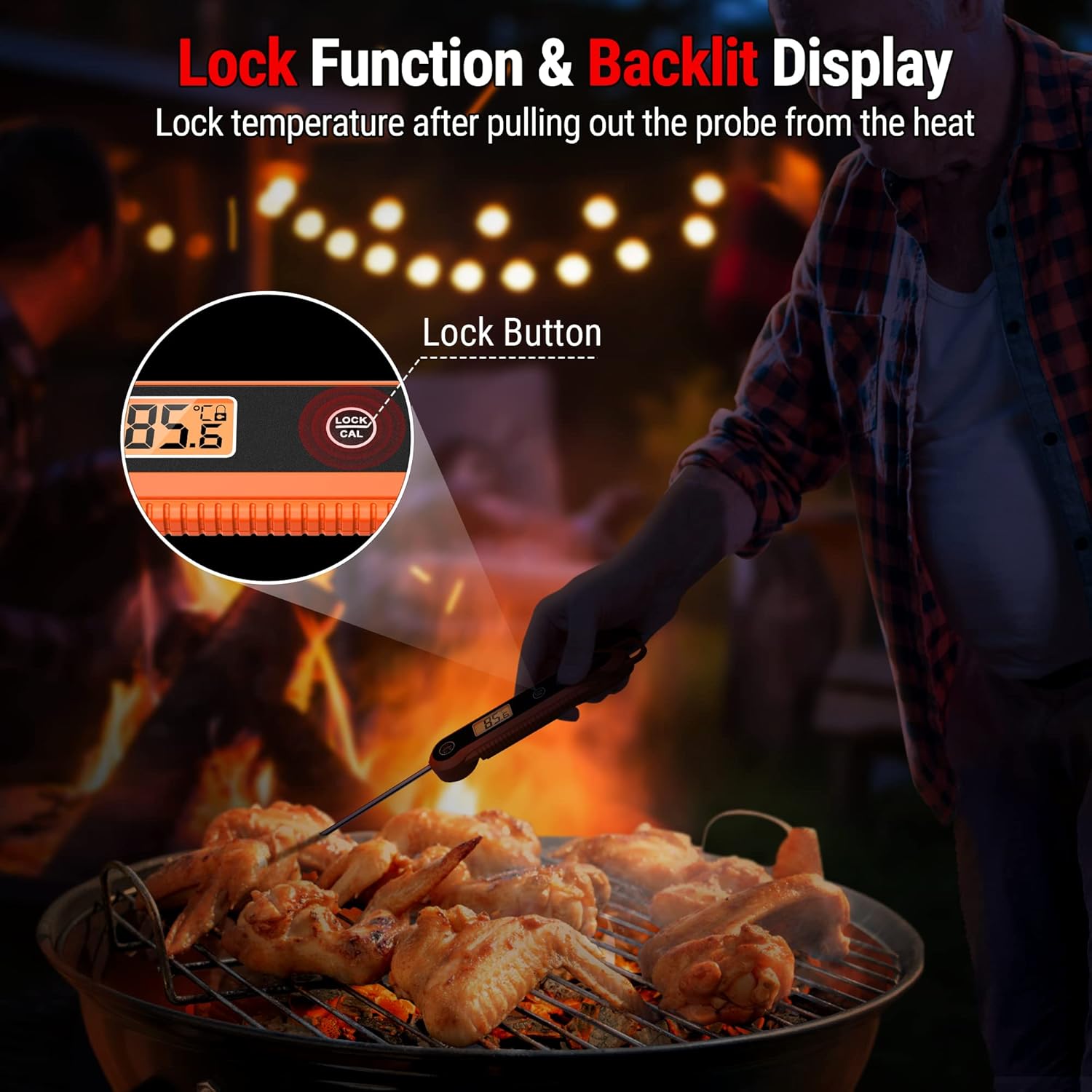
Image: The thermometer with its probe inserted into food on a grill, highlighting the "Lock" button and the temperature display.
- Backlit Display: Features an LCD backlight for easy reading in low-light conditions.
- Convenient Storage: Designed with a foldable probe for compact storage in drawers. It also includes a magnetic back for attaching to metal surfaces like refrigerators and a hang hole for hooks.
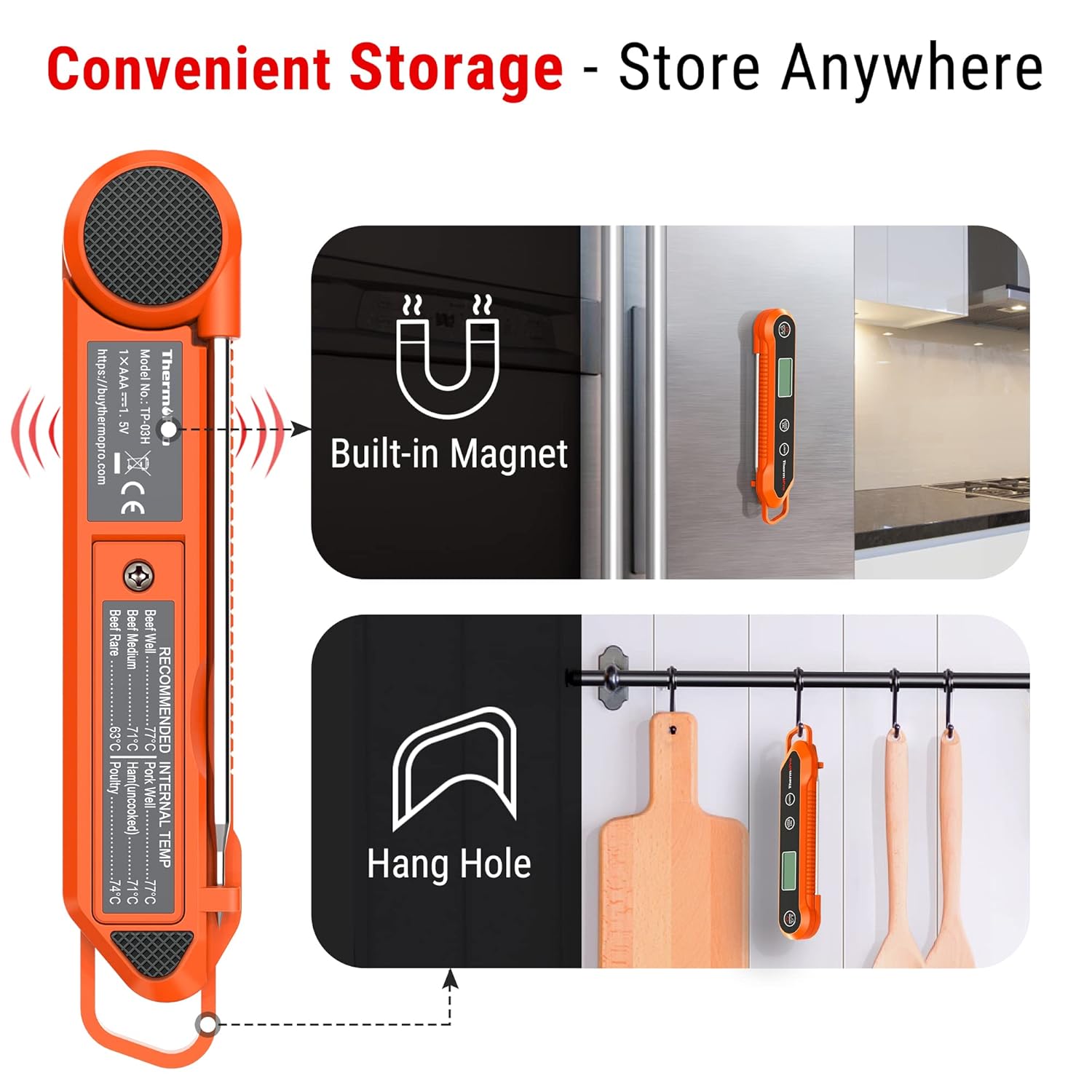
Image: Illustrations showing the thermometer attached to a refrigerator via its built-in magnet and hanging on a hook.
- Calibration Function: Allows for adjustment to maintain accuracy over time.
- Auto-Off: Automatically turns off after 90 seconds of inactivity to conserve battery life.
Setup
1. Battery Installation
The ThermoPro TP03H requires one AAA battery (included). Follow these steps to install the battery:
- Locate the battery compartment on the back of the thermometer.
- Use the provided screwdriver to open the battery compartment cover.
- Insert the AAA battery, ensuring the correct polarity (+/-) as indicated inside the compartment.
- Replace the battery compartment cover and secure it with the screwdriver.
2. Initial Power On
Once the battery is installed, unfold the probe to automatically turn on the thermometer. The display will light up, showing the current temperature.
Operating Instructions
1. Taking a Temperature Reading
- Unfold the stainless steel probe. The thermometer will power on automatically.
- Insert the tip of the probe into the thickest part of the food, avoiding bone or gristle.
- Wait for 3-4 seconds for the temperature reading to stabilize on the LCD display.
- Once the desired temperature is reached, remove the probe from the food.
2. Switching Temperature Units (°C/°F)
Press the °C/°F button located on the thermometer to switch between Celsius and Fahrenheit temperature units.
3. Using the Lock Function
To lock the current temperature reading on the display:
- While the probe is inserted and displaying a temperature, press the LOCK/CAL button briefly. The current temperature will be held on the display.
- Press the LOCK/CAL button again to unlock and resume live temperature readings.
4. Using the Backlight
Press the LIGHT button to activate the display backlight for better visibility in dim environments. Press it again to turn off the backlight.
5. Auto-Off Feature
The thermometer will automatically turn off after 90 seconds of inactivity to save battery life. To turn it back on, simply unfold the probe or press any button.

Image: The thermometer being used for BBQ, frying, baking, and checking baby milk temperature, demonstrating its versatility.
Calibration
The ThermoPro TP03H comes pre-calibrated from the factory. However, if you suspect the accuracy has drifted over time, you can recalibrate it using the ice-water method.
Ice-Water Calibration Method:
- Fill a large glass with crushed ice and top it off with cold water. Stir well and let it sit for 3 minutes.
- Hold the LOCK/CAL button for 5 seconds to enter Calibration mode. The display will show "CAL".
- Immerse the probe into the ice water, ensuring the tip is fully submerged but not touching the bottom or sides of the glass.
- Wait until the reading stabilizes. The thermometer should read 32°F (0°C). If it does not, the thermometer will automatically adjust to 32°F (0°C).
- Once calibrated, remove the probe from the ice water. The thermometer will exit calibration mode automatically.

Image: A two-step visual guide for calibration, showing holding the LOCK/CAL button and immersing the probe in ice water.
Care and Maintenance
- Cleaning: Clean the thermometer probe with a damp cloth or by rinsing under running water with mild soap before and after each use. The main body can be wiped with a damp cloth. Do not immerse the entire unit in water for extended periods, despite its IPX6 rating.
- Storage: Fold the probe back into the unit for safe and compact storage. Utilize the magnetic back to store it on a refrigerator or the hang hole to hang it on a hook. Store in a dry place away from extreme temperatures.
- Handling: Avoid scratching yourself with the sharp tip of the probe. Do not use the thermometer in a closed oven.
- Battery Replacement: Replace the AAA battery when the display becomes dim or the thermometer stops functioning correctly.
Troubleshooting
- Display shows "LL.L" or "HH.H": This indicates the temperature is outside the measurable range of -58°F ~ 572°F (-50°C ~ 300°C).
- Inaccurate Readings:
- Ensure the probe is inserted into the thickest part of the food and not touching bone or fat.
- Perform a calibration using the ice-water method as described in the "Calibration" section.
- Check battery level; a low battery can affect accuracy.
- Thermometer does not turn on:
- Ensure the AAA battery is installed correctly with the correct polarity.
- Replace the battery with a new one.
- Make sure the probe is fully unfolded to activate the unit.
- Display is dim: Replace the AAA battery.
Specifications
| Temperature Range | -58°F ~ 572°F (-50°C ~ 300°C) |
| Temperature Accuracy | ±0.9°F (±0.5°C) in range between 32 to 212°F (0 to 100°C) |
| Resolution | 0.1 °C/°F |
| Probe Length | 10 cm / 3.9 inches (Food Grade Stainless Steel) |
| Response Time | 3-4 seconds |
| Waterproof Rating | IPX6 |
| Auto-Off | 90 seconds |
| Power Supply | 1 x AAA Battery (included) |
| Dimensions | Compact and lightweight design (Original data: 0.01 x 0.01 x 0.01 inches) |
| Weight | 2.12 ounces |
| Model Number | TP-03H |
Warranty and Support
ThermoPro provides a warranty for this product. For detailed warranty information, please refer to the official ThermoPro website or contact customer service.
Customer Service:
If you have any questions or require assistance with your ThermoPro TP03H thermometer, please contact ThermoPro Customer Service:
- USA & Canada: 1-877-515-7797
- Germany (DE): 49-215-493-19011
- United Kingdom (UK): 44-808-164-1683
- France (FR): 33-975-129-576
- Italy (IT): 39-052-317-15570
- Spain (ES): 34-910-601-787
- Australia (AU): 61-180-057-7492
- Email: service@buythermopro.com

Image: A section of the product packaging showing "Package Contents" and "Customer Service" contact numbers and email.
Related documentsTP-03H


Ask a question about this manual
Ask about setup, troubleshooting, compatibility, parts, safety, or missing instructions. Manuals+ will review the question and use this page’s manual context to help answer it.