
Introduction
The Afloia KILO Air Purifier is designed to improve indoor air quality by effectively removing airborne particles, odors, and allergens. Featuring a 3-stage filtration system and quiet operation, it is suitable for large rooms up to 1076 sq ft. This manual provides detailed instructions for setup, operation, maintenance, and troubleshooting to ensure optimal performance and longevity of your air purifier.
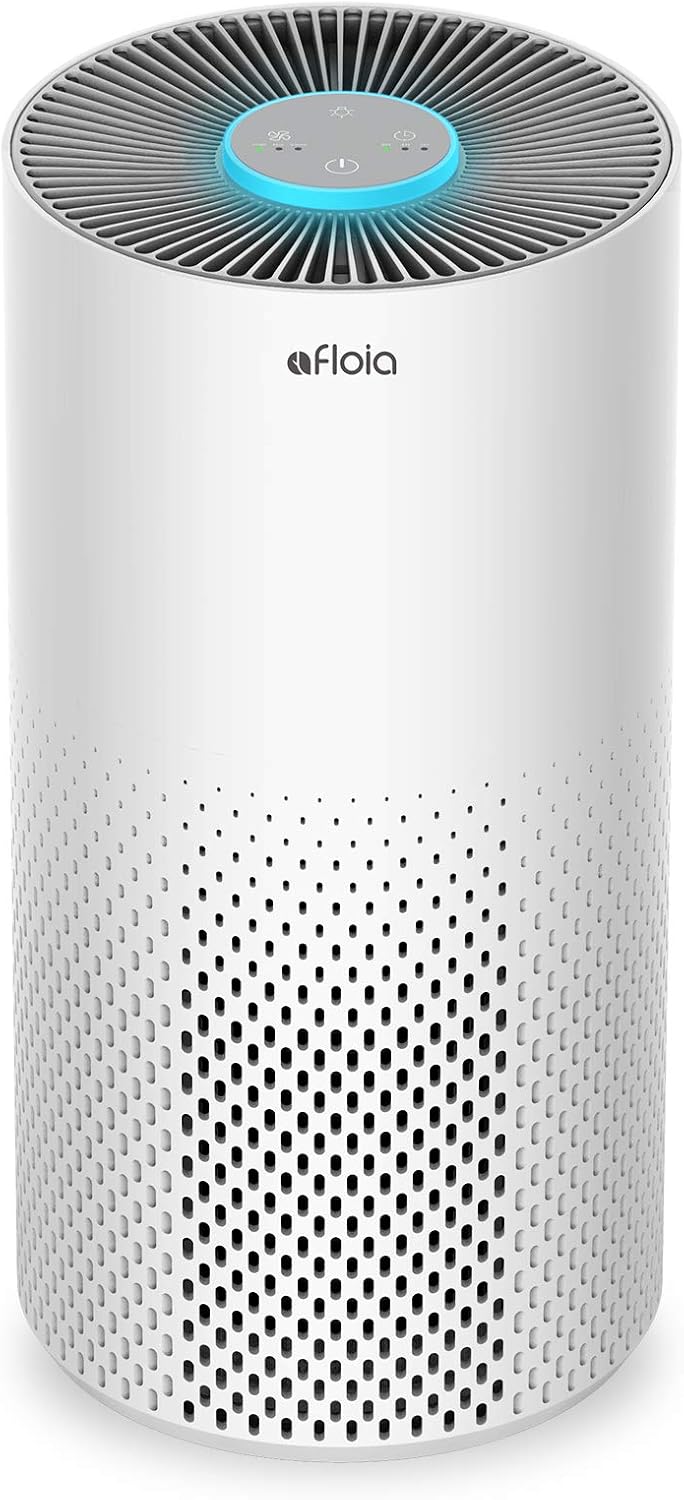
A front view of the Afloia KILO Air Purifier, showcasing its sleek white cylindrical design with a perforated lower section for air intake and a control panel on top.
Important Safety Instructions
Please read all instructions carefully before using the air purifier.
- Always place the air purifier on a firm, level surface.
- Do not block air inlets or outlets.
- Unplug the appliance before cleaning or performing any maintenance.
- Keep out of reach of children and pets.
- Do not use in wet or high-humidity environments.
- Use only original Afloia replacement filters.
Package Contents
Verify that all items are included in your package:
- Afloia KILO Air Purifier Unit
- 3-in-1 Composite Filter (pre-installed)
- Power Cord
- User Manual
Product Overview
Familiarize yourself with the components of your Afloia KILO Air Purifier.

An exploded view diagram illustrating the three stages of the air purifier's filtration system: Pre-Filtration, Efficient Filtration, and Active Carbon Filter.
The Afloia KILO features a 3-stage filtration system:
- Pre-Filtration: Captures larger particles like pet fur, dust, lint, and fibers.
- Efficient Filtration: Targets smaller particles such as bacteria, mold, pollen, and pet dander.
- Active Carbon Filter: Absorbs smoke, fumes, volatile organic compounds (VOCs), pet odors, and cooking smells.
Setup
- Unpack the Air Purifier: Carefully remove the air purifier from its packaging.
- Remove Filter Packaging: Before first use, open the bottom cover of the air purifier and remove the plastic packaging from the 3-in-1 composite filter.
- Reinstall Filter: Place the filter back into the unit with the pull tab facing upwards, then securely close the bottom cover.
- Position the Unit: Place the air purifier on a flat, stable surface, ensuring there is at least 6 inches of space around all sides for optimal air circulation.
- Connect Power: Plug the power cord into the air purifier and then into a standard electrical outlet.

The Afloia KILO Air Purifier positioned in a modern living room, illustrating its 360-degree air intake capability for efficient purification.
Operating Instructions
The control panel is located on the top of the unit.
Power On/Off
Press the Power Button to turn the unit on or off.
Fan Speed Adjustment
Press the Fan Speed Button repeatedly to cycle through different fan speeds (Low, Medium, High).
Timer Setting
Press the Timer Button to set the operating time for 2, 4, or 8 hours. The unit will automatically turn off after the selected time.
Night Light Control
Press the Light Button to turn the 7-color atmosphere light on or off, or to cycle through the colors. In Sleep Mode, the light will automatically dim.
Sleep Mode
Activate Sleep Mode for quiet operation (as low as 22 dB) and dimmed lights, ideal for bedrooms.
Maintenance
Filter Replacement
The filter element should be replaced every 4-6 months, depending on air quality and usage.
- Unplug the air purifier from the power outlet.
- Turn the unit upside down and twist the base counter-clockwise to unlock and remove the bottom cover.
- Remove the old filter by pulling the tab.
- Insert a new Afloia replacement filter (Model: KILO filter, available in Original, Pet Allergy, or Antibacterial variants).
- Replace the bottom cover and twist clockwise to lock it.
- Plug in the air purifier.
- Reset the filter indicator (if applicable, usually by holding the power button for a few seconds after replacement).

A close-up image of the cylindrical 3-in-1 composite filter used in the Afloia KILO Air Purifier.
Cleaning the Unit
Wipe the exterior of the air purifier with a soft, dry cloth. Do not use abrasive cleaners or solvents.
Troubleshooting
| Problem | Possible Cause | Solution |
|---|---|---|
| Unit does not turn on | Not plugged in | Ensure power cord is securely plugged into the unit and a working outlet. |
| Unit is noisy | Filter not installed correctly or dirty | Check filter installation. Replace filter if dirty. Ensure unit is on a flat surface. |
| Air quality not improving | Filter needs replacement or room size too large | Replace filter. Ensure the room size is within the recommended coverage area (up to 1076 sq ft). |
| Light not working | Light function off | Press the Light Button to activate or cycle through colors. |
Specifications
- Model: KILO
- Brand: Afloia
- Product Dimensions: 8"D x 8"W x 15"H
- Item Weight: 4.8 pounds
- Coverage Area: Up to 1076 sq ft
- Noise Level: 22 dB (Sleep Mode)
- Wattage: 23 watts
- Filter Type: 3-in-1 Composite Filter
- Controller Type: Button Control
- UPC: 759049213642
- CARB Certified: Yes
Warranty and Support
For warranty information and customer support, please refer to the official Afloia website or contact their customer service directly.
Afloia Store on Amazon: Visit Afloia Store


