
Casio MTP-V004D-1B2UDF
Casio MTP-V004D-1B2UDF Analog Quartz Watch User Manual
Introduction
This manual provides essential instructions for the proper use and care of your Casio MTP-V004D-1B2UDF Analog Quartz Watch. Please read this manual thoroughly to ensure optimal performance and longevity of your timepiece. Keep this manual for future reference.
Product Overview
The Casio MTP-V004D-1B2UDF is an analog quartz watch designed for reliability and style. It features a precise Japan Quartz Movement, a durable stainless steel case and band, and a clear mineral crystal for excellent readability.
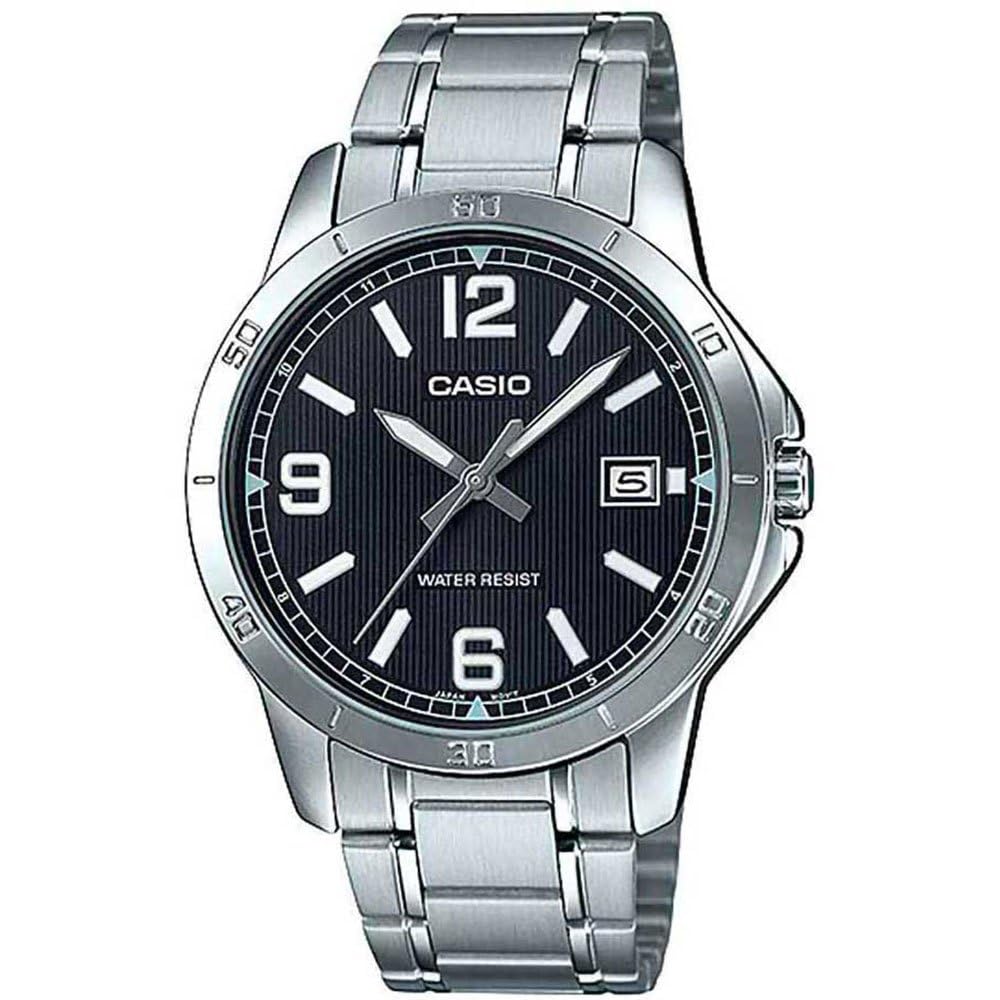
Image: Front view of the Casio MTP-V004D-1B2UDF Analog Quartz Watch, showcasing its silver stainless steel band, black dial, and date display.
Key Features:
- Precise Japan Quartz Movement: Ensures accurate timekeeping.
- Stainless Steel Case and Band: Provides durability and a classic aesthetic.
- Fold Over Deployment Clasp: Secure and comfortable fit.
- Mineral Crystal: Offers scratch resistance and clear visibility.
- Date Display: Conveniently shows the current date.
- Luminous Hands and White Index: Improves readability in low-light conditions.
- Water Resistant - 30 M: Suitable for daily use and splashes, but not for swimming or diving.
Setup and Initial Settings
Setting the Time:
- Pull out the crown: Gently pull the crown (the knob on the side of the watch) out to the first click position.
- Rotate the crown: Turn the crown to adjust the hour and minute hands to the desired time. Ensure you set the correct AM/PM by observing the date change. If the date changes around midnight, you are in the AM cycle.
- Push in the crown: Once the time is set, push the crown back into its normal position.
Setting the Date:
- Pull out the crown: Gently pull the crown out to the first click position.
- Rotate the crown: Turn the crown to adjust the date. Some models may require turning the crown in a specific direction (clockwise or counter-clockwise) to change the date.
- Push in the crown: Once the date is set, push the crown back into its normal position.
- Avoid setting date between 9 PM and 1 AM: To prevent damage to the date mechanism, avoid setting the date manually when the time on the watch is between 9:00 PM and 1:00 AM.
Operation
Wearing the Watch:
Adjust the stainless steel band to fit comfortably around your wrist. The fold-over deployment clasp ensures a secure fit. If the band is too loose or too tight, consult a jeweler for proper link adjustment.
Water Resistance:
This watch is rated as Water Resistant - 30 M. This means it is designed to withstand splashes, rain, and brief immersion in water, such as washing hands. It is not suitable for swimming, diving, or showering with hot water, as steam can penetrate the seals.
- Do not operate the crown or buttons while the watch is wet.
- Avoid exposing the watch to strong water currents or high water pressure.
Maintenance and Care
Cleaning:
- Wipe the watch case and band periodically with a soft, dry cloth to remove dirt and moisture.
- For stainless steel bands, a soft brush and mild soapy water can be used to clean accumulated dirt, followed by thorough rinsing and drying.
- Avoid using chemical cleaners, solvents, or abrasive materials, as these can damage the watch's finish.
Battery Replacement:
The watch is powered by a product-specific battery. When the watch begins to lose time or stops, it indicates that the battery needs replacement. Battery replacement should be performed by a qualified watch technician to ensure proper sealing and water resistance.
Storage:
When not in use, store your watch in a dry, cool place away from direct sunlight, extreme temperatures, and strong magnetic fields.
Troubleshooting
| Problem | Possible Cause | Solution |
|---|---|---|
| Watch stops or loses time. | Low battery. | Replace the battery by a professional. |
| Date does not change at midnight. | AM/PM setting is incorrect. | Advance the time by 12 hours. |
| Condensation inside the watch. | Exposure to extreme temperature changes or water ingress. | Consult a watch technician immediately to prevent damage. |
| Crown is difficult to operate. | Dirt or debris. | Do not force. Have it inspected by a professional. |
Specifications
| Feature | Detail |
|---|---|
| Model Number | MTP-V004D-1B2UDF |
| Movement | Japan Quartz (Module 1333) |
| Case Material | Stainless Steel |
| Band Material | Stainless Steel |
| Clasp Type | Fold Over Deployment Clasp |
| Crystal Type | Mineral Crystal |
| Case Diameter | 41.5 mm |
| Case Thickness | 8.3 mm |
| Water Resistance | 30 Meters (3 ATM) |
| Functions | Time (Hour, Minute, Second), Date Display |
| Battery | 1 Product Specific battery required |
Warranty and Support
For information regarding the product warranty, please refer to the warranty card included with your purchase or visit the official Casio website. For technical support, service, or inquiries about replacement parts, please contact Casio customer service or an authorized service center.
Note: Unauthorized repairs or modifications may void your warranty.
Related documentsMTP-V004D-1B2UDF


Ask a question about this manual
Ask about setup, troubleshooting, compatibility, parts, safety, or missing instructions. Manuals+ will review the question and use this page’s manual context to help answer it.