
Introduction
The Newell RS3-C1 is a wired remote control designed to provide precise shutter release for compatible Canon cameras. This device helps eliminate camera shake, ensuring sharper images, especially during long exposures, macro photography, and when using long focal length lenses. It operates without the need for external batteries, drawing power directly from the camera.
Product Features
- High-Quality Construction: Durable design for reliable performance.
- Ergonomic Design: Comfortable and easy to handle.
- Wired Connection: Ensures stable and reliable communication with the camera, preventing signal interference.
- Vibration Reduction: Eliminates camera vibrations caused by pressing the camera's shutter button directly.
- Two-Stage Shutter Button: Functions like the camera's shutter button; press halfway for autofocus, press fully to release the shutter.
- Shutter Lock Function: Allows for continuous shooting (if supported by camera) or bulb mode without holding the button down.
- Battery-Free Operation: No external power source required.
Compatibility
The Newell RS3-C1 remote control is compatible with Canon cameras that utilize the RS-60E3 type remote port. This includes, but is not limited to, the following Canon EOS models:
- EOS 100D, 1100D, 1200D, 1300D, 1500D, 2000D, 200D, 250D
- EOS 30, 300, 3000N, 3000N QD, 3000V, 300D, 300V, 300V QD, 300X, 30V, 30V Date, 33, 350D, 400D
- EOS 50, 500, 5000, 500D, 500N, 600D, 60Da, 650D, 700D, 70D, 750D, 760D, 77D
- EOS 8000D, 800D, 80D, 850D, 9000D, 90D
- Digital Rebel, Digital Rebel XT, Digital Rebel XTi
- ELAN 7, ELAN 7E, ELAN 7NE, Elan II, Elan IIe, IX, IX 7
- Kiss X10, Kiss X5, Kiss X50, Kiss X7, Kiss X70, Kiss X7i, Kiss X80, Kiss X8i, Kiss X9, Kiss X90, Kiss X9i
- M6, Rebel 2000, Rebel G, Rebel GII, Rebel SL2, Rebel SL3, Rebel T2, Rebel T3, Rebel T3i, Rebel T4i, Rebel T5, Rebel T5i, Rebel T6, Rebel T6i, Rebel T6s, Rebel T7, Rebel T7i, Rebel T8i, Rebel Ti, RP
Setup Instructions
- Locate the Remote Port: Identify the remote control port on your Canon camera. This port is typically a small, circular jack, often labeled 'REMOTE' or with a remote control icon.
- Connect the Remote: Insert the 2.5mm jack of the Newell RS3-C1 remote control cable firmly into the camera's remote port. Ensure the connection is secure.

Image: The 2.5mm jack connector for connecting the remote to your camera.
Operating Instructions
The Newell RS3-C1 remote control features a two-stage shutter button and a shutter lock mechanism for versatile shooting.
- Autofocus: Gently press the shutter button on the remote control halfway down. This will activate your camera's autofocus system, similar to pressing the camera's own shutter button halfway.
- Shutter Release: To take a photo, press the shutter button on the remote control fully down. The camera will capture the image.
- Shutter Lock (for Continuous Shooting or Bulb Mode): For continuous shooting or long exposures using Bulb mode, press the shutter button fully down and then slide the button forward to engage the lock. The shutter will remain open or continue firing as long as the lock is engaged (depending on camera settings). To disengage, slide the button back.
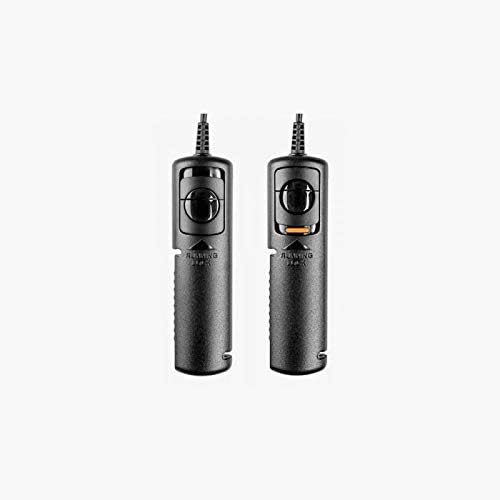
Image: The Newell RS3-C1 remote control, illustrating its ergonomic design and controls.
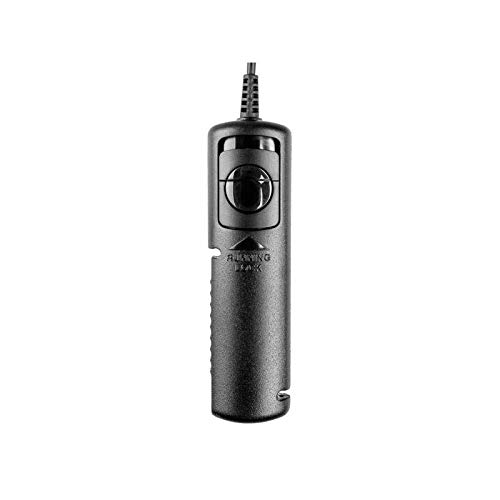
Image: Two Newell RS3-C1 remotes, highlighting the shutter button and its lock feature.
Maintenance
- Cleaning: Use a soft, dry cloth to clean the remote control. Do not use liquid cleaners or solvents.
- Storage: Store the remote in a cool, dry place away from direct sunlight and extreme temperatures.
- Handling: Avoid dropping the remote or subjecting it to strong impacts. Do not attempt to disassemble the unit, as this may void any warranty.
Troubleshooting
- Remote Not Responding:
- Ensure the cable is securely connected to both the remote and the camera's remote port.
- Verify that your camera is powered on.
- Check your camera's settings to ensure it is configured to accept remote control input.
- Camera Not Focusing:
- Ensure you are pressing the remote's shutter button halfway to activate autofocus.
- Check your camera's focus mode settings.
Technical Specifications
| Brand | Newell |
| Model | NL0167 |
| Color | Black |
| Connectivity | Wired (2.5mm jack, compatible with Canon RS-60E3 type port) |
| Special Features | Ergonomic, Shutter lock mechanism |
| Number of Buttons | 2 (two-stage shutter button) |
| Power Source | Camera (no external battery required) |
| Compatible Devices | Canon cameras with RS-60E3 remote port |
Warranty and Support
For information regarding warranty coverage, technical support, or service, please refer to the documentation provided with your purchase or contact Newell customer service directly. Contact details can typically be found on the manufacturer's official website or on the product packaging.


