
EAW RS121 2-Way Self Powered Loudspeaker User Manual
Model: RS121
1. Introduction
Thank you for choosing the EAW RS121 2-Way Self Powered Loudspeaker. This manual provides essential information for the safe and efficient operation of your new audio equipment. The RS121 is a high-performance, self-powered loudspeaker designed for professional sound reinforcement applications, featuring touring-grade transducers for exceptional audio clarity and power.
Please read this manual thoroughly before operating the loudspeaker and retain it for future reference.
2. Safety Information
Always observe the following safety precautions to prevent electric shock, fire, or injury:
- Power Source: Connect the loudspeaker only to a power supply of the type described in this manual and marked on the unit.
- Grounding: Ensure the power cord is properly grounded to prevent electrical shock.
- Ventilation: Do not block any ventilation openings. Ensure adequate airflow around the unit to prevent overheating.
- Water and Moisture: This product is not waterproof. Do not expose the loudspeaker to rain, moisture, or excessive humidity. Do not place objects filled with liquids on or near the unit.
- Cleaning: Unplug the unit from the power outlet before cleaning. Use a dry cloth only.
- Servicing: Do not attempt to service this product yourself. Refer all servicing to qualified service personnel.
- Placement: Place the loudspeaker on a stable, level surface or mount it securely using appropriate hardware. Avoid placing it in direct sunlight or near heat sources.
- Hearing Protection: Prolonged exposure to high sound pressure levels can cause permanent hearing damage. Use appropriate hearing protection when operating the loudspeaker at high volumes.
3. Product Overview
3.1 Key Features
- 2-Way Self-Powered Design
- 12-inch Woofer for powerful bass response
- Integrated Power Amplifier with 1200 Watts maximum output
- Touring-Grade Transducers for high fidelity audio
- Multiple Connectivity Options: RCA, Coaxial, XLR
- Durable enclosure suitable for professional use
3.2 Components and Controls

Figure 3.2.1: Front view of the EAW RS121 loudspeaker, showcasing the protective grille and the EAW logo at the bottom.

Figure 3.2.2: Side view of the EAW RS121 loudspeaker, showing the robust enclosure and integrated handles for easy transport.
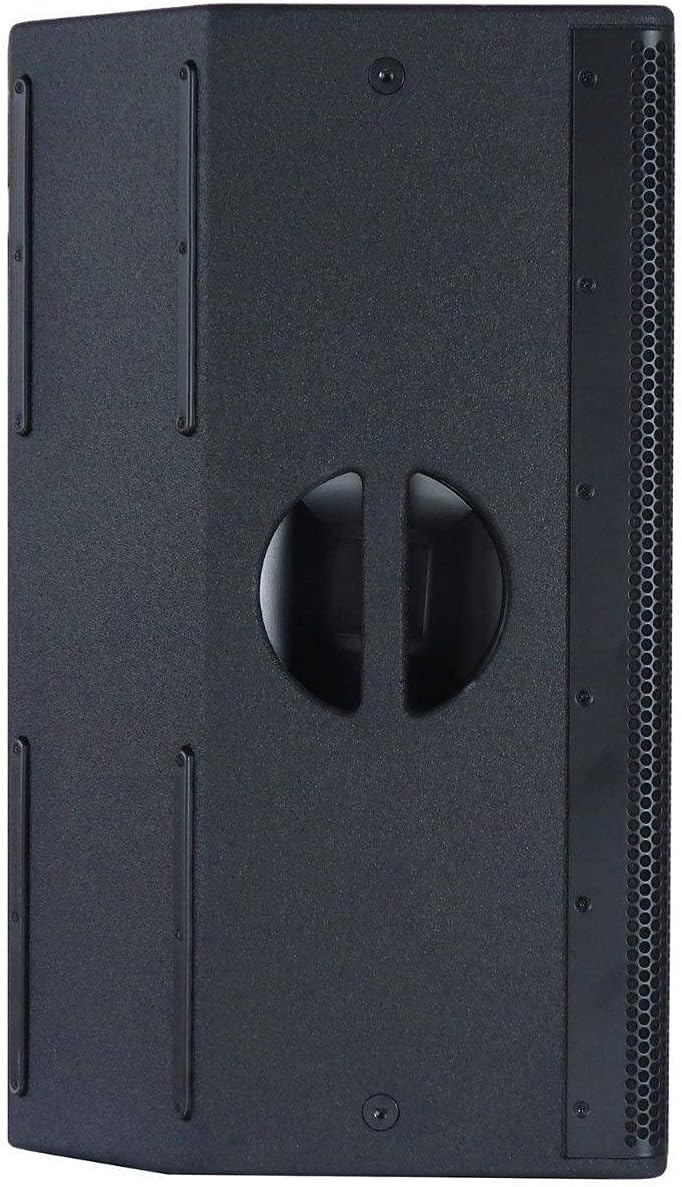
Figure 3.2.3: Another side view of the EAW RS121 loudspeaker, highlighting the durable construction and potential mounting points or additional handles.
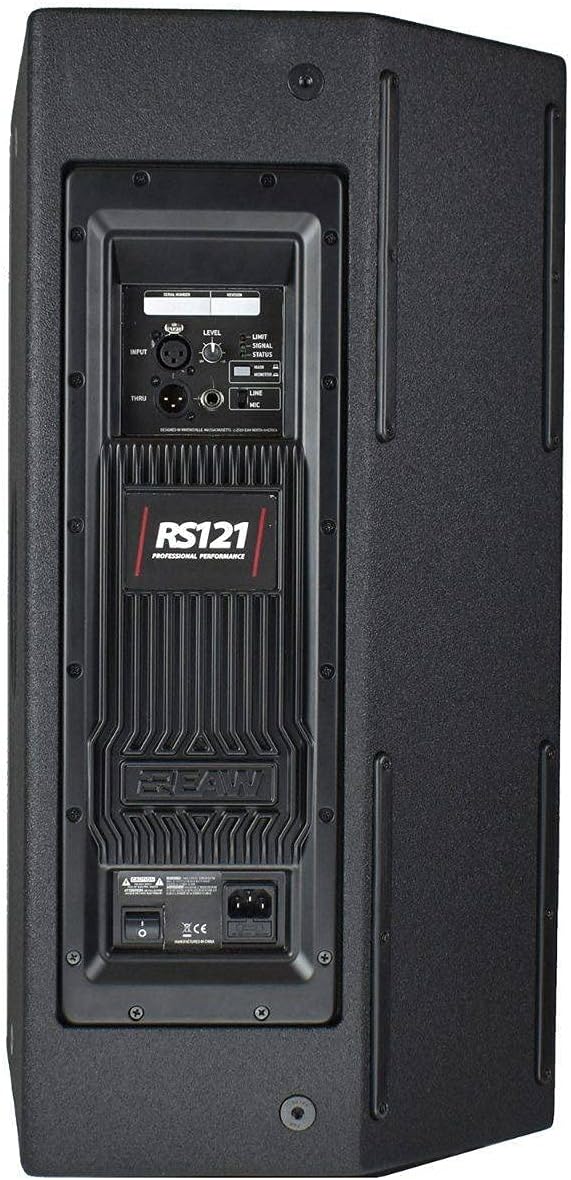
Figure 3.2.4: Rear view of the EAW RS121 loudspeaker, detailing the control panel with input/output connections (XLR, RCA, Coaxial), level controls, and power switch.
The rear panel (Figure 3.2.4) houses all essential controls and connections:
- Input Section: Includes XLR, RCA, and Coaxial inputs for versatile connectivity with various audio sources.
- Level Control: Adjusts the overall output volume of the loudspeaker.
- Limit/Status Indicators: LEDs to monitor operational status and signal limiting.
- Power Switch: Toggles the unit on and off.
- AC Power Inlet: For connecting the main power cable.
- Thru Output: Allows for daisy-chaining audio signals to other loudspeakers or devices.
4. What's in the Box
Upon unpacking your EAW RS121 loudspeaker, please ensure all listed items are present:
- 1 x EAW RS121 Self Powered Loudspeaker (includes integrated power amplifier and transducers)
- 1 x AC Power Cable
- 1 x User Manual (this document)
Note: The "Number of Items: 2" listed in some product specifications refers to the primary components within the loudspeaker system (power amplifier and transducers), not two separate loudspeaker units.
5. Setup
5.1 Placement
The EAW RS121 is designed for floor standing applications. Place the loudspeaker on a stable, flat surface. Ensure there is adequate space around the unit for ventilation, especially at the rear where the amplifier is located.
5.2 Connections
- Power Connection: Connect the supplied AC power cable to the AC power inlet on the rear panel of the loudspeaker and then to a grounded electrical outlet.
- Audio Input: Connect your audio source (e.g., mixer, audio interface, television) to the desired input on the rear panel (XLR, RCA, or Coaxial). Use high-quality shielded cables for optimal performance.
- Daisy-Chaining (Optional): If connecting multiple loudspeakers, use the "Thru" output to send the audio signal to the input of another loudspeaker.
Ensure all connections are secure before powering on the unit.
6. Operating Instructions
- Initial Power On: Before turning on the loudspeaker, ensure the Level control is set to its minimum position.
- Power On: Flip the Power Switch on the rear panel to the "ON" position. The power indicator LED should illuminate.
- Adjusting Volume: Start playing audio from your source. Slowly increase the Level control on the loudspeaker until the desired volume is achieved. Monitor the Limit/Status indicators; if the Limit LED flashes frequently, reduce the volume to prevent distortion and potential damage.
- Remote Control (if applicable): The loudspeaker supports remote control. Refer to the remote control's specific instructions for pairing and operation.
- Power Off: Before powering off, reduce the Level control to its minimum. Then, flip the Power Switch to the "OFF" position.
7. Maintenance
Proper maintenance ensures the longevity and optimal performance of your EAW RS121 loudspeaker.
- Cleaning: Disconnect the power before cleaning. Use a soft, dry cloth to wipe the exterior surfaces. Do not use abrasive cleaners, waxes, or solvents.
- Ventilation: Regularly check that the ventilation openings are clear of dust and debris. Use a soft brush or compressed air to clean them if necessary.
- Storage: If storing the loudspeaker for an extended period, keep it in a dry, cool environment, away from direct sunlight and extreme temperatures.
- Inspection: Periodically inspect power cables and audio cables for any signs of damage. Replace damaged cables immediately.
8. Troubleshooting
If you encounter issues with your EAW RS121 loudspeaker, refer to the following common problems and solutions:
| Problem | Possible Cause | Solution |
|---|---|---|
| No Power | Power cable not connected; Power outlet faulty; Power switch off. | Ensure power cable is securely connected; Test outlet with another device; Turn power switch ON. |
| No Sound Output | Input cable not connected; Level control too low; Audio source issue; Incorrect input selected (if applicable). | Check audio input cable connections; Increase Level control; Verify audio source is playing; Ensure correct input is used. |
| Distorted Sound | Input signal too high (clipping); Loudspeaker volume too high; Damaged cable. | Reduce input signal level from source; Decrease loudspeaker Level control; Replace audio cable. |
| Hum or Buzz | Ground loop; Faulty cable; Interference from other electronics. | Ensure proper grounding; Try different cables; Move loudspeaker away from interfering devices. |
If the problem persists after trying these solutions, please contact EAW customer support or a qualified service technician.
9. Specifications
| Feature | Detail |
|---|---|
| Model Name | RS121 |
| Speaker Type | Tower |
| Recommended Uses | For Sound Reinforcement |
| Compatible Devices | Laptop, Television, Home Theater |
| Included Components | Power amplifier, Transducers |
| Waterproof | No |
| Number of Items | 1 (Loudspeaker unit) |
| Control Method | Remote |
| Speaker Size | 12 Inches |
| Power Source | Corded Electric |
| Woofer Diameter | 12 Inches |
| Audio Driver Type | Dynamic Driver |
| Audio Driver Size | 12 Inches |
| UPC | 810014770291 |
| ASIN | B086VPDDQP |
| Date First Available | March 19, 2020 |
| Brand | EAW |
| Speaker Maximum Output Power | 1200 Watts |
| Connectivity Technology | RCA, Coaxial, XLR |
| Audio Output Mode | Mono |
| Mounting Type | Floor Standing |
10. Warranty and Support
10.1 Limited Warranty
The EAW RS121 loudspeaker comes with a Limited Warranty. For specific terms, conditions, and duration of the warranty, please refer to the official EAW website or contact EAW customer support directly. This warranty typically covers defects in materials and workmanship under normal use.
10.2 Customer Support
For technical assistance, troubleshooting beyond this manual, or warranty claims, please contact EAW customer support. You can typically find contact information, including phone numbers and email addresses, on the official EAW website:
When contacting support, please have your product model (RS121) and serial number (if applicable) ready.


