
Introduction
The REXING Woodlens H2-4K Wi-Fi Trail Camera is designed for high-quality outdoor surveillance, capturing detailed photos and videos of wildlife or for security purposes. This manual provides essential information for setting up, operating, and maintaining your camera to ensure optimal performance.
Product Overview
The REXING H2-4K Trail Camera features advanced technology for reliable outdoor monitoring. Key features include:
- 4K Resolution: Captures video in 4K, 2.7K, and 1080p HD with simultaneous audio recording.
- 20MP Image Quality: Produces high-resolution still images with an 8 million CMOS motion sensor.
- Wi-Fi Connectivity: Allows instant viewing and download of recordings via a dedicated mobile app.
- Ultra Night Vision: Double 850nm high-power infrared lights illuminate subjects up to 65 feet for clear night recordings.
- Fast Trigger Speed: Activates in as quickly as 0.2 seconds after motion detection within a 105° angle.
- Durable & Waterproof: Sturdy IP66-rated case protects against rain and dust.
- Extended Standby: Up to 12 months of standby time with efficient power consumption.
Setup
Follow these steps to prepare your REXING H2-4K Trail Camera for use:
- Install Batteries: Open the camera casing and insert 8 AA batteries into the designated compartment. Ensure correct polarity.
- Insert SD Card: Locate the SD card slot inside the camera. Insert a compatible SD card (up to 512GB) until it clicks into place.
- Format SD Card: Turn on the camera. Navigate to the menu settings and select the option to format the SD card. This prepares the card for recording and ensures compatibility.
- Power On: Use the ON/OFF switch to power on the camera. The built-in 2.4-inch LCD screen will activate.
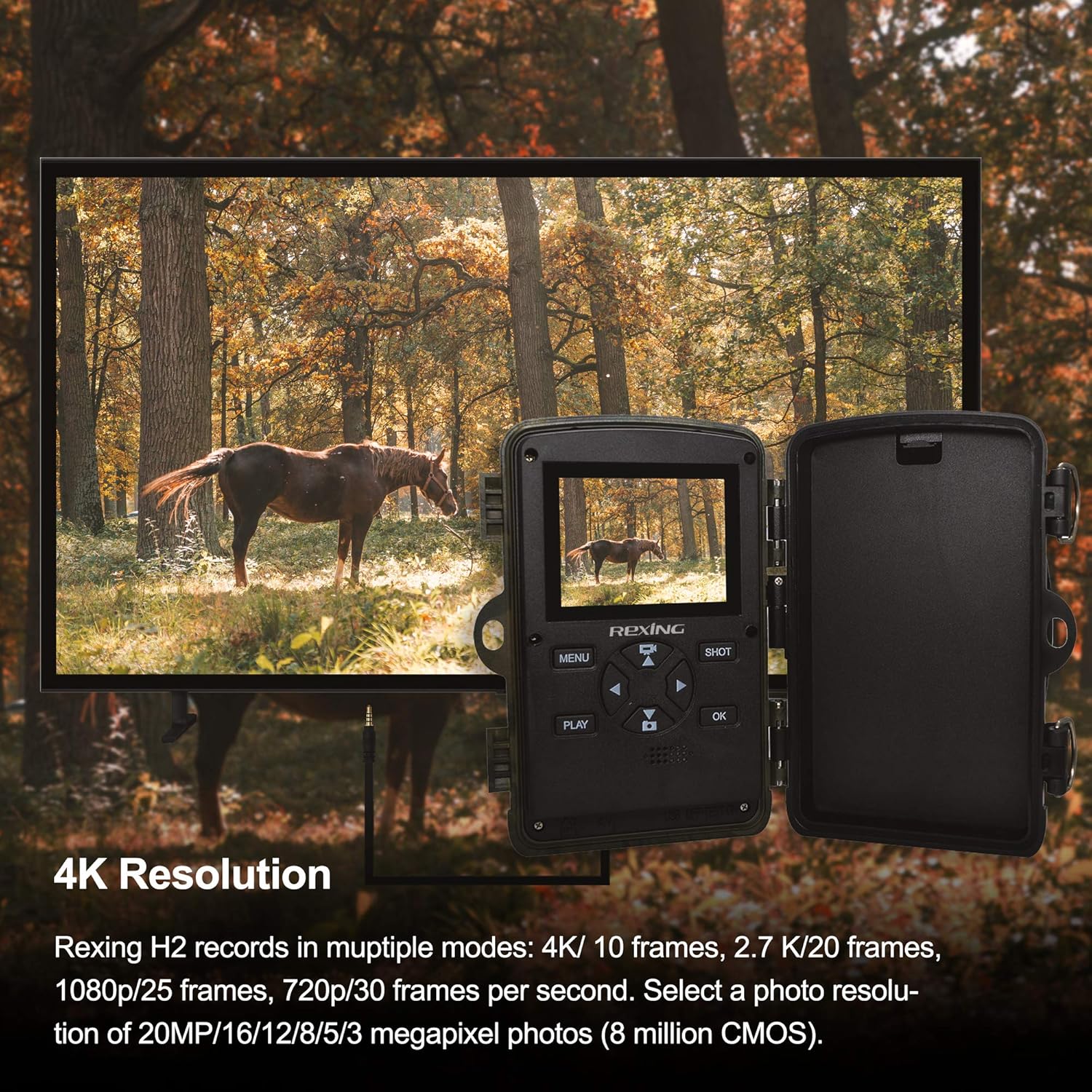
Image: The REXING H2-4K Trail Camera's screen showing 4K video resolution, with an external monitor displaying the same footage of a horse in a forest. This illustrates the camera's high-resolution video capabilities.
Operating Instructions
Familiarize yourself with the camera's controls and settings:
- Navigation: Use the MENU button to access settings and the directional (up/down/left/right) buttons to navigate. Press OK to confirm selections.
- Mode Selection: Choose between photo, video, or photo+video modes in the settings.
- Resolution Settings: Adjust photo resolution up to 20MP and video resolution up to 4K.
- Audio Recording: Enable or disable simultaneous audio recording for videos in the settings.
- Trigger Speed: The camera features a rapid 0.2-second trigger speed to capture fast-moving subjects.
- PIR Sensors: The 105° angle of detection ensures wide coverage for motion sensing.
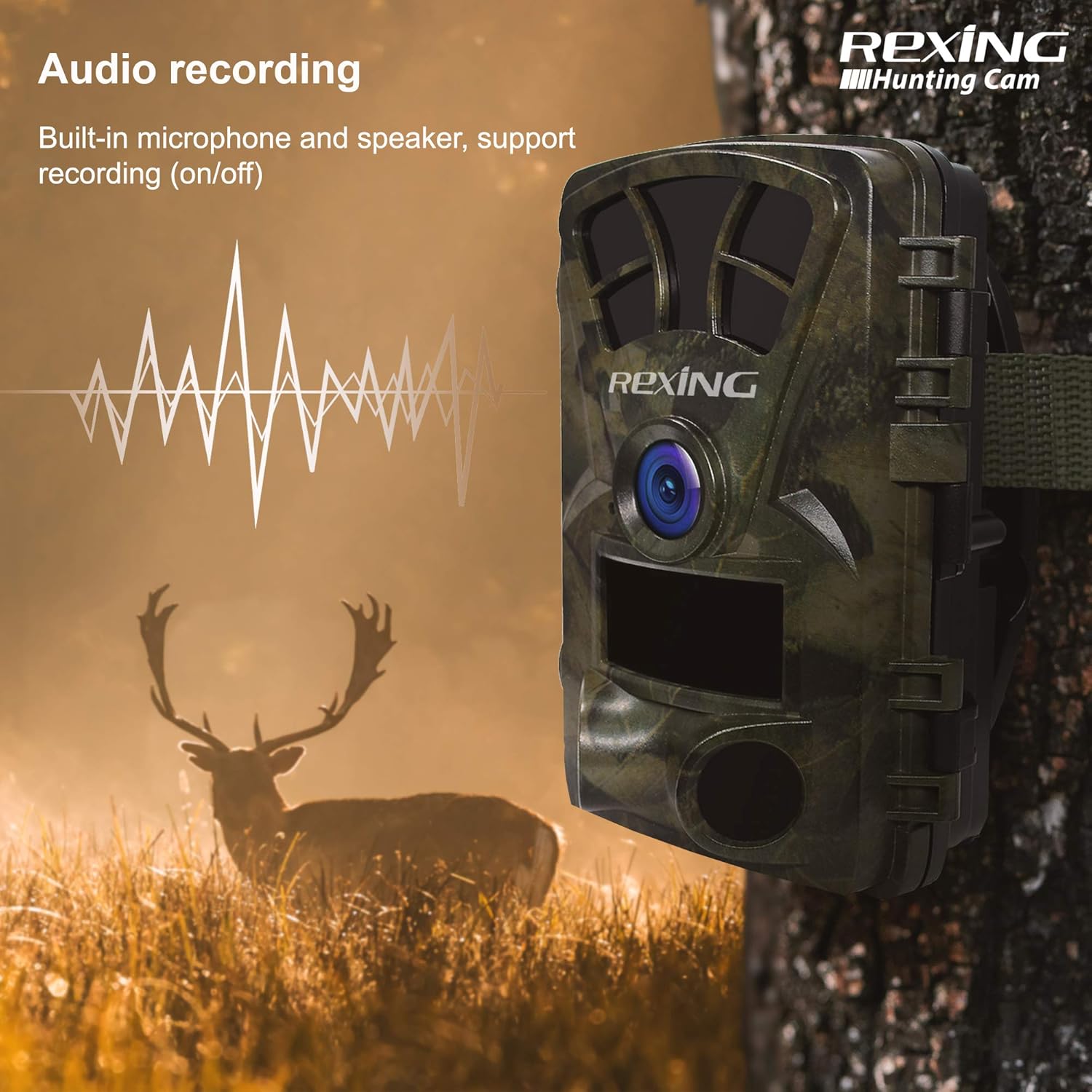
Image: The REXING H2-4K Trail Camera mounted on a tree, with a graphic overlay showing a sound wave, indicating its audio recording feature. A deer is visible in the background.
Wi-Fi Connection & App Usage
Manage your camera and view recordings conveniently with the mobile app:
- Download App: Download the official REXING app to your smartphone.
- Connect via Wi-Fi: Enable Wi-Fi on your camera and connect your smartphone to the camera's Wi-Fi network as prompted by the app.
- Instant Viewing: Once connected, you can view live footage, playback recorded videos and photos, and adjust settings directly from your phone.
- AV Output: For direct viewing on a television, connect the camera using an AV cable (not included).

Image: A smartphone screen shows a gallery of images captured by the REXING H2-4K Trail Camera, featuring various wildlife like deer and tigers in natural habitats, demonstrating the Wi-Fi connection feature for instant viewing.
Night Vision
The REXING H2-4K is equipped with advanced night vision technology for clear recordings in low-light conditions:
- Infrared Illumination: Utilizes double 850nm high-power infrared lights.
- Extended Range: Illuminates subjects up to 65 feet (20 meters) away.
- Clear Night Images: Produces sharp and detailed black-and-white images and videos during nighttime or in dark environments.

Image: A deer is captured in a dark forest environment by the REXING H2-4K Trail Camera, showcasing its advanced night vision capabilities with infrared illumination.
Power Management
Optimize your camera's battery life and power options:
- Long Standby: The camera offers up to 12 months of standby time, minimizing the need for frequent battery changes.
- External Power: Supports an external power supply and can be connected to a 6V 1.5A solar panel for continuous operation.
- Temperature Range: Operates effectively in temperatures ranging from -4°F to 140°F (-20°C to 60°C).
Mounting and Security
Securely deploy your REXING H2-4K Trail Camera in various environments:
- Mounting Options: Use the included strap to attach the camera to trees or poles. The camera also features a standard tripod thread for alternative mounting solutions.
- Weather Protection: The sturdy, IP66-rated case protects the camera from rain and dust, making it suitable for outdoor use.
- Password Protection: Set a password to prevent unauthorized access to your camera's settings and recordings.
- Locking Mechanism: Utilize the built-in loops for a cable lock to secure the camera against theft.

Image: A collage of four images demonstrating the multipurpose use of the REXING H2-4K Trail Camera for hunting, home security, wildlife monitoring, and farm surveillance.
Maintenance
Regular maintenance ensures the longevity and performance of your camera:
- Battery Check: Periodically check battery levels, especially before extended deployment. Replace or recharge batteries as needed.
- SD Card Management: Regularly download and clear your SD card to prevent it from becoming full, which can stop recording.
- Cleaning: Keep the camera lens and PIR sensors clean and free from debris to ensure optimal image quality and motion detection.
- Environmental Protection: Ensure the camera's latches are securely closed to maintain its waterproof and dustproof integrity.
Troubleshooting
Refer to these common issues and solutions:
- Camera Not Recording: Check if the SD card is full or improperly formatted. Ensure batteries have sufficient charge.
- Wi-Fi Connectivity Issues: Ensure the camera's Wi-Fi is enabled and your smartphone is within range. Restart both devices if necessary.
- Poor Night Vision: Verify that the infrared lights are not obstructed. Ensure batteries are fully charged as low power can affect IR performance.
- Motion Sensor Not Triggering: Check PIR sensor sensitivity settings in the app or camera menu. Ensure sensors are not obstructed.
- App Functionality: If the app is not connecting or displaying images correctly, try resetting the camera and reinstalling the app.
Specifications
| Feature | Specification |
|---|---|
| Video Resolution | 4K, 2.7K, 1080p |
| Still Resolution | 20 MP |
| Photo Sensor Technology | CMOS |
| Connectivity | Wi-Fi, AV Output |
| Storage | Up to 512GB SD card |
| Night Vision Range | 65 feet (20 meters) |
| Trigger Speed | 0.2 seconds |
| PIR Detection Angle | 105° |
| Power Source | 8 AA Batteries, 6V 1.5A External (Solar Panel compatible) |
| Standby Time | 12 Months |
| Waterproof Rating | IP66 |
| Operating Temperature | -4°F to 140°F (-20°C to 60°C) |
| Dimensions | 7 x 4 x 4 inches |
| Weight | 10.8 ounces |
Warranty and Support
The REXING Woodlens H2-4K Trail Camera is certified with CE, FCC, and ROHS standards. For detailed warranty information and customer support, please refer to the manufacturer's official website or scan the QR code provided in the product packaging.
Video: Official REXING H2 Commercial Video. This video provides an overview of the REXING H2-4K Trail Camera's features and capabilities, demonstrating its use in various scenarios.


