
Introduction
This manual provides detailed instructions for the installation, operation, and maintenance of your VANTRUE GPS Receiver Module. This module enhances your compatible Vantrue dash cam by adding GPS functionality, allowing for location, speed, and route tracking.
Compatibility: This GPS module is designed to work exclusively with the following Vantrue dash cam models: N4, N2S, X4S, N1 Pro (2023), and T3. It is not compatible with N4S, N4 ProS, or N5S models.

Figure 1: VANTRUE GPS Receiver Module compatibility with various dash cam models.
Setup and Installation
Follow these steps to properly install your GPS Receiver Module with your compatible Vantrue dash cam.
- Prepare the Windshield: Ensure the chosen area on your windshield is clean and dry. Avoid placing the mount in areas that obstruct your view.
- Attach the GPS Module to the Dash Cam: The GPS module replaces the standard mounting bracket. Slide the dash cam onto the GPS module until it clicks securely into place.
- Mount to Windshield: Press the suction cup firmly against the clean windshield surface. Flip the locking lever (if present) to create a strong vacuum seal.
- Connect Power: Plug the Type-C USB power cable into the GPS module's port. Route the cable neatly to your vehicle's power source.

Figure 2: Step-by-step installation guide for the GPS module.
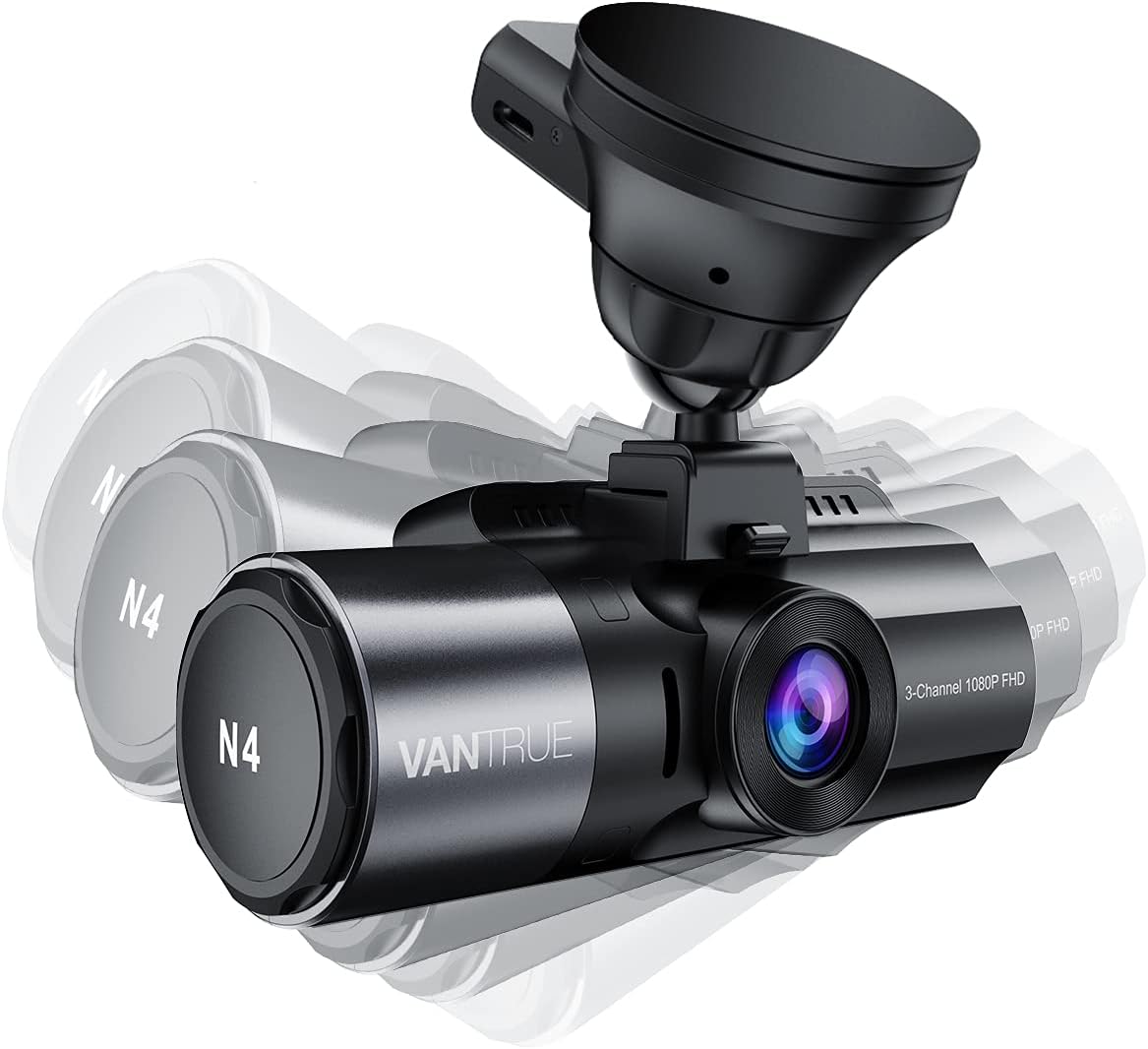
Figure 3: Dash cam mounted with the GPS module, illustrating adjustability.
Operating the GPS Functionality
Once installed and powered, the GPS module automatically begins recording location and speed data alongside your video footage.
- GPS Data Recording: The module records your vehicle's location, speed, and route information. This data is embedded into the video files.
- Vantrue Player Software: To view the GPS data, download and install the Vantrue GPS Player software for Windows and Mac. This software allows you to play back videos and simultaneously view your vehicle's position on a map, along with speed and other relevant data. The software supports 3-channel viewing for compatible dash cams.
- Accurate Timekeeping: The GPS module helps maintain accurate time settings on your dash cam, preventing time drift and ensuring correct timestamps on your recordings.
Download the Vantrue GPS Player from the official Vantrue website: vantrue.net/Support/flleDlist/p_id/131/file_type/2.html
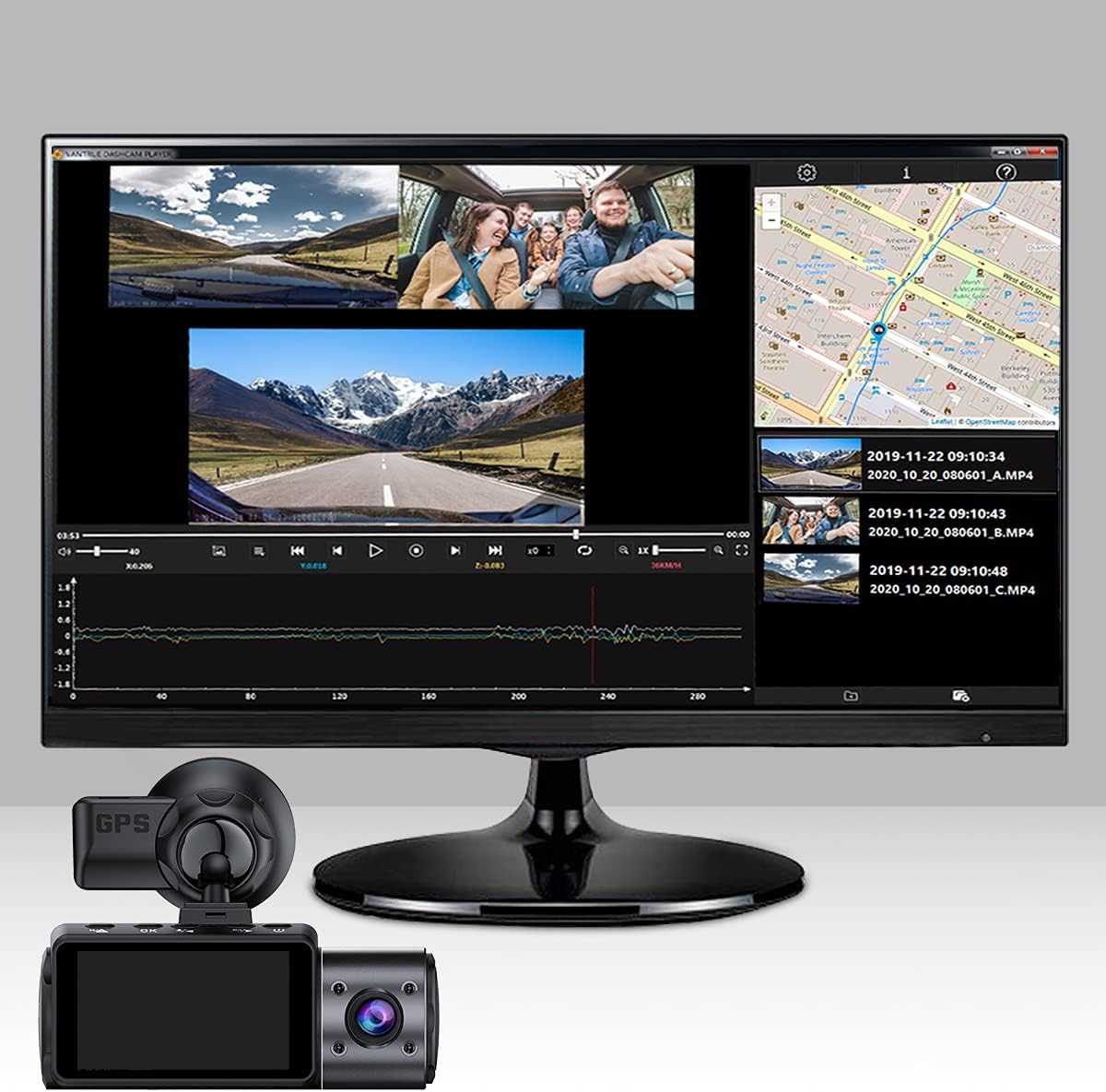
Figure 4: Vantrue Player Software displaying video and GPS tracking data.

Figure 5: Dash cam displaying real-time GPS information on its screen.
Maintenance
Proper maintenance ensures the longevity and reliable performance of your GPS module.
- Suction Cup Cleaning: If the suction cup loses its grip, clean both the suction cup and the windshield surface thoroughly with a damp cloth and mild detergent. Ensure both surfaces are completely dry before reattaching.
- Temperature Considerations: In extremely hot or cold weather, the suction cup's adhesion may be affected. It is recommended to remove the mount from the windshield during prolonged periods of extreme temperatures to prevent damage or detachment.
Troubleshooting
| Problem | Possible Cause | Solution |
|---|---|---|
| GPS module frequently falls off windshield. | Dirty windshield or suction cup; extreme temperatures; worn suction cup. | Clean windshield and suction cup thoroughly. Avoid extreme temperatures. If the suction cup is old or damaged, consider replacing the mount. |
| No GPS data recorded or displayed. | GPS signal obstruction; module not properly connected; GPS function disabled in dash cam settings. | Ensure clear view of the sky for the GPS module. Verify the module is securely attached to the dash cam. Check dash cam settings to ensure GPS is enabled. |
| Dash cam requests frequent memory reformatting. | SD card issue; firmware issue. | Try a different high-quality SD card. Ensure dash cam firmware is up to date. |
Specifications
- Brand: VANTRUE
- Model Name: VTNSCGPSM-C
- Model Number: N4-GPS
- Color: Black
- Mounting Type: Windshield Suction Cup
- Special Feature: Built-In GPS
- Compatible Devices: Vantrue N4, N2S, X4S, N1 Pro(2023), T3 Dash Cams
- Compatible Vehicle Type: Car
- Item Dimensions: 2.2 x 2.2 x 3 inches
- Item Weight: 0.06 Kilograms
- Water Resistance Level: Not Water Resistant
- UPC: 193368000994, 193368000734
Warranty and Support
VANTRUE offers comprehensive support for its products.
- Extended Warranty: Enjoy an 18-Month Extended Warranty.
- Return Policy: A 30-Day Return Policy is available.
- Customer Support: 24-Hour Customer Support is provided.
For assistance, please contact:
- Email: support@vantrue.net
- Phone: 510-666-4086


