
Introduction
Thank you for choosing the FunKey DP-88 II Digital Piano. This manual provides essential information for the safe and efficient use of your instrument. Please read it thoroughly before operating the piano and keep it for future reference.
The FunKey DP-88 II is designed for beginners and experienced players alike, offering 88 hammer-action keys with touch dynamics, a wide range of sounds, and comprehensive accompaniment features.

Figure 1: The FunKey DP-88 II Digital Piano.
Package Contents
Ensure all the following items are present in your package:
- FunKey DP-88 II Digital Piano
- Economy Keyboard Bench
- Headphones
- Piano Method Book for Beginners
- Power Adapter
- User Manual (this document)

Figure 2: Included components of the FunKey DP-88 II digital piano set.
Setup
1. Assembly
The FunKey DP-88 II digital piano is designed for quick and straightforward assembly. Follow the instructions provided in the separate assembly guide (if included) or the visual cues on the packaging. Ensure all components are securely fastened before use.

Figure 3: The FunKey DP-88 II digital piano is compact and designed for quick assembly.
2. Connecting Power
- Connect the power adapter to the DC IN jack on the rear panel of the piano.
- Plug the power adapter into a suitable wall outlet.
3. Connecting Pedals and Headphones
- Connect the pedal unit cable to the designated pedal input on the piano.
- For private practice, plug the included headphones into the 6.35 mm headphone jack.

Figure 4: Rear panel connections for the FunKey DP-88 II digital piano.
Operating Instructions
1. Power On/Off
Press the POWER button located on the control panel to turn the piano on or off. The LCD display will illuminate upon power-on.

Figure 5: Intuitive control panel with LCD display for easy navigation.
2. Adjusting Volume
Use the MASTER VOLUME knob or buttons to adjust the overall output volume of the piano. This affects both the built-in speakers and headphone output.
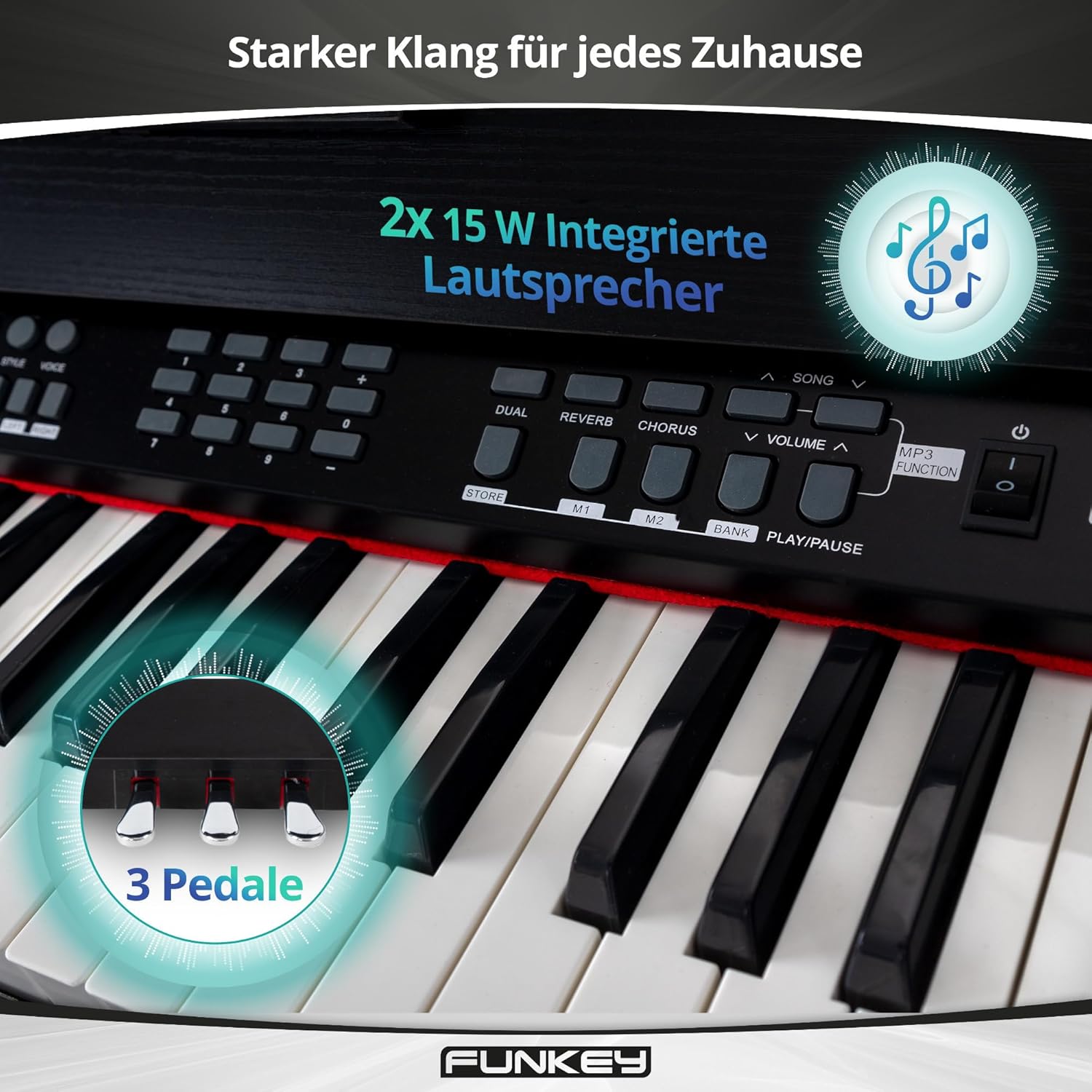
Figure 6: Integrated stereo speakers and three pedals for expressive play.
3. Selecting Sounds and Rhythms
- The DP-88 II features 360 different sounds. Use the SOUND selection buttons to browse and choose your desired instrument voice.
- Access 160 accompaniment styles using the RHYTHM section. These provide a full band backing for your playing.
4. Learning Functions
The piano includes a learning function with three difficulty levels for both hands, displaying notes directly on the LCD. It also features 80 inspiring demo songs to aid your musical progress.
- Dual Function: Play two sounds simultaneously, such as piano and strings.
- Split Function: Divide the keyboard into two sections, allowing different sounds for the left and right hands (e.g., bass in the left, melody in the right).

Figure 7: Creative learning features of the FunKey DP-88 II.
5. Metronome, Record & Playback, MP3 Player
- Metronome: Use the built-in metronome for timing practice.
- Record & Playback: Capture your performances and listen back to them.
- MP3 Player: Play along with your favorite songs via the integrated MP3 player.

Figure 8: Features for creative recording, precise practice, and playing along.
6. Effects (Reverb & Chorus)
Enhance your sound with built-in digital effects:
- Reverb: Adds a spacious, echoing effect, simulating different acoustic environments.
- Chorus: Creates a richer, thicker sound by slightly detuning and delaying the original signal.
Maintenance
1. Cleaning
- Always disconnect the power adapter before cleaning.
- Use a soft, dry cloth to wipe the surface of the piano.
- For stubborn dirt, slightly dampen the cloth with water and a mild, non-abrasive cleaner. Avoid excessive moisture.
- Do not use chemical solvents, alcohol, or abrasive cleaners, as these can damage the finish.
2. Storage and Care
- Store the piano in a cool, dry place away from direct sunlight, extreme temperatures, and high humidity.
- Avoid placing heavy objects on the keyboard or control panel.
- Protect the keys from dust using a keyboard cover when not in use.
Troubleshooting
| Problem | Possible Cause | Solution |
|---|---|---|
| No power | Power adapter not connected; power outlet not working. | Ensure power adapter is securely connected to the piano and a working power outlet. |
| No sound | Volume too low; headphones connected; incorrect sound selected. | Increase MASTER VOLUME. Disconnect headphones if using speakers. Select a different sound. |
| Keys not responding | Piano in a specific mode (e.g., demo mode); internal error. | Restart the piano. If the issue persists, contact customer support. |
| Distorted sound | Volume too high; faulty connection. | Lower the MASTER VOLUME. Check all cable connections. |
Specifications
| Feature | Detail |
|---|---|
| Keys | 88 Hammer-action keys with touch dynamics |
| Sounds | 360 |
| Rhythm Accompaniments | 160 styles |
| Polyphony | 128-note |
| Demo Songs | 80 |
| Learning Function | Yes (3 difficulty levels, notes on LCD) |
| Effects | Reverb, Chorus |
| Metronome | Yes |
| Record & Playback | Yes |
| MP3 Player | Yes |
| Speakers | Integrated stereo (2x 15W) |
| Connections | Power adapter, USB to Device, 6.35 mm Jack output, Foot pedal, MIDI In/Out, USB to Host, 6.35 mm Headphone Jack |
| Dimensions (WxDxH) | 135 x 39 x 77.5 cm (53.1 x 15.4 x 30.5 inches) |
| Weight | 29.4 kg (64.8 lbs) |
| Color | Black |
Warranty and Support
Warranty Information
Please refer to the warranty card included with your product or contact your retailer for detailed warranty information. Keep your proof of purchase for any warranty claims.
Customer Support
For technical assistance, spare parts, or service inquiries, please contact the retailer where you purchased the FunKey DP-88 II Digital Piano. You may also visit the official FunKey website for additional resources.
Additional Resources
Learning Aid Video: Piano Note Strips
Video 9: This video demonstrates the installation and use of piano note strips, which can be a helpful visual aid for beginners learning to identify notes on the keyboard. This complements the included piano method book.


