
Introduction
Thank you for choosing the REMAX CozyPods W8N Bluetooth Headphones. These in-ear headphones are designed to provide a high-quality audio experience with advanced features such as Bluetooth 5.3 connectivity, noise reduction, and a long-lasting battery. This manual will guide you through the setup, operation, maintenance, and troubleshooting of your new headphones.
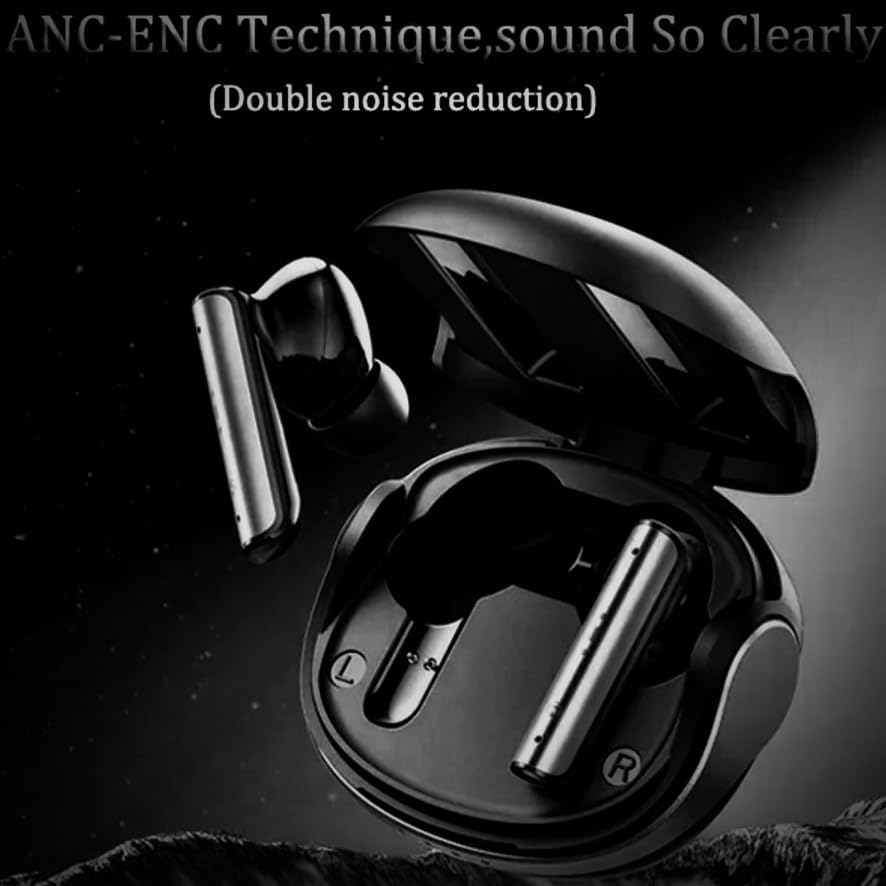
Image: The REMAX CozyPods W8N Bluetooth headphones resting inside their sleek black charging case, ready for use.
Setup
1. Charging the Headphones and Case
Before first use, fully charge the CozyPods W8N and their charging case. The charging time for both is approximately 1.5 hours.
- Place the headphones into the charging case.
- Connect the charging case to a power source using a compatible USB cable.
- The indicator lights on the case will show the charging status. Once fully charged, the lights will indicate completion or turn off.
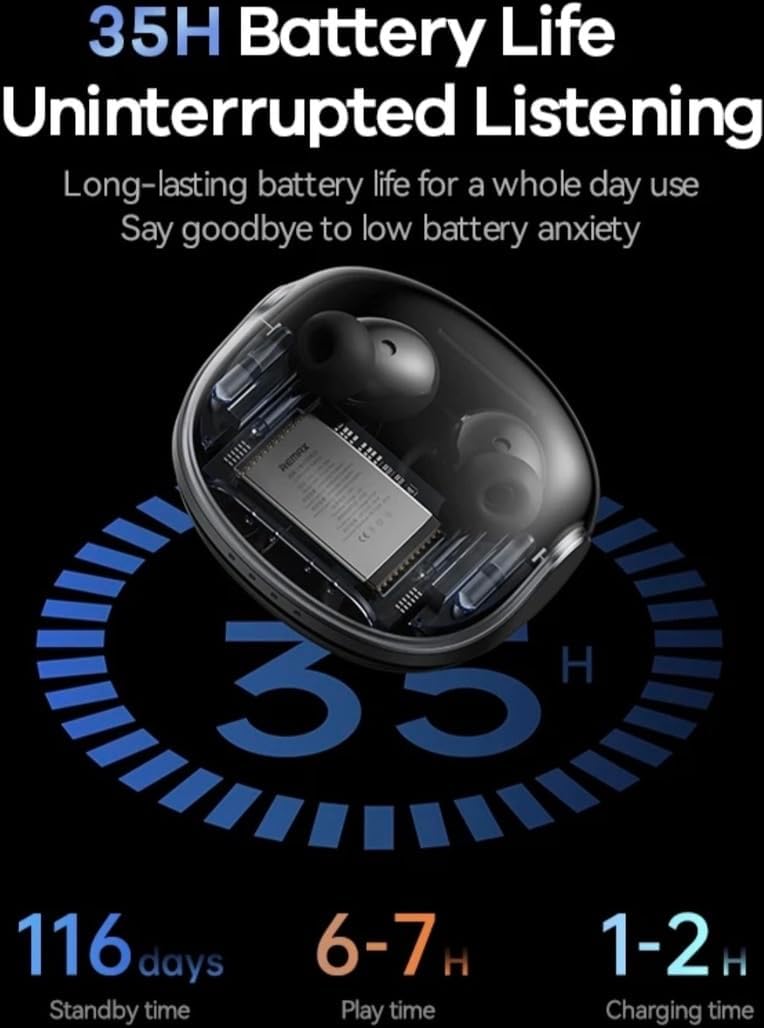
Image: An illustration detailing the battery performance of the CozyPods W8N, highlighting 35 hours of total battery life with the charging case, 116 days of standby time, 6-7 hours of continuous play time, and a 1-2 hour charging duration.
2. Bluetooth Pairing
To connect your CozyPods W8N to a device:
- Ensure the headphones are charged and inside the charging case.
- Open the charging case. The headphones will automatically enter pairing mode.
- On your device (smartphone, PC, Macbook, etc.), go to the Bluetooth settings.
- Search for available devices and select "REMAX CozyPods W8N" from the list.
- Once connected, you will hear a confirmation tone, and the headphones will be ready for use.
Operating Instructions
1. Touch Controls
The CozyPods W8N feature intuitive touch controls for managing your audio and calls. Specific gestures may vary slightly, but common functions include:
- Play/Pause: Single tap on either earbud.
- Next Track: Double tap on the right earbud.
- Previous Track: Double tap on the left earbud.
- Answer/End Call: Single tap on either earbud.
- Reject Call: Press and hold either earbud.
- Activate Voice Assistant: Triple tap on either earbud.
2. Noise Cancellation (ANC+ENC)
The CozyPods W8N incorporate ANC (Active Noise Cancellation) and ENC (Environmental Noise Cancellation) for an enhanced listening and call experience. ANC reduces ambient noise for clearer audio playback, while ENC focuses on isolating your voice during calls for improved clarity for the listener.

Image: A visual representation of the ANC-ENC technique in the CozyPods W8N, showing sound waves being actively cancelled to provide clear audio and calls.
3. Compatibility
These headphones are compatible with a wide range of Bluetooth-enabled devices, including:
- Smartphones (iOS, Android)
- Tablets
- Laptops (PC, Macbook)
- Desktops
- Smart Speakers
4. Low Latency Gaming
Experience gaming with minimal delay thanks to the headphones' low latency design, ensuring synchronized audio and visuals.

Image: A graphic highlighting the 38ms low latency feature of the CozyPods W8N, depicted with a mobile phone displaying a gaming scene, emphasizing a responsive audio experience for gamers.
Maintenance
1. Cleaning
To maintain optimal performance and hygiene:
- Gently wipe the earbuds and charging case with a soft, dry, lint-free cloth.
- Do not use abrasive cleaners, alcohol, or chemical solvents.
- Ensure charging contacts are clean and free of debris.
2. Water Resistance
The CozyPods W8N are rated IPX6 water and dust resistant. This means they can withstand strong jets of water, making them suitable for workouts and light rain. However, they are not designed for submersion in water. Avoid exposing them to saltwater or other liquids.
3. Storage
When not in use, store the headphones in their charging case to protect them from dust, damage, and to keep them charged.
Troubleshooting
If you encounter issues with your CozyPods W8N, try the following solutions:
- No Sound: Ensure headphones are paired correctly and volume is turned up on both the headphones and your device. Check if the headphones are charged.
- Pairing Issues: Turn off Bluetooth on your device, then turn it back on. Forget the device in your Bluetooth settings and try pairing again. Ensure no other devices are connected to the headphones.
- Charging Problems: Verify the charging cable and power adapter are working. Ensure the charging contacts on the earbuds and case are clean.
- Intermittent Connection: Move closer to your connected device. Avoid environments with strong electromagnetic interference.
- Reset: If issues persist, consult the manufacturer's website for specific reset instructions, as this can often resolve software glitches.
Specifications
| Model | Cozypods W8N |
| Material | ABS + PC Plastic |
| Bluetooth Version | V5.3 (JL 7006A8) |
| Operating Voltage | 3.3V |
| Impedance | 32Ω |
| Speaker Power | 3mW |
| Headphone Battery | 40mAh |
| Charging Case Battery | 360mAh |
| Charging Time | 1.5 hours |
| Call Time | 4 hours |
| Music Playback Time | 5 hours (up to 35 hours with charging case) |
| Standby Time | 180 days |
| Water Resistance | IPX6 |
| Special Features | ANC+ENC Noise Reduction, Water & Dust Density |
| Control Method | Touch |
Warranty and Support
REMAX products are designed and manufactured to the highest quality standards. For information regarding warranty coverage, technical support, or service inquiries, please refer to the warranty card included with your purchase or visit the official REMAX website. Please retain your proof of purchase for warranty claims.


