
Runleader RL-HM032B
Runleader RL-HM032B Hour Meter Tachometer User Manual
Model: RL-HM032B | Brand: Runleader
1. Product Overview
The Runleader RL-HM032B is a versatile digital hour meter and tachometer designed for gas-powered devices. It accurately tracks engine hours, displays real-time RPM, and includes essential features like maintenance reminders, programmable alerts, and a backlit display. This device is ideal for monitoring the operational status and maintenance needs of equipment such as ZTR mowers, generators, marine engines, and ATVs.

Figure 1: Runleader RL-HM032B Hour Meter Tachometer with its wired sensor.
2. Key Features
- Hour Meter (TOT): Records total accumulated engine running hours, up to 99999.9 hours.
- Real-time Tachometer (RPM): Displays engine revolutions per minute (RPM) when the engine is running.
- Maintenance Reminders (SVC & SVC2): Two programmable service timers to remind users of scheduled maintenance, such as oil changes or air filter replacements.
- Job Timer (JOB): A resettable timer to measure the duration of specific work tasks.
- Max RPM Record: Automatically records and displays the maximum RPM reached during operation.
- Alert RPM: Programmable RPM alert function to warn when engine RPM exceeds a set limit.
- Programmable Firing Patterns: Adaptable to various gasoline engine types for accurate RPM readings.
- Initial Hours Setting: Allows setting initial hours, useful when replacing an existing hour meter.
- Backlit Display: Features a programmable green backlight for visibility, which turns red when a service reminder or RPM alert is triggered.
- Battery Replaceable: Uses a CR2032 lithium battery, which is user-replaceable.
- Waterproof (IP65): Designed to withstand splashes and dust, suitable for outdoor use.
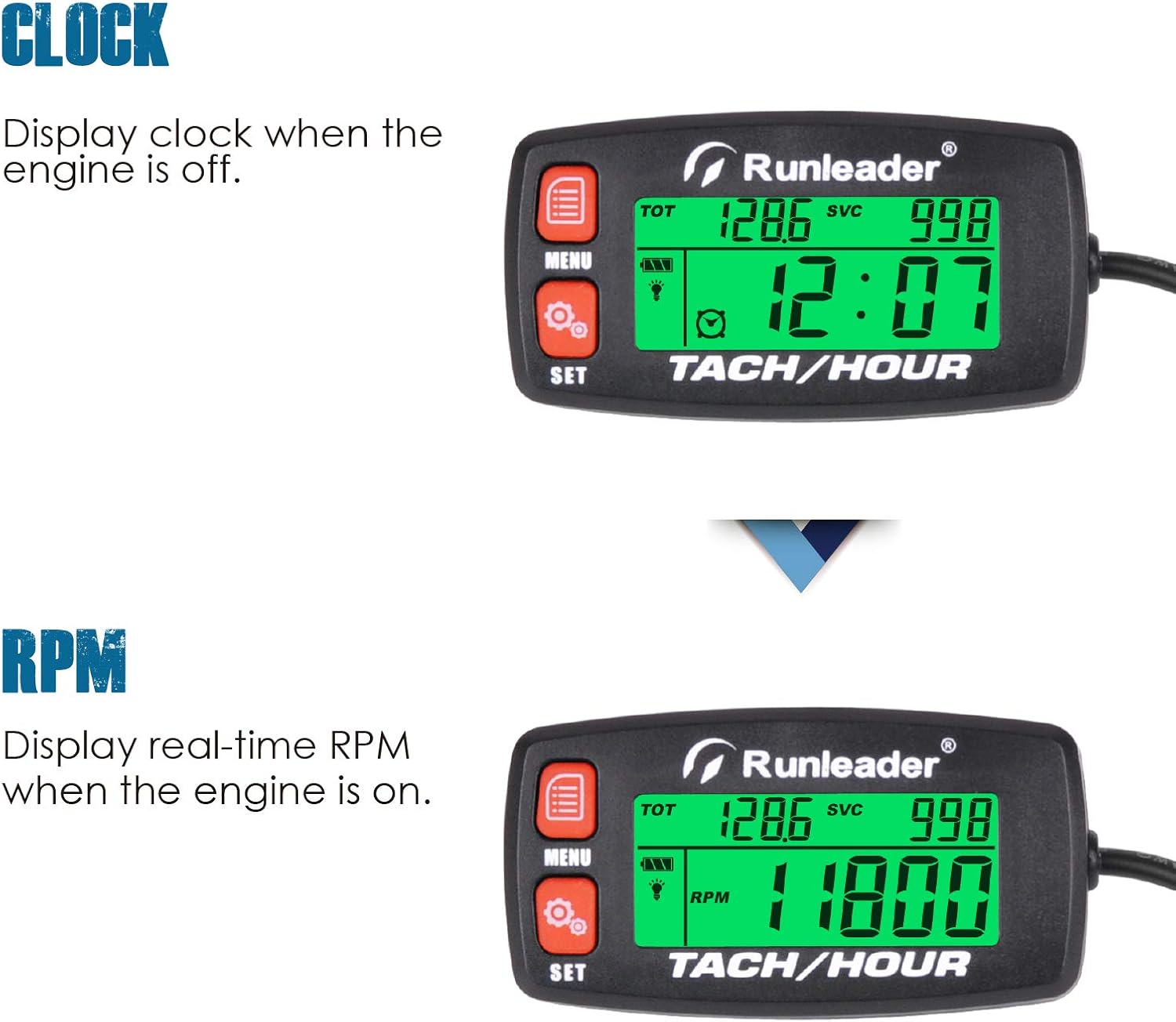
Figure 2: Display showing clock when engine is off and real-time RPM when engine is on.
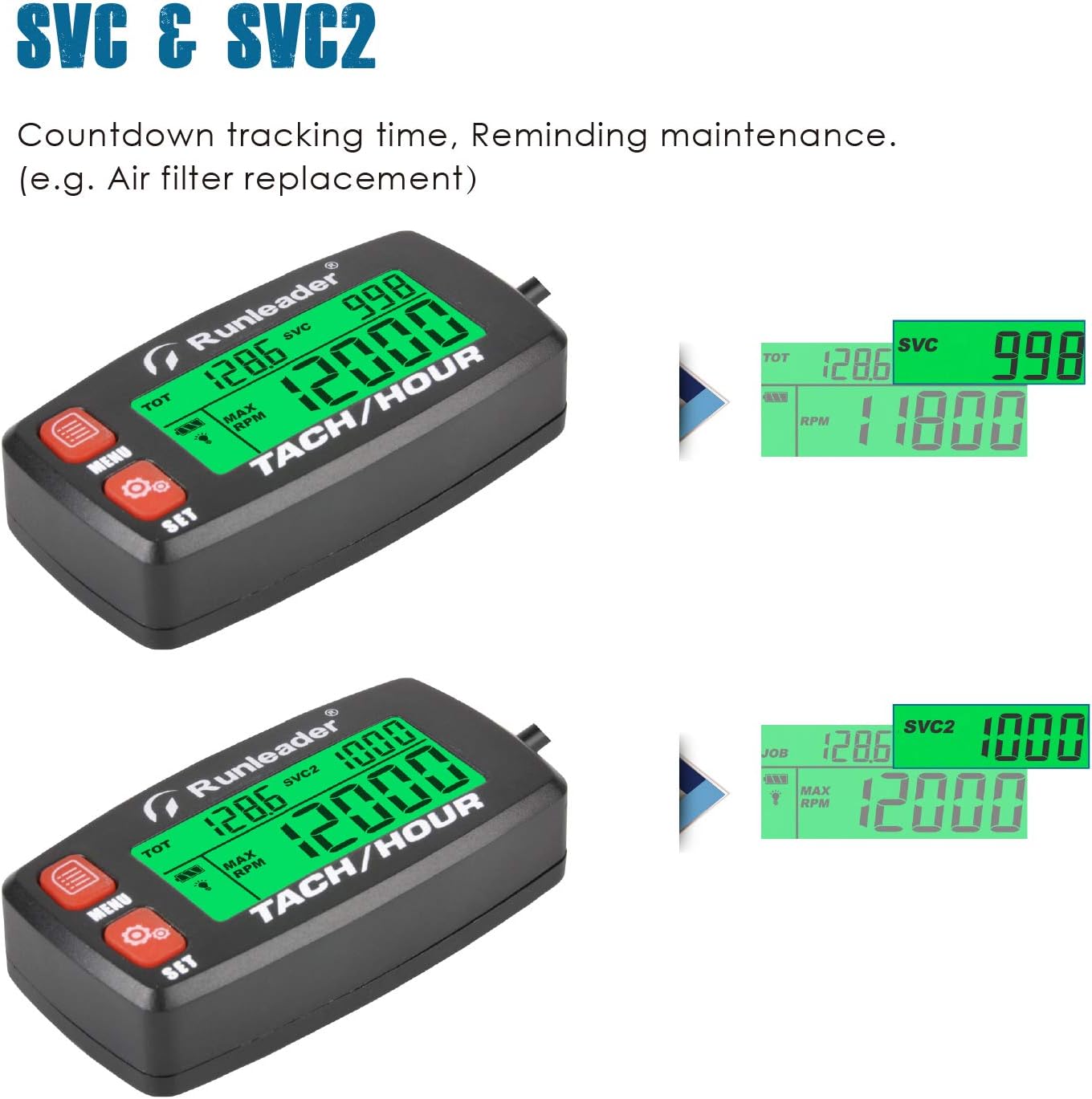
Figure 3: Display illustrating SVC and SVC2 countdown tracking for maintenance reminders.
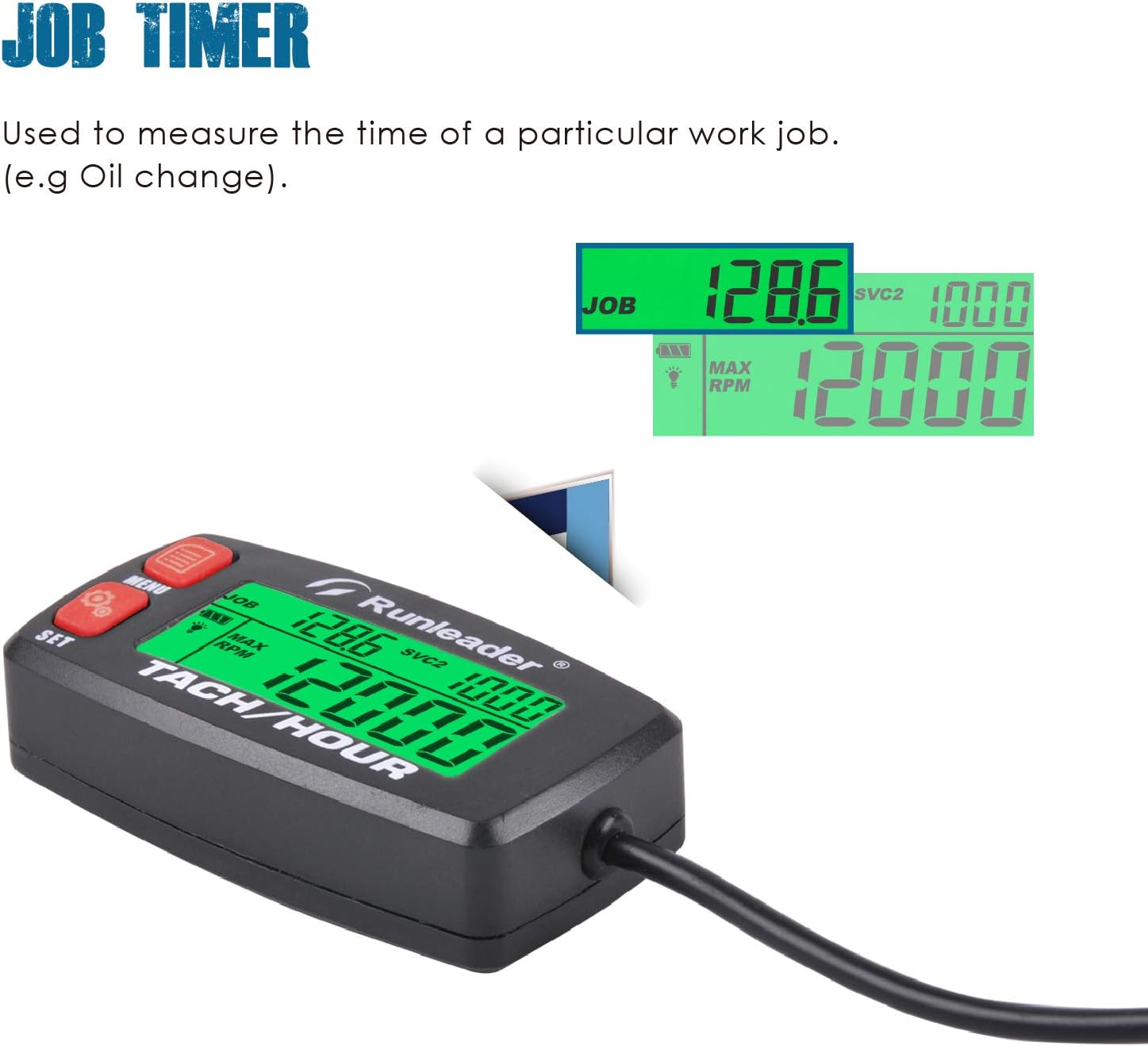
Figure 4: Display showing the Job Timer function for measuring specific work durations.

Figure 5: Display showing recorded Max RPM and the programmable Alert RPM feature.

Figure 6: Display demonstrating the green backlight and how it turns red for alerts.

Figure 7: Product image highlighting its IP65 waterproof rating and replaceable CR2032 battery.
3. Setup and Installation
The Runleader RL-HM032B offers flexible installation options and requires connection to the engine's spark plug wire for RPM and hour tracking.
3.1 Engine Signal Connection
Wrap the signal wire around the spark plug wire of your engine. The number of wraps typically ranges from 3 to 5, depending on the engine type and signal strength. Ensure a secure connection for accurate readings.

Figure 8: Illustration of engine signal wire connection and available mounting methods.
3.2 Product Mounting
The device can be mounted using two primary methods:
- Stick-on Mounting: Utilize the provided adhesive backing (e.g., 3M tape) to attach the meter to a clean, flat surface.
- Screw-on Mounting: Use screws to secure the meter through designated mounting holes for a more permanent installation.
4. Operating Instructions
The RL-HM032B features intuitive buttons for navigation and setting adjustments:
- MENU Button: Used to cycle through different display modes and enter setting menus.
- SET Button: Used to confirm selections and adjust values within setting menus.
4.1 Setting Initial Hours (TOT)
To set the initial total hours, navigate to the TOT setting using the MENU button. Use the SET button to adjust the value to match previous hour readings if replacing an old meter. This ensures continuity of your equipment's total run time.
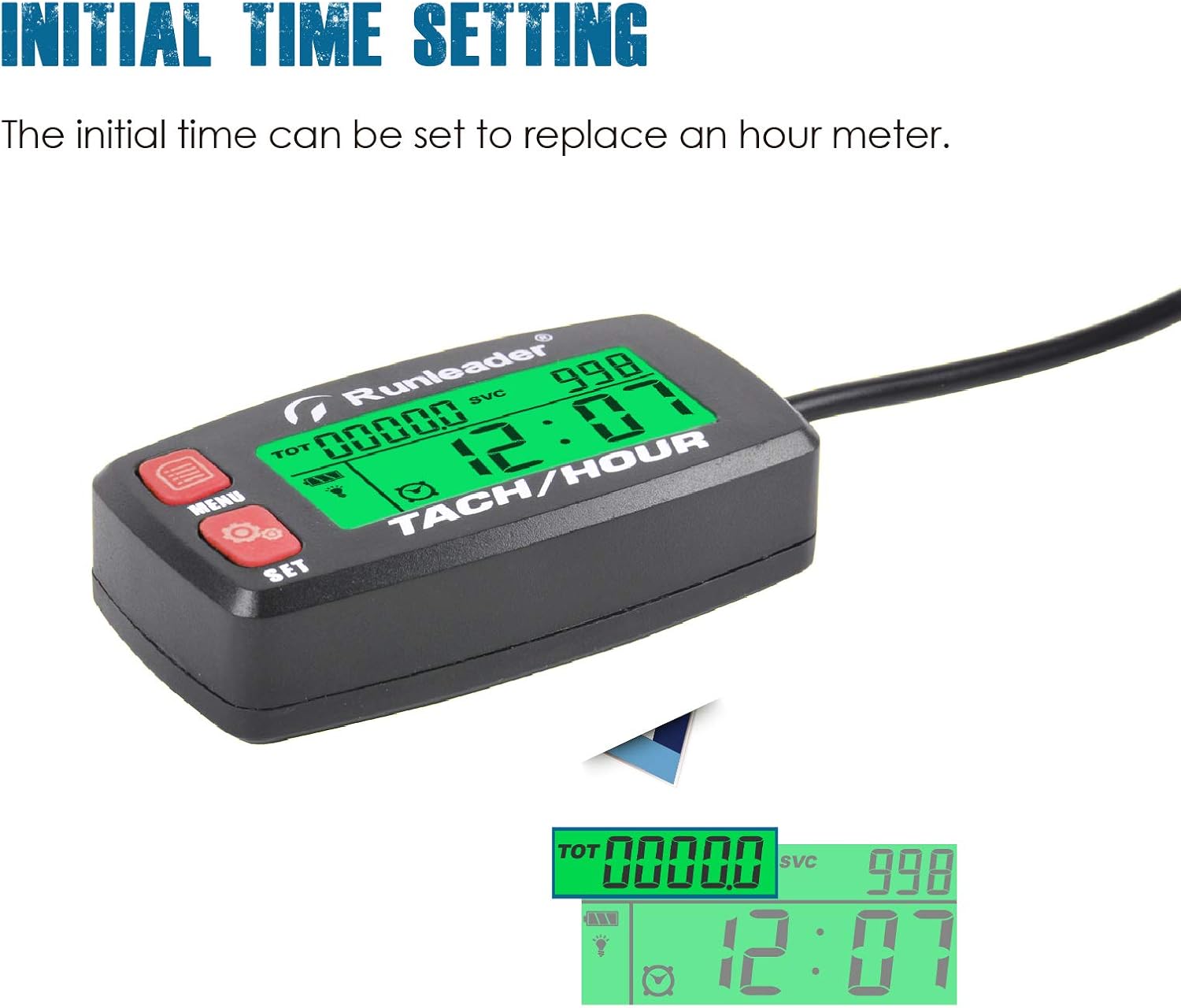
Figure 9: Setting the initial total hours on the display.
4.2 Programming Maintenance Reminders (SVC & SVC2)
Access the SVC and SVC2 settings via the MENU button. Use the SET button to program the desired maintenance intervals in hours. The display will alert you when the set time approaches, turning the backlight red.
4.3 Adjusting Firing Patterns
For accurate RPM readings, select the correct firing pattern for your engine (e.g., 1P1R for 1 spark per 1 revolution, 1P2R for 1 spark per 2 revolutions). Refer to your engine's specifications or experiment to find the most accurate setting. This setting is crucial for precise RPM measurement.
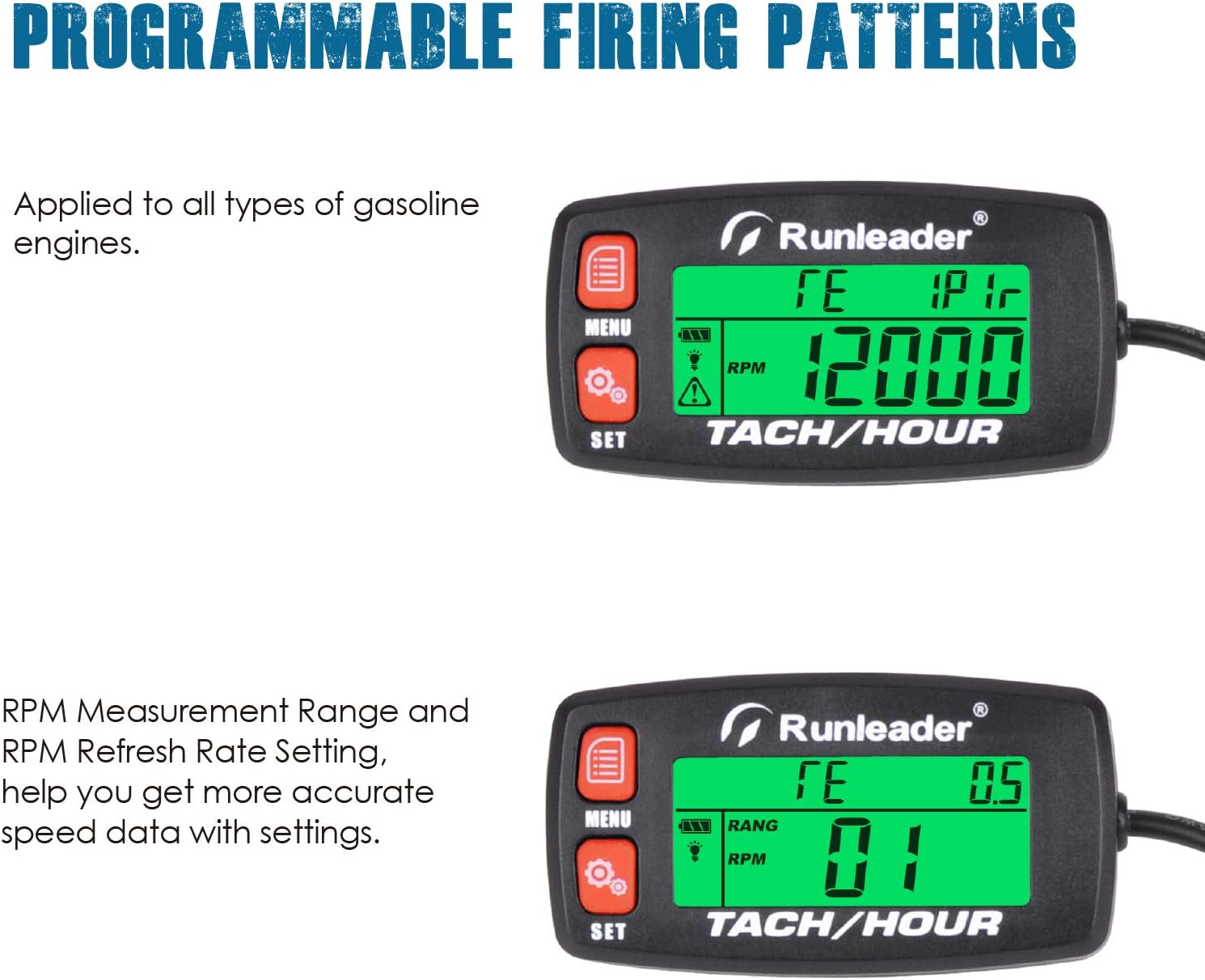
Figure 10: Display showing programmable firing patterns for different engine types.
4.4 Setting Alert RPM
Program a maximum RPM threshold. If the engine's RPM exceeds this value, the meter will provide a visual alert by changing the backlight color to red, indicating potential over-revving or an issue.
4.5 Backlight Control
The backlight can be programmed to be always on, off, or automatic. In automatic mode, it will illuminate when the engine is running or when an alert is active.
5. Maintenance
5.1 Battery Replacement
The RL-HM032B uses a replaceable CR2032 lithium battery. When the battery indicator shows low power, replace the battery to ensure continuous operation and data retention. Carefully open the battery compartment, replace the old battery with a new CR2032, and secure the cover.

Figure 11: Illustration of the CR2032 battery and its compartment for replacement.
5.2 Cleaning
Wipe the unit with a soft, damp cloth. Do not use harsh chemicals or abrasive cleaners. Ensure the unit is dry before re-use, especially after exposure to water, despite its IP65 rating.
6. Troubleshooting
- No Display/Blank Screen: Check battery level and replace if necessary. Ensure the battery is inserted correctly.
- Inaccurate RPM Readings: Verify the signal wire is securely wrapped around the spark plug wire (try adjusting the number of wraps). Ensure the correct firing pattern is selected in the settings.
- Display Not Responding: Try removing and reinserting the battery to perform a soft reset. If issues persist, contact customer support.
- Maintenance Reminder Not Activating: Check if the SVC/SVC2 timers are correctly programmed and enabled.
7. Specifications
| Attribute | Value |
|---|---|
| Brand | Runleader |
| Model Number | RL-HM032B |
| Material | Plastic |
| Item Dimensions (L x W x H) | 2.7 x 1.37 x 0.68 inches |
| Item Weight | 1.69 ounces (48 Grams) |
| Battery Type | 1 Lithium Metal (CR2032, included) |
| Waterproof Rating | IP65 |
| UPC | 791328974066 |
| Manufacturer | Ningbo Jiangbei Run Leader Electrics Co.,Ltd |
8. Warranty and Support
Runleader products are designed for durability and performance. For any inquiries or technical assistance, please contact Runleader customer service. The product is Verified by Transparency, ensuring authenticity.
- Customer Service: 24-hour customer service is available.
- Technical Support: Dedicated technical support is provided for product assistance.
For more information, visit the official Runleader store or contact their support channels.
Related documentsRL-HM032B


Ask a question about this manual
Ask about setup, troubleshooting, compatibility, parts, safety, or missing instructions. Manuals+ will review the question and use this page’s manual context to help answer it.